
REC

Recommended: Video Production, Editing & Gear Maintenance Guide

 WTVID >> WTVID >  >> video >> Video clip

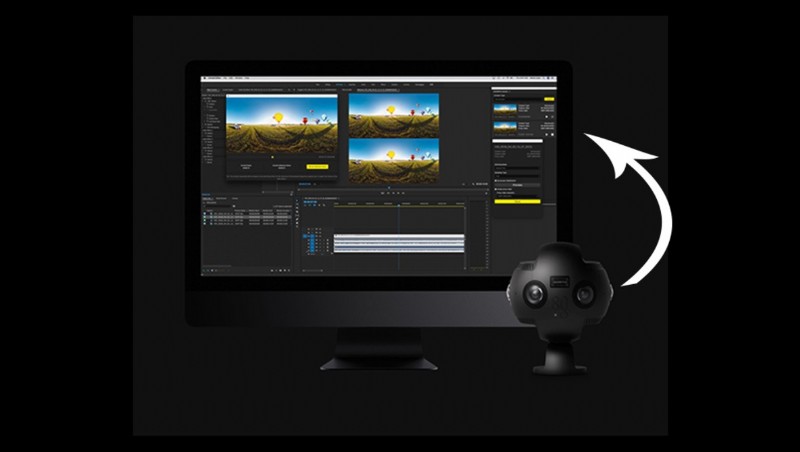
Insta360 Fully Integrates with Adobe Premiere Pro for Seamless VR Editing

Insta360 Fully Integrates with Adobe Premiere Pro for Seamless VR Editing

Less than a month after Insta360 announced their last partnership, an extremely important deal will allow for virtual reality video in an easy and time-conscious workflow.

The update is for the Insta360 Pro camera, and Adobe are excited to have the system integrated. “We’re thrilled that Adobe’s flagship video software is now ready to stitch, edit and polish content captured by the industry-leading Insta360 Pro.” says Adobe’s head of partner relations for pro video, Sue Skidmore.

When the extension is installed, users will be able to import Insta360’s footage without a hitch. The biggest benefit, in my eyes, is that it allows for editing without stitching and just using a proxy version. That means that you’re only worried about stitching after you’ve cut the footage down to a reasonable size, saving a lot of time. Obviously unstitched footage wouldn’t be very visually conducive to the editing processes still.

Insta360 Fully Integrates with Adobe Premiere Pro for Seamless VR Editing

This also means that footage is only stitched once and once only, instead of the potential to suffer from compressing it twice like some other workflows would need. It’s also being stitched using Insta360’s own software, which I’d trust more than most.

The free extension will be released this quarter, and if you prefer to add more custom options to you workflow, then checkout Insta360’s partnership with SGO’s Mistika VR.


  1. 10 Expert Tips to Edit Videos Faster in Adobe Premiere Pro

  2. Master Audio Perfection: Clean and Enhance Sound in Premiere Pro with Adobe Audition

  3. Master GoPro's Free VR Effects in Adobe Premiere Pro: 360° Tutorial Guide

  4. Master High Frame Rate Proxy Workflows in Adobe Premiere Pro: Essential Guide

  5. Step-by-Step Guide: Record Professional Voiceovers in Adobe Premiere Pro

Video clip
  1. Master Source Patching in Adobe Premiere Pro Timeline: Elevate Your Editing Skills

  2. Mastering ARRI Alexa Workflow in Adobe Premiere Pro: Pro Editor Guide

  3. How to Stabilize Shaky Footage in Premiere Pro: Step-by-Step Guide

  4. Mastering Still Images in Premiere Pro: The Editor's Essential Guide

  5. How to Crop Videos in Adobe Premiere Pro: Step-by-Step Guide with Screenshots

  6. Accelerate 4K Video Editing: Master Proxies in Adobe Premiere Pro

  7. Create Stunning Time Slice Time-Lapse Videos in Premiere Pro: Step-by-Step Tutorial

  8. Master Super-Fast Rough Cuts in Adobe Premiere Pro: Pro Editing Tutorial