
What is a stop motion video and how can you create a stop motion video using a video editor? With Clipchamp, it's super easy.
What is a stop motion video?
A stop motion video is a series of still images presented at a fast pace. The editing style makes our brain visualize it as a moving video!
Commonly, stop motion videos are created by using clay figures, puppets, and miniatures but they can also be created with actors or models in the frame.

How to create a stop motion video?
Since you’ve understood the idea of stop motion video and its application, let’s go a step further to learn how to create one.
Create a script or storyboard
Creating a storyboard or a film shot list would be very helpful in making sure you've got all the frames required to tell your stop motion story well.
Set up your scene
You'll need to place your smartphone or camera in such a manner that it stays still throughout the process. Consider using a tripod to keep the frame steady.
Remember to make minor adjustments as you shoot an image scene-by-scene since major changes will make your stop motion video look choppy.
Add or take away elements and props from every frame and bring depth to your scene.
How to edit your stop motion video in Clipchamp
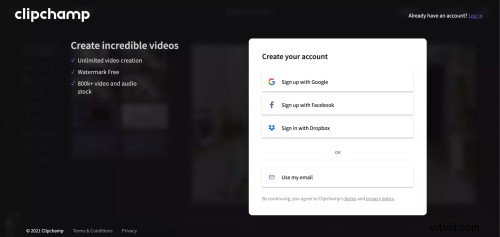
Step 1. Create an account
Once your images are ready, you need to create and sign in to your Clipchamp account.
Step 2. Create a new video project
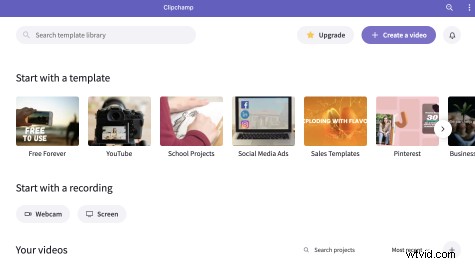
Click on Create a video on the top right corner and choose the aspect ratio in which you want your stop motion video to be.
Step 3. Add the still photographs to the sidebar
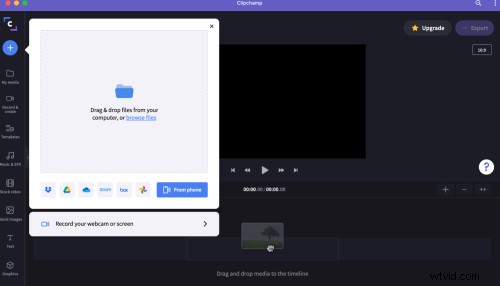
Click on the + sign from the left-hand side menu to add media and choose the path from where you want to import your stills.
Step 4. Arrange your photographs in order
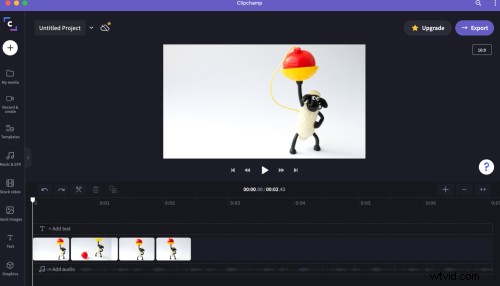
Arrange your shots according to the script by placing them on the timeline. Adjust the clips according to your requirement.
Step 5. Add music or voice over to add personality
You can now add royalty-free music from the Clipchamp audio library.
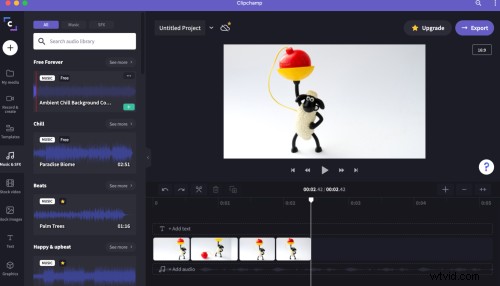
Step 6. Export your video
Click on Export on the top right corner, choose a format and video quality and click on continue to share your video.
Can you use a stop motion video to market your brand?
Absolutely! Stop motion videos stand out in a sea of content.
Such videos are innovative and very shareable, ticking the boxes for social media engagement. You can be very creative with these, so try a few types out to see what suits your aesthetic.
Make a stop motion video in 5 minutes
Give life to your still images. Sign up to Clipchamp and create stop motion videos in our fun and easy video editor.