

We’re always on the hunt for new ways to make using Clipchamp video editor easier for our everyday editors. So, when we got the opportunity to create a Clipchamp app for Windows users, our team jumped at the chance. Now, instead of opening a browser, you can simply head to the Microsoft Store, install our app, and start creating your video projects. Let’s jump into how to download the Clipchamp Windows app and make videos in minutes!
How to install and use the Clipchamp Windows app
Step 1. Find the Clipchamp app in the Microsoft Store
In the Microsoft Store, search for the Clipchamp app. You’ll then click the install button to install the app.

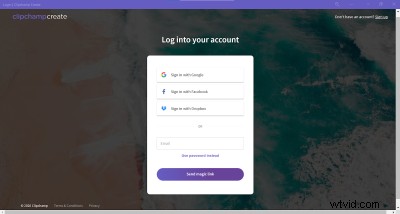
Step 2. Login or create a Clipchamp account
Now that you’ve installed the Clipchamp app, it will automatically open. You’ll be prompted to either login to your existing Clipchamp account or create a new Clipchamp account.
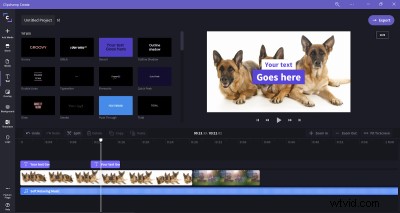
Step 3. Start editing with your Clipchamp app
Once you’re logged in to your Clipchamp account, you can begin editing as usual. Simply close the app when you’re done.
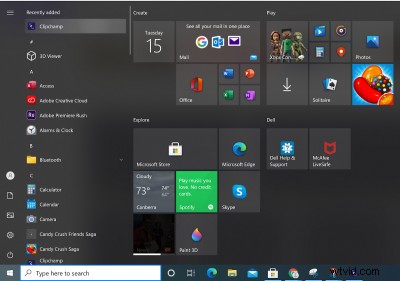
Step 4. Open Clipchamp with the shortcut in your Windows Launcher
Next time you want to edit videos using Clipchamp, you won’t need to open a browser. Instead, simply click on the app shortcut that can now be found in your Windows app launcher.
Enjoy easy video editing on Windows
That’s it – four simple steps are all you need to install and use our new Clipchamp Windows app. Enjoy creating video projects on your Windows device!
Import and export with Microsoft OneDrive
Alongside this new update, Clipchamp has also integrated with OneDrive – Microsoft’s answer to the web’s ever-expanding desire for cloud storage. Why? Well, it’s one more way to make importing and exporting your video files seamless and secure. Check out how it works and get creating!