
Although the YouTube Video Editor is no longer available, there are other ways to easily edit your videos online for free and seamlessly upload them to YouTube in one streamlined process.
You can do all this without pre-existing video editing skills. The tool we recommend for the purpose and that is already getting used by millions of users around the world is Clipchamp.
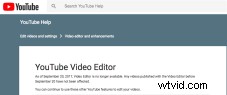
Introducing Clipchamp: the best free alternative to YouTube’s Video Editor
Clipchamp is the worlds first and only video editor that works free in the browser. We started our web app as a video compression tool but also included a range of video editing options that allow any user to make quick and easy edits to their videos before uploading.
YouTube is one of the directly integrated upload options, others are Vimeo, Facebook and Google Drive. This means that users can schedule the upload of their video as soon as they’re finished with making edits to it and as their file is processing.
The steps to go through in order to get to an edited video in your YouTube channel are:
Step 1: Choose or record a video
After registering a free Clipchamp account, you can drag and drop an existing video file or record a new one using your webcam here.
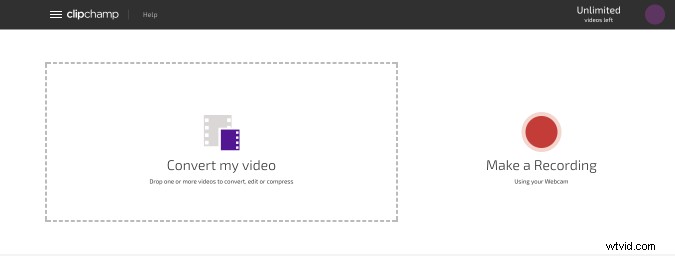
Step 2: Access all available Editing tools
Next, clickon Edit Video underneath the video preview, this opens up a range of editing options to use as an alternative to YouTube’s editor.
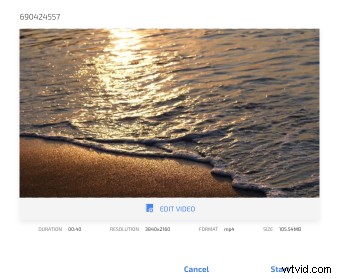
Step 3: Edit your video
Editing options in the current version of Clipchamp include trimming, cropping, rotating, flipping and adjusting colour, saturation and lighting of your video to make it a good fit for YouTube. No prior video editing skills are required!
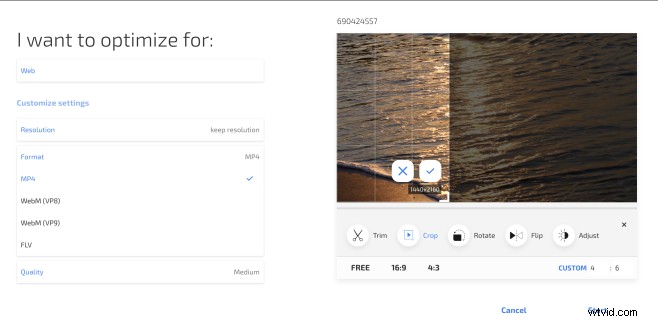
In addition to these tools, a big plus of Clipchamp that many YouTubers appreciate is that the app also reduces videos’ file sizes at no visible quality loss before uploading the finished files. The smaller your video file, the faster it will upload.
You can additionally select a quality output setting, change the resolution and format – if you’re not sure, simply leave the defaults, which creates a video best suited for YouTube uploads. Generally, we recommend to leave your video in MP4 format for YouTube uploads.
Step 4: Schedule to Upload
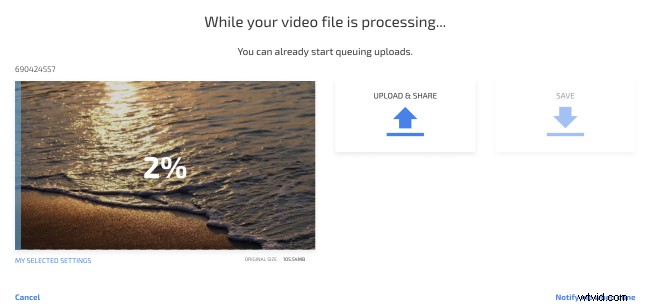
Then, click on Upload and Share to schedule the video upload. You can add a title, description and privacy settings for the YouTube upload as well. Your video will post to your YouTube as soon as the processing is complete and Clipchamp will display direct link to the video when the upload is done.
Step 5: Watch your edited video on YouTube
Lastly, your edited video is now ready to watch on your channel where you can make additional changes, e.g. add tags, in the YouTube Video Manager.
About Clipchamp
Clipchamp is the worlds first and only browser based video video processing tool. Our unique technology allows you to create a YouTube video and upload to YouTube quickly all from inside the app without installing any software or running outdated plugins like Flash.
Head over to Clipchamp today to see why Clipchamp is a great free alternative to YouTube’s video editor.