
For those of us looking to cut costs or avoid getting into paid subscriptions, Adobe Bridge CC seems like a perfect fit. Is Adobe Bridge CC a free alternative to Lightroom, though?
Let’s take a closer look at what Adobe Bridge is and how it compares to Lightroom. You might be surprised by how different they are from one another.
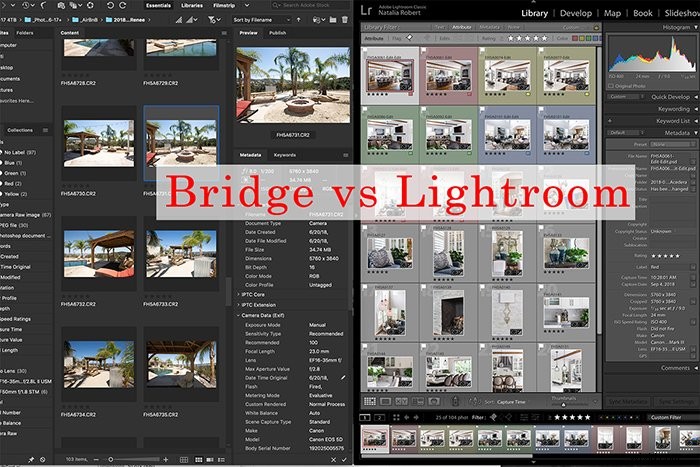
What Is Adobe Bridge?
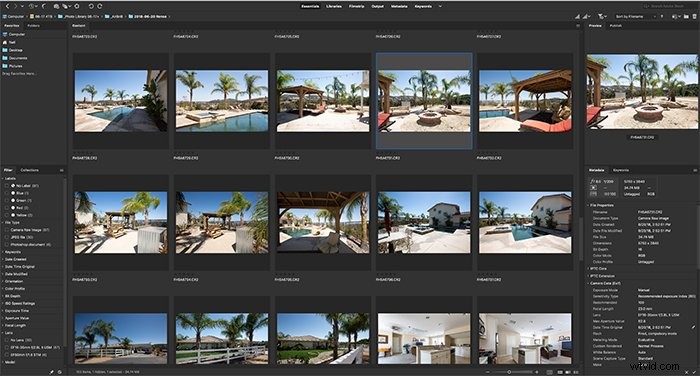
Adobe Bridge is essentially a software that organizes your files. You can tag, organize, and manage essentially any file type that can be created within the Adobe Suite.
It’s a fantastic way to scan and manage files across different programs or if you’re working with a team of people.
The Adobe Bridge download is available for free from Adobe. This makes it tempting to skip the paid subscriptions and use Adobe Bridge as a free Lightroom alternative.
Before you try to do that, though, let’s discuss the differences between the two. And why Lightroom is indeed quite different from Adobe Bridge.
Adobe Bridge vs Lightroom
So what sorts of things does Lightroom have that Adobe Bridge doesn’t? Let’s discuss the main differentiator first – editing capabilities.
Lightroom has its own organizational features. But it shines in its editing options. Adobe Bridge, on the other hand, does not allow you to do any photo editing. It’s merely an organizational method.
It acts as a central location to organize and view files that come from all sorts of programs. Think of it as the Finder or Explorer window for the Adobe Suite.
It offers lots more features than a typical Finder or Explorer window. But it doesn’t have any capabilities to actually edit the images themselves.
This leads us to question whether there are any features that make Adobe Bridge worth downloading at all. Yes, indeed there are!
Adobe Bridge is fantastic for viewing photo thumbnails, metadata, and keywords. You might be working with a combination of files across several programs, such as Lightroom, InDesign, and DreamWeaver. Then Adobe Bridge is valuable for sifting through content without having to actually open the programs.
Lightroom, on the other hand, only shows you image files that have been imported into Lightroom itself and it does not include non-image file types.
Things like HTML, PDF, or INDD files would not be able to be viewed and organized in Lightroom.
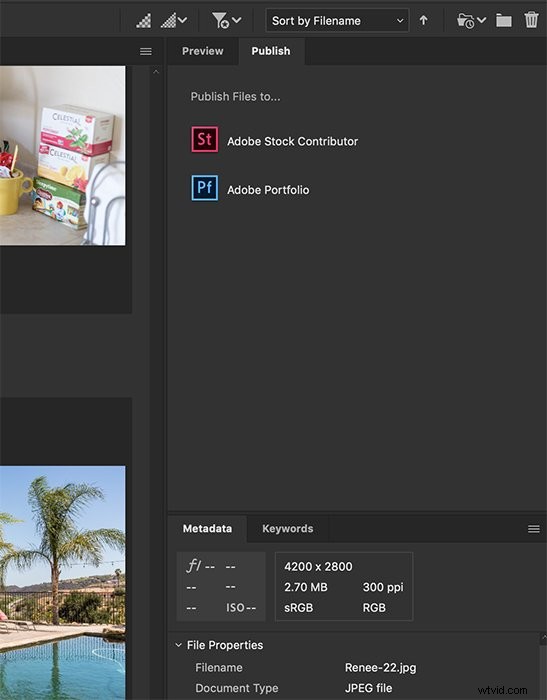
Adobe Bridge also allows you to publish images from it to Adobe Stock or Adobe Portfolio. This makes it easy and quick to add content for either program without having to leave Bridge.
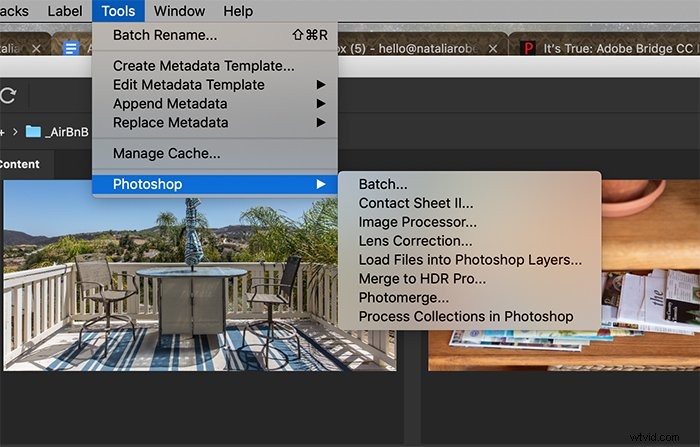
It does also send photos to Photoshop so you can process images for certain effects. Bridge gives the option to send to Photoshop for batch editing, creating a contact sheet, image processor, lens correction, loading images as layers, merging through HDR Pro, doing a photomerge, or doing process collections.
To do any of these, though, you would need to have access to Photoshop and that does require a paid subscription from Adobe Creative Cloud.
Being able to send files over to Photoshop for editing is also a feature that Lightroom has. This is comparable to what you would get with Lightroom.
The final major feature of Adobe Bridge is its ability to let you change metadata and keywords. The keywords can be a powerful way to organize photos and filter through a large collection of files.
Keywords are also created in Lightroom. This feature is on par with what you can do in Lightroom as well.
Despite all of its wonderful features, we have to also consider the major cons of using Adobe Bridge as a free alternative to Lightroom.
The biggest one, which we already touched on, is its inability to edit the images themselves within Bridge. As photographers, we need a program that will allow us to edit images as we see fit. Bridge doesn’t offer that.
It relies on being able to send files out to other programs that will then do the editing. For this reason alone, it would not be a suitable alternative to Lightroom.
What Does Lightroom Offer?
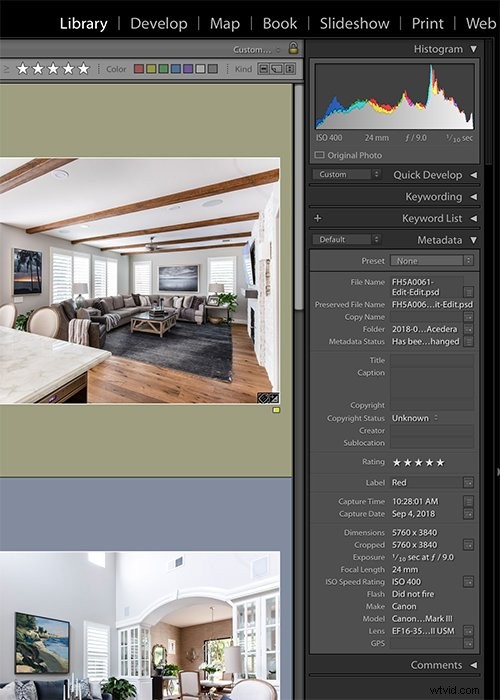
There are many more features, though, that differentiate Lightroom from Bridge. Let’s take a look at some of those features. Within its Library tab, Lightroom does offer the ability to organize images using metadata and keywords, as well as flagging, rating, and color coding.
Under the Develop tab, it then offers a full in-depth range of editing tools to modify the image itself as needed. While those are the most common features used, it has many more to offer!
When inputting metadata and keywords, you’re able to add location details to the photos. This can then be used to view photo locations on a map under the Map tab.
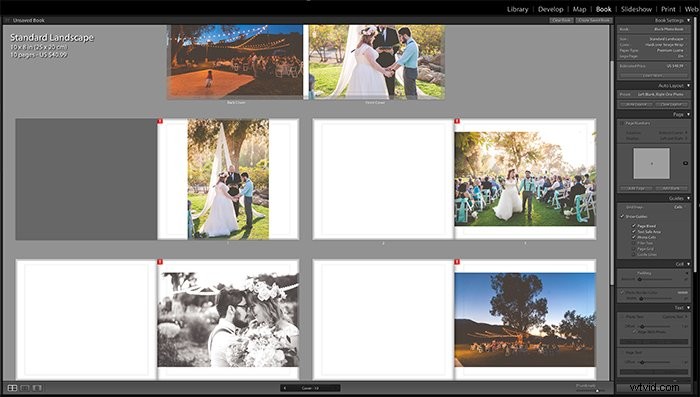
When searching for specific types of locations or photos taken near certain spots, this can be an invaluable tool. The Book tab allows you to create layouts for multi-page projects such as albums, books, and brochures.
The Slideshow tab gives you the ability to create a slideshow presentation. You can then view this within Lightroom itself or can be exported as a PDF or video.
The Print tab gives you options for printing your images or projects, both onto paper or as JPEG files. The Web tab allows you to send images and projects to upload for online use.
Conclusion
When it comes down to it, Lightroom is like having Adobe Bridge and much more at your fingertips. For the lack of editing options alone, you’ll find that Adobe Bridge does fall short for photographers’ needs.
Our needs as photographers extend far beyond being able to organize images, and so Adobe Bridge will still rely on a separate program for editing.
Some of us are open to using programs that are outside of the Adobe Suite. You’ll find that there are some options for free photo editing software available to you. If you want to work within the Adobe Suite, you need a paid subscription.
Regardless of whether you stay with Adobe editing software or not, you can still download Adobe Bridge. It’s free and you can use it to organize your files!