
Pre‑recorded live streams combine the polish of studio production with the immediacy of live broadcasting. They let creators deliver flawless content, avoid on‑air mishaps, and still engage audiences in real time. Below are eight reliable tools that empower you to schedule, edit, and broadcast pre‑recorded video to multiple platforms.
1. Restream
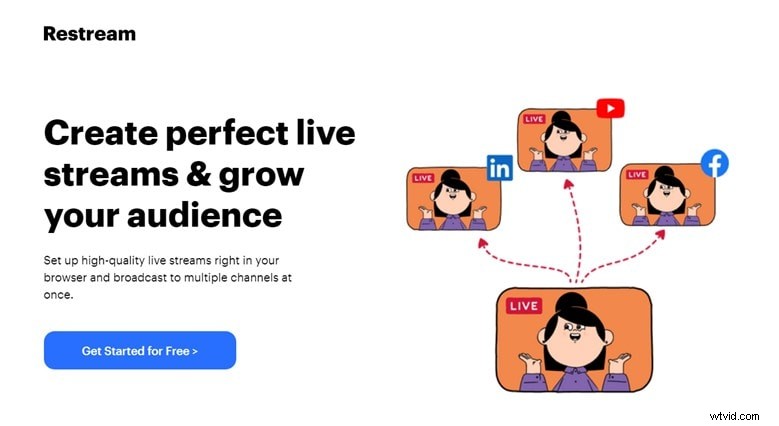
Restream is a web‑based platform that pushes live content to 30+ destinations—Twitch, Facebook, YouTube, and more—while keeping a cloud backup of every stream. Its pre‑recorded streaming feature allows creators to schedule and play back high‑quality footage with on‑the‑fly overlays, text, and chat integration. Restream also delivers analytics on audience engagement and peak viewership.
- Easy pre‑recorded playback across multiple channels.
- Built‑in chat, text overlays, and branding tools.
- Cloud storage and performance analytics.
2. Prism Live Studio
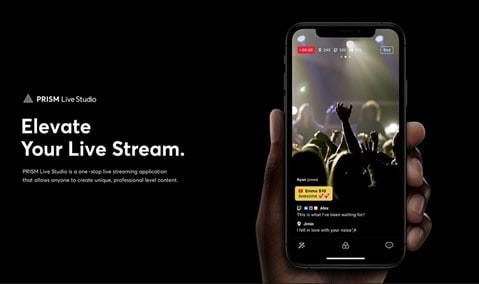
Prism Live Studio supports live and pre‑recorded streaming on major platforms. Available as a free mobile app (iOS/Android) and a desktop version, it offers three camera modes—photo, live, and video—plus dynamic effects, animated text, GIFs, and live chat. Its cross‑platform nature makes it ideal for creators who need flexibility on the go.
- Supports pre‑recorded video streams.
- Extensible with external content (audio, GIFs, text).
- Desktop and mobile versions.
3. SplitCam
SplitCam is a free desktop solution that allows up to five participants on a split screen, complete audio mixing, and real‑time editing. It supports live streaming to Twitch, LinkedIn, Facebook, and more. SplitCam is especially useful for webinars, gaming streams, and multi‑host events.
- Split‑screen multi‑guest support.
- Live editing and audio mixer.
- Cross‑platform streaming.
4. vMix
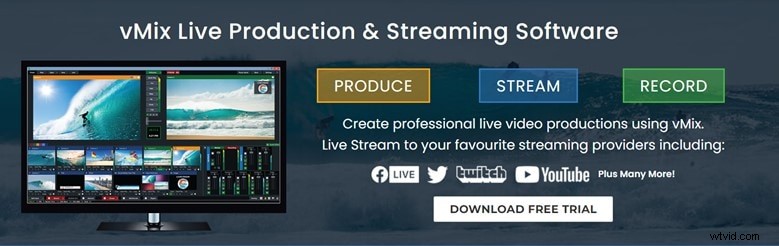
vMix is a professional‑grade live‑production suite that excels in multi‑source mixing, NDI support, slow‑motion, and advanced animations. Five tiers—Basic (free), Basic HD ($60/yr), HD ($350/yr), 4K ($700/yr), Pro ($1,200/yr), and MAX ($50/mo)—cater to every budget. vMix lets you stream to all major social networks while editing on the fly.
- 60‑day free trial on all versions.
- Robust feature set for pros.
- Supports streaming to multiple platforms.
5. OneStream
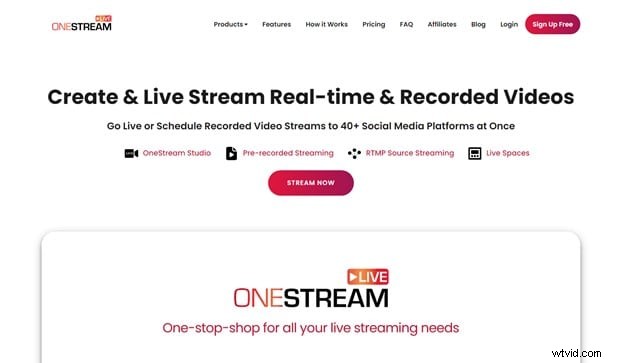
OneStream offers pre‑recorded streaming with up‑to‑60‑day scheduling, subtitle support, and a playlist feature that queues multiple videos automatically. Three plans—Basic ($10/mo), Standard ($39/mo), Enterprise ($89/mo)—give you scalable options for growing audiences.
- Adds captions, subtitles, and titles.
- Full scheduling and playlist management.
- No installation required; web‑based.
6. Be Live
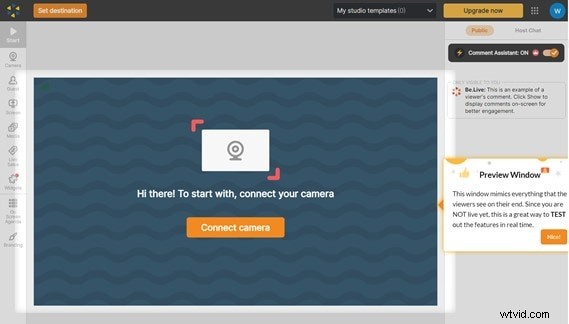
Be Live is designed for beginners, offering live chat, audience analytics, and easy pre‑recorded streaming. You can host up to two guests with screen sharing and broadcast across multiple platforms. Two plans—Standard ($24.99/mo) and Pro ($37.50/mo)—provide tiered features.
- Broad audience reach.
- Intuitive interface.
- Customizable video design.
7. OBS Studio
OBS Studio is free, cross‑platform (Windows, macOS, Linux), and highly extensible. Its powerful scene editor, audio mixer, and plugin ecosystem let you brand and polish every stream. OBS is a staple for both beginners and seasoned professionals.
- Completely free.
- Extensive customization options.
- Real‑time preview and live‑streaming.
8. Live Pigeon
Live Pigeon focuses on premium editing tools and scheduling. It offers audience engagement analytics, live polls, and microphone interaction. Three plans—Basic ($15), Standard ($37), Enterprise ($97)—provide scalable solutions.
- High‑quality video output.
- User‑friendly interface.
- Unlimited streaming.
How to Live‑Stream Pre‑Recorded Video from a Mobile App
Below we illustrate the steps using OneStream Live, but the workflow is similar across other platforms.
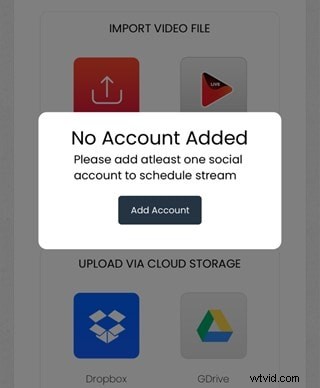
Step 1: Connect Your Social Platform
Link the destination accounts (YouTube, Facebook, etc.) once within the app to avoid repetitive authorization.
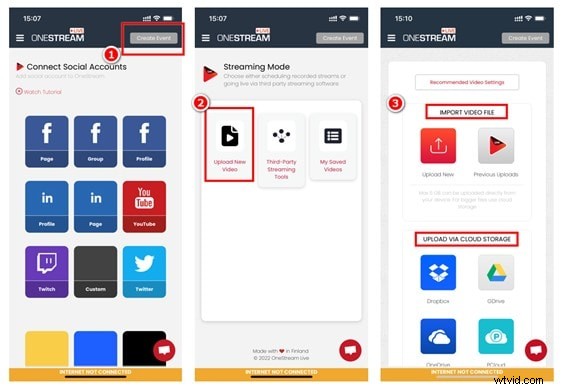
Step 2: Upload Your Pre‑Recorded Video
Select "Create Event" → "Upload New Video" to import from device or cloud.
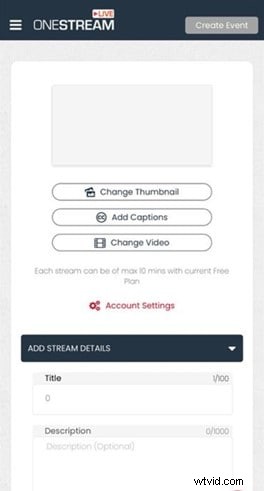
Step 3: Edit Stream Details
Adjust thumbnail, title, tags, description, and add captions or light edits. This ensures a polished appearance when the stream launches.
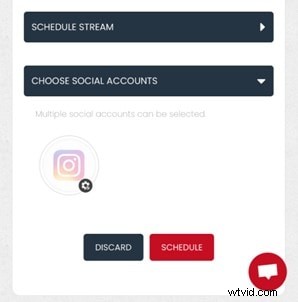
Step 4: Schedule and Publish
Choose the broadcast time, select the connected social accounts, then hit SCHEDULE to finalize.
Bonus: Creating Quality Pre‑Recorded Video with Wondershare Filmora
Filmora 11 delivers a user‑friendly editing suite featuring AI‑powered instant mode, speed control, and chroma key background replacement. It’s an excellent choice for preparing studio‑grade footage before broadcasting.
- Instant Mode: AI‑assisted editing for rapid video creation.
- Speed Control: Fine‑tune playback speed to fit narrative pacing.
- Chroma Key: Replace backgrounds with ease, allowing any setting.
How to Record with Filmora Screen Recorder
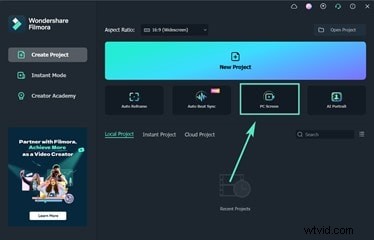
1. Launch Filmora Screen Recorder and select PC Screen to begin.
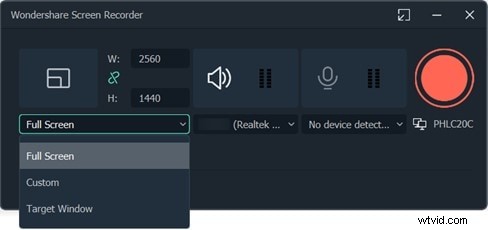
2. Adjust the recording area, video quality, and audio source in the pop‑up.
3. Press F9 to stop, then edit the footage in Filmora’s main editor before exporting.
Conclusion
Live‑streaming pre‑recorded video is a powerful strategy for delivering flawless content while maintaining real‑time engagement. By leveraging the right tools—whether you’re a solo creator or a team— you can schedule, edit, and broadcast professional‑grade streams with confidence.

