
Blur video apps are indispensable in our daily lives. Through these blur video editors, we can protect privacy and add amazing bokeh effects to videos. In the post, you will learn about the five best blur video apps for iPhone and Android.
Functions such as blurring the background or photo in the video and adding bokeh effects are included in most of the following blur video apps.
Need to make a fascinating video with pictures? MiniTool MovieMaker is a great choice.
Blur Video Editor
Blur Video Editor is a free and quite professional blur video app for iPhone. It can blur faces, move objects in videos, and even add blur filters to the video.
You can choose a rectangular or radial blur shape, or use a custom blur tool to adjust the areas that need to be blurred in the video.
You can also pick various blur video effects, including Gaussian, Pixelate, Mosaic blur, etc. Blur Video Editor has a wide range of blur filters, such as Vignette, Sepia, Matrix, Vibrance, Fade in and Fade out.
After you finish blurring the video, you can export your video in HD, Full HD, or even 4K resolution.
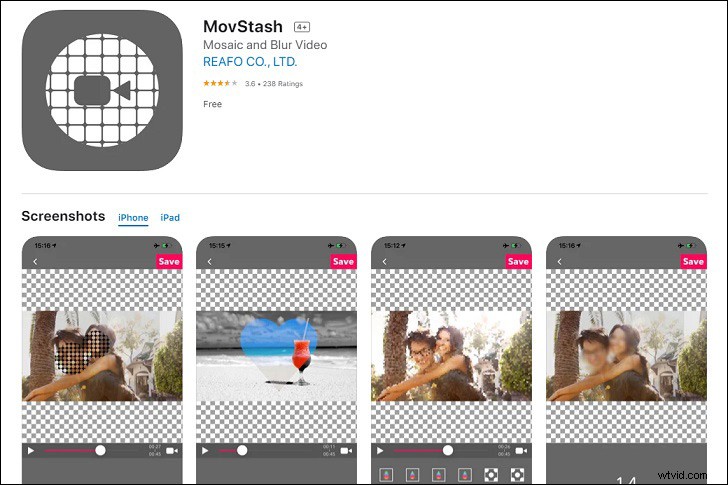
MovStash
MovStash is an app specially used for making mosaic and blur videos. MovStash has four blur modes for users to select: Simple, Timeline, Face Tracking and Whole Video mode.
You can use the Simple mode to manually define the blur area and adjust some settings, such as blur intensity. Timeline mode is used to blur multiple parts of the video. Meanwhile, you can change the blur level and size.
Some of its shortcomings are that it sometimes lags a bit and has few videos editing functions.
Blur Video
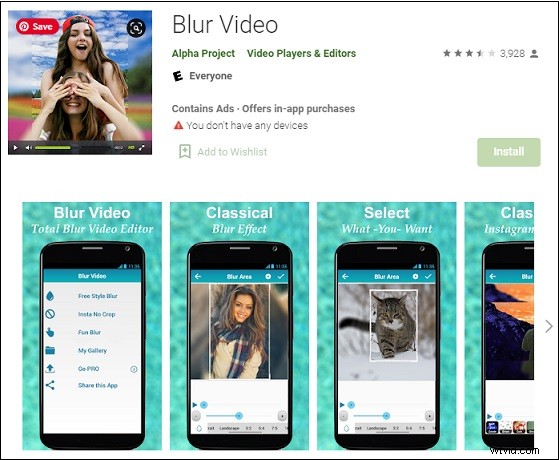
Blur Video is a practical blur video app for Android. It can blur all videos on Snapchat, Instagram and other social media in MP4, WMV and 3GP formats.
Blur Video contains three easy-to-use blur video modes, that is Free Style Blur, Instagram no Crop and Fun Blur.
In the Free Style Blur, you can choose to blur the inside or outside of any fixed shape, locate the content and position you need to blur, and then select the blur intensity you want.
MagoVideo
MagoVideo is a blur video app for Android with plenty of interesting tools.
MagoVideo’s cool video effects, magic touches, keyframe animations that can be used for stickers and text, free music and frames can make your videos look more attractive. If you want to add a fantastic background effect to your blur video, MagoVideo is the best choice.
VideoShow
VideoShow is a blur video app for iPhone and Android. It is mainly for blurring portrait videos because it has a powerful facial recognition function and the option of adding real-time facial effects and dynamic stickers.
In addition to blurring videos, VideoShow also includes other video editing tools, such as using pictures to create slideshows or videos, making music, stickers, emoticons and sound effects, adding visual effects, creating slow-motion effects, etc.
The nice thing about VideoShow is that you can share your final video in HD quality without cropping your video. Moreover, you can upload your video to any social platform.
Conclusion
An excellent blur video app can help you leave out a lot of unnecessary troubles in many aspects. After reading this post, I believe there will be a blur video editor that you love very much.