
Looking to boost your online earnings? You’re in the right place. As e‑commerce expands, Amazon now offers paid opportunities for product reviewers. Share candid insights and earn rewards.
In this guide, we explore how to monetize Amazon reviews, create compelling video reviews, and maximize your earnings while staying compliant with Amazon’s policies.

In this article
- How to Review Amazon Products and Get Paid
- Creating Amazon Product Review Videos
- Maximizing Earnings with Video Reviews
Part 1. How to Review Amazon Products and Get Paid
Amazon offers two primary avenues for reviewers to earn: the Amazon Associates Program and the Amazon Influencer Program. Both programs are legitimate, transparent, and can be leveraged to generate consistent income.
The Opportunities to Make Money with Amazon Reviews
Reviewing products can be a rewarding side hustle. Whether you post on a blog, social media, or YouTube, Amazon provides structured pathways for monetization.
1. Amazon Associates Program
The Associates Program is Amazon’s affiliate marketing platform. By embedding unique referral links, you earn a commission on any purchase made through those links.
To join, simply sign up on the Amazon Associates website. Once approved, you can browse thousands of products and generate custom links for each item.

Pro Tips:
- Write detailed, honest reviews on your blog, website, or social channels.
- Highlight pros, cons, and personal experiences to build credibility.
- Include your affiliate link in the first paragraph or at the end of the review.
2. Amazon Influencer Program
Designed for creators with a robust social presence, the Influencer Program lets you curate a personalized Amazon storefront. From videos to live streams, you can drive traffic directly to your storefront and earn commissions.
After applying and approval, you’ll receive a dedicated storefront URL. Share it across your platforms and let your audience shop from your curated selections.
Pro Tips:
- Select products that align with your niche and offer higher commission rates.
- Organize your storefront with clear categories to improve navigation.
- Use eye‑catching thumbnails and engaging video snippets to promote items.
Choosing the right program and adhering to Amazon’s Community Guidelines will set you on a path to sustainable earnings.
Part 2. Creating Amazon Product Review Videos
Video reviews have become a trusted source for buyers, offering real‑time demonstrations that text alone can’t match. Creating polished videos can elevate your credibility and boost conversions.
Why Video Reviews Matter
- Credibility: Show the product in action and provide transparent feedback.
- Engagement: Videos rank highly on Google and YouTube, expanding reach.
- Conversion: Demonstrating use cases increases the likelihood of purchase.
Make Amazon Product Review Videos with Wondershare Filmora
Filmora offers an intuitive interface and advanced tools to produce professional‑looking reviews. Below is a step‑by‑step workflow.
01of 08Planning & Scripting Your Review
Before filming, outline your video structure:
- Product Overview: Introduce the item and explain its relevance.
- Unboxing & Features: Highlight key selling points and benefits.
- Real‑Life Testing: Showcase the product in various scenarios.
- Pros & Cons: Offer honest, balanced feedback.
- Call‑to‑Action: Direct viewers to your affiliate link or storefront.

02of 08Record Your Amazon Product Review Video
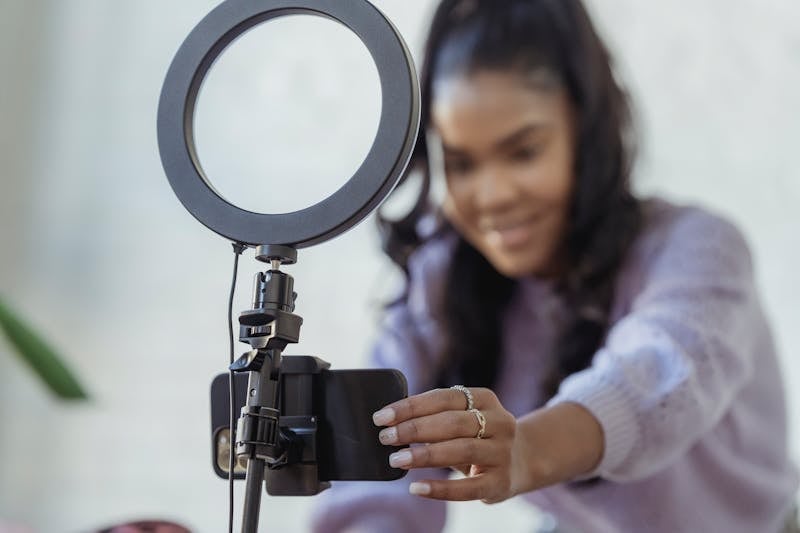
Use a high‑resolution camera or smartphone. Ensure ample lighting, a tidy backdrop, and clear audio to maintain a professional look.
03of 08Launch Filmora, Select Aspect Ratio, and Start a New Project
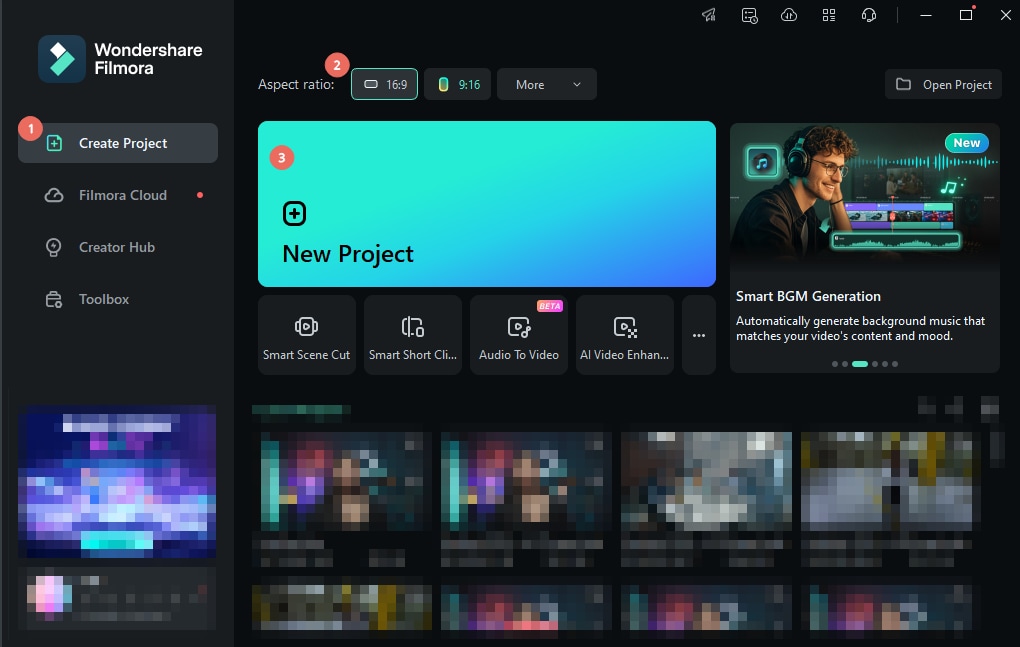
Open Filmora and navigate to the Create Project tab. Choose a 16:9 widescreen ratio for YouTube or 9:16 for vertical platforms. Click New Project to begin.
04of 08Import Your Product Review Footage
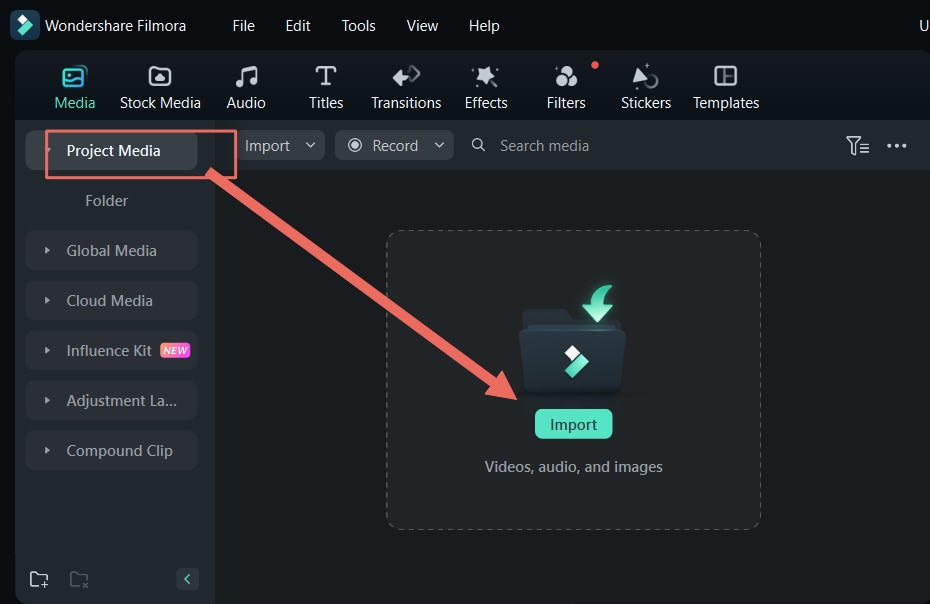
Go to Media > Project Media > Import to add your clips. Drag the files onto the timeline and arrange them in line with your script.
05of 08Use AI Text‑to‑Speech for Voiceovers
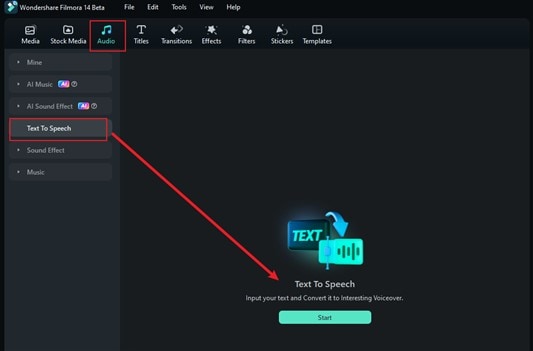
Filmora’s AI Text‑to‑Speech feature lets you add narration without hiring a voice actor. Select Audio > Text to Speech > Start, choose a voice, and generate the audio.
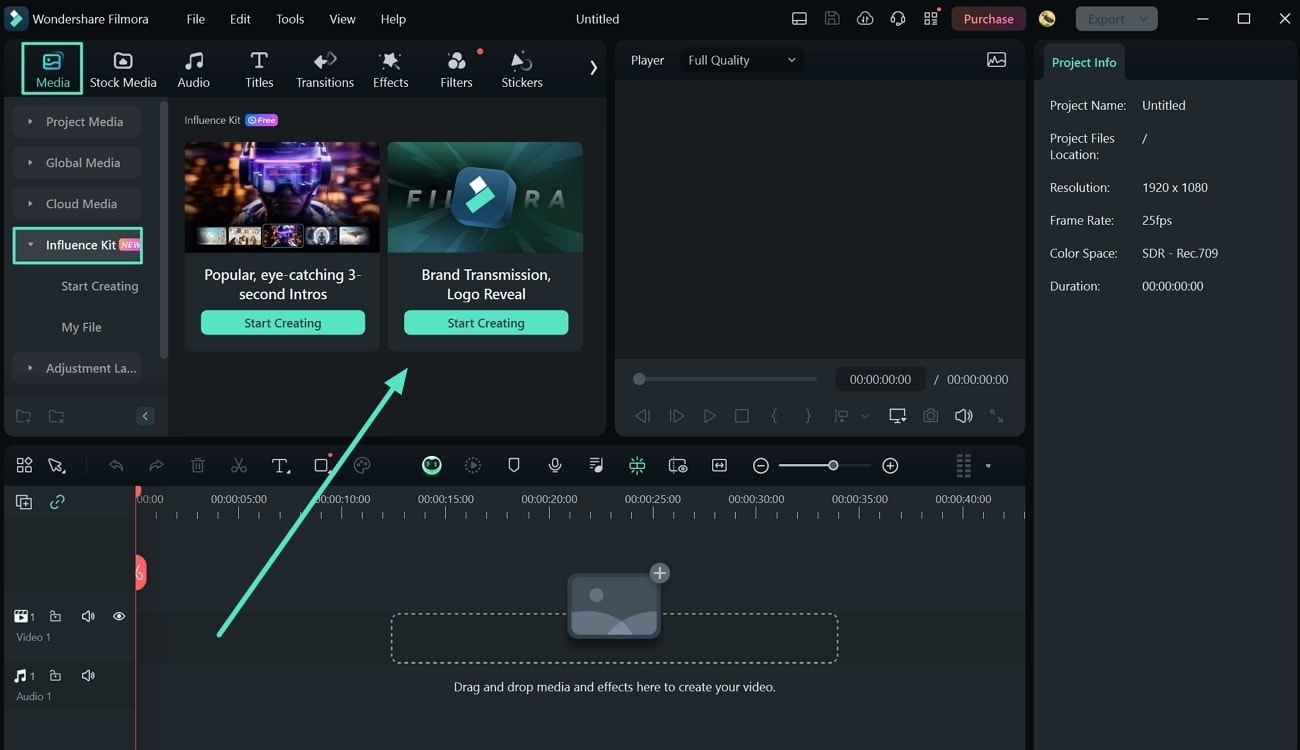
06of 08Add an Animated Logo for Professional Branding
Navigate to Media > Influence Kit and select Logo Reveal. Upload your logo, customize the animation, and place it subtly as a watermark.
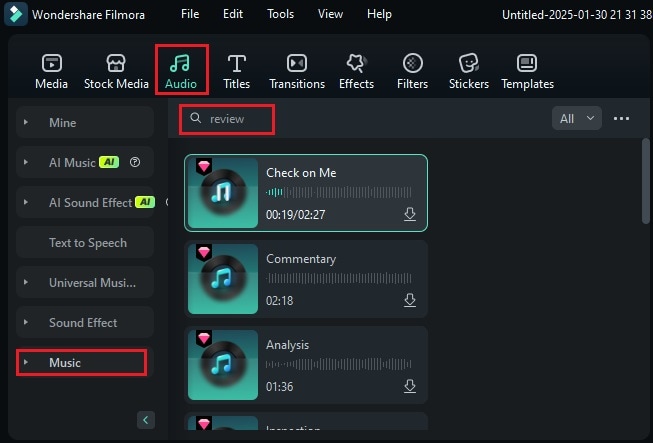
07of 08Enhance Your Review Video with Background Music
To set the tone, go to Audio > Music. Search for royalty‑free tracks that match your theme. If none fit, use the AI Music Generator to create a custom soundtrack.
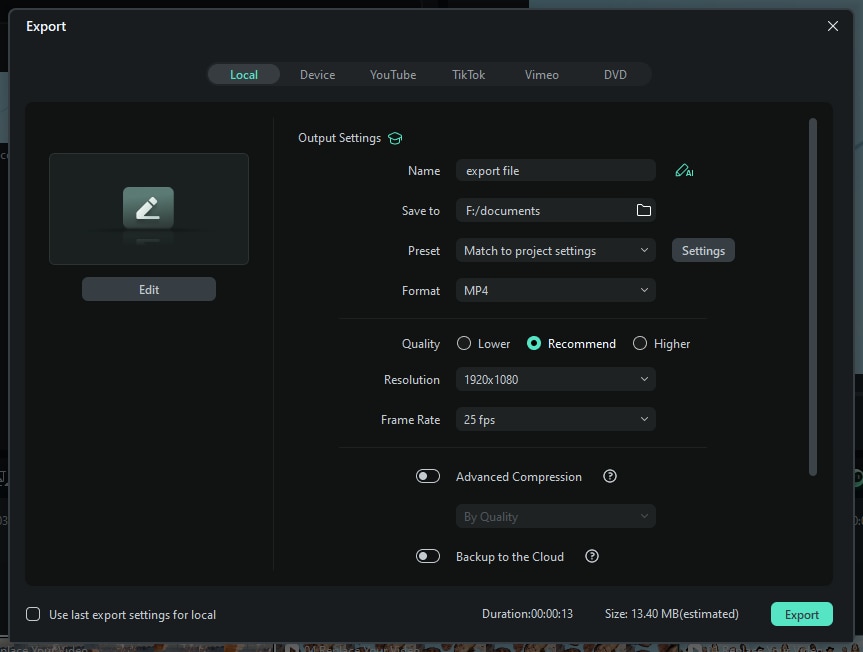
08of 08Finalize and Export
Review the edit for consistency, then click Export. Choose a local destination and adjust resolution settings before saving.
Optimization Tips: Use SEO‑friendly titles, tags, and descriptions. Include a clear CTA that points to your affiliate link or storefront.
Part 3. Maximizing Earnings with Video Reviews
Once your videos are live, it’s time to broaden reach and refine strategy.
- Cross‑promote: Share on YouTube, TikTok, Instagram Reels, Facebook, X, and Pinterest to capture diverse audiences.
- Strategic Link Placement: Embed your Amazon link in the first line of the description, pin a comment, and use end screens or cards to guide viewers.
- Track Performance: Monitor click‑through and conversion rates via the Amazon Associates dashboard and platform analytics.
- A/B Test: Experiment with thumbnails, titles, and descriptions to optimize click‑through rates.
- Use Tracking IDs: Amazon’s link shorteners help keep URLs clean and track which content drives sales.
By continually testing and optimizing, you can elevate your video reviews into a reliable income source.
Conclusion
Amazon’s Associates and Influencer programs provide a legitimate pathway to earn from product reviews. Coupled with high‑quality video production and strategic promotion, you can transform your reviews into a sustainable side hustle.
Ready to start earning? Sign up, create compelling video reviews, and watch your commissions grow.