
Summary: If you’re not satisfied with a TikTok video you’ve posted, you can delete it—once. This guide walks you through the process step by step and shows you how to edit videos later with FlexClip.
TikTok, known as Douyin in China, is the leading short‑video platform worldwide. It allows users to create content with text, music, stickers, and effects, but once a video is published, you cannot edit it again. If a video doesn’t meet your expectations, the only option is to delete it. The steps below explain how to do that safely and permanently.
How to Delete a TikTok Video
Step 1 Open the TikTok app on your phone or tablet and sign in to your account.
Step 2 Tap the profile icon at the bottom‑right corner of the screen.
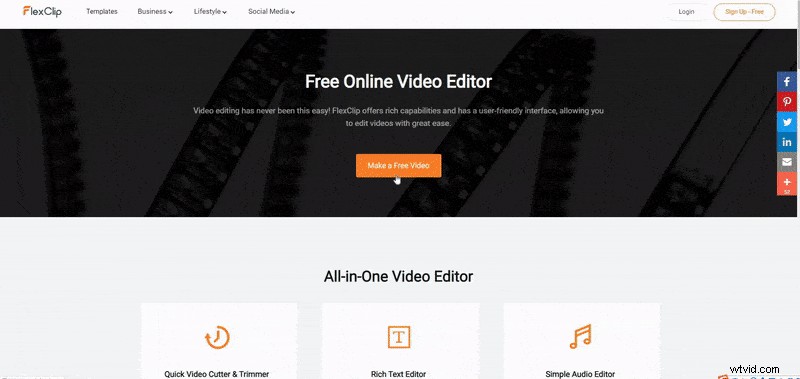
Image Board: How to Delete TikTok Videos - Profile Icon
Step 3 Locate the video you wish to delete and tap it to open the playback screen.
Step 4 Tap the three‑dot menu in the bottom‑right corner.
Image Board: How to Delete TikTok Videos - Three Dots
Step 5 Swipe the menu to the far right and select “Delete.”
Image Board: How to Delete TikTok Videos - Delete
Step 6 Confirm the prompt that appears to permanently remove the video.
Image Board: How to Delete TikTok Videos - Confirm
Edit Your TikTok Video with FlexClip
Because TikTok does not allow post‑release editing, you might want a tool that lets you revise your footage multiple times. FlexClip is a free, web‑based editor that offers a 9:16 aspect ratio (ideal for TikTok), unlimited text, music, stickers, transitions, and filters. Below is a quick workflow:
Step 1 Click “Make a Free Video” → “+ Start from Scratch,” select the 9:16 ratio, and upload your clips.
Image Board: Edit a TikTok Video with FlexClip - Step 1
Step 2 Add text overlays, music, watermarks, transitions, and filters to enhance your clip.
Image Board: Edit a TikTok Video with FlexClip - Step 2
Step 3 Preview the final product and download it in 480p, 720p, or 1080p resolution.
Conclusion
Deleting a TikTok video is straightforward, but remember: once you confirm, the deletion is permanent and irreversible. Take a moment to review your content before you hit delete. If you found this guide helpful, please share it with friends who might benefit.

FlexClip Editor
/

As professionals in video editing and marketing, we’re eager to share more tips to help you create outstanding content.