
In the present fast-paced world, gym advertisements have taken a revolutionary turn. Gone are the days of throwing flyers to make your business noticed. With the rise of social media, gym owners have explored better ways of promoting their business.
By adding attractive and relevant media to the commercial, you can make your ad informative and attractive. Thus, this article discusses the top techniques for putting together an ideal gym ad.
In this article
- Method 1. Using Existing Templates
- Method 2. Using AI Reels Maker
- Method 3. Using AI Image-to-Video Feature
- Key Features
- A Quick Guide
Part 1. What Should a Good Gym Advertisement Contain?
Since creating a digital commercial for a gymnasium is a new concept, let's look into the important points that you should cover in it. The following list of ideas will help you make an ideal ad effortlessly:
- The Use of Relevant Music: Given the importance of music in the gym, it is necessary to add music tracks to your commercial video.
- Merge Multiple Clips into One: Capture powerful moments in your gym and compile them together to strengthen your message.
- Add Text into the Video: Sound is important, but the use of attractive text templates and fonts adds to the aesthetic of the ad.
- Use Ready-Made Templates: If you do not have time to design, use ready-made video templates and convince potential clients through the gym advertisement effortlessly.
Part 2. [Quick & Easy] Creating a Video Ad on Mobile: Filmora App
Startup gyms that do not have much budget or time to invest in advertising might want to create a quick and cost-effective digital ad.
When your aims are high, you should depend on an effective video ad-maker like the Filmora App [iOS/Android]. With its extensive video editing and ad-generating tools, it ensures that your output is persuasive enough to gain clients.
Besides AI functionalities, it also offers you various manual ad-making features. The following section deals with the effective utilities of the Filmora App that can help you generate a quick fitness ad.
 Secure Download
Method 1. Creating Impressive Gym Advertisements Using Existing Templates
With Filmora's video ad templates library, you can generate a commercial without having to put in manual effort. These templates come with ad-relevant text and music to complement your message.
Once the ad is generated, users can edit the text to make it match your message. Follow the step-by-step guide below to learn how to make a gym ad using the Filmora App:
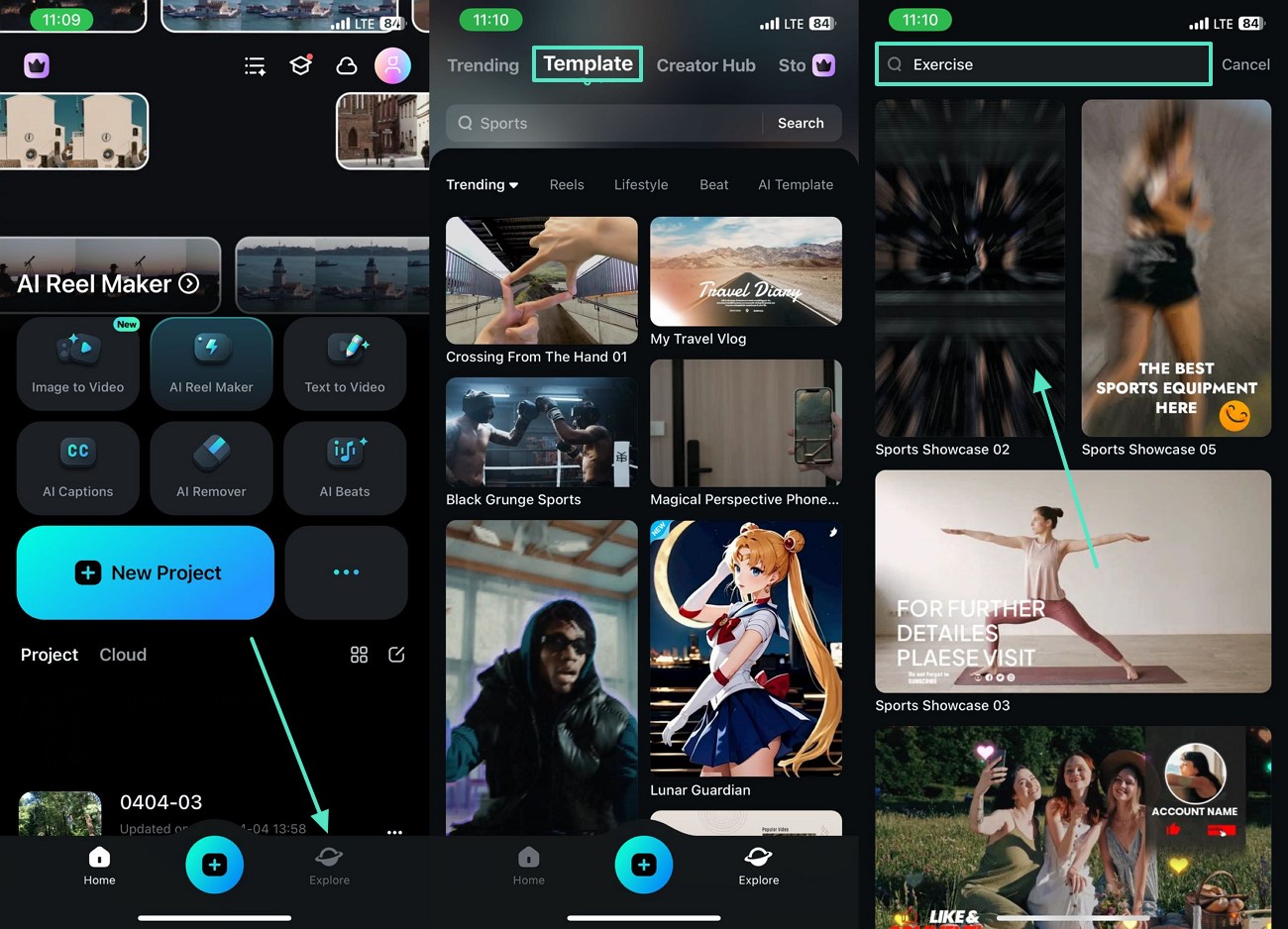
Step 1. Access the Explore Tab to Find Exercise Templates
To start, enter the "Explore" tab from the bottom of the main interface to search for relevant content under "Templates."
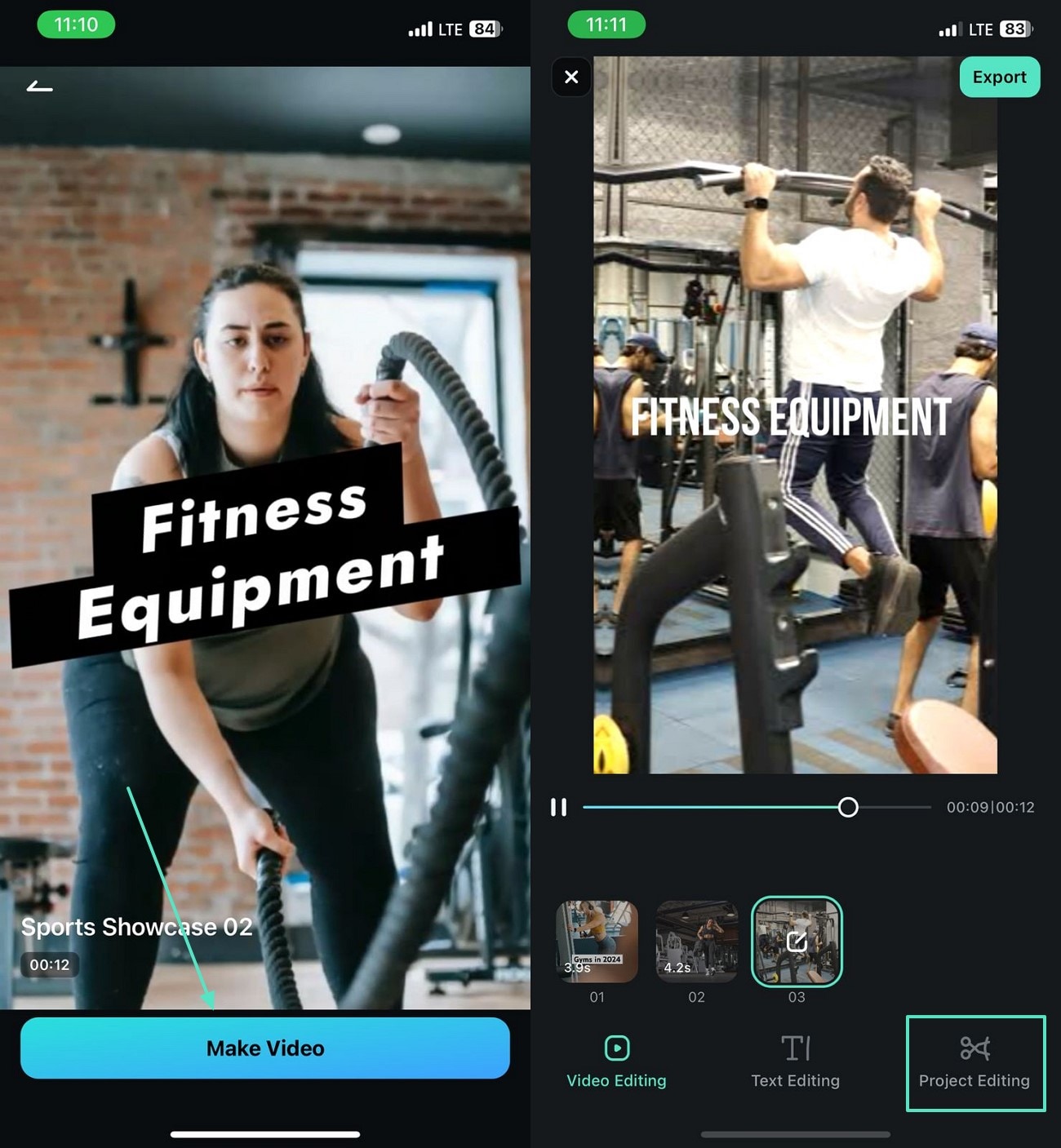
Step 2. Generate the Ad and Edit it for Perfection
Now, tap "Make Video" to generate the ad and press "Project Editing" to refine the commercial video.
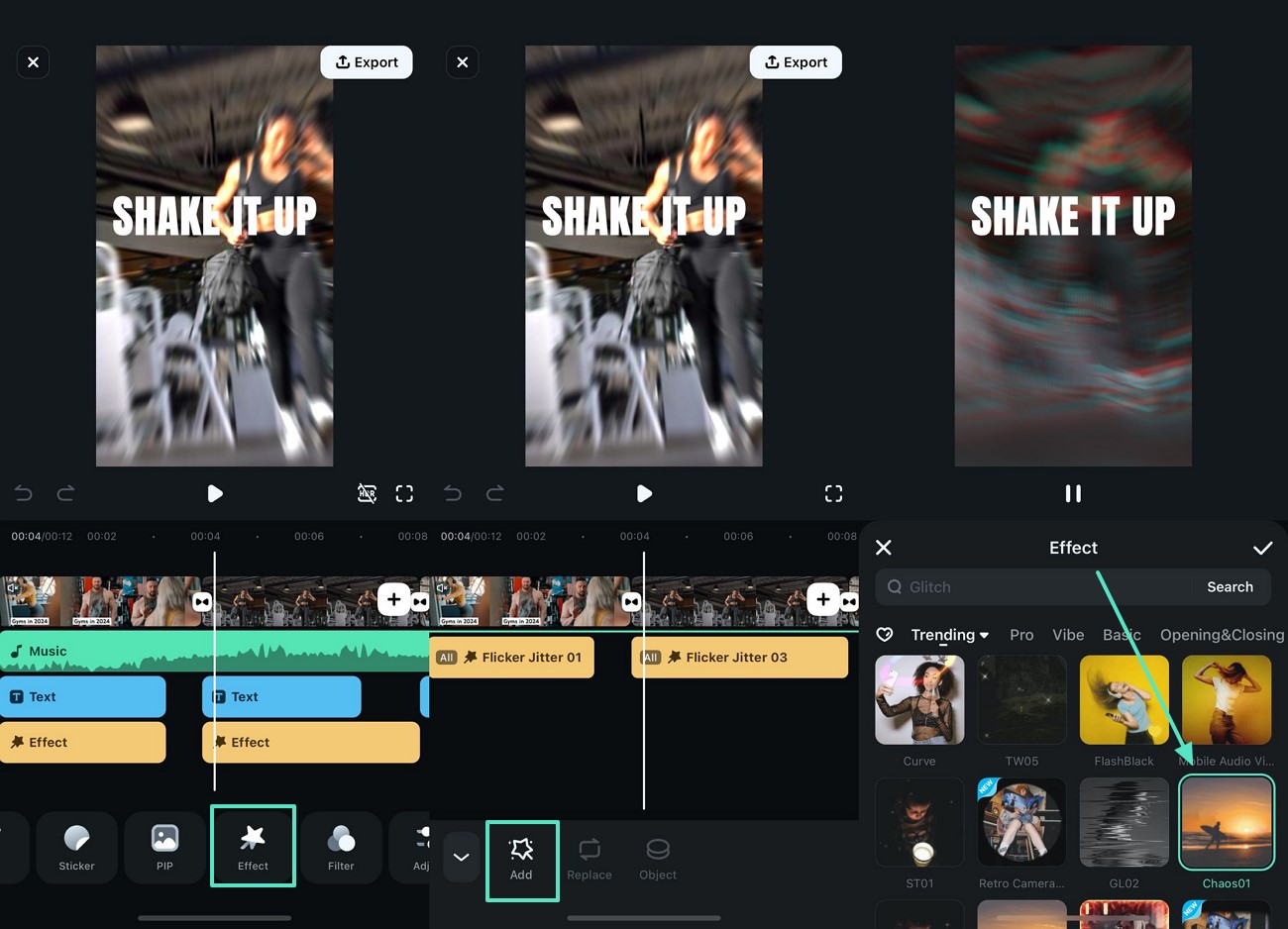
Step 3. Add an Energetic Video Effect
On being directed to the editing interface, access the "Effect" tab and apply the asset that suits the energy of the ad.
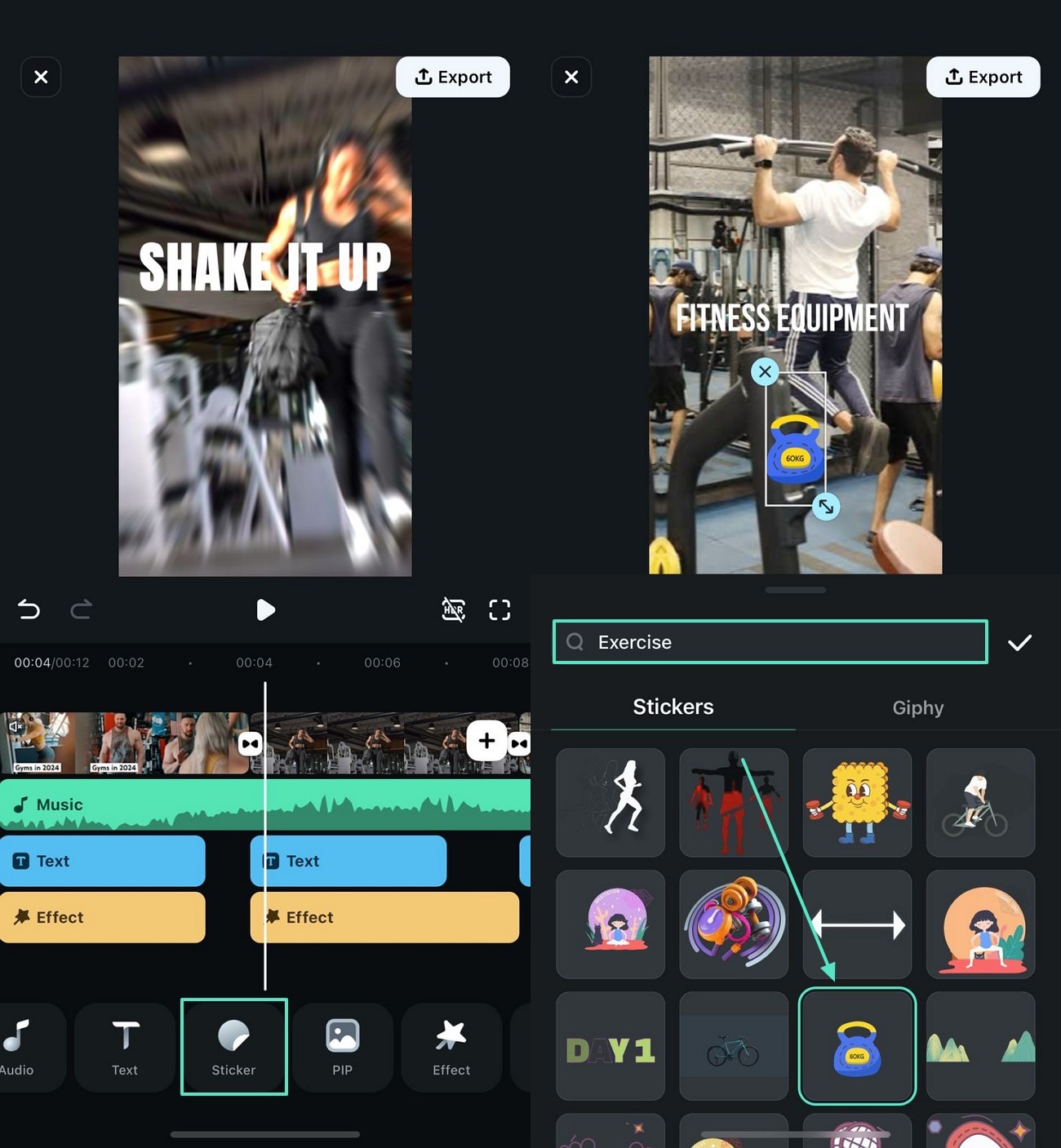
Step 4. Incorporate a Sticker to Complement the Message
To make your video loaded with attractive elements, enter the "Sticker" tab and add an "Exercise" sticker to the video.
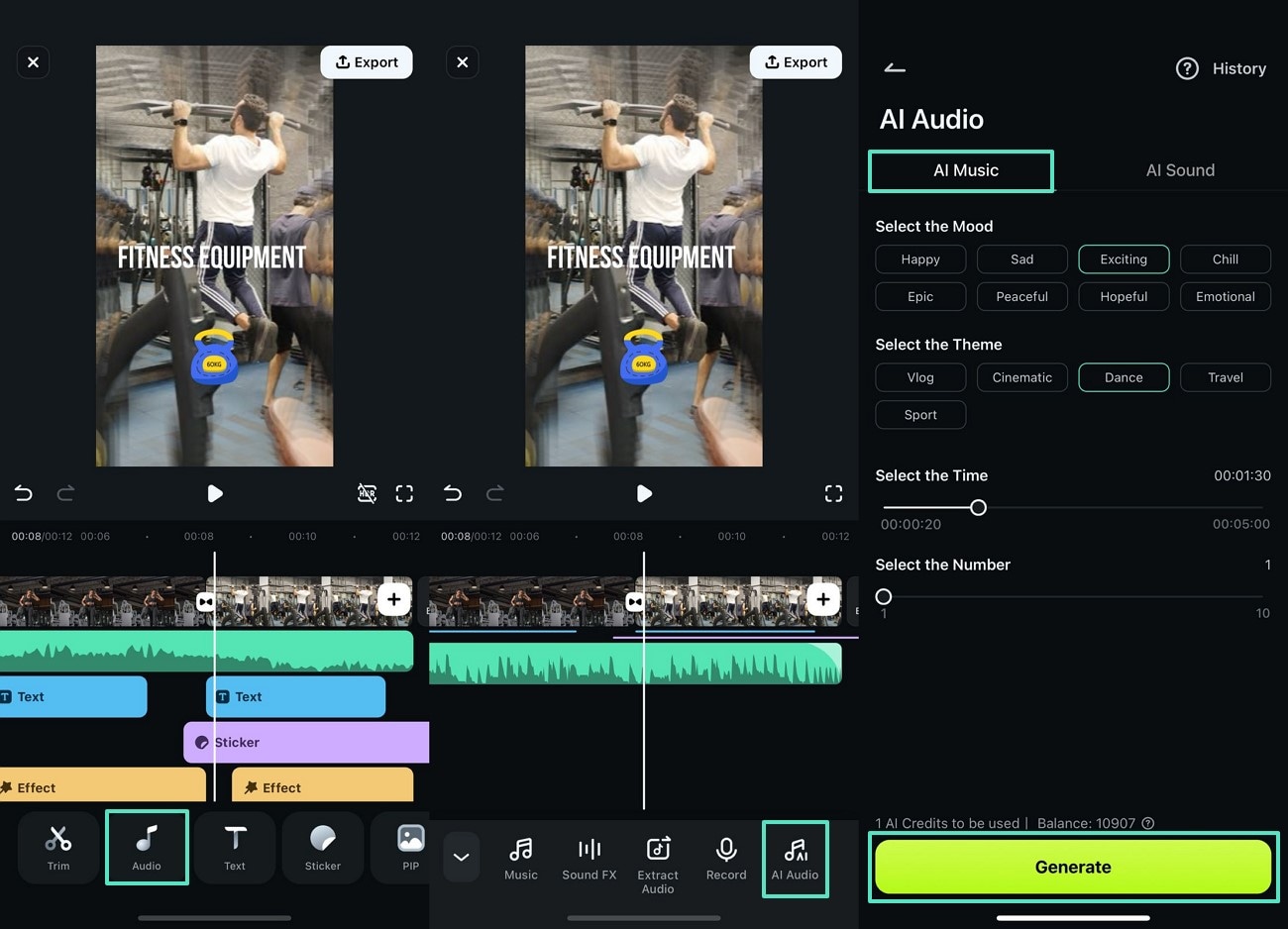
Step 5. Generate AI Music to Make the Video Compelling
For a captivating touch to your video, access the "Audio" tab to generate "AI Music" to your desired specifications.
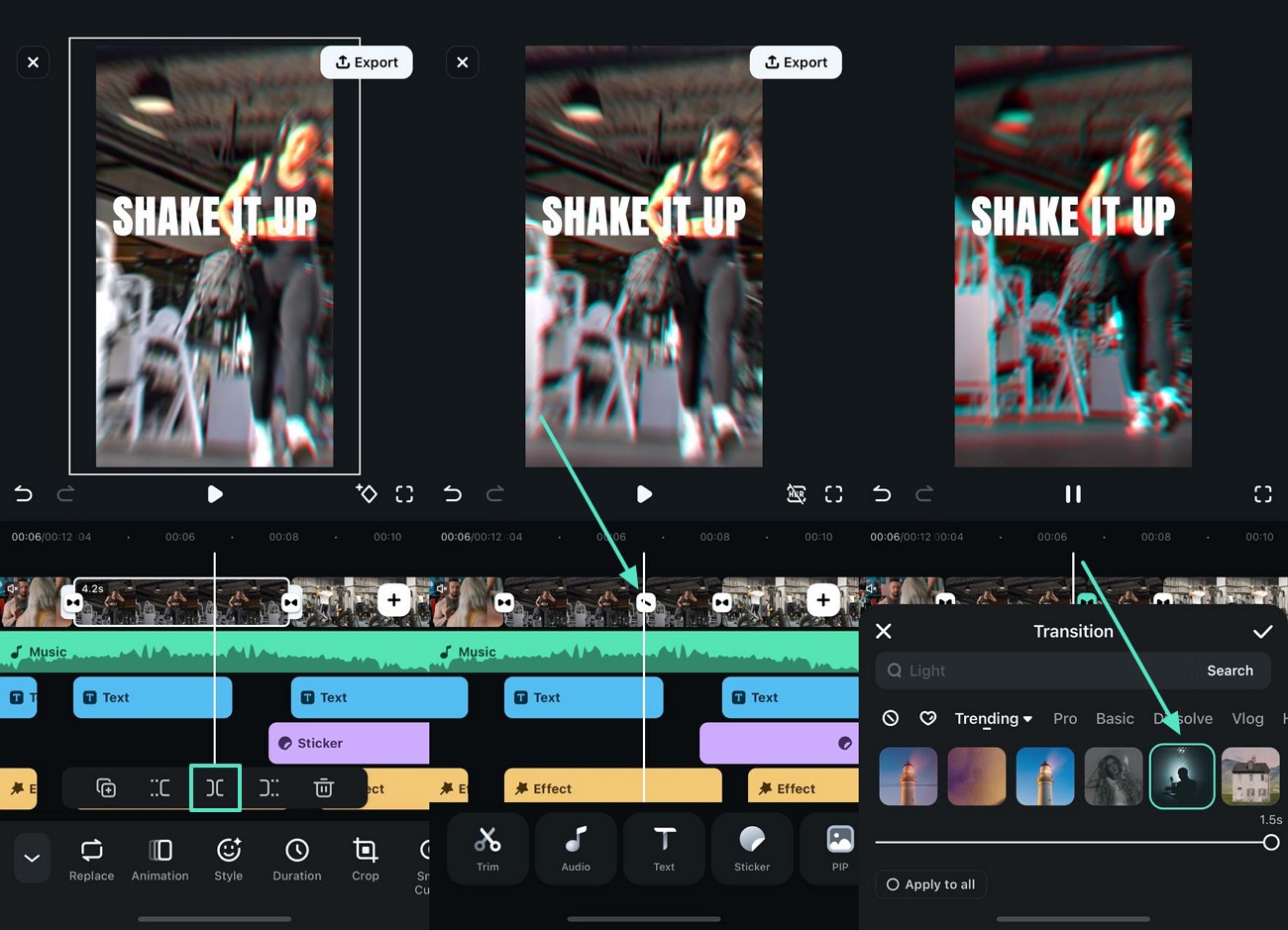
Step 6. Add Transitions to Smoothly Shift from Frame to Frame
To create a story-like effect in the video, "Split" the ad from the timeline and press the "Transition" icon to include the desired asset.
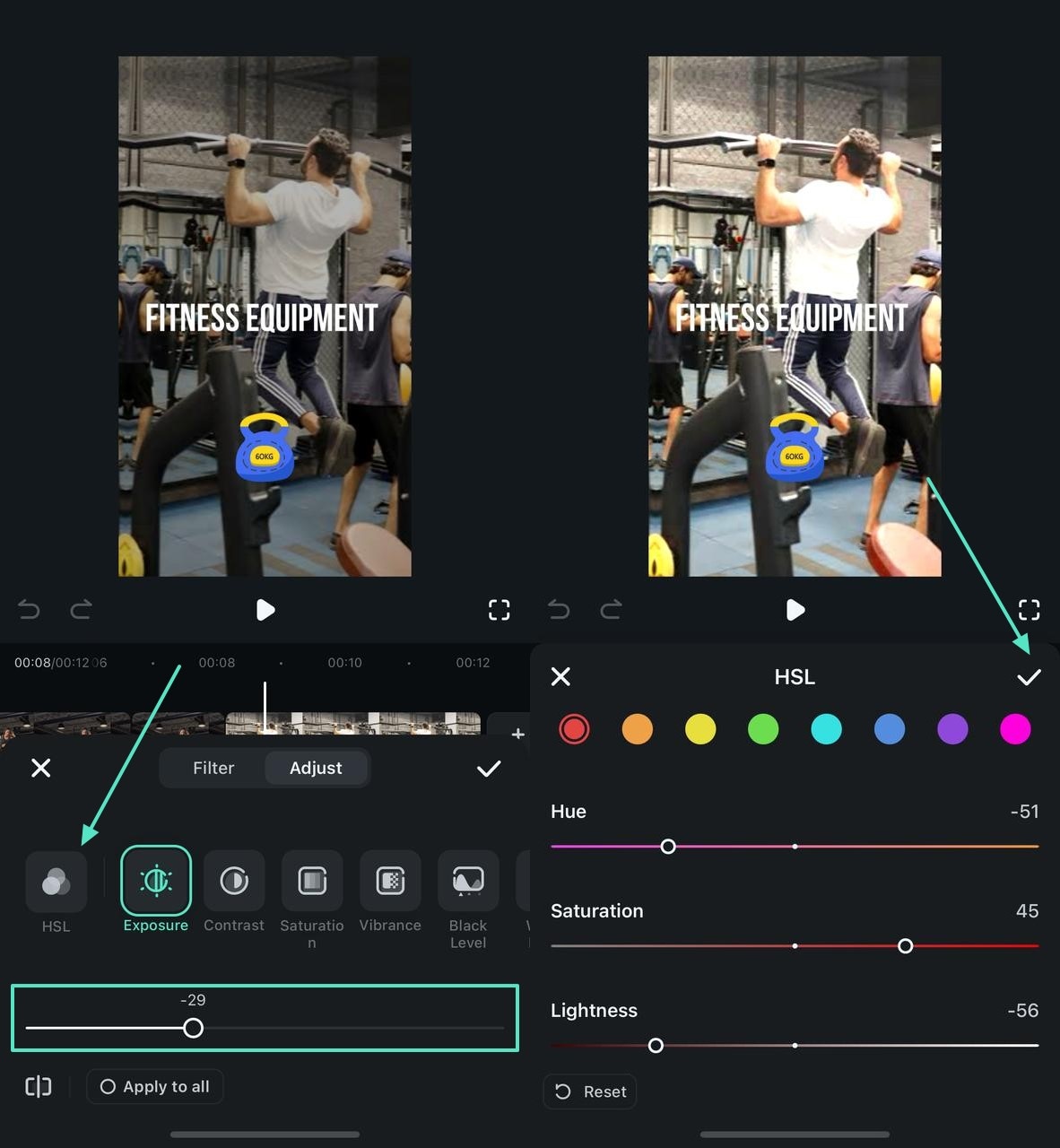
Step 7. Adjust the Color of the Video for an Enhanced Appeal
Go to the "Adjust" tab from the bottom and adjust "Exposure" using the designated slider. For precise color adjustments, press the "HSL" option and set the hue details.
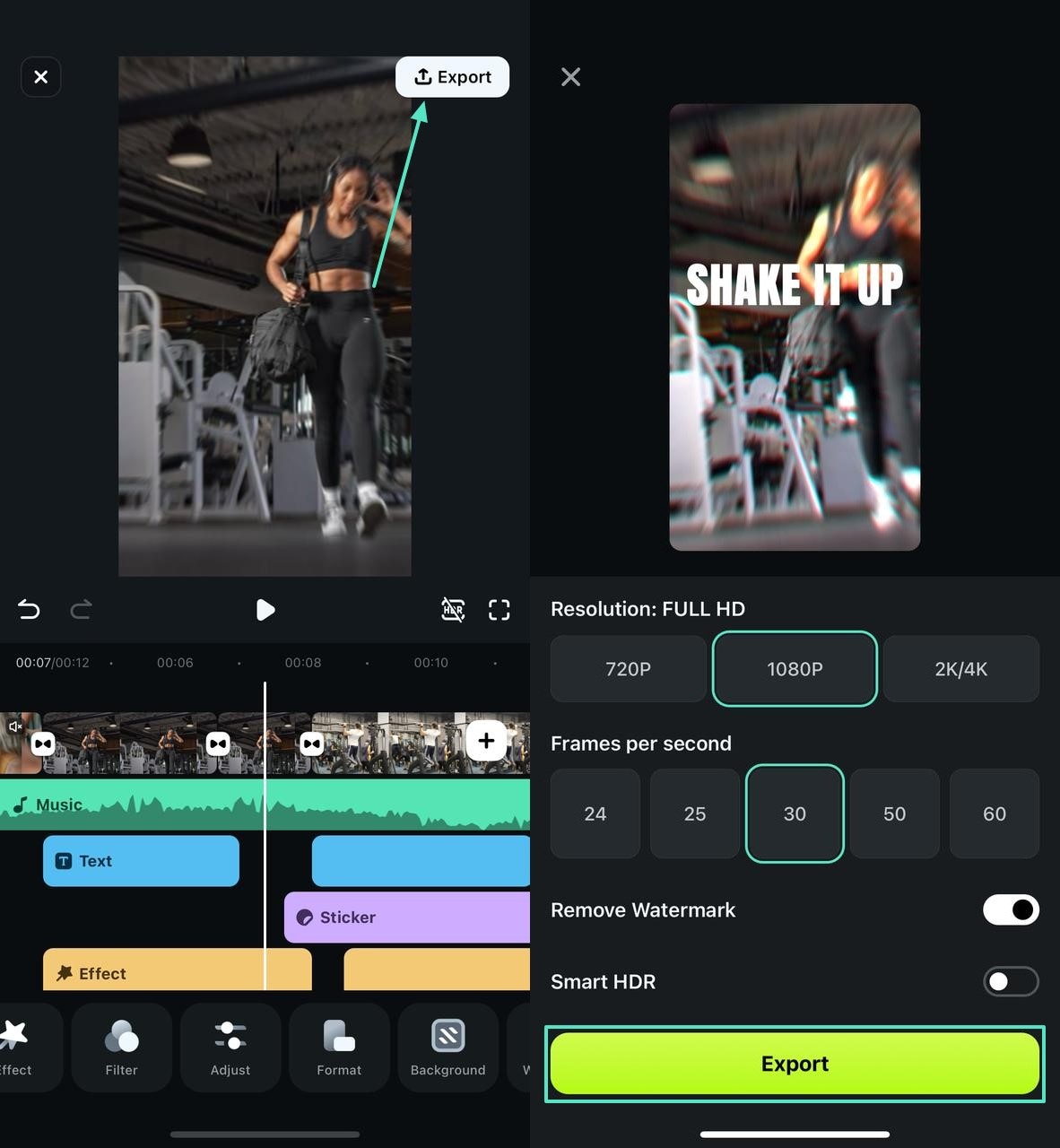
Step 8. Export the Generated Ad to Move Forward
Once you are done editing the video, tap "Export" from the top right to save the video in your desired resolution and frame rate.

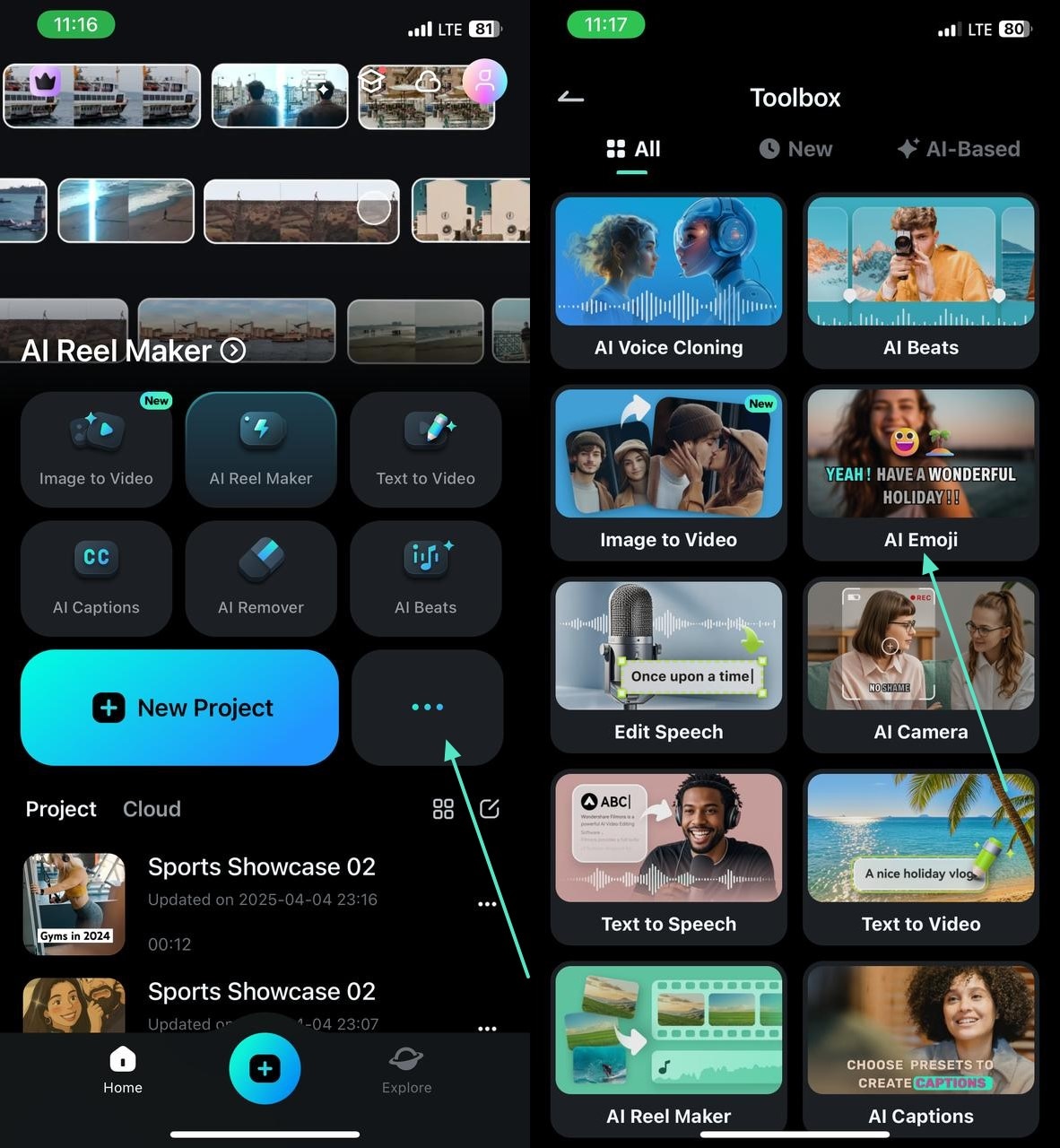
Note: If you have an existing audio present in the video ad, access the "Three Dots" menu from the main interface of the app and import the recently generated ad to the "AI Emoji" feature.
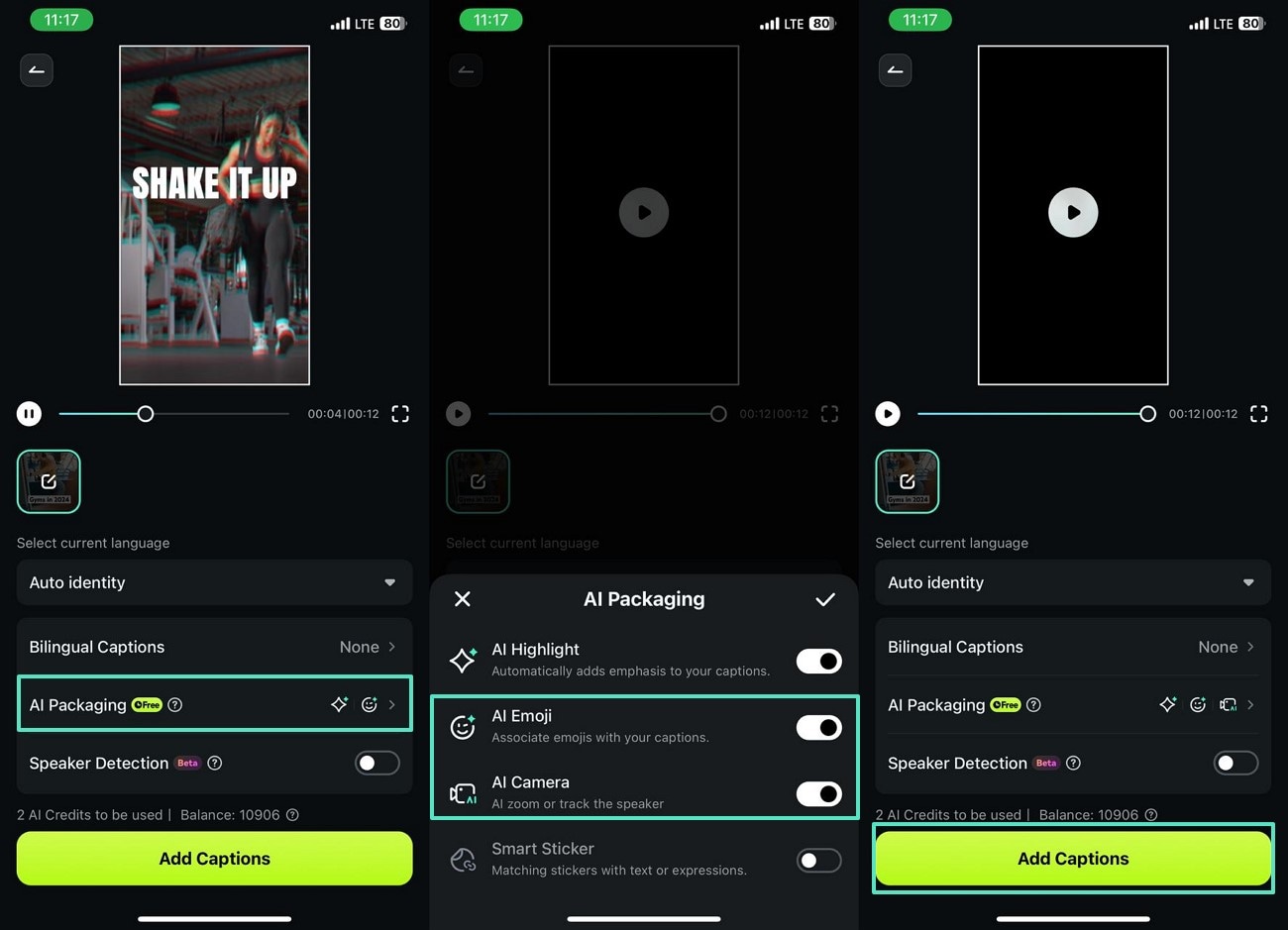
While this feature helps you add automatic captions to your video, you can also manage other elements such as the inclusion of emojis and effects.
For that, open the "AI Packaging" tab and enable the "AI Emoji" and "AI Camera" options to "Add Captions."
Secure Download
Method 2. Adding Interactive Captions to Videos With AI Reels Maker
If you intend to post the fitness advert across a specific social media platform, you can use the AI Reels Maker feature. It provides you with various aspect ratios, enabling you to share the ad directly on social platforms.
This method allows you to enter custom music and theme preferences to craft a perfect video. Users can pick the Sport theme to create a fitness-related video ad.
To get a better idea of this feature, you can watch the following video for creating better social-worthy content:
Note: For your knowledge, The AI Reel Maker feature will soon be improved and will provide a more diverse functionality to its users. Stay Tuned!
Method 3. Creating Gym Videos Quickly With the AI Image-to-Video Feature
If you are looking for advanced automation for the exercise ad, use the Image-to-Video feature. This utility allows you to import an image and transform it into a comprehensive gym-related video ad.
You can explore the variety of templates to select the most appropriate one. Once the ad is generated, edit it using the editing interface.
The following steps feature a guide on using the image-to-video feature to make an ad:
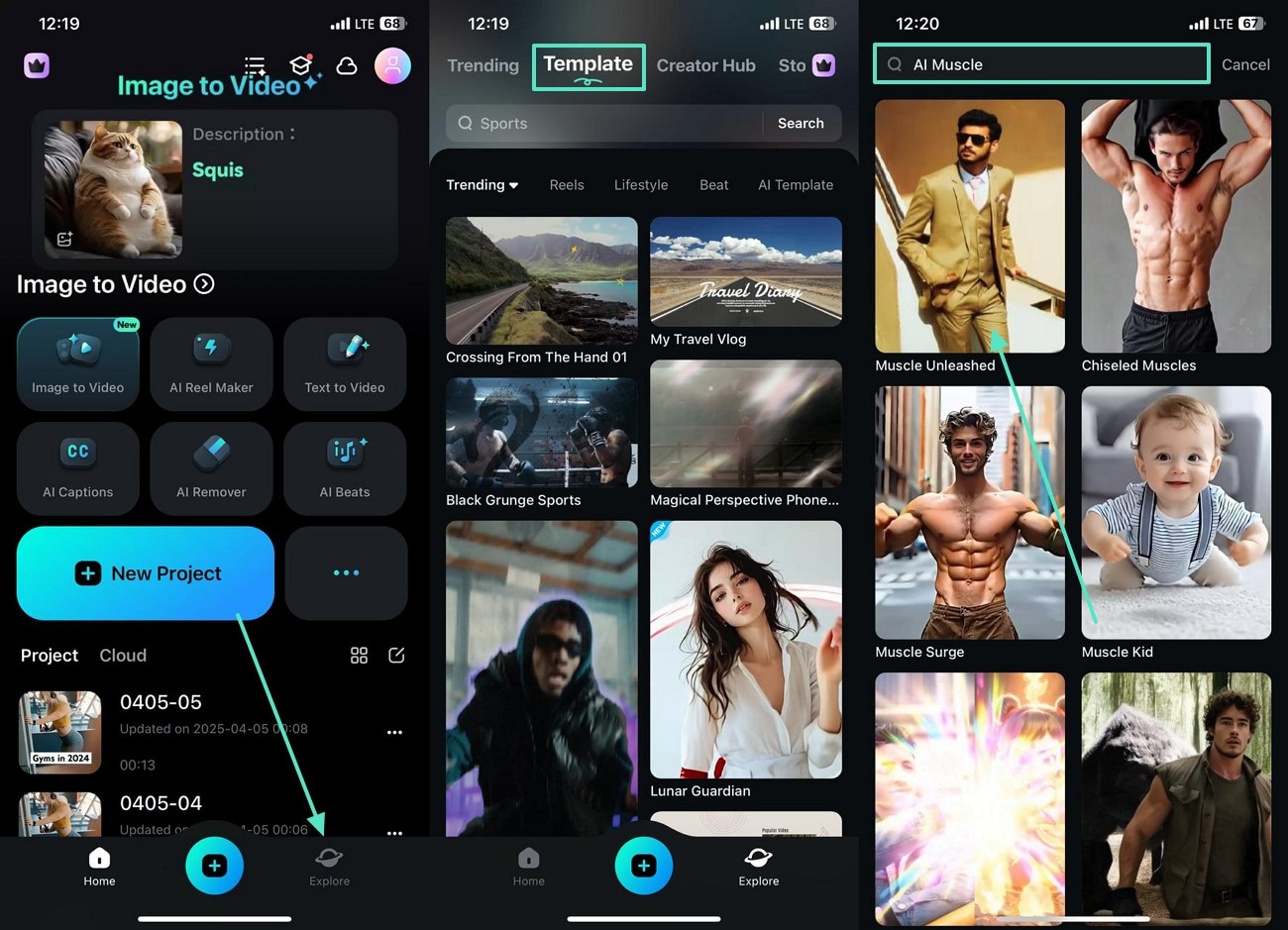
Step 1. Select an AI Muscle Template to Create an Automated Ad
First, open the "Explore" tab from Filmora's main interface and enter the "Template" section to select an "AI Muscle" template.
Step 2. Generate the Video to Save or Edit it
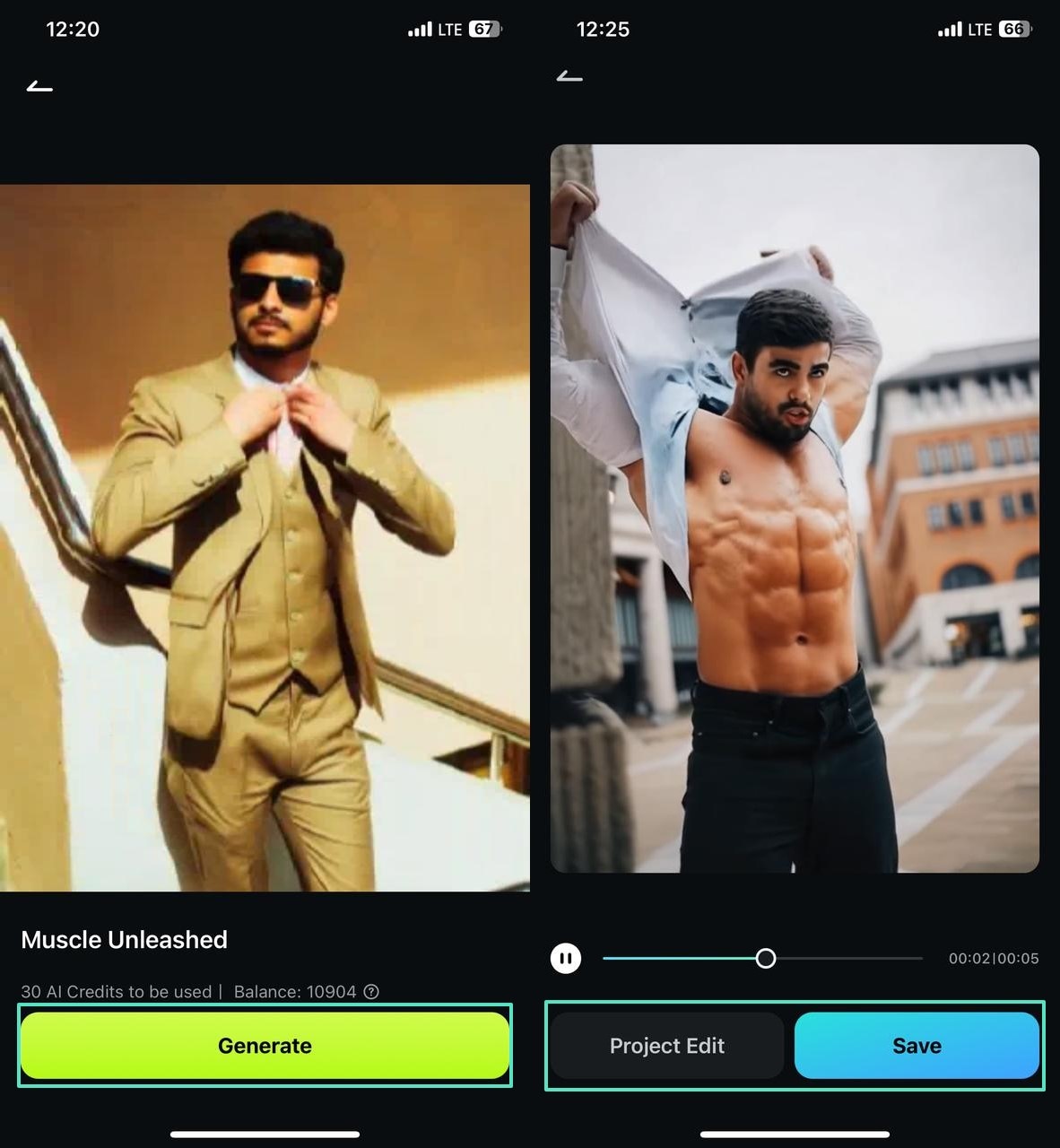
In the next interface, select the "Generate" button to create an attractive gym-related video ad. Now, you can either "Save" the video to the phone or tap "Project Edit" to customize the results.
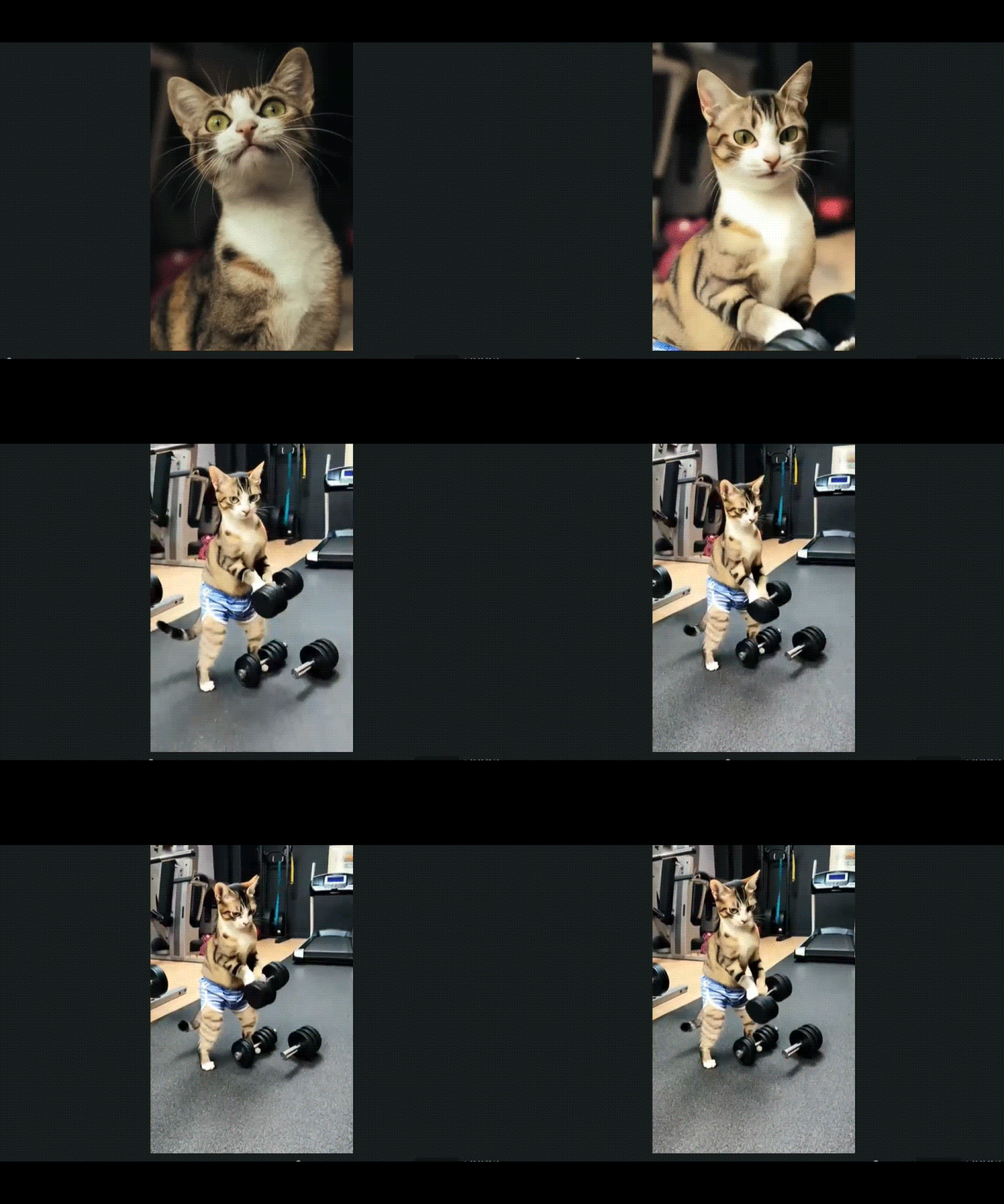
Note: Not only can you generate gym videos with humans, but also with animals. The "Meowfit" template in the Image-to-Video section of Filmora App allows you to import the videos of your pets and create their muscular transformation.
Secure Download
Part 3. How to Make Exclusive Ad Posters for Professional Utility: Wondershare Filmora
Gym owners looking for a more professional approach to making ads can try Wondershare Filmora for desktop. This tool supports both Windows and Mac, catering to all types of users.
This diverse platform offers you manual and automated features to make a fitness advertisement poster. From basic trimming and cropping to advanced AI functionalities, this tool offers you everything.
Key Features of Filmora For Creating Ad Posters
- AI Sticker Generator: If you cannot find a relevant sticker in the library, generate AI stickers with your custom specifications.
- Motion Tracking: Track an object in the video ad and assign an element to it to make the element move with the object.
- Color Grading: Using this feature, you can manually adjust the color of your ad without needing preset filters.
- AI Smart Cutout: Get rid of the undesired objects in your video by isolating the key object from your video.
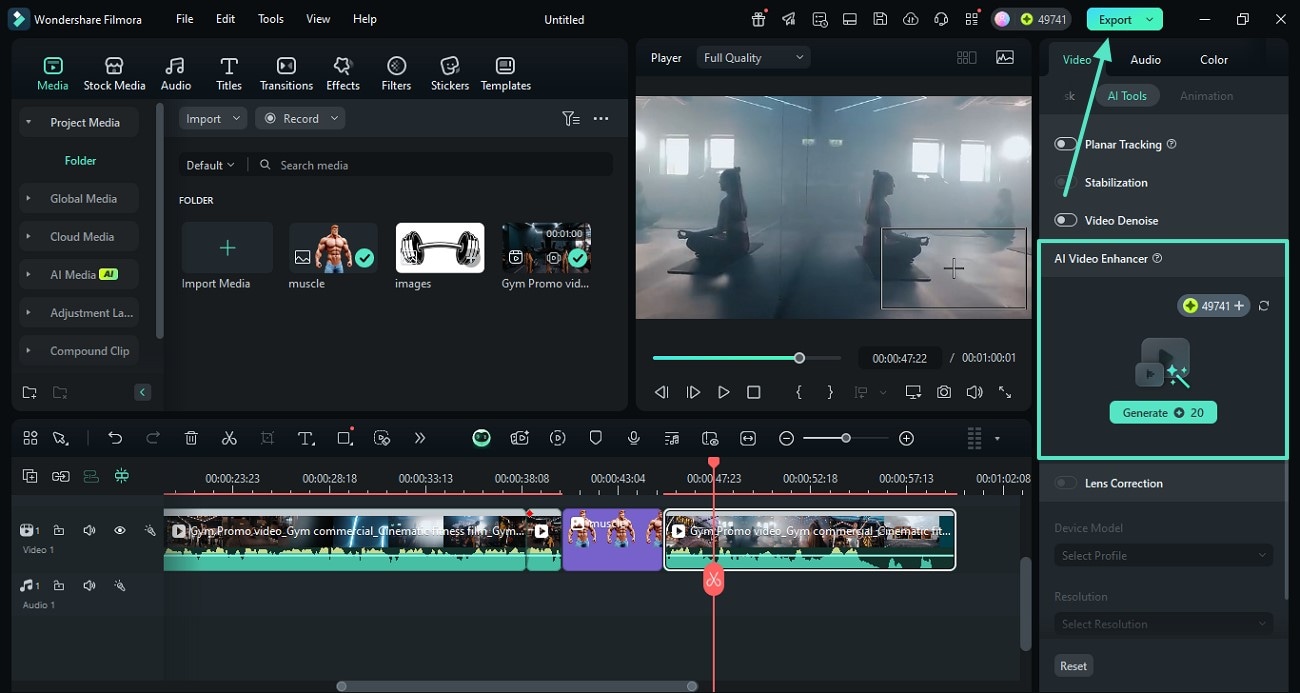
- AI Video Enhancer: Enhance your video quality with AI by removing the white noise and other artifacts from the frame.
A Quick Guide on Using Filmora to Make a Gym Poster
Follow the steps below to learn how you can use Filmora to make a fitness advert poster:
Step 1. Select the New Project Button and Import a Video
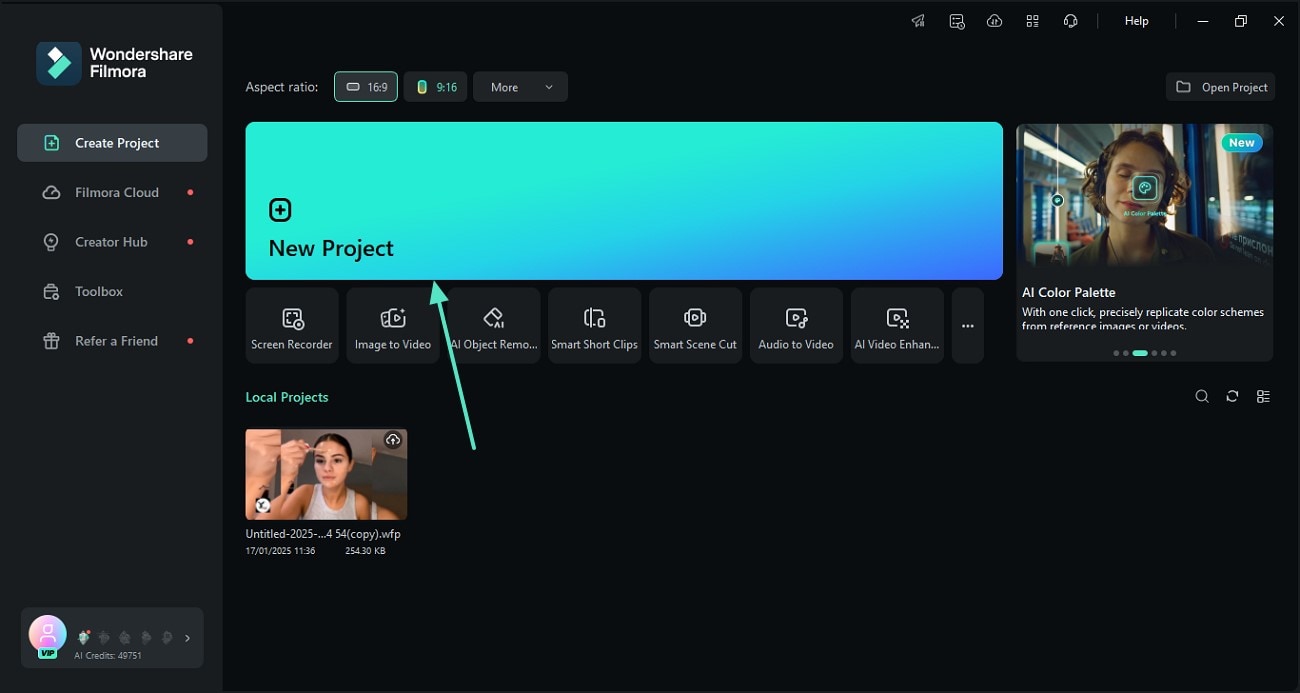
First, open Filmora on the desktop and click the "New Project" button to import the raw gym ad video.
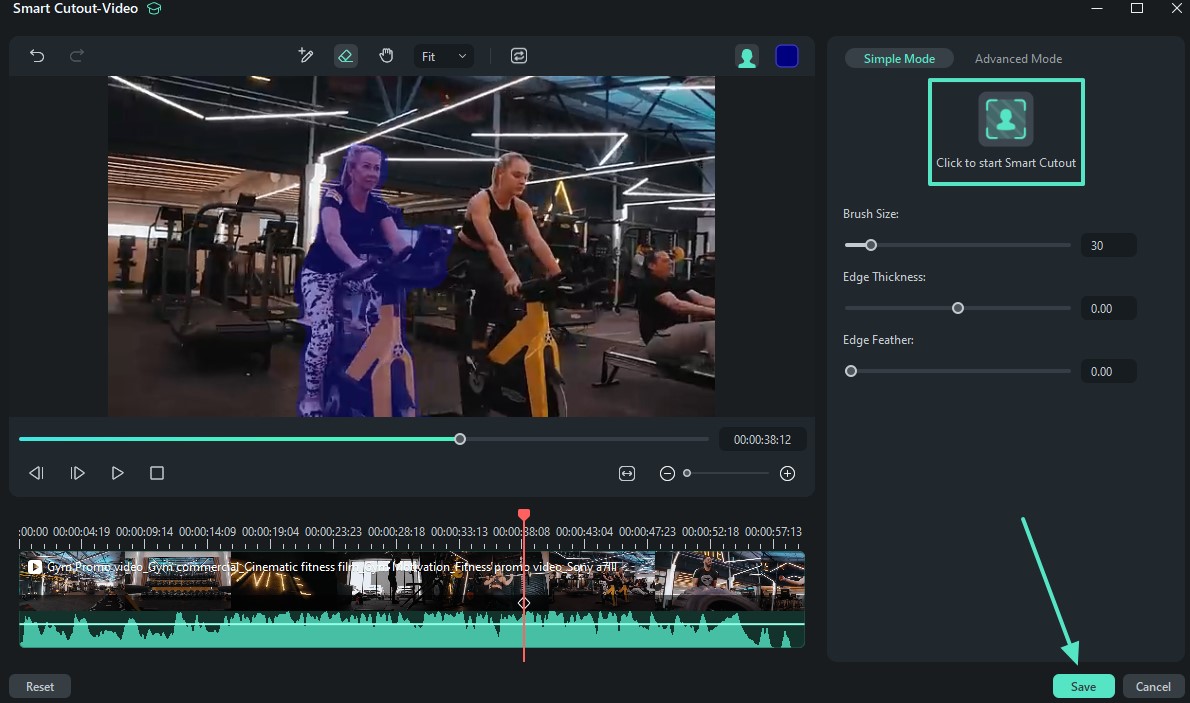
Step 2. Apply the Smart Cutout Feature to Isolate the Main Object
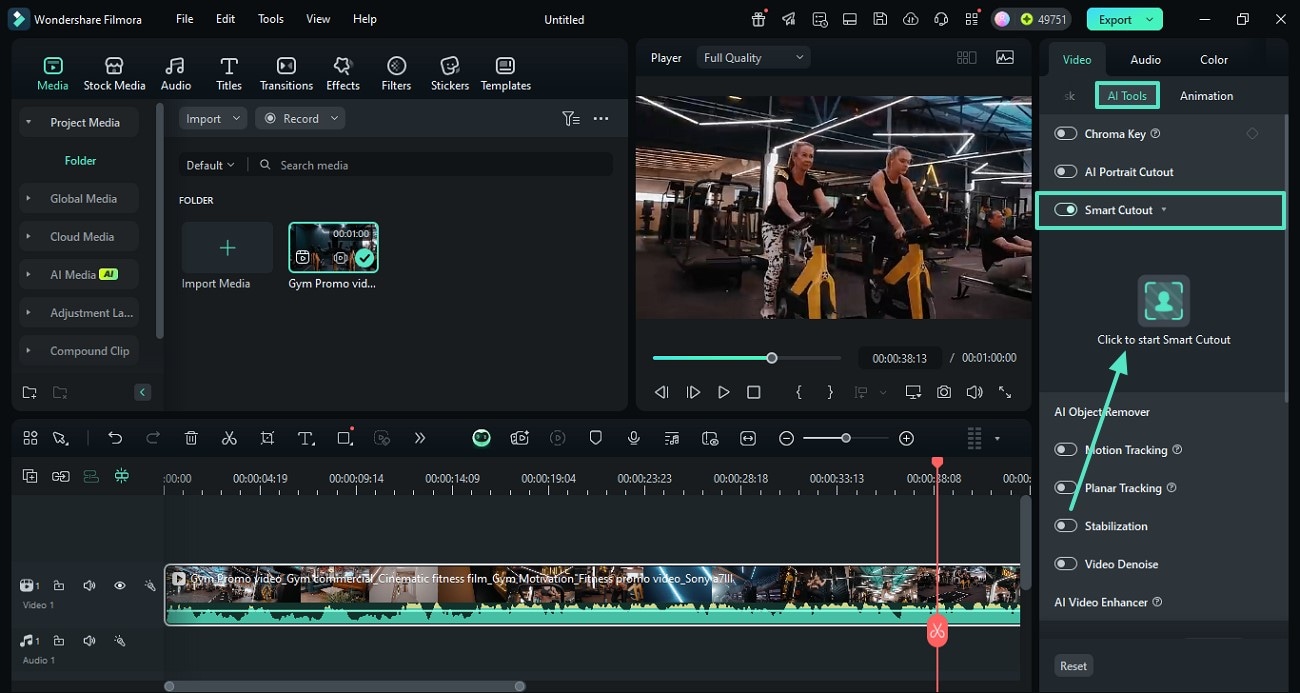
Access the "AI Tools" from the right panel and enable the "Smart Cutout" feature. Now, press the "Click to Start Smart Cutout" button to proceed to the next window.
Step 3. Select the Desired Object of the Video Using a Brush Stroke
Draw over the desired video object with the brush and select the "Click to Start Smart Cutout" option to detect and "Save" the object.
This helps you enhance any specific element within your gym poster and create a professional outlook to your ad.
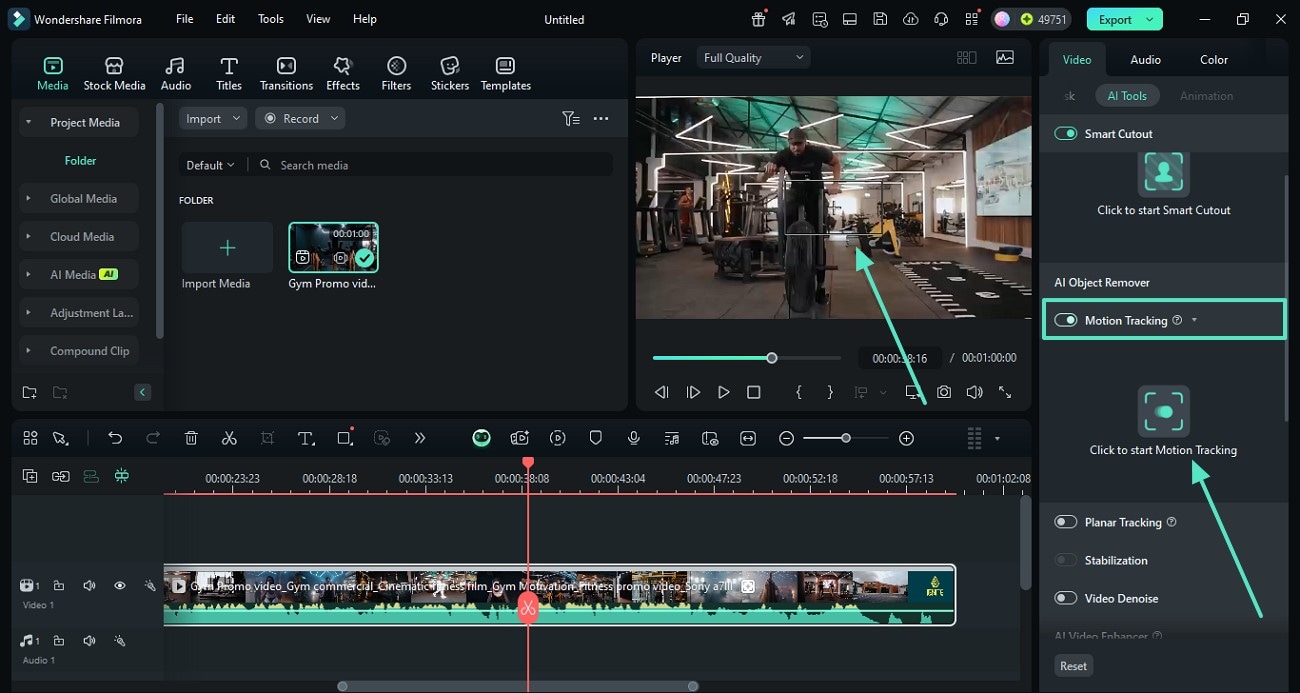
Step 4. Detect the Moving Object and Link an Element to it
From the AI Tools, enable the "Motion Tracking" button and press the designated button to track the motion.
Now, from the "Link Element" menu, select "Import from Computer" to import an image. Importing a specific image for motion tracking helps you impose a special appeal to the video without deviating from the main idea.
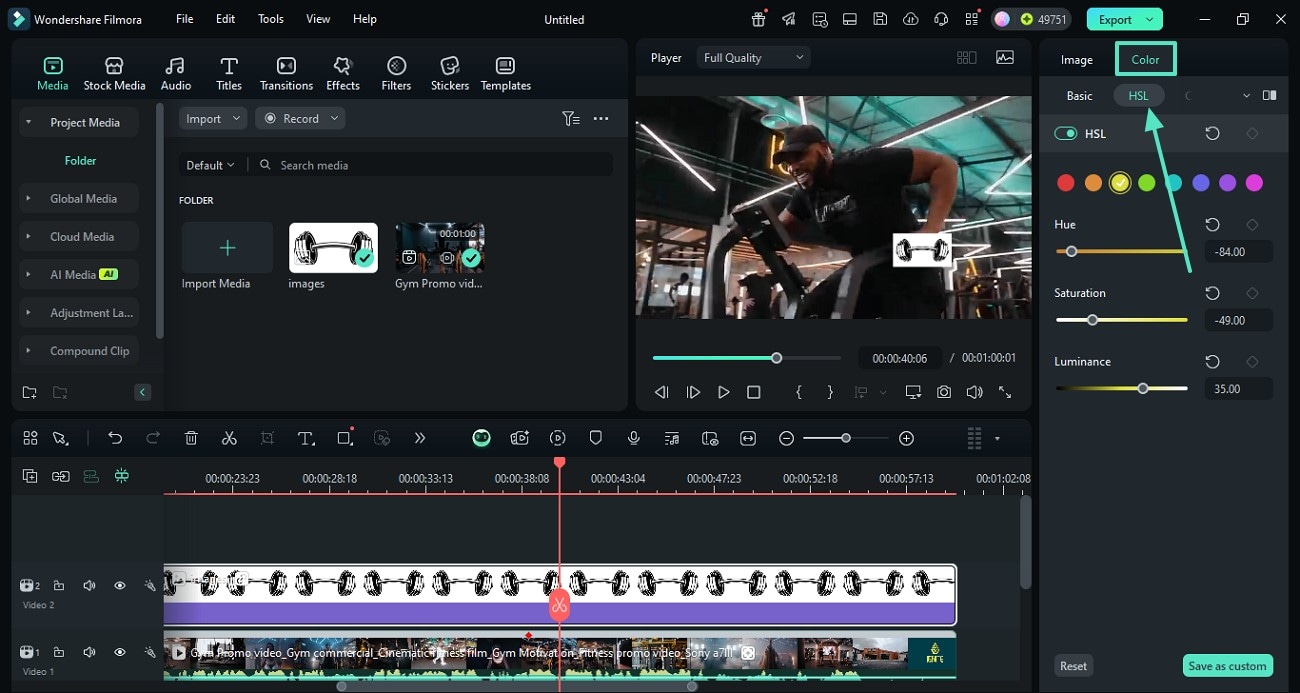
Step 5. Adjust the Color of the Video
To enhance your gym poster appeal, access the "Color" section to adjust the "HSL" settings.
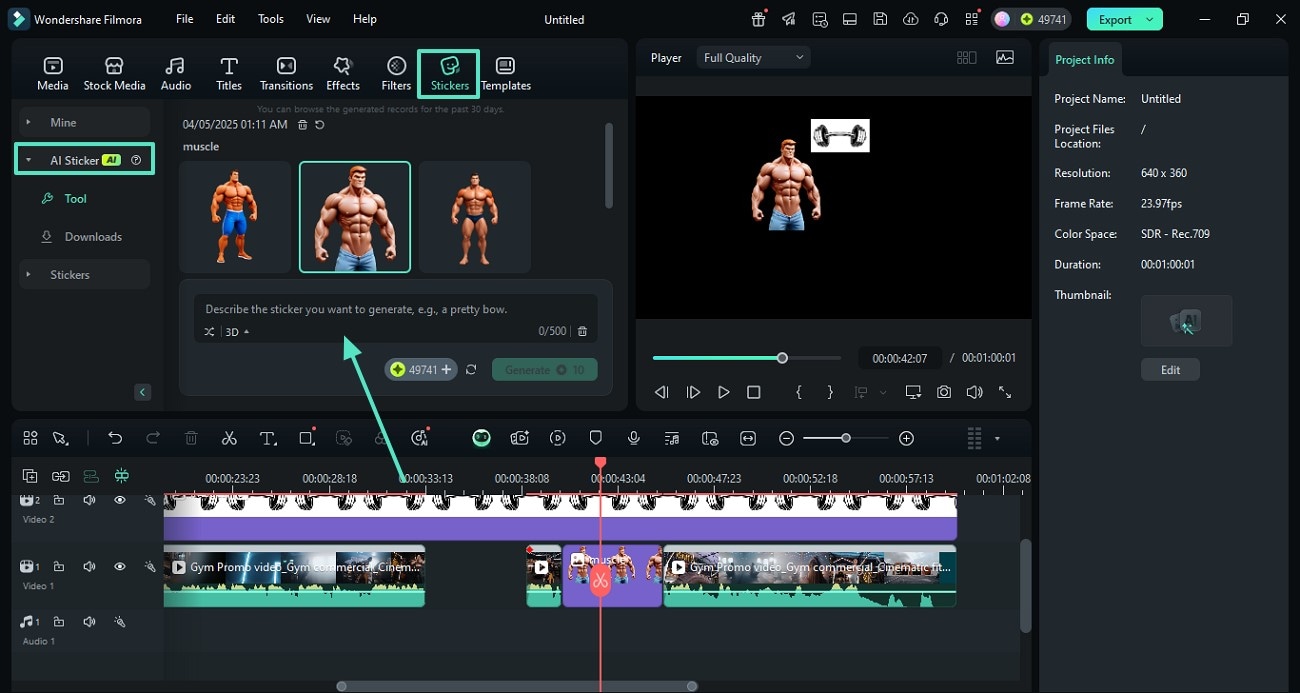
Step 6. Generate and Add an AI Sticker
From the "Stickers" tab, enter the "AI Sticker" section and generate a sticker through a prompt. Once generated, drag the sticker where needed in the special gym poster.
Step 7. Enhance the Video with One Click
For an elevated quality of your poster, enter AI Tools and click "Generate" from the "AI Video Enhancer" section. Finally, click "Export" from the top right to save it to the device.
Part 4. Reviewing the Variety of Types of Gym Ads Users Can Make
The following list features the types of exercise ads that are being made in the market:
- Promotional Ads: When you have exciting discounts or offers, promotional ads are a good way to spread the word.
- Facility Tour Videos: Such type of ad is ideal for providing a virtual walkthrough of the gym to flaunt the ambiance.
- Transformation Ads: Gather the before and after images of your clients to impress the audience with the exciting transformations.
- Social Media Shorts: To show the audience workout sessions and energetic moments in the gym, post on social media.
Conclusion
Wrapping up, making a gym ad is a critical process that can be made simple through Wondershare Filmora. Its desktop and mobile versions offer unique ad-related features to craft a perfect commercial. With the right set of tools, this platform makes it easy to create both quick and professional-based gym content. Besides suggesting ad-makers, this article also covered tips for making an ideal ad.
Secure Download