
Many people ask "How to promote my YouTube Shorts?" The truth is, creating a high-quality YouTube Short is just the beginning. If you want real recognition, you need more than just great content. You need a strategy. The internet is already crowded with videos. Without the right promotion, even the best Shorts can go unnoticed.
So, how do you make your Shorts stand out and boost views fast? That's exactly what this guide is about. We're revealing the secrets of how to promote YouTube Shorts effectively and the trick to create one quickly.
In this article
- The Easiest Way to Create YouTube Shorts
- How to Promote YouTube Shorts to Boost Viewership
- How to Check and Review My YouTube Shorts Performance
Part 1. The Easiest Way to Create YouTube Shorts
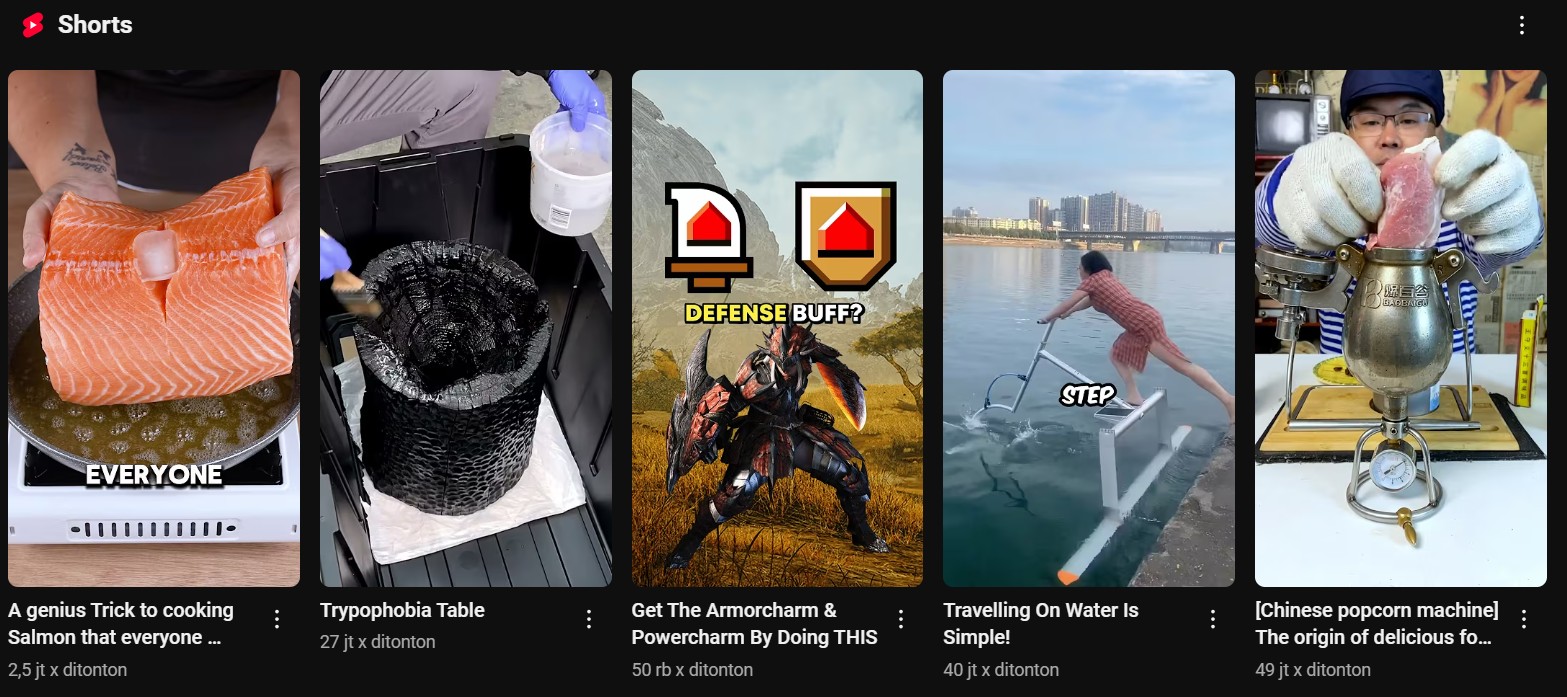
YouTube Shorts is a game-changer for content creators. It offers a fast-paced, engaging format that thrives in YouTube's algorithm. These bite-sized vertical videos are designed to be quick in capturing attention, easy to be discovered, and drive engagement.
But with millions of Shorts uploaded daily, standing out requires more than just a great idea. You need to ensure your video is optimized for success from the start. But before you start coming up with YouTube Shorts promotion tactics, these are the basic requirements you need to remember.
| Aspect | Recommended Format for YouTube Shorts |
| Resolution | 1080 × 1920 pixels (Full HD) |
| Aspect Ratio | 9:16 (Vertical) |
| Video Length | 15–60 seconds |
| File Format | MP4 (Recommended), MOV |
| Frame Rate | 30 FPS or higher (Recommended: 60 FPS for smooth motion) |
| Max. File Size | 2 GB |
Ask any successful content creator, and they'll tell you: making a viral YouTube Short isn't just luck. It takes trial and error and figuring out what resonates with your audience. But constantly creating fresh Shorts from scratch can be exhausting. Editing takes time, finding the right clips can be frustrating. And before you know it, your creative energy is drained.
So, how do top creators post Shorts consistently without burning out? That's where Wondershare Filmora AI Smart Short Clips comes in.
Filmora's AI Smart Short Clips does the heavy lifting for you. Imagine if you could turn your existing videos into engaging YouTube Shorts in just a few clicks. No more manually cutting, editing, and searching for the best moments.
This powerful AI tool automatically detects the most engaging parts of your videos and transforms them into ready to upload Shorts. No matter if you have long-form videos, past livestreams, or even raw footage, Filmora's AI analyzes and picks out the best highlights.
Why AI Smart Short Clips is a Game-Changer
Instantly Repurpose Content: With AI Smart Short Clips, you can quickly extract the best moments. Let your past content into a fresh, high-performing Shorts. This means more visibility and more opportunities to grow. All without recording new content from scratch.
Perfectly Optimized for YouTube Shorts: The AI ensures your clips are properly formatted and attention-grabbing. It automatically adjusts the length, enhances the visuals, and keeps the most engaging parts intact. So, your Shorts are scroll-stopping from the very first second.
Faster Growth for Content Creation: Consistency is key on YouTube. The more frequently you post, the higher your chances of getting noticed. With Filmora AI Smart Short Clips, you can create many Shorts in minutes. It can keep your channel active and continuously bringing in new viewers.
Instead of spending hours editing every single YouTube Short, imagine batch-creating a week's worth of content in one sitting. That's the power of AI Smart Short Clips. It's designed for efficiency and ease, allowing you to focus more on growing your audience and less on editing.
So, if you've been struggling to keep up with the fast-paced world of YouTube Shorts, this is your shortcut to success.
How to Make YouTube Shorts Quickly and Efficiently
01of 06Launch Filmora and Access Smart Short Clips
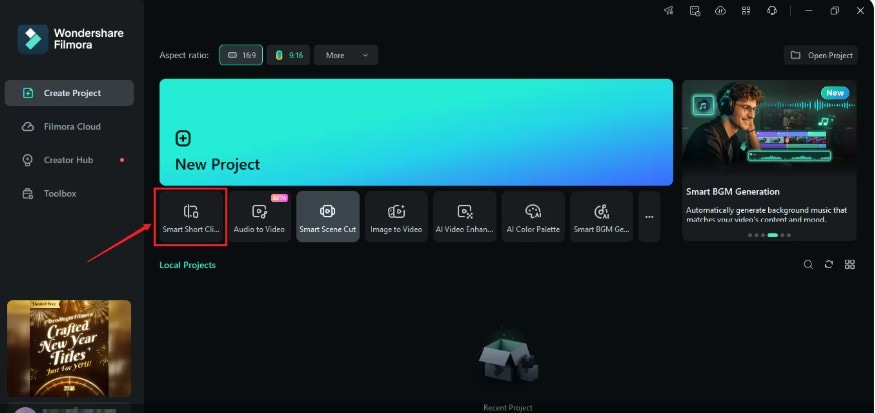
Open Filmora. On the home screen, select Smart Short Clips option, usually located below the "New Project" button. Or, you can access it through the Toolbox section.
02of 06Import Your Video
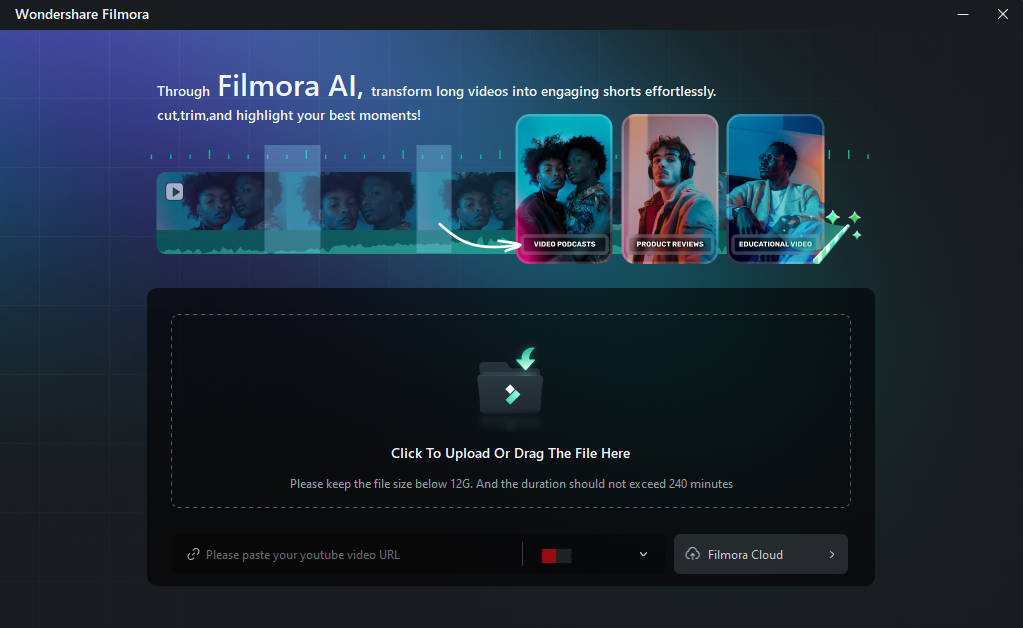
You have two options to add your video:
- Paste a YouTube URL: If your video is already on YouTube, you can just paste the URL into the provided field.
- Upload from Your Device: Click the upload area to select and upload a video file from your computer.
03of 06Configure Project Settings
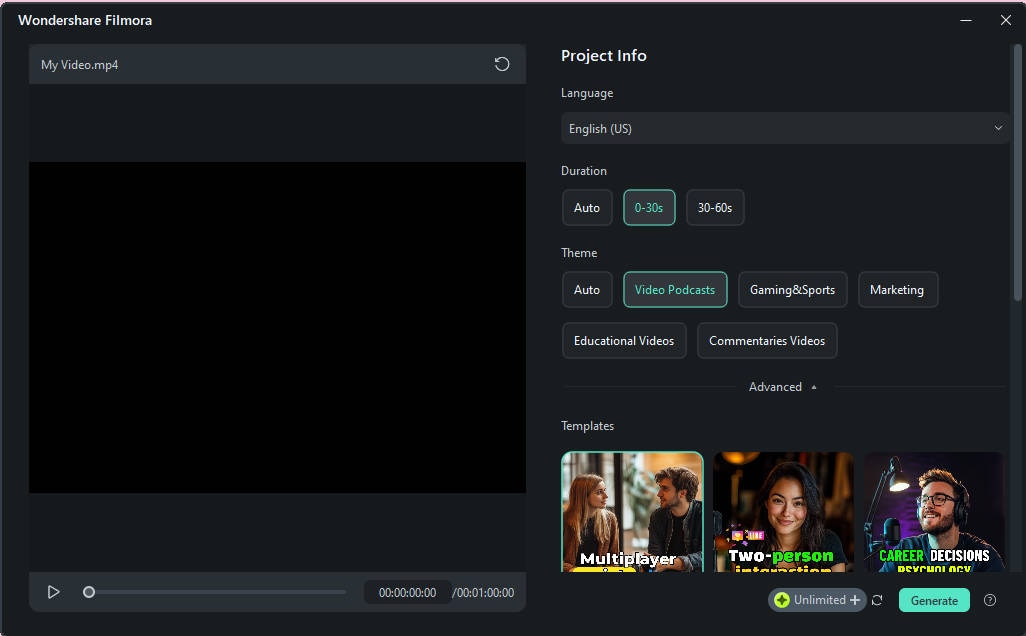
After importing the video, set up your project preferences:
- Language: Choose the language spoken in your video.
- Duration: Decide on the length of each Short. Ideally, Short is up to 60 seconds.
- Theme: Select a theme that matches your video's content, such as games, marketing, or education.
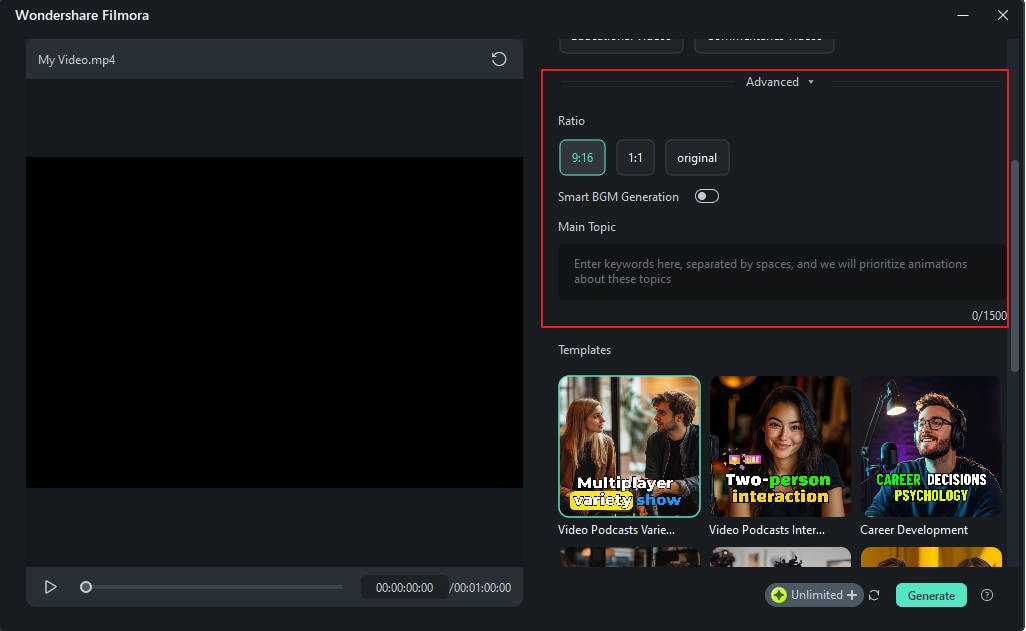
04of 06Access Advanced Settings
If you need to fine-tune any creative elements further, you can enable some customization:
- Aspect Ratio: Choose the appropriate aspect ratio (e.g., vertical 9:16 for YouTube Shorts).
- Smart BGM Generation: Enable this to let the Filmora automatically generate background music that fits your video's mood.
- Main Topic Keywords: Input relevant keywords to help the Filmora add some specific animations.
- Ready-to-Use Template: Browse through various engaging short video templates. Choose one that aligns with your content's style and click Generateto proceed.
05of 06Review Generated Clips
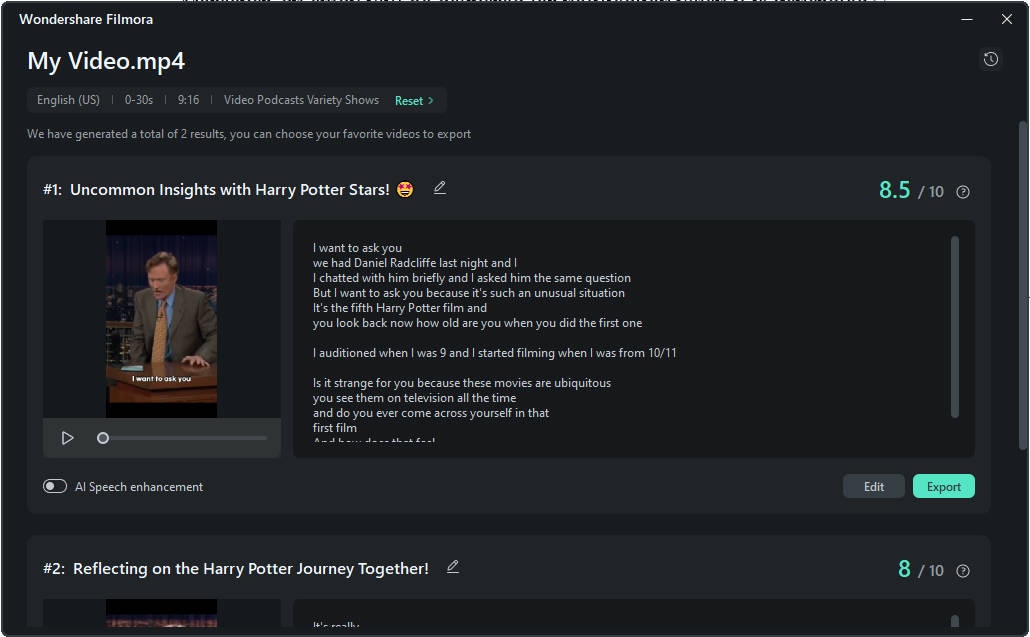
Filmora's AI will analyze your video and produce multiple short clips. Each will be rated based on its engagement potential. Review the clips and assess their quality based on your needs.
06of 06Export and Share
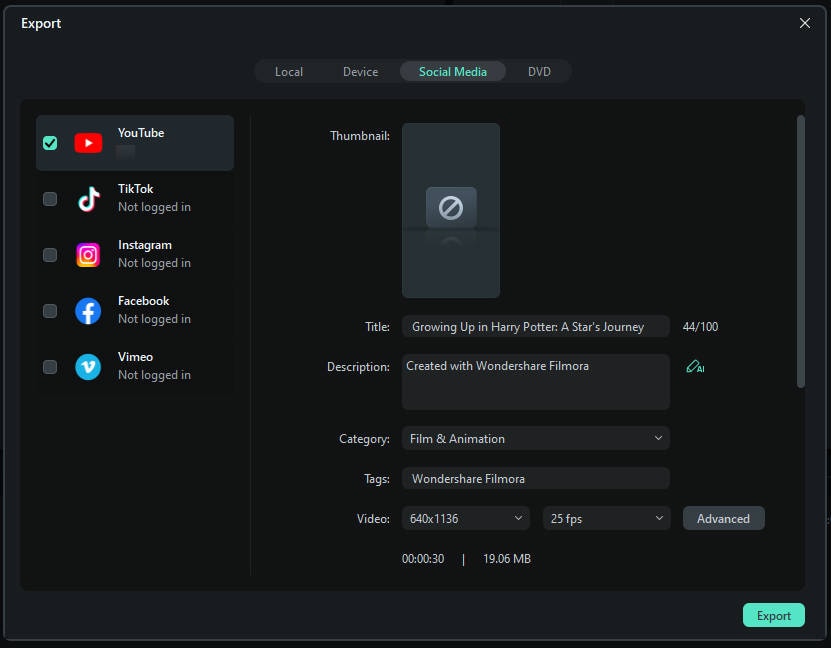
Once satisfied, you can click Export to save your clips in high-resolution formats suitable for YouTube Shorts. Or, you can plan your content with Filmora's built-in features to post your Shorts directly to your YouTube channel.
By following these steps, you can efficiently transform longer videos into compelling YouTube Shorts.
Part 2. How to Promote YouTube Shorts to Boost Viewership
Uploading your YouTube Shorts is just the beginning. Now it's time to make sure people see them. To maximize reach and engagement, here are 7 effective ways on how to promote your Shorts and boost views fast.
1. Understand the Algorithm
YouTube Shorts thrive on watch time, engagement, and audience retention. The longer people watch, the more YouTube pushes it to a wider audience. Hook viewers in the first few seconds, keep videos fast-paced, and avoid unnecessary intros to increase retention.
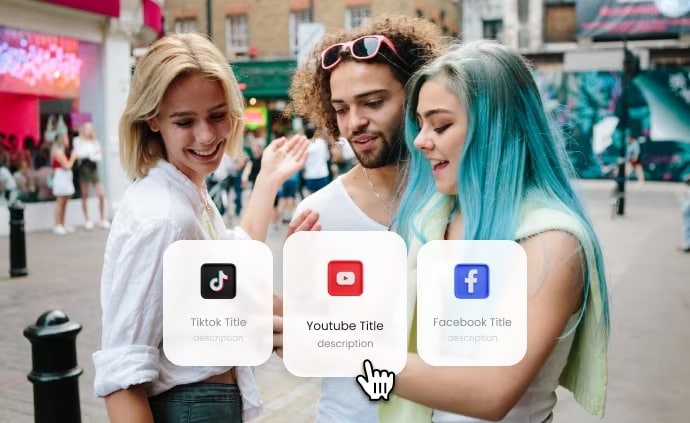
2. Optimize Your Titles and Descriptions
If you want to know the best way how to promote Shorts on YouTube, making a strong title and description is the answer. They can increase discoverability and improve click-through rates, so that you can reach more viewers and boost engagement.
Use clear, engaging headlines with relevant keywords. You can use AI Copywriting tool to generate compelling titles and descriptions quickly without the guesswork.
3. Engage With Your Audience for More Visibility
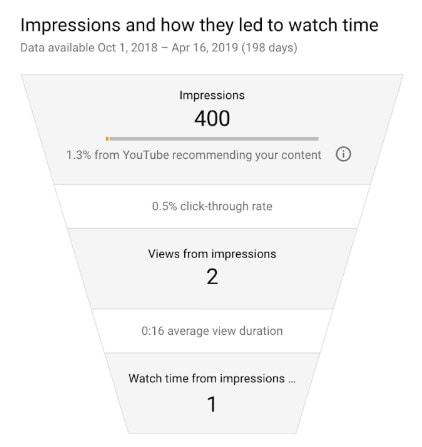
The more likes, comments, and shares your Short gets, the more YouTube promotes it. Here's how you can encourage engagement:
- Asking questions in your captions.
- Replying to comments to keep the conversation going.
- Liking and pinning comments to highlight key discussions.
4. Cross-Promotion on Other Social Media Platforms
Don't limit your Shorts to YouTube only.Expand your reach by sharing your Shorts on Instagram Reels, TikTok, Facebook Reels, and Twitter. You can post teasers or embed it on your other social media account for extra traffic. For an easy move, you can share it on community-based social media where your audience hangs out.

5. Use Trending Music and Sounds
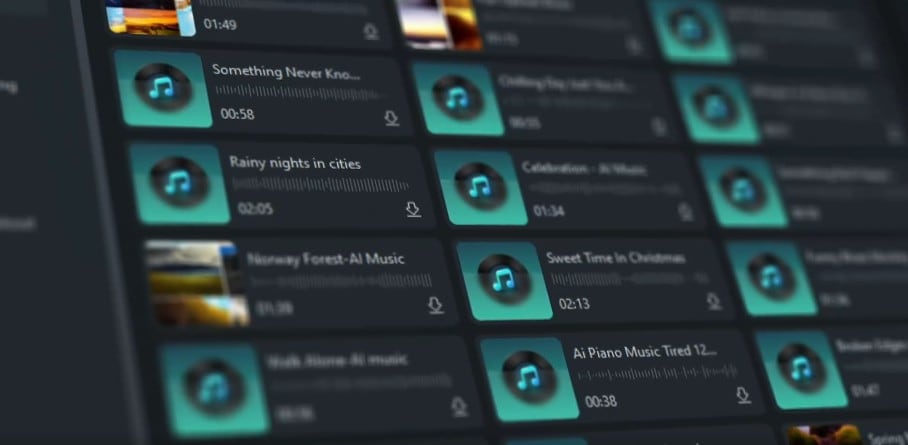
One of the fastest ways to boost your Shorts' reach is by using trending music or viral sounds. It boosts discoverability. YouTube prioritizes Shorts using trending audio. Filmora also comes with a built-in royalty-free music library. It can make it easier to find and use soundtracks without copyright worries. Or, try Filmora AI Music Generator to create custom background music that perfectly matches your video's vibe.
6. Leverage Hashtags
Hashtags help categorize your Shorts and increase searchability. Using relevant, trending, and niche hashtags makes it easier for YouTube to recommend your Shorts to the right audience. Here are the best practices for using hashtags:
- Always include hashtag #Shorts for visibility in the Shorts feed.
- Use a mix of popular and niche hashtags to attract the right audience.
- Find trending hashtags using YouTube's search bar autocomplete.
7. Consider Paid Promotion for Faster Growth
If you're serious about tracking your Shorts' success, investing in paid promotion can be a game-changer. YouTube Ads allow you to target specific demographics, locations, and interests to ensure it is in front of a targeted audience.
Besides the online ads, you can try Influencer collaborations. This kind of shoutout is helping you to expand reach without running traditional ads.

YouTube Shorts Promotion is key to growing your Shorts and channel. By using these seven strategies, you'll increase views, engagement, and subscribers faster. Which tip will you try first?
Part 3. How to Check and Review My YouTube Shorts Performance
Once you've applied the strategies on how to boost your YouTube Shorts, it's important to track their performance. Knowing what works and what doesn't help you refine your content strategy and focus on what brings the best results. Here's how you can check your YouTube Shorts performance:
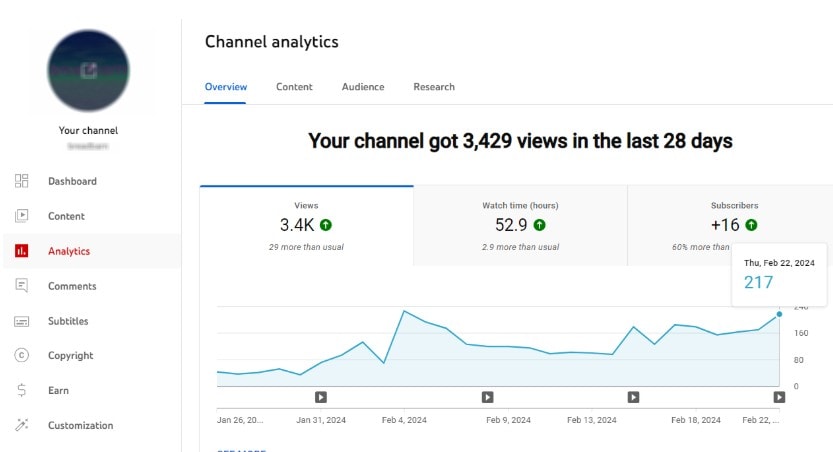
Open YouTube Studio
Go to YouTube Studio and log in to your account. From the left menu, click Analytics to access your video insights.
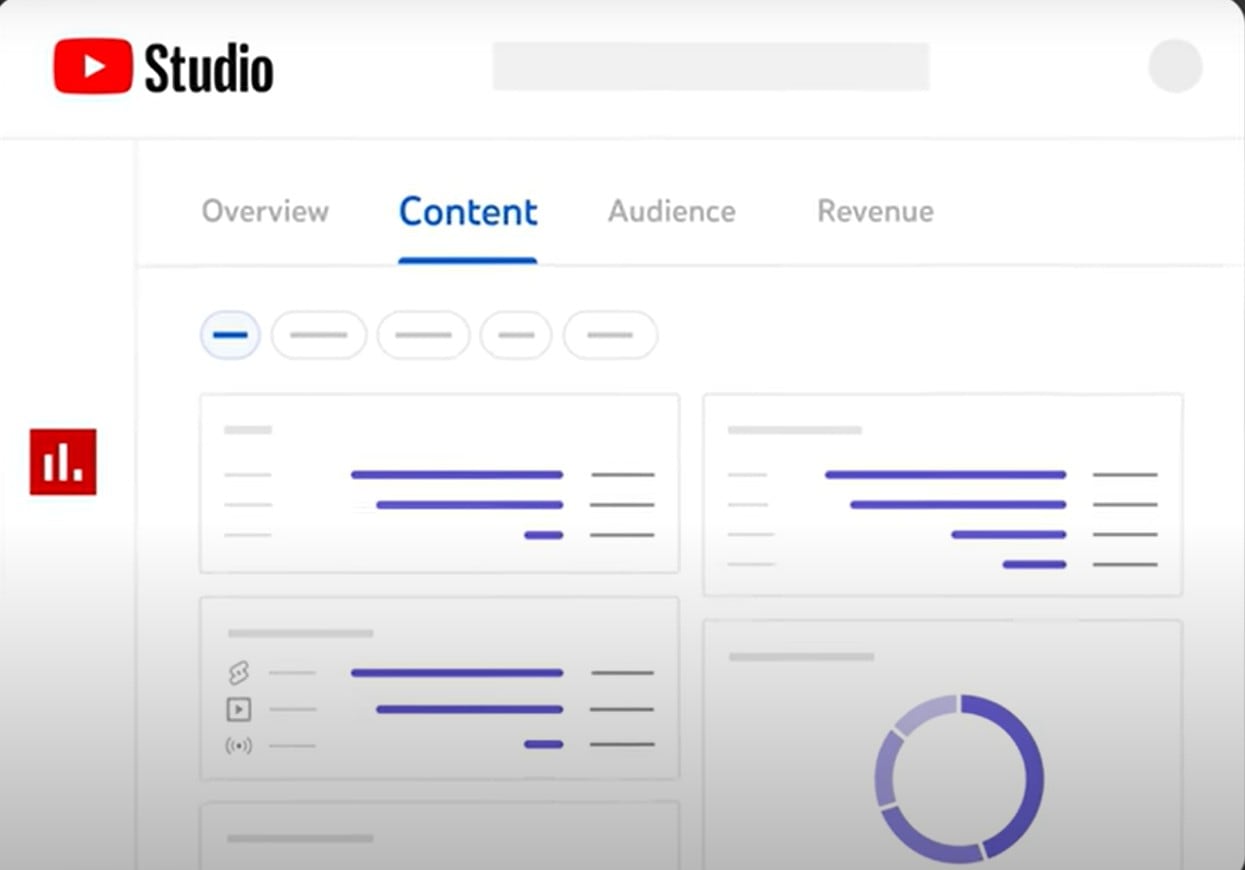
Go to the "Content" Tab
In the Analytics dashboard, select the Content tab. This section shows performance breakdowns for videos, Shorts, live streams, and posts.
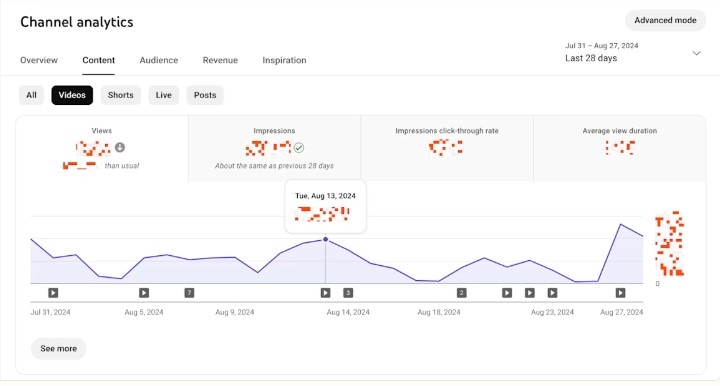
Check Key Metrics for Shorts
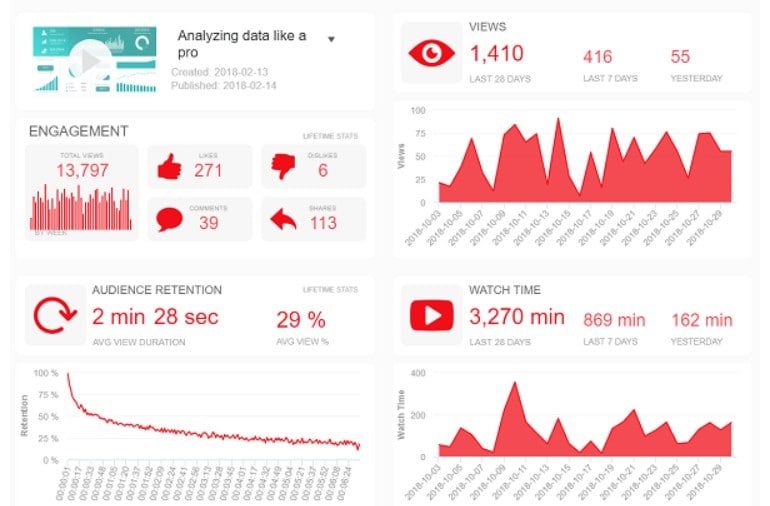
Look at key metrics like views, watch time, click-through rate (CTR), and engagement. A high CTR means your title and thumbnail are effective. While strong engagement (likes and comments) signals that viewers enjoy your content.
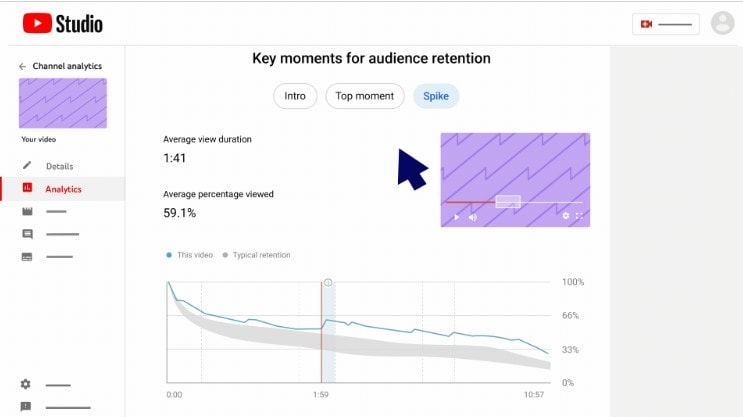
Analyze Audience Retention
Go to Advanced Mode > Retention to see when viewers drop off. If people stop watching early, your hook might need improvement.
Compare Your Best-Performing Shorts
Compare your best performing Shorts to identify patterns. Do certain topics, hashtags, or formats get more views? Use this data to refine your future content strategy.
Conclusion
Creating and promoting YouTube Shorts isn't just about luck. It's about strategy. But now, you know how to promote your YouTube Shorts. By using the right tools, optimizing your content, and tracking performance, you can boost views, increase engagement, and grow your channel faster.
From editing with Filmora Smart Short Clips to leveraging every element, every step matters. Keep testing, refining, and focusing on what works. Success with Shorts comes from consistency and smart promotion. Now, it's time to take action and watch your Shorts thrive!

Filmora
⭐⭐⭐⭐⭐
The Best AI-powered Video Editing Software and App