
Home
Blog
How to Make Your Camera Mic Wireless
Compact microphones have made it easier than ever to capture high‑quality audio on the fly. Unfortunately, most of these solutions still require a cable to route sound from the mic to your recorder or camera. When you need a cleaner mix, the flexibility of a dedicated field recorder, or the 32‑bit float option, the cabling can become cumbersome.
Enter the MicBack – a small, 3‑D‑printed adapter that mounts directly to the back of selected microphone shock‑mounts. It provides secure attachment points for popular wireless transmitters and ultra‑compact recorders, giving you a streamlined, wireless audio workflow without adding bulk to your rig.
The device is compatible with a broad range of gear. Here’s a guaranteed compatibility list:
- RODE Wireless GO II
- RODE Wireless ME
- DJI Mic
- Tascam DR‑10L
- Zoom F2
These are the leading affordable wireless systems and compact recorders on the market today.
Compatibility also depends on the microphone. MicBack supports three popular models:
- RODE VideoMic NTG & VideoMic GO II
- Deity V‑Mic D3 Pro
- Deity V‑Mic D4 Mini
Installation is straightforward. Remove the rear screw from the shock‑mount, slide the MicBack onto the mic, and replace the screw with the one provided. Two mounting slots on the back line up with the clamps on RODE Wireless and DJI Mic equipment, while the slots designed for recorders allow a direct, secure fit.
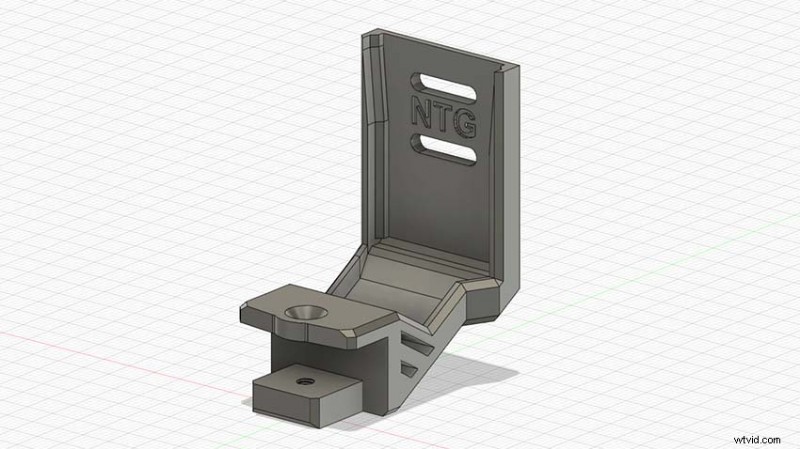
Image Credit: Camera Foundry
Once attached, simply connect the mic’s output to your recorder or transmitter and you’re ready to record wirelessly. The system unlocks several powerful options:
- Record in 32‑bit float with compatible field recorders.
- Mount the mic elsewhere on your rig and wirelessly send audio to your camera.
- Use two wireless transmitters to operate dual shotgun mics for two‑person shots.
- Attach a receiver to the MicBack and use an L/R splitter to feed both the receiver and a camera‑mounted mic into separate channels of your camera.
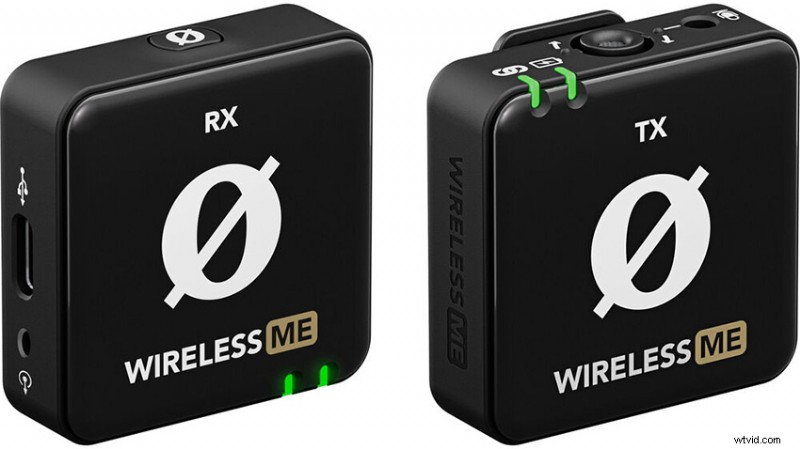
Image Credit: RODE
Smaller solutions, such as a splitter box, can reduce cable clutter if the rig becomes too busy. The MicBack is an elegant addition that keeps your audio setup clean, versatile, and professional.
[source: DSLR Video Shooter]
Order Links:
- RODE VideoMic NTG Shotgun Microphone (B&H, Amazon)
- RODE VideoMic GO II Shotgun Microphone (B&H, Amazon)
- Deity V‑Mic D3 Pro Shotgun Microphone (B&H, Amazon)
- Deity V‑Mic D4 Mini Shotgun Microphone (B&H, Amazon)
- RODE Wireless GO II Mic System (B&H, Amazon)
- RODE Wireless ME Mic System (B&H, Amazon)
- DJI Mic (B&H, Amazon)
- Tascam DR‑10L Portable Audio Recorder (B&H, Amazon)
- Zoom F2 Portable Field Recorder (B&H, Amazon)
Disclaimer: As an Amazon Associate and a participant in other affiliate programs, we may earn a small commission from qualifying purchases made through some of the links on this page - at no additional cost to you.
About The Author

Shawn Steiner
Shawn studied both cinema and photography with a strong focus on photojournalism and documentary work. You can check out his Instagram, as well as most other social media accounts, @shawncsteiner to see more of his work.