
An electronic shutter has no moving parts which means that it can operate completely silently. That’s really useful if you’re photographing sports like golf, or you want to get a few shots of a wedding ceremony.
The lack of moving parts also means that an electronic shutter can operate without causing any vibration. That’s great news when you’re trying to extract every last drop of detail from a sensor. It’s ideal for macro photography, for example.
Not having mechanical parts also enables an electronic shutter to ‘open and close’ quicker than a standard mechanical shutter. Consequently, electronic shutters often allow much faster shutter speeds than when a mechanical shutter is used.
Of course, electronic shutters don’t actually open and close, they simply read-out the data from the sensor during a specific time period.
Given the benefits of an electronic shutter, it’s no surprise that they are becoming de rigueur in mirrorless cameras. However, they are less common DSLRs, possibly because these cameras are predominantly used in reflex mode with a moving mirror which negates some of the benefits. Nevertheless, they are starting to appear and the Canon EOS 90D has an electronic shutter. But how do you activate it?
- Read our Canon EOS 90D review
How to use Canon’s Electronic Shutter
If you scroll through the Canon 90D’s menu you’re likely to struggle to find the option you need.
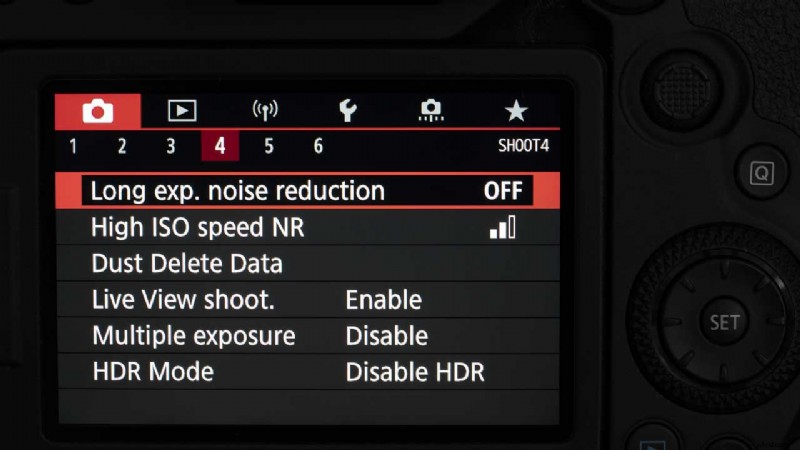
The problem is that you need to active Live View mode by pressing the Live View button before the Shutter Mode option becomes visible in page 4 of the main menu.
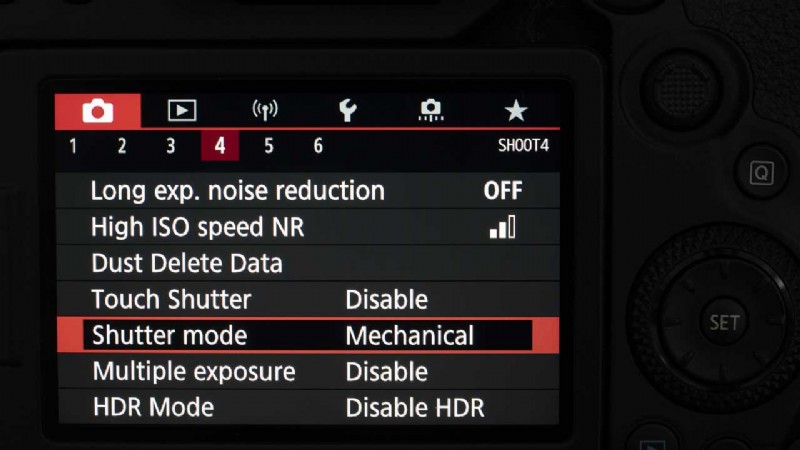
As soon as that’s visible, it’s pretty obvious what you need to do. Scroll down to ‘Shutter mode’ and press ‘Set’.
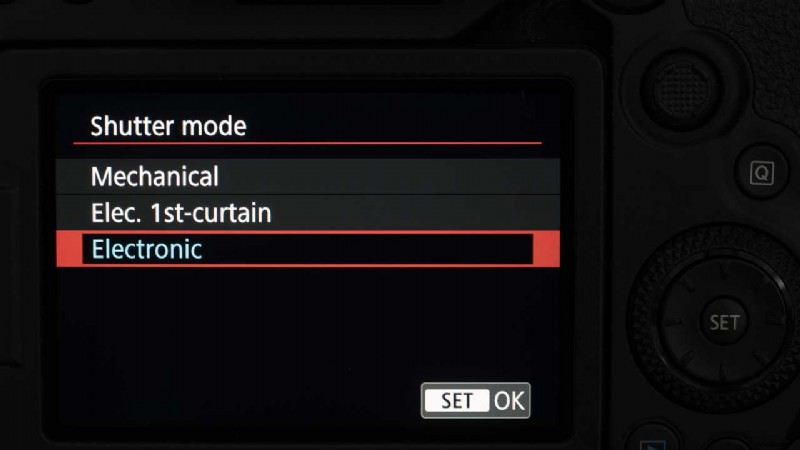
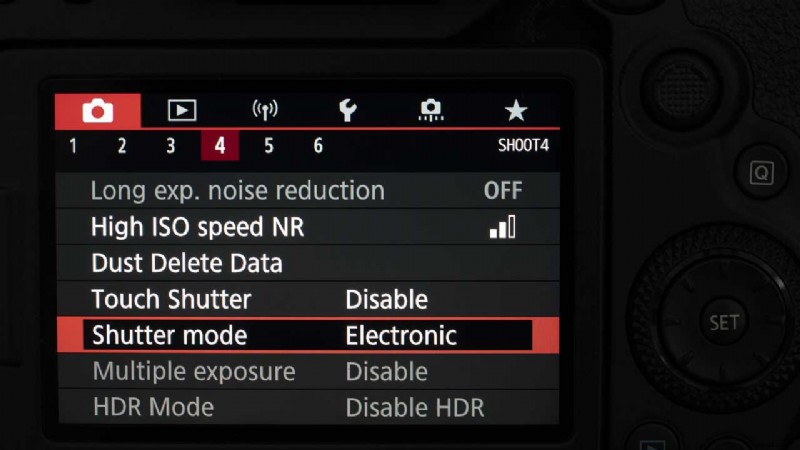
Then scroll down to ‘Electronic’, and press ‘Set’ again.
You can buy the Canon EOS 90D from retailers such as Adorama, B&H Photo Video, Park Cameras and Wex Photo Video.
How to Activate the Canon EOS 90D’s Electronic Shutter
- Activate Live Mode.
- Press the menu button.
- Navigate to the 4th page of the Shooting menu.
- Scroll down to Shutter mode and press ‘Set’.
- Select ‘Electronic’ and press ‘Set’ again.