REC

Recommended: Video Production, Editing & Gear Maintenance Guide

 WTVID >> WTVID >  >> Filming equipment >> filming equipment

5-Minute Photoshop Tutorial: Effortlessly Remove People from Photos

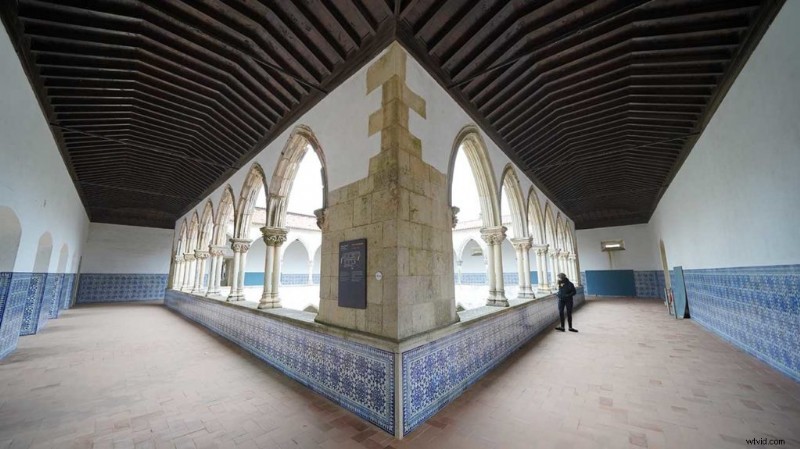
The coast is finally clear, there’s a gap in the flow of people and you can get that shot you want. Then just as you compose someone appears, slowly wandering from side to side, pausing to read something before moving on. Then before you know it the next crowd of tourists appear, the time to take that shot is when there’s just that one person in the scene.

It may just be one person, but in order for your perfectly symmetrical shot to work, you need them gone. In a public place shouting at them to clear off isn’t an option, and at least with one person, it’s going to be far easier to remove one than with a crowd.

But how do you go about it? There’s a quick and easy digital way to remove unwanted people from your images. It involves taking two shots, then aligning them in Photoshop so that you can overlay the clear area of one image over the other.

While having the presence of mind to take two shots at the time would be ideal, it’s all too easy to forget. If that’s the case then it’s a case of using Photoshop army of retouching tools. Let’s take a look at both techniques.

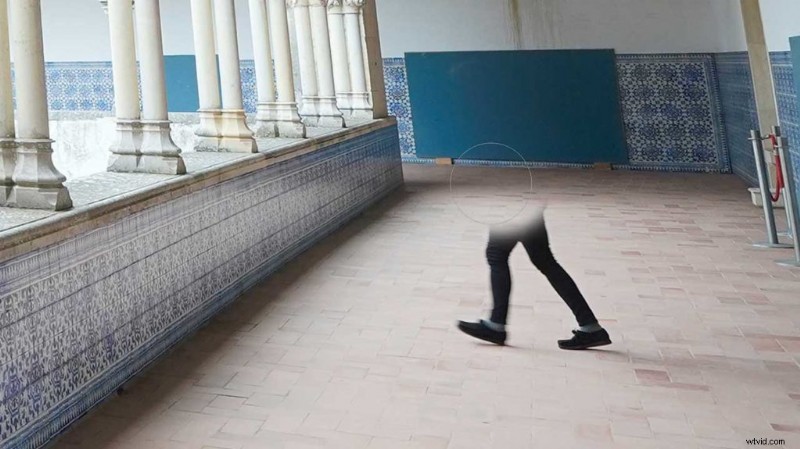
Here are the two images prior to removing the person. 
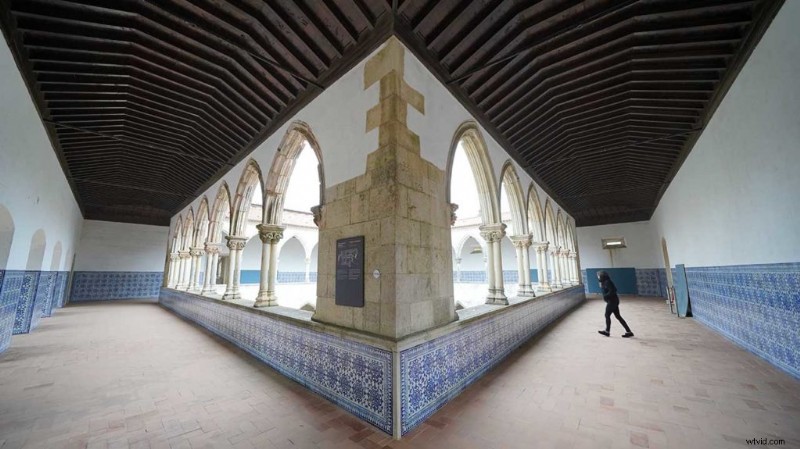
5-Minute Photoshop Tutorial: Effortlessly Remove People from Photos5-Minute Photoshop Tutorial: Effortlessly Remove People from Photos

How to remove people in photographs using two photographs

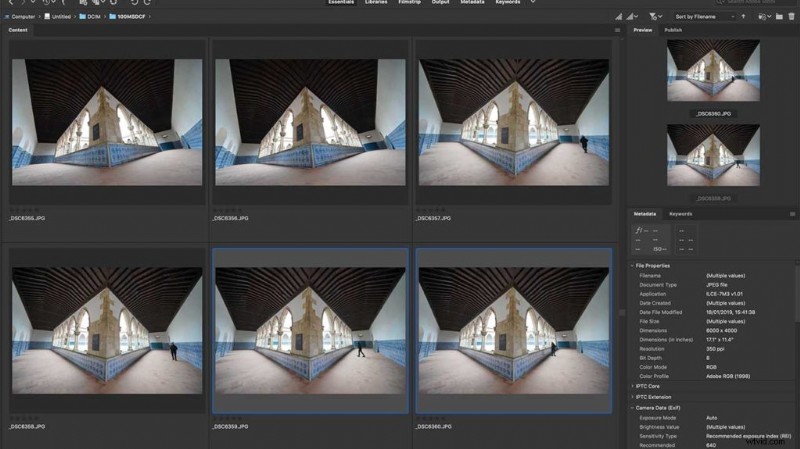
  1. Open Bridge select the two images you want5-Minute Photoshop Tutorial: Effortlessly Remove People from Photos
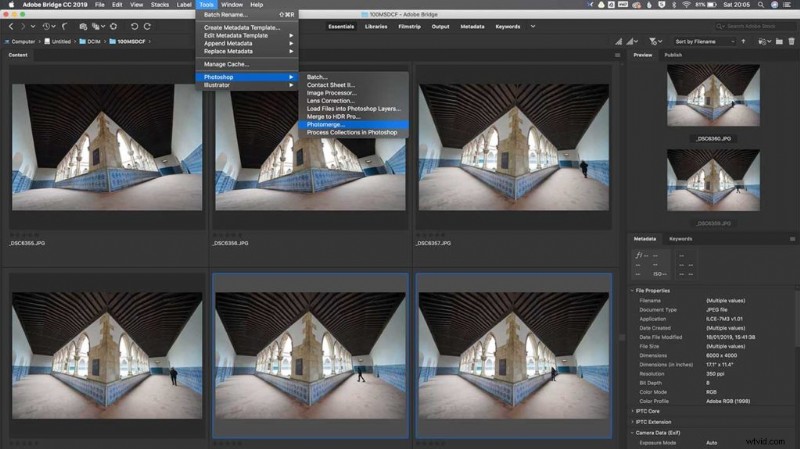
  2. From the main menu select Tools > Photoshop > Photomerge5-Minute Photoshop Tutorial: Effortlessly Remove People from Photos
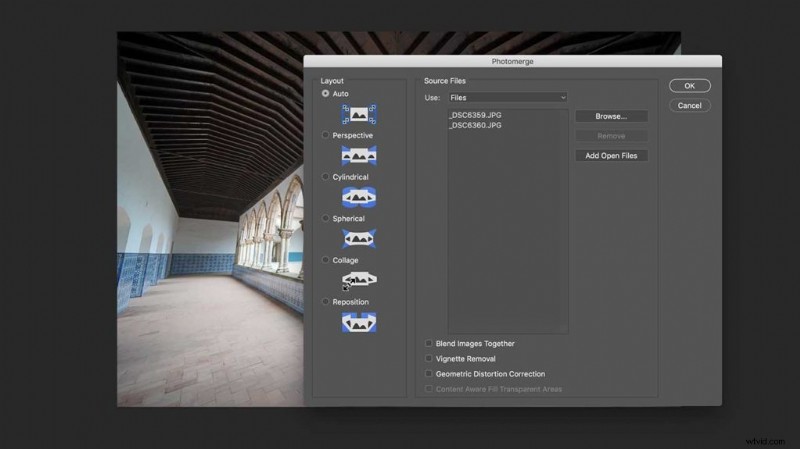
  3. Select Auto and make sure you untick “Blend Images together5-Minute Photoshop Tutorial: Effortlessly Remove People from Photos
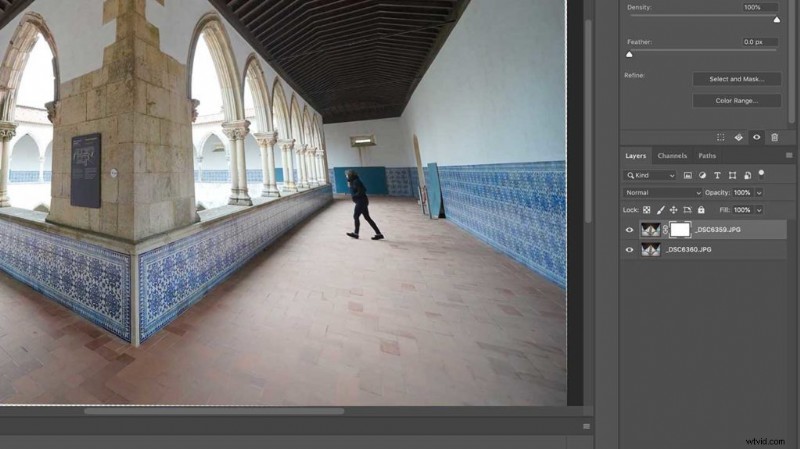
  4. Click OK, in the layers pallet add a mask5-Minute Photoshop Tutorial: Effortlessly Remove People from Photos
  5. Select the black brush and paint over the person you want to remove5-Minute Photoshop Tutorial: Effortlessly Remove People from Photos


  1. Effortless Guide: How to Remove Unwanted People from Photos Online & Offline

  2. How to Securely Remove Devices from Your Apple ID Account: Step-by-Step Guide

  3. Effortlessly Remove Power Lines from Photos in Lightroom: Pro Step-by-Step Guide

  4. How to Crop Images Perfectly Square in Photoshop: Step-by-Step Guide

  5. 5-Minute Photoshop Tutorial: Remove Dust Spots Effortlessly

filming equipment
  1. Protect Your Film Equipment from Heat Damage: Essential Tips for Outdoor Shoots

  2. Photoshop Head Swap Tutorial: Fix Group Photos Seamlessly

  3. Remove Glare in Photoshop: Expert Step-by-Step Tutorial for Perfect Photos

  4. Effortlessly Remove Clothing Wrinkles in Photoshop: Fast, Professional Tutorial

  5. How to Remove Lens Flare in Photoshop: Easy Step-by-Step Guide

  6. Expert Guide: How to Remove Backgrounds in Photoshop Step-by-Step

  7. How to Easily Remove App Ratings on iPhone and iPad: Step-by-Step Guide

  8. Straighten Crooked Horizons in Photoshop: 5-Minute ACR Tutorial