
Here’s some highly anticipated news for the Pocket 4K and Pocket 6K — you can now use BRAW in Premiere Pro and Avid.
In the 1.5 update to Blackmagic RAW, Windows and Linux editors can now download the Blackmagic RAW Speed Test to find out just how under-optimized your computer is — and how 24 fps 8K playback is still a little ways off for consumers. Also included are under-the-hood improvements to the Blackmagic RAW Player.
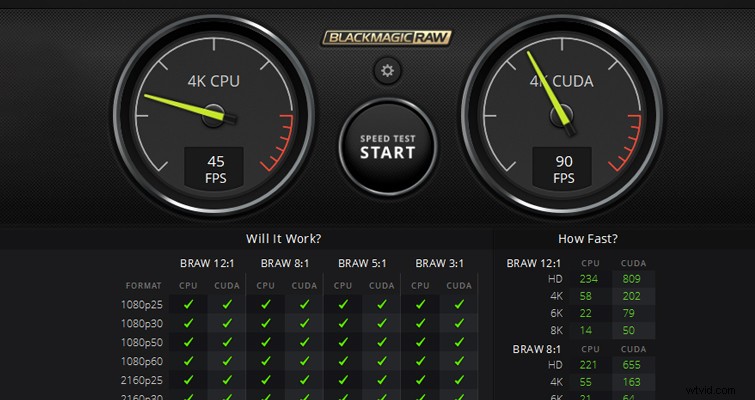
However, the most significant inclusion to the update is that you can now use Blackmagic RAW in Premiere Pro and Avid, with plug-ins installed with 1.5. Being able to use the format in Premiere has been one of the most requested features since the release of Blackmagic RAW.
There’s no denying that Blackmagic has spent the last few years trying to get a wider audience to see Resolve not only as a professional color grading software but also as an editing platform for users of any skill level. Likewise, in addition to unleashing an army of certified trainers, Blackmagic also released a training series on their social channels to equip new users with the knowledge they need to navigate Resolve.
With such a strong push toward acquiring a larger user base, many had wondered if BRAW was going to remain native to Resolve. It would’ve been a surefire way to keep users on the platform, but Blackmagic has been very open about their new format (like offering a fully documented software development kit), so it didn’t seem like a direction they would take. It’s just that we didn’t hear any official word on cross-NLE compatibility.
After the initial release, it was only a week before transcoding tutorials came out, so users could take their BRAW footage from Resolve and edit in Premiere. And, a few months after the release of BRAW, Autokroma released a $29 Premiere Pro plug-in that allows users to directly import BRAW, with the internal RAW properties fully adjustable, within the effects panel.
However, all that has been nipped in the bud, making BRAW studio obsolete — as with 1.5, you directly import BRAW into Premiere. The plug-in is automatically installed to Premiere’s directory, so upon running the 1.5 execution file, there’s nothing else you need to do.
BRAW in Premiere
In one of our Resolve vs. Premiere showdowns, we talked about how Resolve favors GPU but also leans on CPU processing, while Premiere Pro is primarily CPU dominant with slight GPU support. The BRAW plug-in for Premiere only uses CPU. Therefore, you’re not going to see the same speed and capacity with the format in Resolve. However, as noted in Newsshooter‘s interview with Blackmagic, they do intend on incorporating Premiere’s GPU acceleration in the future.
You can manipulate the BRAW info in Premiere’s effects panel, just as you would if you had added an effect to a video clip. However, unlike Premiere’s video effects — when added, they appear stacked in the effects panel — you have to select a separate tab in the effects window, which (at first) is quite missable.
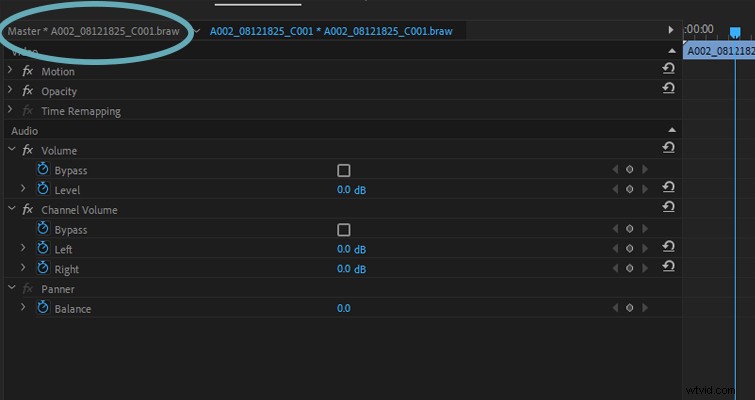
When you click the BRAW tab, you’ll get a variety of RAW settings to manipulate.
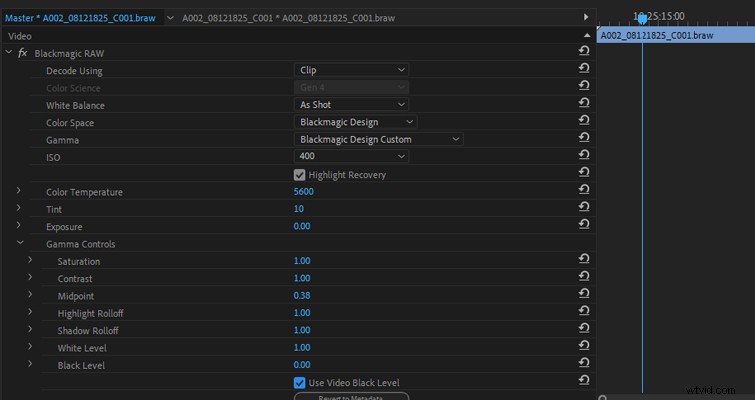
While the plug-in doesn’t feature all the elements you can find when using a BRAW file in Resolve, the key features are here. As stated in the press release, when you move your projects from Premiere Pro, or Avid, into Resolve for grading and finishing, all of the camera RAW metadata is still there.