
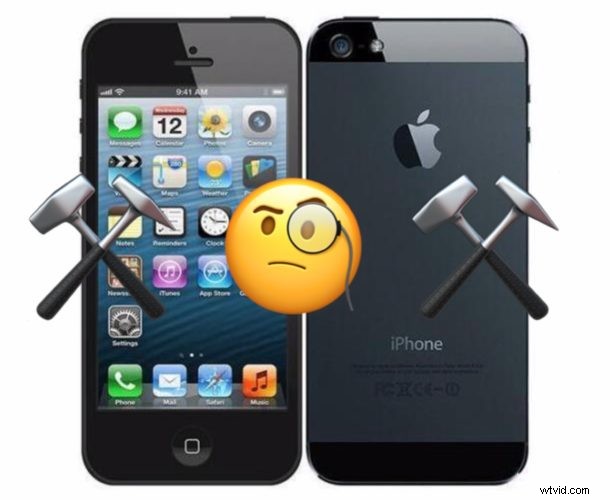
If you have an iPhone 5 that is now experiencing cellular data problems with failure to connect to the internet, wireless not working, and even the inability to make phone calls consistently, the phone may be experiencing the GPS date & time bug discussed here which began to impact iPhone 5 internet functionality on Sunday November 3. For many iPhone 5 users who were not aware of this bug, their iPhone 5 appeared to just suddenly stop working, as basically any outside connectivity via any internet connection or data connection is no longer functioning, making the device largely useless. Fortunately, this can be fixed rather easily with the most basic troubleshooting for fixing cellular data not working on iPhone; updating iOS.
This article will show you how to fix iPhone 5 that is no longer working as expected with failing internet functionality, cellular data, GPS, and the inability to make or receive phone calls on the device.
The resolution to this problem is achieved by updating the iPhone 5 to the latest version of iOS available for that model. You will need a USB cable to Lightning cable, and a Mac or PC computer with iTunes to complete this process.
How to Fix iPhone 5 with Cellular Data & Internet Not Working by Updating iOS
Be sure to backup the iPhone 5 before beginning this process. Failure to backup could theoretically result in permanent data loss.
- Connect the iPhone 5 to a Mac or Windows PC with a USB cable
- Launch iTunes on the computer the iPhone 5 is connected to
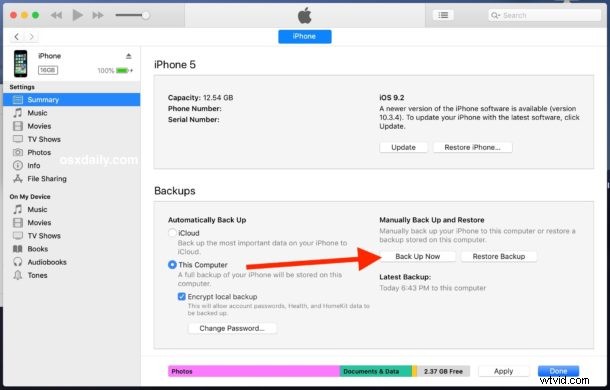
- Select the iPhone 5 in iTunes, then choose to “Backup” to the computer and wait for the backup to complete
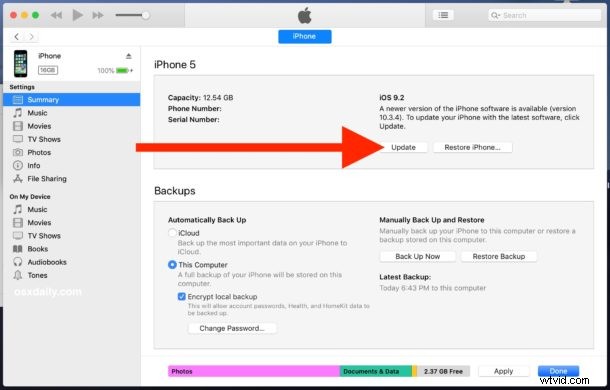
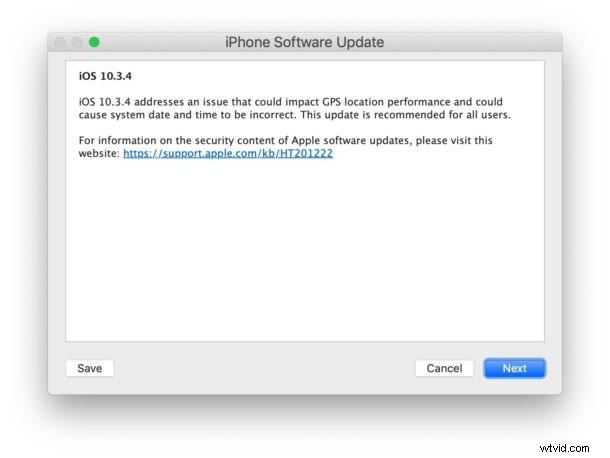
- Now choose to “Update” the iPhone 5 *
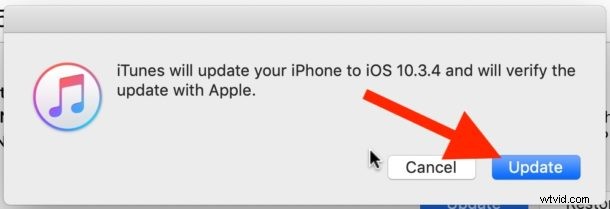
- Click to update again, then let the iPhone 5 complete the update process
- iPhone 5 will automatically restart when finished, booting into 10.3.4
Once iPhone 5 boots back up again, everything should work as expected again. All internet connectivity, cellular functionality, ability to make and receive phone calls, use email, use the web, use GPS, get correct date and time, login to iCloud, check voicemail, and every other data feature should now work like it did before.
While this issue has impacted a lot of iPhone 5 hardware that is still used as primary phones that are out in the wild, it will also impact any old iPhone 5 that you may have sitting in a drawer somewhere, use as a backup phone, or handed down to someone else. Every individual iPhone 5 model must update to iOS 10.3.4 (or later should it become available) to resolve any data connection and GPS issues. Apple discusses this bug and resolution here if you are interested in more details.
* If the iPhone 5 fails to update, you might try to manually download the iPhone_4.0_32bit_10.3.4_14G61_Restore.ipsw IPSW file from Apple here (direct link), save that to an easy to access location (like the Documents folder or Desktop), then use the IPSW file to update the iPhone 5. Simply hold down OPTION key and click on the “Update” button on the Mac, or SHIFT key and click on the “Update” button on Windows, then select the IPSW file to do so.
You will want to backup iPhone to iCloud or iTunes again afterwards so that the latest backup is for the newest iOS version available to the device.
Were you impacted by this problem with iPhone 5, and did you find it easy to fix with iTunes and updating iOS? Share your experiences in the comments below.