
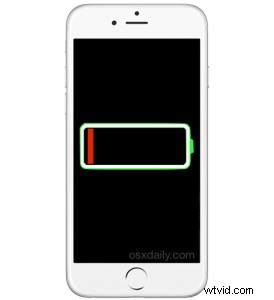
Some iPhone users have discovered their devices battery life percentage indicator within the status bar is stuck and not updating, only to then have the percent jump way down, sometimes to the point where the iPhone is about to run out of battery. This seems to primarily impact the iPhone 6s and iPhone 6s Plus, but a group of users with other devices have seen the issue as well, where the battery gauge doesn’t update.
The cause of the battery charge indicator being stuck and/or the percentage jumping dramatically issue is usually a software bug that Apple has acknowledged, with a fix coming in a future release of iOS software. But in the meantime there are three possible solutions which should remedy the issue if you happen to encounter this.
Fixing Battery Percentage Not Updating on iPhone 6s & iPhone 6s Plus
- Be sure the iPhone has cellular service or a wi-fi connection
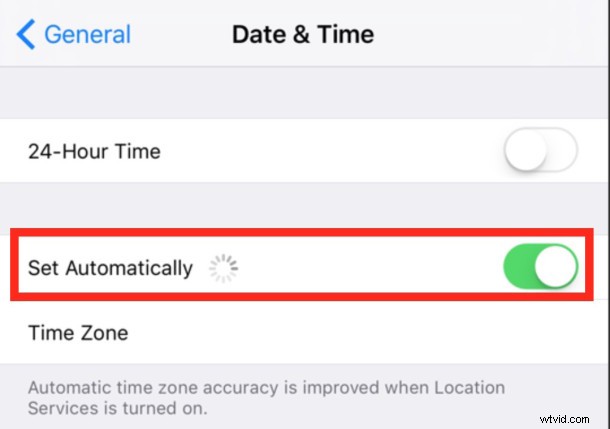
- Open the Settings app in iOS and go to “General” followed by “Date & Time”
- Flip the switch for “Set Automatically” to the ON position
- Next, restart the iPhone by holding down the Power and Home button until you see the Apple logo
There are some reports that toggling the display of the battery percentage indicator on, then off, and back to the on position again can also force the indicator gauge to update, but that seems to offer a temporary resolution only.
When the iPhone powers back up, the battery percentage gauge should update as it typically would, without jumping around all over the place after a sustained period without changing.
In some situations, the above steps (which are actually offered by Apple), does not work to fix the battery indicator being stuck, and in that case Apple asks that you contact them directly, or wait for the upcoming software update fix with iOS, which is assumed to be iOS 9.3. iOS 9.3 is currently being tested, but there are mixed reports as to whether or not it has resolved it yet.
According to Apple, this bug is usually encountered by users who change time zones with their iPhone, or who don’t have the devices automatic date & time feature enabled. Nonetheless, there are some users who aren’t traveling time zones or setting their clocks manually that can still happen upon the problem. In the worst scenarios, the device will jump from around 90% to 5% after many hours of not changing, and then the device wants to shut itself down due to little remaining battery life.
As usual with troubleshooting iPhone issues, remember to update iOS system software when it becomes available, which often includes bug fixes and improvements to many issues like this.