
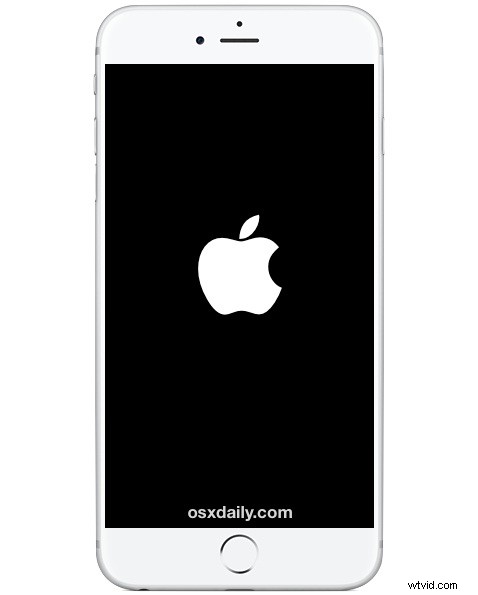
While iOS is usually a pretty flawless experience without many bugs or glitches, one issue that crops up for some iPhone and iPad users is especially annoying; their iPhone keeps restarting randomly. Seemingly out of nowhere and at random, the iPhone restarts itself, and you’ll see an Apple logo before the device boots back up and is usable again. This can happen occasionally sometimes, and in the worst situations, it happens often. If you encounter the frequent iPhone restarting issue, there is a consistently reliable solution to resolve this problem once and for all, and fortunately it’s not particularly challenging. Follow the troubleshooting steps below and you’ll fix the random restarting problem in short order.
Fixing the iPhone Randomly Restarting Issue
The most reliable way to stop the iPhone from randomly restarting itself out of nowhere is to backup the device and update iOS system software, followed by updating apps. This is easily done on the device through iCloud and OTA updates, here’s what you’ll want to do:
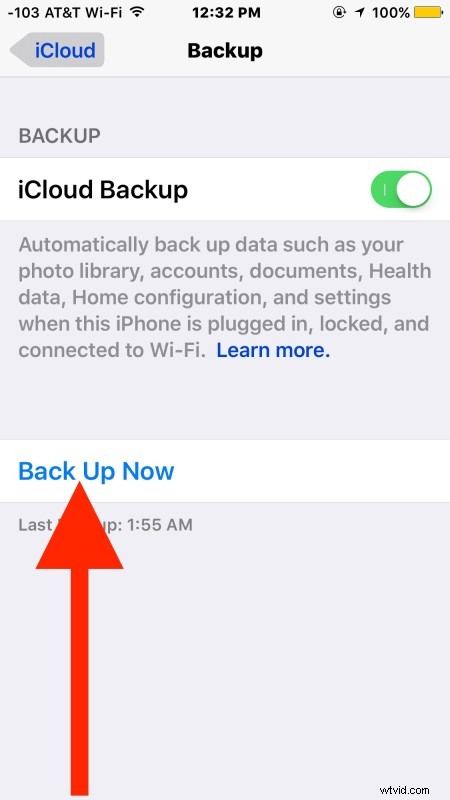
- Open the Settings app and go to “iCloud”, then to “Backup” and choose “Back Up Now” – let this backup complete before going any further, do not skip this step (you can backup to iTunes as well if you prefer, either way, backup the device before going further)
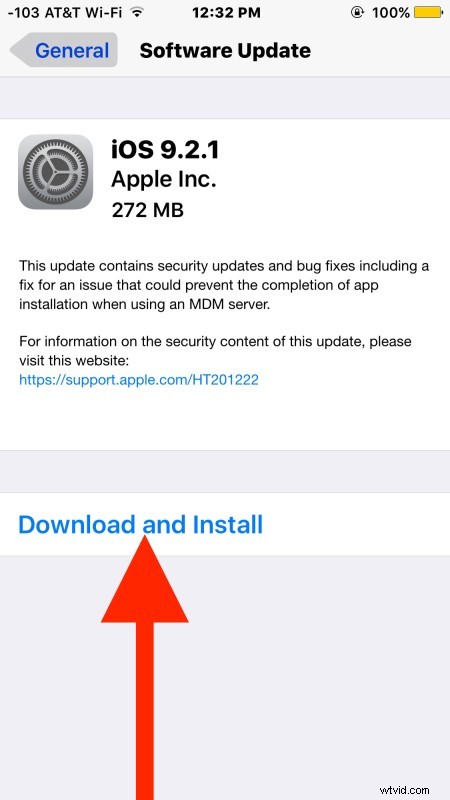
- Once the iPhone / iPad has backed up, now go back in Settings and go to “General”, followed by “Software Update”, when you see an update available choose “Download & Install”
- Let the update complete installation of itself, the device will automatically reboot and boot back up as normal when finished
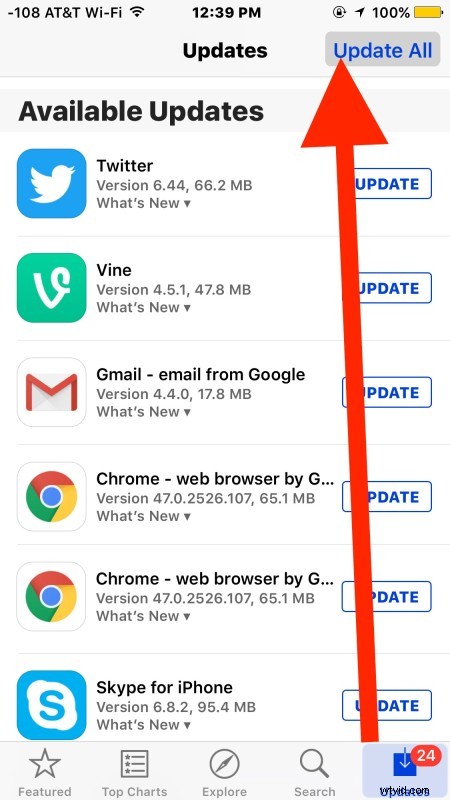
- Now launch the App Store application on iPhone or iPad, and go to the “Updates” tab to update all your apps
At this point the iPhone or iPad should no longer reboot itself at random, as the latest software update(s) tend to fix the bug or bugs that were causing the randomly restarting problem, so be sure you install both the latest iOS and the latest versions of the apps. Sometimes even just installing the latest versions of apps will help to fix a specific app crashing in iOS, so don’t skip any of these steps if you want a more stable device.
If you still have a problem, you’ll need to reset the device as new and then restore it from the backup you made. If that doesn’t work, in rare situations it could be a hardware issue, and you’ll want to contact Apple Support directly for a solution or fix.
The randomly restarting problem can happen on any iOS device, whether it’s an iPad, iPhone, or iPod touch, and with nearly any iOS system version. Even though the issue first appeared some time ago, it still happens to this day for some users with certain software, and I myself encounter it periodically on a brand new 6S Plus with nearly the latest software update and launching a few specific apps, but updating to the latest version seems to resolve the problem for nearly everyone.