

Jul 14, 2025• Proven solutions
vMix Review:
vMIx is a popular live streaming software tool with lots of cool features and interactive user interface. Most of the things on this tool can be managed with inn built system controls so for beginners, it appears quite easier to work with vMix. When we talk about features then most of the details are same as that of Wirecast; easier to access and simple to execute.
Key Features of vMix:
- Users can take input from different types of sources like USB, SDI, HDMI and cameras.
- It supports almost all file formats like WMV, . MP4 and AVI etc. Users can take audio input from different sources like DeckLink, audio mixers and soundtracks etc.
- One more interesting thing to know about vMix is that it can be used for recording, streaming and output at the same time. It offers wide variety of templates for customized needs of every user.
- The video delay functionality is also included on live streams so that proper editing can be applied before making things live to viewers.
- There are so many live video effects that assist users to crop, pan, rotate, zoom, sharpen, de-interlace and colour correct.
- The touch screen web interface helps users to work on editing details using handheld devices like Surface Pro, iPad etc.
vMix Alternative for Mac and Windows:
1. OBS (Win/Linux/Mac):
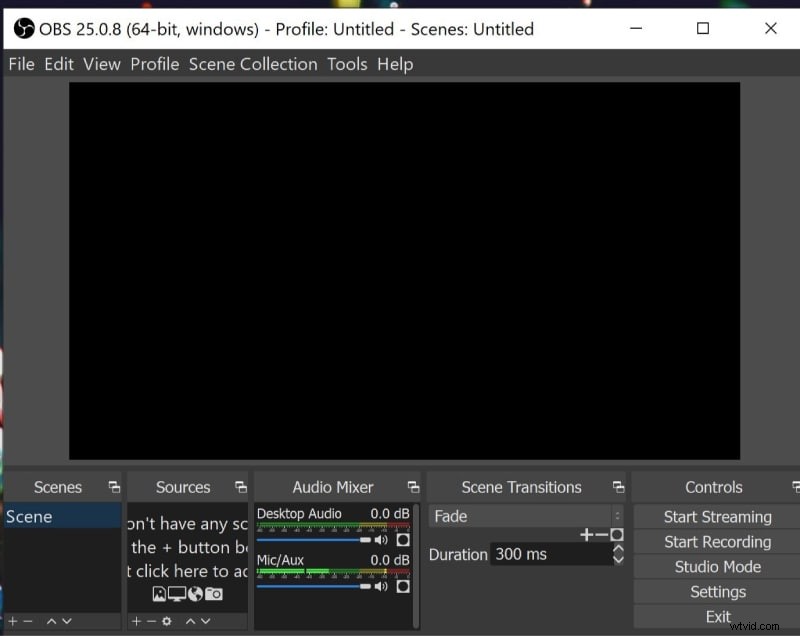
OBS or Open Broadcaster Studio is a free and open source tool that offers wide range of features with easy streaming facility same as wirecast. Ranging from streaming to video encoding, all the processes are classic and results are always of very high quality. You will be glad to know that production interface of OBS is rated very high but at the same time, users need to make much effort on basic setup. Users can manage multiple layers of videos and audios on OBS to develop interactive live streams and it can process inputs from different sources at the same time.
Key Features:
- It is available for free with all major features.
- Best for streaming and video encoding needs.
- Users can also record classic videos on OBS.
- OBS allows streaming over Facebook, YouTube and other popular channels.
2. Wirecast (Mac/Win):
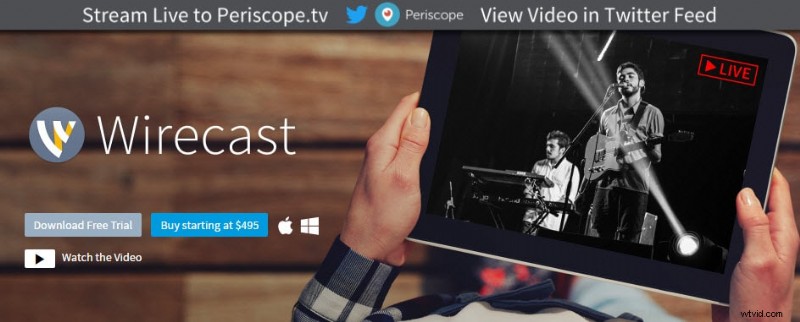
Wirecast was launched by Telestream with so many interesting features and interactive user interface. The best part is that users can get it installed immediately without following any specific setup guidelines or tutorials. It works like a streaming cum production environment where users can also have a software demo for going through its features. The overall cost of Wirecast Studio is around $500 whereas the professional version can be accessed with payment of $1000.
Key Features:
- Simple and intuitive graphic user interface.
- It provides multiple streaming options with easy connectivity to Wowza, YouTube etc.
- Wide set of pre-defined parameters for encoding.
- Customized encoding allowed with complete control of user.
- Unique stream settings for different resolution levels.
- Professional version comes with so many advanced features.
- While using wirecast, you can take inputs from variable sources like from desktop, cameras, from attached iOS devices and video picture files.
3. VIDBlaster (Win Only):
VID Blaster version 1.0 was recently released by CombiTech with all unique features that suit for desktop editing needs and it works like an advanced video production tool. This software can be used only on Window systems and offers services for streaming, recording, broadcasting and production. People prefer to use it for web, corporate and other broadcast predictions as it supports all systems HD, Pal and NTSC.
Key Features:
- It provides integration with adobe flash media live encoder as well as with Microsoft Windows Media Server.
- VIDBlaster tool can be perfect used with websites like Justin.tv, Stickam and Ustream etc.
- VIDBlaster software is designed in three different versions: Studio, Pro and Home. All of these possess so many unique features.
- The Audio/Video switcher tool is special attraction of its studio version.
4. XSplit Broadcaster (Win Only):
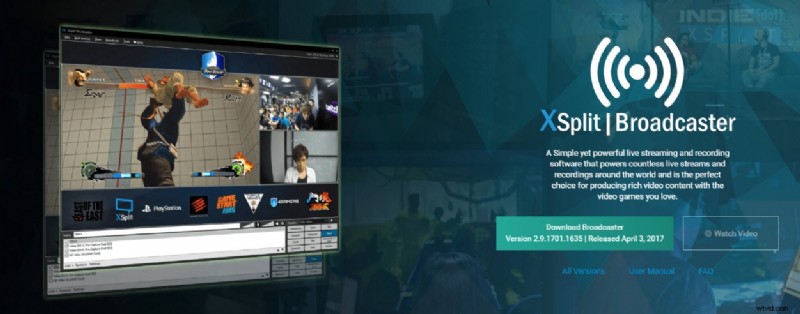
Xsplit broadcaster tool allows users to explore so many things on single platform. The best thing to know about XSplit is that its platform is highly intuitive and you can avail so many interesting things to do with one click of mouse. One can design graphics and process various inputs without making much effort. Further, users can improve their streaming experience by simply activating Twitch alerts on this platform. The live streaming and video production tasks on Xsplit becomes much easier with easy drag and drop functions and the results can be saved with all popular file formats.
Key Features:
- The interactive user interface makes things much easier for beginners.
- The drag and drop tools allow users to call multiple files within very less time.
- The green screen effect can be accessed with ease.
- It supports wide range of file formats, especially the professional ones.
5. Camtwist Studio (Mac Only):
CamTwist Studio can be used on Mac platform to add various effects on videos with advanced filters. All the features are useful for professionals whereas the interface is well designed with lots of impressive features. There are five windows inside this software tool and each one of these contains unique information with easy to use toolbars on every set.
Key Features:
- It possesses so many easy to use buttons that assists in one click access to advanced tools.
- This tool is preferably used for adding special effects on webcam based Video chats

6. Mimolive (Mac Only):
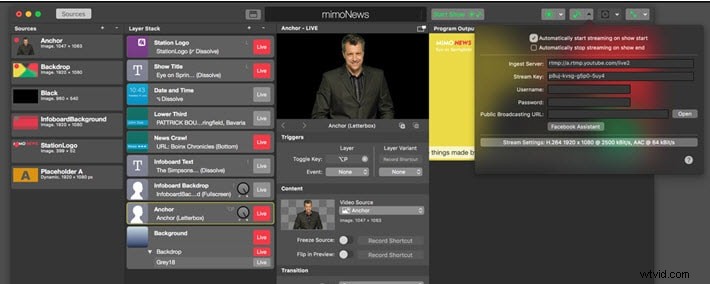
Mimolive allows users to connect multiple cameras to Mac devices for easy video processing and further the outputs can be transferred to multiple platforms. It support almost all popular file formats and allows easy editing with advanced tools for rotating, scaling, cropping, frame rate adaption and keying. For live streaming needs, the videos can be transferred to YouTube Live, Facebook Live, Twitch.tv, Wowza, NGINX and other RTMP platforms. Other than this, files can also be recorded to discs for future needs.
Key Features:
- Easier to use with wide set of advanced features.
- Fast processing of data with highly customized results.
- It can work on multiple inputs and outputs at the same time.
Edit Your Video with Filmora
As live streaming software like vMix can only conduct basic video editing, you can always turn to powerful video editors like Filmora if you need to edit your saved live videos. Besides video trimming, cropping and joining, it supports various video effects like filters, transitions, and titles. Try it now to edit your live streaming videos.

Richard Bennett
Richard Bennett is a writer and a lover of all things video.
Follow @Richard Bennett