
- Home
- Video Edit Software
- 6 Best Open‑Source Video Editors for Windows, Mac, and Linux
6 Best Open‑Source Video Editors for Windows, Mac, and Linux
Video editing has become essential for content creators, but costly software can be a barrier. Fortunately, the open‑source ecosystem offers powerful, free alternatives that can be tailored to your workflow. While they lack official support lines, their communities, frequent updates, and transparent source code make them reliable choices for both hobbyists and professionals.
How We Selected the Best Open‑Source Video Editors
- User Experience: Intuitive interfaces for beginners and advanced users alike.
- Feature Set: Comprehensive editing tools, effects, and export options.
- Customizability: Plugin ecosystems and code access for customization.
- Documentation & Community: Robust tutorials, forums, and user groups.
- Performance: Efficient handling of large projects and diverse media formats.
- Cross‑Platform: Availability on Windows, macOS, and Linux.
The 6 Best Open‑Source Video Editors You Should Try
1. Shotcut
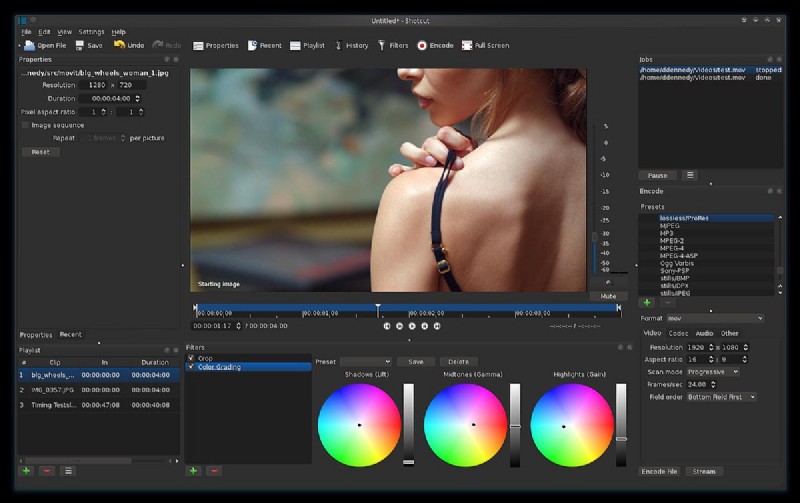
Shotcut offers a clean, no‑frills interface paired with robust capabilities such as batch encoding, keyframing, and multitrack editing. Its cross‑platform support and 4K/8K output make it ideal for semi‑professionals and advanced hobbyists.
Specifications
- Supported OS: Windows, macOS, Linux, FreeBSD.
- Formats: WAV, MP3, OGG, AAC, FLAC, MP4, MOV, AVI, FLV, MKV, WebM, JPG, PNG, GIF, TIFF, SVG, BMP.
- Languages: English, German, French, Spanish, and more.
- Resolution: 4K and 8K.
Who Is It For
Advanced editors seeking a lightweight, feature‑rich tool for 2D video and basic compositing.
Key Features
- Webcam & audio recording.
- Batch conversion.
- Basic editing (cut, copy, trim).
- Drag‑and‑drop workflow.
- Keyframing and audio extraction.
- Multitrack timeline.
Pros
- Beginner‑friendly.
- Advanced features without a steep learning curve.
- Regular updates.
- Extensive format support.
- Cross‑platform consistency.
Cons
- No built‑in stock media library.
- Can be resource intensive on older machines.
2. OpenShot
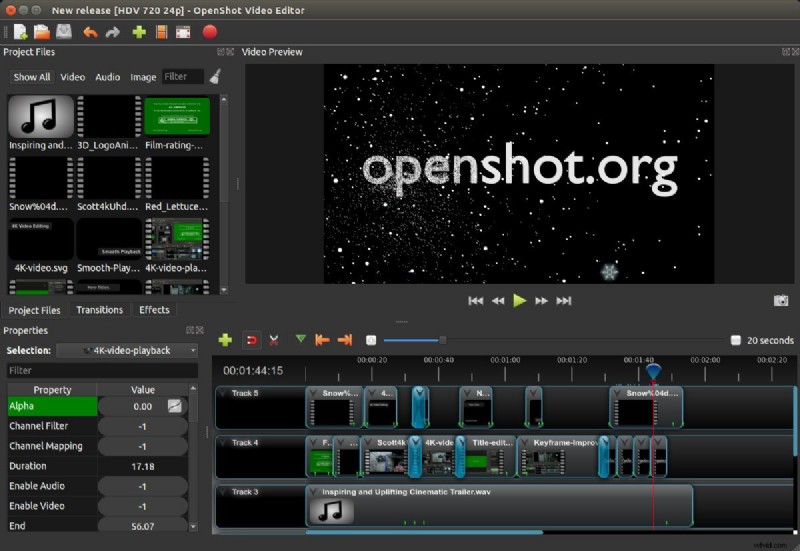
OpenShot’s adaptive interface and cloud rendering capability make it a solid choice for intermediate editors. Its collection of text tools, transitions, and chroma‑key effects provide creative flexibility without compromising usability.
Specifications
- Supported OS: Windows, macOS, Linux.
- Formats: MP4, MP3, AVI, MOV, MKV, WebM, 3HP, VOB, MPEG, WAV, WMV, AAC, FLAC, WMA, M4A, JPEG, TIFF, GIF, SVG, BMP, PNG.
- Languages: 70+ languages including English, Russian, French, German, Spanish, Italian.
- Resolution: Full HD and 4K.
Who Is It For
Editors who want a straightforward workflow with powerful effects and online rendering.
Key Features
- Customizable text and transitions.
- Chroma‑key tools.
- Keyframe animation.
- Voice‑over support.
- Slow‑motion capability.
Pros
- Cloud rendering reduces local load.
- Extensible via C++ plugins.
- Excellent time‑mapping tools.
- Wide language support.
Cons
- Limited effects compared to commercial suites.
- Interface can be unintuitive for newcomers.
3. Blender
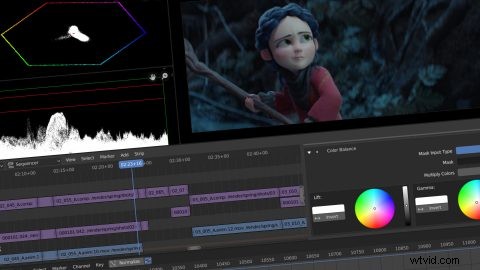
Originally a 3D creation suite, Blender’s 2.8 release revamped its UI, making non‑linear video editing and compositing accessible. It’s now a one‑stop solution for animation, sculpting, and advanced video workflows.
Specifications
- Supported OS: Windows, macOS, Linux.
- Formats: OBJ, FBX, STL, PLY, Collada, Alembic, SVG, USD, GLTF, AVI, MP4, MOV, WebM, OGG, MPEG, JPEG, PNG, BMP, DPX, TIFF, OpenEXR.
- Languages: English, Spanish, German, Russian, Chinese, Japanese, Italian, Portuguese, Polish.
- Resolution: Full HD, 4K, 8K, custom.
Who Is It For
Creators needing 3D animation, high‑quality rendering, and sophisticated video editing in a single platform.
Key Features
- 3D sculpting and texture painting.
- High‑quality rendering engine.
- Video modeling and compositing.
- Extensive toolset for animation.
Pros
- Highly customizable via scripting.
- Professional‑grade 3D and video tools.
- All‑in‑one suite.
- Frequent updates.
- Comprehensive feature set.
Cons
- Steep learning curve for full feature utilization.
- Some shortcuts are non‑intuitive.
4. Flowblade
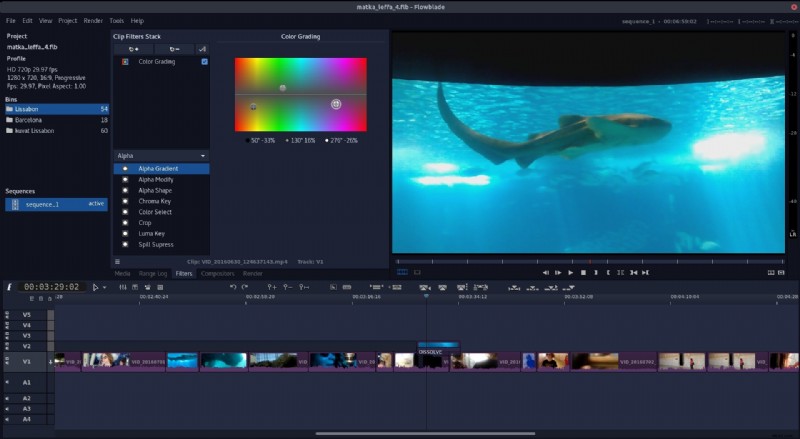
Flowblade is a Linux‑only editor that delivers a polished interface and powerful compositing tools, thanks to its reliance on FFmpeg and the G'MIC image filter framework.
Specifications
- Supported OS: Linux.
- Formats: MP4, AVI, MOV, MKV, MPEG, OGV, WMV, 3GP, FLV, MP3, M4A, WMA, FLAC, AAC, OGG, WAV, JPEG, SVG, GIF, TIFF, BMP, PNG.
- Languages: English, Russian, Spanish, German, French, Chinese, Japanese, Turkish.
- Resolution: Full HD, 4K, 8K, custom.
Who Is It For
Linux users ranging from novices to seasoned editors who appreciate a lightweight yet feature‑rich workflow.
Key Features
- G'MIC image filtering.
- Animation and mixing tools.
- Advanced timeline workflow.
- Compositing capabilities.
Pros
- Broad format support.
- Lightweight application.
- Rich set of editing tools.
- Advanced timeline management.
Cons
- No stabilization features.
- Only available on Linux.
5. Avidemux
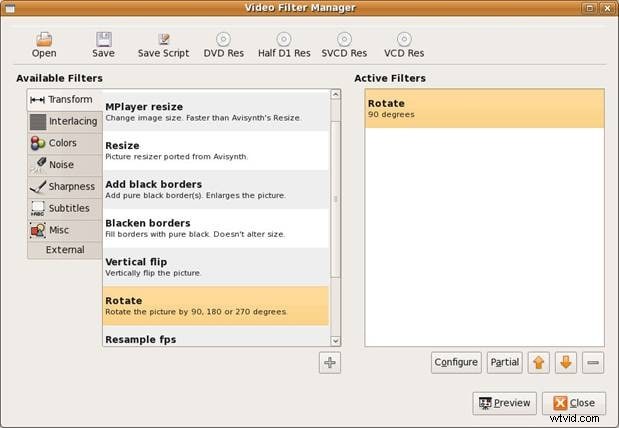
Avidemux offers straightforward non‑linear editing and transcoding, making it suitable for quick fixes and basic video manipulation. Its command‑line interface provides additional automation options for advanced users.
Specifications
- Supported OS: Windows, macOS, Linux, BSD.
- Formats: AVI, ASF, WMV, WMA, FLV, MKV, MPG, MPEG, TS, MP4, NUV, OGM, MOV, 3GP, VOB, WebM.
- Languages: English, Portuguese, Russian, Korean, Arabic, Japanese, Spanish, Czech, French, Italian, German, Chinese.
- Resolution: Full HD, 2K, 4K, custom.
Who Is It For
Beginners and users needing a lightweight tool for trimming, filtering, and basic format conversion.
Key Features
- Cut, copy, paste segments.
- Video filters.
- Audio‑video sync adjustment.
- Encoding to multiple formats.
- Subtitle addition.
- Color level adjustment.
- Aspect ratio change.
Pros
- Ease of use.
- Lightweight footprint.
- Cross‑platform compatibility.
Cons
- Limited advanced editing tools.
- Fewer transitions and effects.
- Occasional stability hiccups.
6. Kdenlive
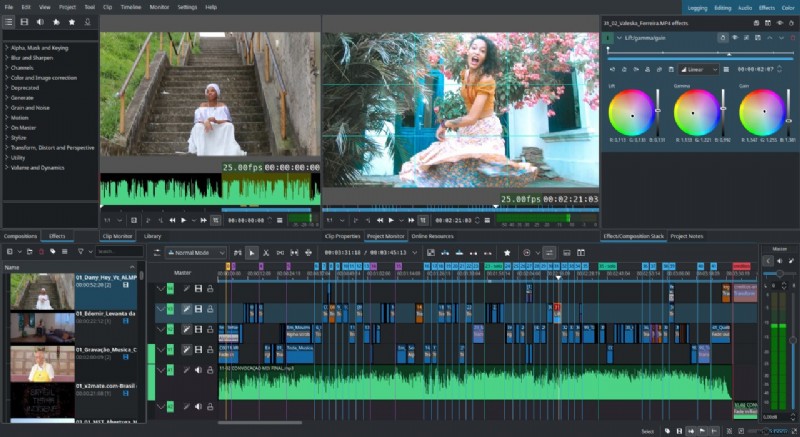
Originating in 2003, Kdenlive has evolved into a versatile, multi‑track editor suitable for both beginners and professional studios. Built on KDE and Qt, it runs smoothly on Windows, macOS, and Linux.
Specifications
- Supported OS: Windows, macOS, Linux.
- Formats: MP4, AVI, MOV, WebM, MPEG, OGG, MKV, DV, MXF, 3GP, MP3, WAV, M4A, AIFF, FLAC, JPEG, BMP, TIFF, PNG.
- Languages: English, Spanish, Russian, Ukrainian, French, Italian, Portuguese, Chinese, Japanese, Korean, Swedish.
- Resolution: Full HD, 4K, 6K, 8K, custom.
Who Is It For
Professional editors and studios that require advanced color correction, multi‑track workflows, and extensive codec support.
Key Features
- Multi‑track editing.
- Advanced color correction.
- Customizable workflows.
- Flexible layout.
- Wide codec and format support.
Pros
- Cross‑platform availability.
- Comprehensive editing tools.
- Regular updates.
- Highly customizable interface.
Cons
- Can be intimidating for beginners.
- Occasional crashes.
Conclusion
If the open‑source options above don’t meet all your needs, consider a commercial alternative such as Wondershare Filmora. With a 14‑day free trial and a user‑friendly interface, Filmora bridges the gap between simplicity and professional capability without the steep price tag.
Whether you’re a seasoned editor or just starting out, the six open‑source tools listed here provide a robust foundation for creating high‑quality video content on any platform.