
When searching for Filmora, users often encounter terms like Filmora APK, Filmora Premium APK, or Filmora Mod APK. Understanding the differences and the potential risks is essential before downloading any version of the app.
Wondershare Filmora is a professional video‑editing platform that unlocks advanced features through a subscription. However, some users are attracted to unofficial, modified versions—commonly referred to as “mod APKs”—that promise free access to premium tools. While these mods may seem convenient, they carry significant legal and security risks that can jeopardise both your device and your data.
In this guide you’ll discover the safest method to download Filmora APKs, the dangers of using modded versions, and how to resolve common installation problems. If you’re considering a Filmora mod APK, read on for a reliable alternative.
In this article
- Why Choose Filmora APK?
- How to Safely Download Filmora APK
- Using Filmora to Create Stunning Videos
- Fixing Common Filmora APK Installation Issues
Part 1. Why Choose Filmora APK?
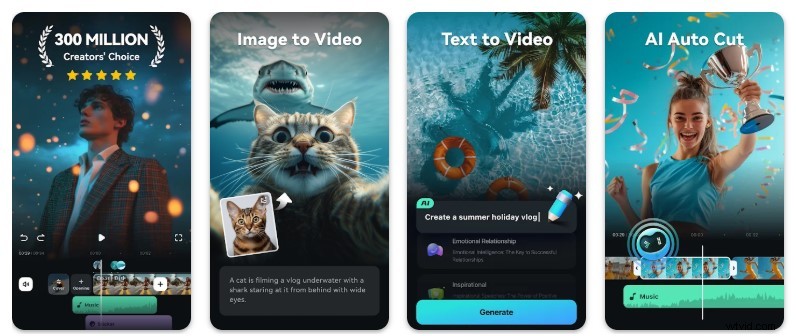
Installing the official Wondershare Filmora APK on Android allows you to use the app without relying on the Google Play Store, which is particularly useful for devices where the Play Store is unavailable or restricted.
Some users opt for unofficial mod versions to unlock premium features at no cost. While this may seem appealing, the safest approach is to download the APK directly from the Wondershare official website, rather than from unverified mod sites. Mod APKs often carry hidden risks that outweigh any perceived benefit.
Below is a concise comparison of the advantages of the official Filmora APK versus the potential risks of using a modded version:
| Dimension | Benefits of Official Filmora APK | Risks of Modded APKs |
|---|---|---|
| Access | Immediate access to the latest official release | Unverified releases that may be outdated |
| Installation | Offline installation without the Play Store | Potentially corrupted or incomplete files |
| Security | Verified and secure by Wondershare | Possibility of malware, spyware, or adware |
| Functionality | Stable, fully‑featured performance as intended | Unstable or broken features due to modifications |
| Legal & Ethical | Compliant with licensing terms | Violation of copyright and licensing agreements |
| Support & Updates | Regular updates and official support channels | No official support; updates may be delayed or missing |
Choosing the official Filmora APK is not merely a technical decision—it’s a commitment to safety, legality, and long‑term usability. While the premium features remain locked without a subscription, the app delivers a reliable, secure editing experience.

Note: Filmora offers new users free credits that temporarily unlock premium features. Some advanced tools are available only in the paid version.
Part 2. How to Safely Download Filmora APK
Modifying APK files can introduce malware, spyware, or intrusive adware without your knowledge. Therefore, it’s crucial to obtain the video editor from a trusted source.
Do not download a Filmora mod APK from random websites, social‑media links, or file‑sharing platforms. These sources are common vectors for malicious software. Installing an APK from an unverified site can compromise your device’s security.
The safest route is to download the official APK directly from Wondershare’s product page. Locate the APK icon on the site and click the download button.
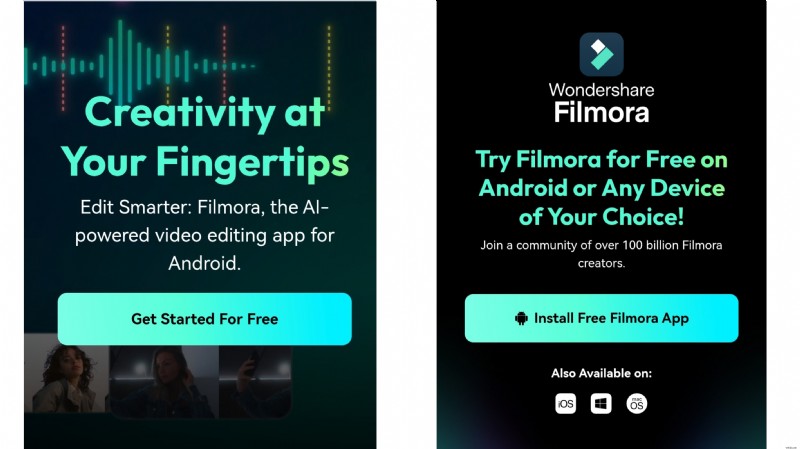
Before installation, ensure that Unknown Sources are allowed on your Android device:
- Settings > Security > Install Unknown Apps or Settings > Privacy > Special Permissions > Install Unknown Apps.
- Choose the browser or file manager you will use to install the APK, and toggle Allow from this source.
Part 3. Using Filmora to Create Stunning Videos
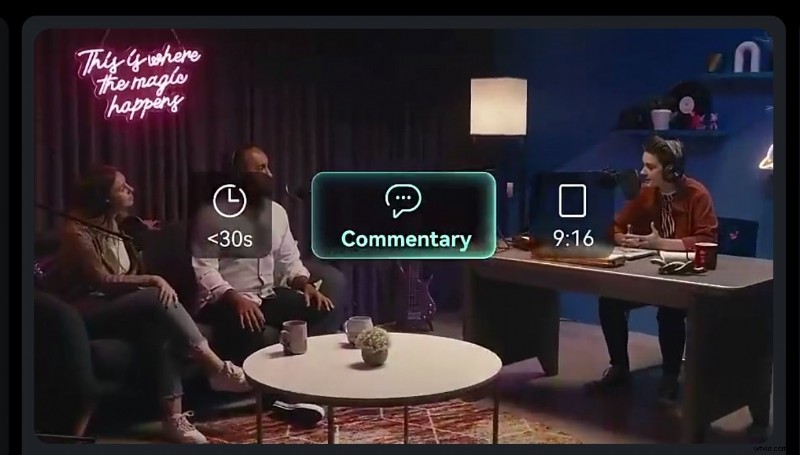
Whether you’re producing a travel vlog, product demo, podcast video, or social‑media reel, Filmora’s intuitive interface makes video editing straightforward.
Follow these steps to produce a professional‑looking video with Filmora Premium APK on Android, leveraging AI‑powered tools:
Step 1: Import Your Video Clips.
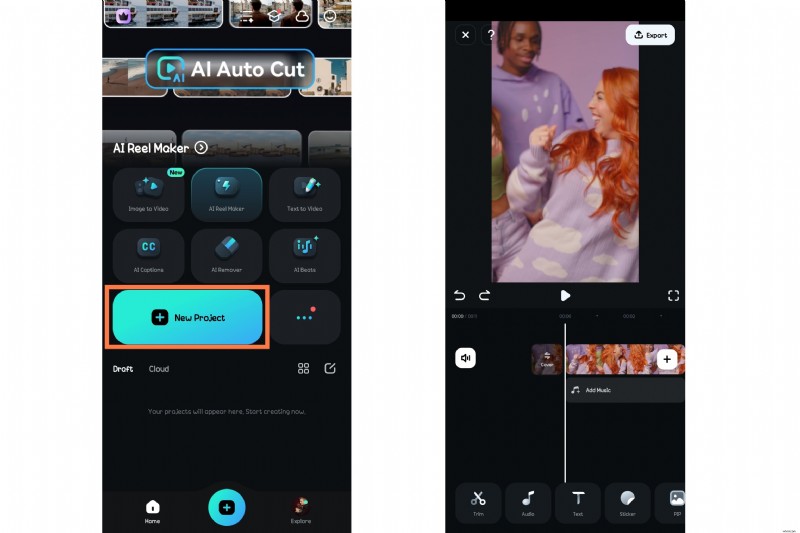
- Open the Filmora app and tap New Project.
- Upload the clips you wish to edit.
- Trim and cut the footage to remove unwanted sections.

Step 2: Apply AI‑Powered Editing Features.
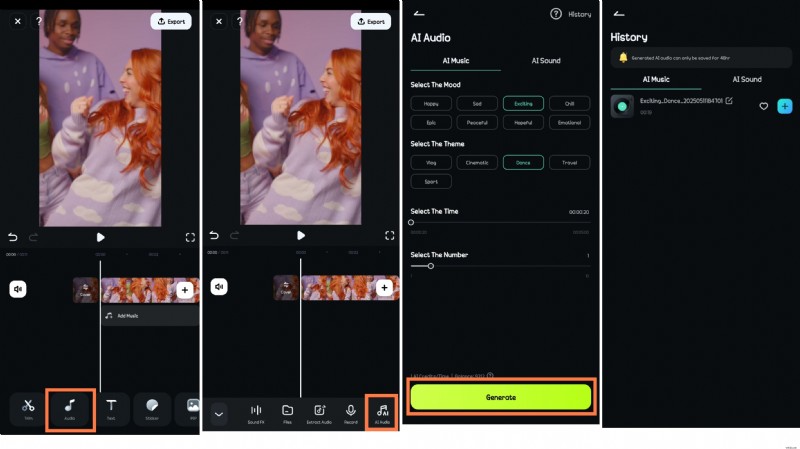
- Navigate to Audio > AI Music to generate background tracks that match your video’s mood.
- After generation, tap History in the top‑right corner, then select the ‘+’ icon to add the music to your timeline.
Step 3: Enhance Your Background Music with Beats.

- On the timeline, tap the audio clip and choose Beats.
- Select the desired beat type and style to layer over your track.
Step 4: Export Your Finished Video.
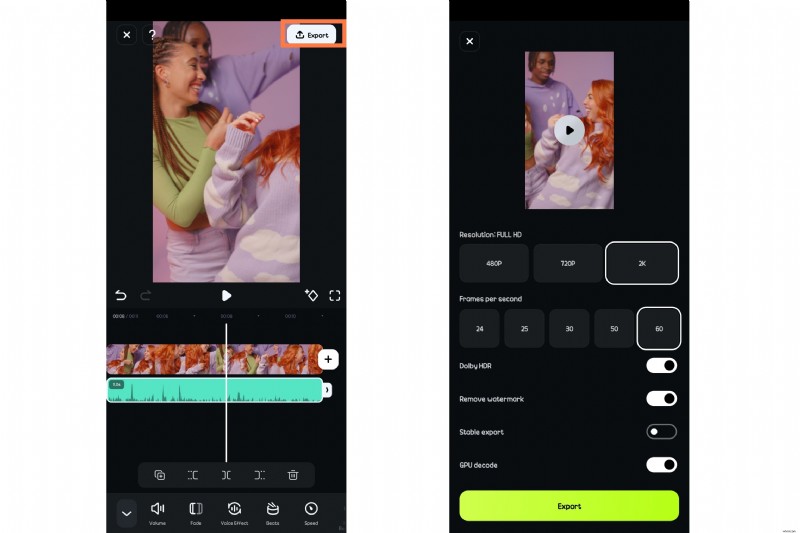
- Tap Export in the top‑right corner.
- Select your preferred resolution and frame rate. For social media, 2K resolution at 60 fps is recommended.
- Tap Export again to save the video to your device.

Part 4. Fixing Common Filmora APK Installation Issues
Installing Filmora outside of the Google Play Store can occasionally lead to problems. Below are the most common issues and their solutions:
1. “App Not Installed” Error
Caused by a corrupt APK, version conflict, or missing permissions.
Solution:
- Verify the APK file is complete and uncorrupted—re‑download from the official site.
- Uninstall any existing Filmora version before installing the new APK.
- Ensure Install Unknown Apps is enabled for the browser or file manager you use.
2. APK File Won’t Open
Some Android versions may prevent the APK from launching.
Solution:
- Open the file with a reliable file manager.
- Check that your device runs Android 7.0 or higher, which is required for Filmora.
- Restart your device and try again.

3. Filmora Crashes on Launch
This can occur if the APK is unstable or has been improperly modified.
Solution:
- Download a different, officially signed version from Wondershare.
- Avoid modded APKs—they are frequently unstable.
- Clear the app cache: Settings > Apps > Filmora > Storage > Clear Cache.
4. “Blocked by Play Protect” Warning
Google Play Protect may flag APKs from unknown sources.
Solution:
- When installing from the official website, tap Install Anyway to bypass the warning.
- Alternatively, temporarily disable Play Protect: Settings > Google > Security > Play Protect > Turn off “Scan apps with Play Protect.” Re‑enable it after installation.
5. Missing Features or Broken Tools
Mod APKs often break core functionalities.
Solution:
- Use the official Wondershare version.
- Avoid APKs labeled “premium unlocked” or “modded.”
- Re‑install with a clean, unmodified APK file.
Conclusion
While the allure of a watermark‑free Filmora mod APK is understandable, the risks—malware, legal penalties, and unreliable performance—far outweigh any short‑term gain. The official Filmora APK provides a secure, stable, and legally compliant editing experience, especially when paired with the app’s AI‑powered tools.
Follow this guide to install the Filmora APK correctly and enjoy smooth, professional video editing while keeping your device safe.