
The gold standard in professional video editing - Adobe Premiere Pro. Who wouldn’t want it? Those that need that kind of power are wont to paying the price they must for that tool. But let’s face it - 99% of the others are simply never going to use its full feature set. Then, the price seems unaffordable, and people start looking for Adobe Premiere Pro alternatives. This guide will tell you how to get Adobe Premiere Pro for free, and what your alternatives are.
In this article
-
- Get the Adobe Premiere Pro Trial for Free
- Features and Limitations of Adobe Premiere Pro Free Trial
- Adobe Premiere Pro Plan Pricing
-
- DaVinci Resolve
- Apple Final Cut Pro
- Wondershare Filmora - AI Video Editor
Part 1. Getting Adobe Premiere Pro for Free - The Safe and Legal Way
In the video editing world, Adobe Premiere Pro enjoys a dominance few others do. The software is practically industry-standard. Anyone who wants a career in video editing must know the software inside out. But Adobe Premiere Pro is a serious investment in terms of money - a lot of it. So, if we wanted to see if this is worth our time, how to get Adobe Premiere Pro for free? Well…
If you have spent any reasonable amount of time on the internet, you certainly have by now come across ‘ways’ to get Adobe Premiere Pro free. Let us save you time and hassles - avoid them like the plague. Instead, here’s how to get Adobe Premiere Pro free and use it for some time.
Get the Adobe Premiere Pro Trial for Free
Adobe Premiere Pro comes with a free trial. Granted, that trial is a meagre 7 days, but it is a free, legal, and safe way to experience Adobe Premiere Pro for a week. Here’s how to get it:
Step1Visit the Adobe Premiere Pro web page here: https://www.adobe.com/products/premiere.html
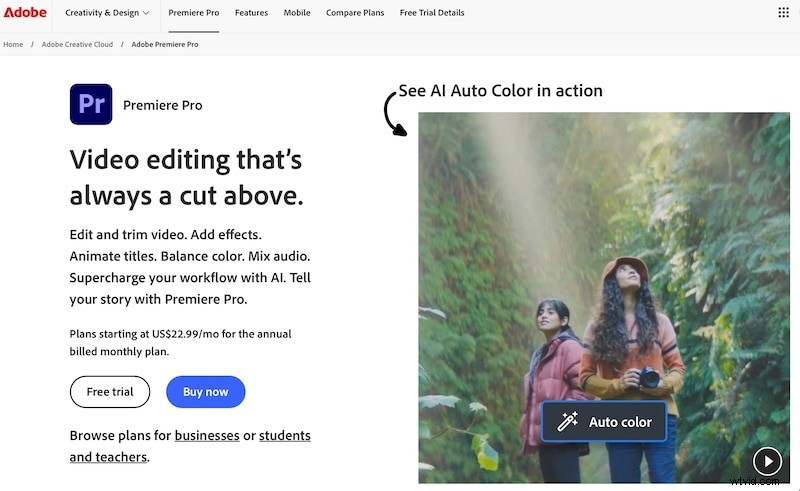
Click the Free Trial button.
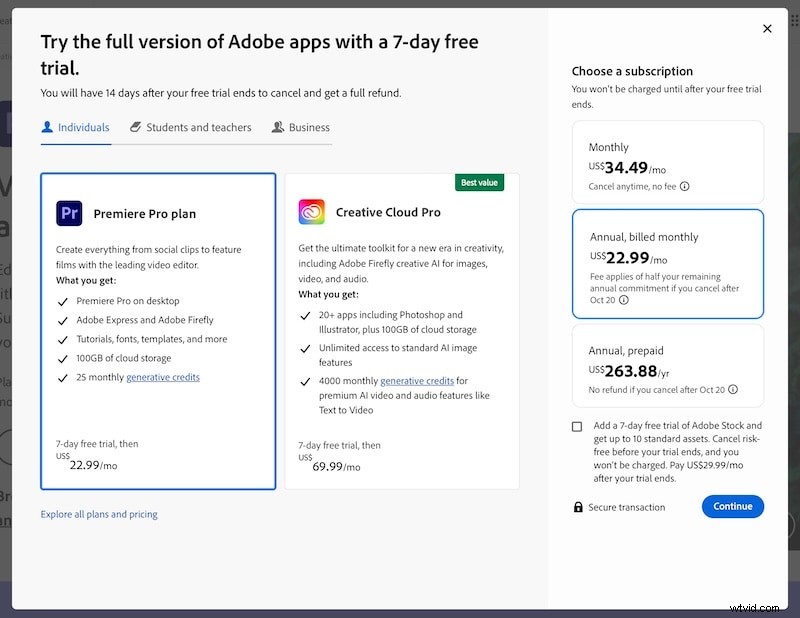
Step2Choose your plan (that you will be billed after your 7 days trial) and proceed.
Step3After clicking Continue above, you will see this page. Provide the details and continue. You will not be charged right away.
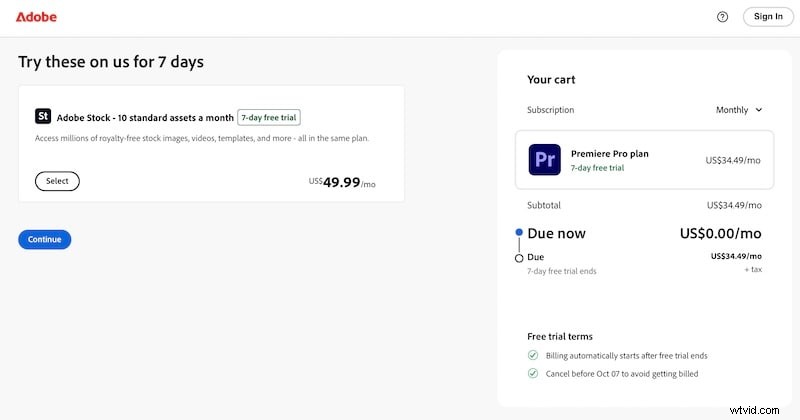
Once signed up, you can download and use Premiere Pro free for 7 days.
Features and Limitations of Adobe Premiere Pro Free Trial
Now that you are signed up for a Premiere Pro free trial, what can you expect? Here are the features and limitations you get with the free trial.
Features
You might cringe upon the fact that Adobe skimped its users on the number of days for trying the software out, but Adobe did not hold anything back from its trial users in terms of features. Your free trial comes with all the features of the regular Adobe Premiere Pro, including:
- Over 1 million drawings, photos, video clips, and other assets.
- Over 20,000 fonts you can use.
- 25 monthly generative AI credits.
This is a lot of bang for your buck, which, if you may recall, is zero for 7 days!
Limitations
Surprisingly, Adobe has put out a robust trial feature set with little to no limitations. Most video editing software would export with a watermark when trying out. Not Adobe! For 7 days, you have a complete software suite as any other.
There is ONE limitation, due to licensing issues:
- You will not be able to export H.265 formats, considering licensing issues.
Adobe Premiere Pro Plan Pricing
If you are satisfied with the trial and want to continue using Premiere Pro, you need to cough up the subscription price. This is how much a Premiere Pro subscription will cost you:
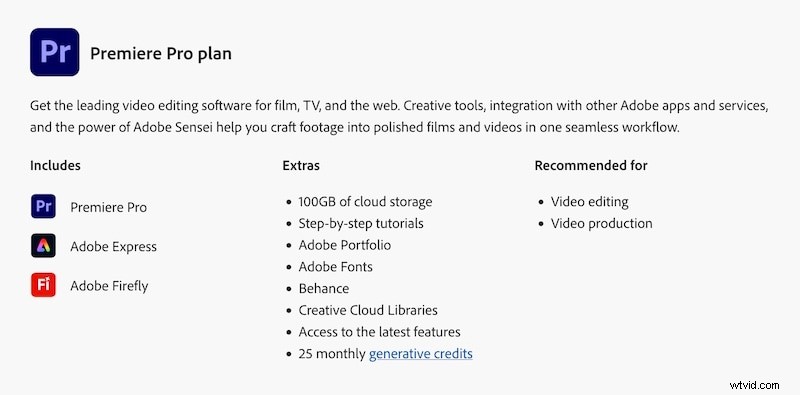
There are the plans on offer as of this writing.
| PRICE | ANNUALIZED | BEST FOR | |
| Monthly Payment | USD 34.49 /mo | USD 413.88 | Extending your Premiere Pro trial, albeit paid, for 30 days |
| Monthly Payment with Annual Commitment | USD 22.99 /mo | USD 275.88 | Reduced monthly payment |
| Prepaid Annual | USD 21.99 /mo | USD 263.88 upfront | Upfront payment to bring cost down some more |
Features
Your Adobe Premiere Pro subscription comes with the following benefits:
- Adobe Premiere Pro
- Adobe Express
- Adobe Portfolio
- Adobe Firefly
- Adobe Fonts
- Creative Cloud Libraries
- Behance
- Tutorials
- 25 generative credits per month.
- 100 GB cloud storage.
There is also Creative Cloud subscription that might seem better value per software title, and there are ways you can get these apps at a lower cost.
By no means is this price remotely affordable or warranted for 99% of users, but hey, this is where we are in the software industry at the moment. Subscription fatigue is kicking in, and people are once again looking to, ahem, cracked software. Now, we want to warn you against the dangers of using cracked software, vis-à-vis paying for them, so we dedicated a whole section to it.
Part 2. Why Not to Use Cracked Adobe Premiere Pro
Our intent is innocent enough – we want to have a software piece at value, not seemingly as a percentage of the profits we might make using that tool. For home users, for enthusiasts, this translates into the following: We want a software piece with the best possible feature set at the most reasonable price. If not, we start looking for ways to reduce the cost, which translates into cracked software.
We are here to advise you to never use cracked software.
There are risks you open your devices and system up to when you download and use cracked software.
- Viruses, Malware, and Spyware
Downloading from questionable sources and unsigned and cracked application files is the surest way of giving free hand to viruses, malware and spyware on your system because you not only invited them in but dragged them in!
- System Stability
The second thing that goes for a toss is system stability. Cracked files work through code injection and manipulation to stop the software from not working/ calling home for licensing. This creates system instability that can not only crash the app but your system. We are sure you know how crippling that can be.
- Legal Consequences
Who cares about what the law says, right? That is, until the law comes knocking down our doors. Then, we wish we had done what the law allowed us to do all along. When that happens, what you will end up coughing will be much more than what you would have paid for legal use of said software, not to mention your dignity being dragged in public.
- Ethical Considerations
Piracy is theft, pure and simple. It is intent to use and to profit from the labor of someone else. Ask yourself this – would you rather it happen to you what you are doing unto them? Software developers have toiled to create a piece of software that users can benefit from, and they seek remuneration for that offering. By using cracked software, you are taking away their livelihood, just because.
Part 3. After The Free Trial - Considering the Alternatives
What happens when your Adobe Premiere Pro free trial ends? Your trial automatically gets converted into a subscription – so mind to cancel that subscription in time. Clearly, you are looking for alternatives to Adobe Premiere Pro, and we give you 3 good ones.
3.1. DaVinci Resolve
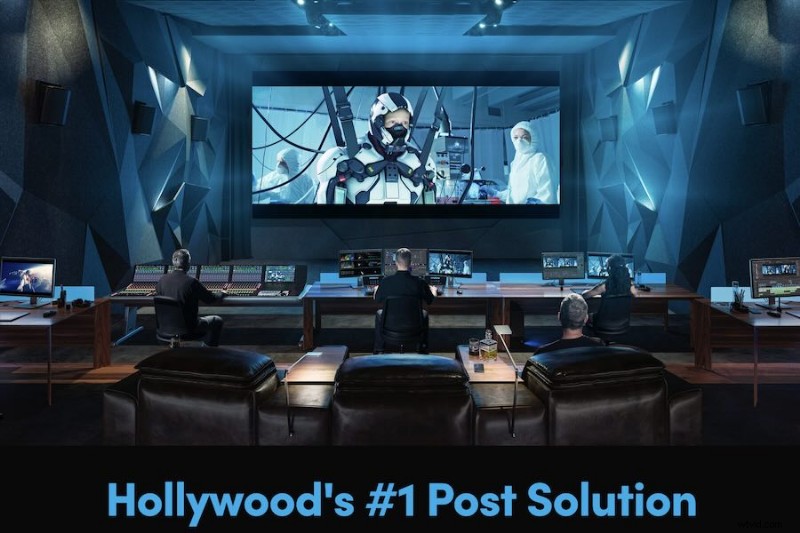
DaVinci Resolve is a reputed name video editing and postproduction routines and is a staple in Hollywood productions. around the world. No wonder Hollywood loves the software. Not only is the But, that’s not even the best thing about it for most users.
For the immense potential and power on tap, Blackmagic Design offers a free version you can use, one with enough features and power that really put the likes of Adobe to shame. What’s more, DaVinci Resolve is free, whereas Resolve Studio, its flagship offering, is one-time payment!
Key Features
- 4K 60 fps workflows in Resolve.
- 32K 120 fps workflows in Resolve Studio. Hell, yeah!
- Support for multiple GPUs.
- Neural Engine AI, Dolby Vision and HDR10+ grading/ rendering.
- End-to-end solution for editing, color correction, audio and postproduction.
- Free and one-time payment options.
- Certain features are behind Resolve Studio only for a payment of USD 295, including full-screen playback on a second monitor.
Compatibility
- macOS, Windows, and Linux.
Price
- Free
- Resolve Studio: USD 295 (one-time).
3.2. Apple Final Cut Pro
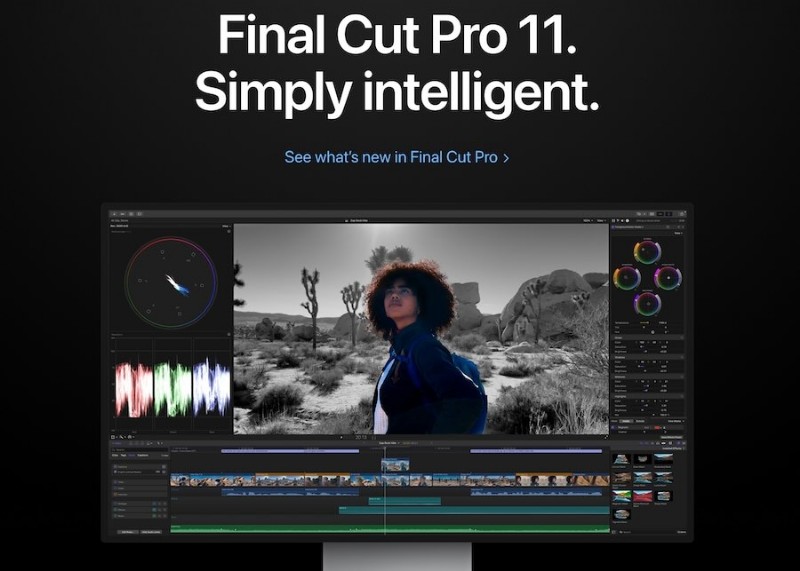
Final Cut Pro is Apple’s video editing software that was once and industry-standard unto itself before Apple shot itself in the foot with the release of FCP X. However, the software still remains venerable, and Apple is slowly gaining lost ground with pioneering features on the Mac platform.
Key Features
- Magnetic timeline.
- 360-degree video editing with multi-cam support.
- Smart Conform automatically adjusts video aspect ratio.
- Apple Intelligence.
- Magnetic and trackless timeline.
- Easy-to-use UI and intuitive UX.
- One-time purchase.
- Apple macOS/ iPadOS only.
Compatibility
- macOS and iPadOS.
Price
- USD 299.99.
3.3. Wondershare Filmora - AI Video Editor
Certainly not with the brand value of Adobe, Blackmagic Design, or Apple, but Wondershare Filmora is the professional video editor you need to try out today. Why? Because it offers the best blend of features and power for everyday users and professionals alike.


Key Features
- Intuitive UI and UX.
- Designed for both beginners and advanced users.
- Regular updates with new features.
- AI tools such as AI Motion Tracking, AI Audio, AI Text-to-Speech, AI Prompt-to-Image, and AI Prompt-to-Video, etc.
- Ideal for getting started with video editing.
- Advanced features such as 3D LUTs, magnetic timeline, and multicam editing.
- Optimized for the latest hardware for jaw-dropping performance.
- Huge library of over 2 million assets, including royalty-free media and templates.
- The trial version has a watermark.
Compatibility
- Android, iOS, Windows, and macOS.
Price
- Offer a free trial, also offer an annual plan, and even a perpetual plan.
Filmora Advantage #1: Workflow
Filmora does not promise you Hollywood-level production. But, if you are looking for an easy-to-use, feature-rich video editor for YouTube videos, social media posts, TikTok, Instagram Reels, YouTube Shorts, etc., or for other purposes like business presentations, Filmora is what you need.
Filmora Advantage #2: Features
Filmora comes with all the features that you need to create stunning videos for social media and other purposes. It comes with millions of assets, effects, transitions, music, etc., to help you create the perfect video for Instagram Reels, YouTube, TikTok, etc. AI features make video editing painless, seamless, and delightful.
| Filmora | Premiere Pro | |
| Ease of Use | Intuitive | Requires Learning Curve |
| AI Features | Easy to Use | Comparable features, but require a learning curve to use |
| System Requirements | Modest | Requires a powerful computer to work smoothly |
| Pricing | Affordable, no matter what you use it for | Not affordable, depending on your use case |
| Best For | Beginners, Enthusiasts, Professionals | Professionals with specific use cases, such as Hollywood productions |
For a more detailed comparison between Adobe Premiere Pro and how Filmora works better for you, read the detailed analysis here: Filmora vs Adobe Premiere Pro
Conclusion
There are no two ways about it – there is a reason Adobe Premiere Pro is an industry standard software, and the price tag reflects that amply. However, the fact is that nearly nobody else apart from the motion picture industry might require the chops that Adobe offers. They could well do with something different, something more attuned to their use case, and something vastly more affordable – Wondershare Filmora. So, when your Adobe Premiere Pro free trial gets over, download Wondershare Filmora and give it a spin, too. You might just fall in love with it!
FAQs
-
How long does the Adobe Premiere Pro trial last?
7 days.
-
Does the Adobe Premiere Pro trial get canceled after 7 days?
No, you need to cancel the trial else it will convert into the subscription you chose at the time of signing up for the trial.
-
How to download Premiere Pro for free forever?
You cannot. You must subscribe to it once the trial is over.
-
How to crack Adobe Premiere?
Using cracked software is not recommended. If affordability is an issue, you can look for Adobe Premiere Pro alternatives such as Filmora.