
Magix ACID Pro has long been a staple in loop‑based production, famed for its drag‑and‑drop workflow that allowed producers of the early 2000s to craft tracks with unprecedented speed.
However, the digital audio landscape has evolved rapidly. Modern DAWs now integrate AI‑powered tools, advanced sequencing, and cross‑platform support. This review examines whether ACID Pro 11, the latest iteration released in 2025, still holds its ground in 2026.
We’ll cover its core features, recent enhancements, pricing options, performance on contemporary hardware, and how it stacks up against rivals like Ableton Live, FL Studio, and Logic Pro.

In this article
- What is Magix ACID Pro
- Features & Usability
- User Experience & Performance
- Pros & Cons
- Target Audience
- Alternatives
- Conclusion
Part 1. What is Magix ACID Pro
Magix ACID Pro is a digital audio workstation that carved its niche with a loop‑based workflow, becoming one of the first tools designed explicitly for beat‑driven music creation.
Initially developed by Sonic Foundry, the software later transitioned to Sony Creative Software before being acquired by Magix in 2016. Since then, Magix has steadily refreshed the platform, preserving its core loop capabilities while integrating contemporary features to remain competitive.
For users seeking a lighter entry point, Magix offers ACID Music Studio—a streamlined, beginner‑friendly version that delivers the loop workflow without the full feature set or cost of the professional suite.
Key Highlights
- Real‑Time Loop Manipulation: Adjust tempo and pitch instantly on any loop, with automatic synchronization that keeps your project coherent.
- Multitrack Timeline Editing: Drag dozens of audio or MIDI tracks onto a visual timeline, enabling quick arrangement and detailed structural tweaks.
- Advanced Mixing Console: Control volume, panning, effects chains, and routing per track through a fully featured virtual mixing board.
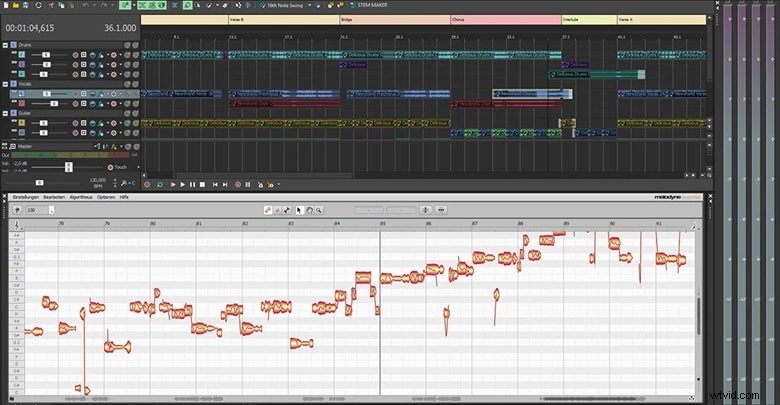
- VST3 & ARA2 Support: Host your favorite plugins and advanced tools—such as Melodyne—directly within ACID, streamlining the editing workflow.
- Inline MIDI Editing: Modify notes, velocities, and automation curves directly on the timeline, eliminating the need to switch between windows.
While traditional DAWs emphasize instrument recording and MIDI sequencing, ACID Pro’s core strength remains its real‑time pitch and tempo manipulation of audio loops, a feature that remains highly relevant in today’s production environment.
What’s New (2025)
ACID Pro 11 continues to evolve while staying true to its loop‑centric heritage. Highlights of the 2025 release include:
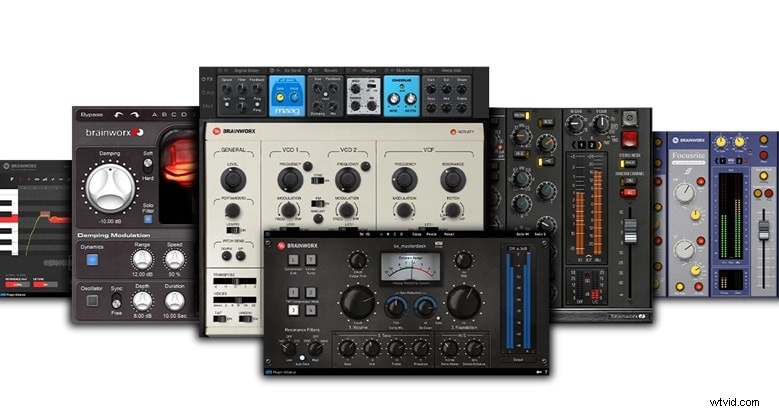
- Mix & Master: Finish projects with studio‑grade edits using trusted plug‑ins from Brainworx, iZotope, and more.
- Sample, Chop, and Play: Access an expanded library of ACIDized loops and samples ready for drag‑and‑drop remixing.
- Creative FX Suite: Add new effects such as advanced autotune, dynamic EQs, and intuitive interfaces for rapid sound shaping.
Price
ACID Pro offers a 30‑day free trial for anyone wanting to evaluate the software before purchasing. The purchase options are:
- ACID Pro 365: Subscription‑based model.
- ACID Pro 11: One‑time purchase, bundled with 2 Brainworx plug‑ins, iZotope Ozone 11 Elements, Celemony Melodyne 5 Essential, MAGIX Effects Suites, modernEQ, and 13.6 GB of ACIDized loops.
- ACID Pro 11 Suite: One‑time purchase, featuring 5 Brainworx plug‑ins, dynamicEQ, and 16.6 GB of ACIDized loops.
| Plans | ACID Pro 365 | ACID Pro 11 | ACID Pro 11 Suite |
| Subscription (Annual) | $95.88 | - | - |
| Subscription (Monthly) | $19.99 | - | - |
| Perpetual Plan | - | $99.99 | $159 |
Part 2. Magix ACID Pro Features and Usability
Beyond its loop roots, ACID Pro has grown into a fully capable DAW, offering robust tools for sampling, MIDI sequencing, and audio processing.
Sampling & Loop-Based Production
ACID Pro’s design prioritizes speed and flexibility. By leveraging the following tools, producers can assemble tracks almost instantly:
1. ACIDized Loops
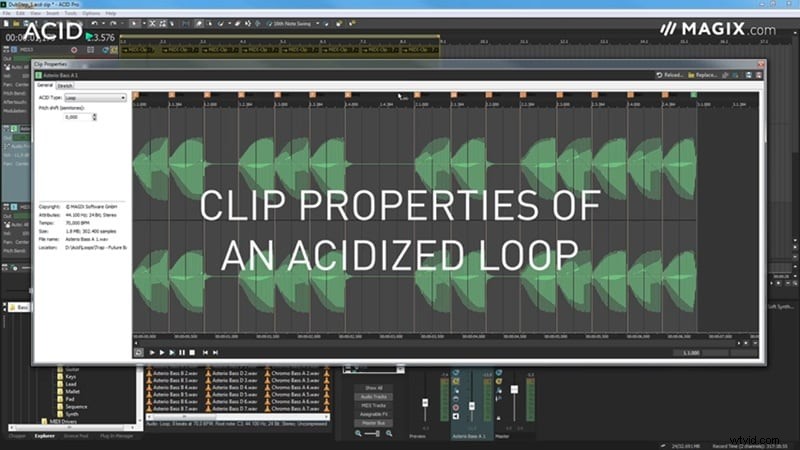
ACIDized loops carry metadata for pitch, tempo, and beat mapping. Drop a loop into your session, and it auto‑synchronizes with your project’s key and BPM.
2. Chopper & MIDI Playable Chopper
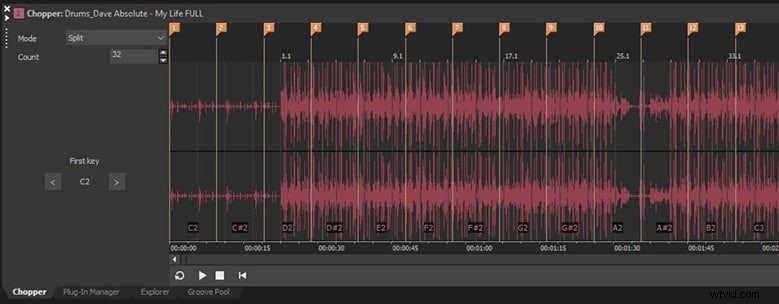
The Chopper slices audio for on‑the‑fly remixing, while the MIDI Playable Chopper lets you assign slices to MIDI keys. This feature turns samples into live instruments, capturing performance data as MIDI.
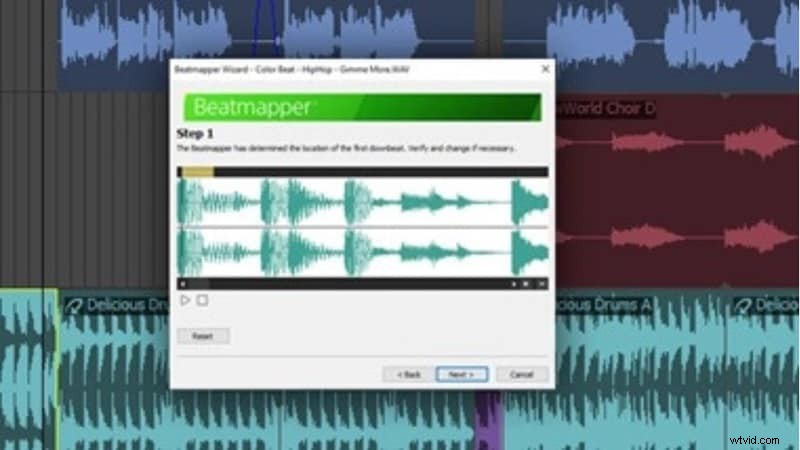
3. Beatmapper
Beatmapper analyzes a full track to detect tempo and rhythm, then locks it to your grid. This makes remixing or building on existing songs a seamless process.
MIDI Tools and Creative Editing
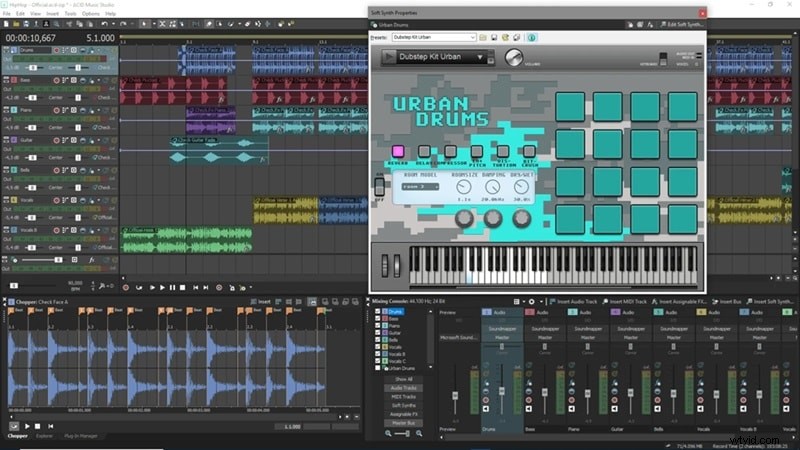
ACID Pro’s MIDI suite delivers precision without clutter:
- Inline MIDI Editing – Adjust notes, velocity, and length directly on the timeline.
- Drum Grid Mode – A grid layout that mimics classic drum machines for intuitive sequencing.
- MIDI Track Freeze – Convert MIDI to audio with one click, freeing up CPU when projects grow large.
- Advanced Mapping – Automate pitch bends, instrument assignment, and note filtering for complete control.
Real‑Time Stretching, Grooves & Effects
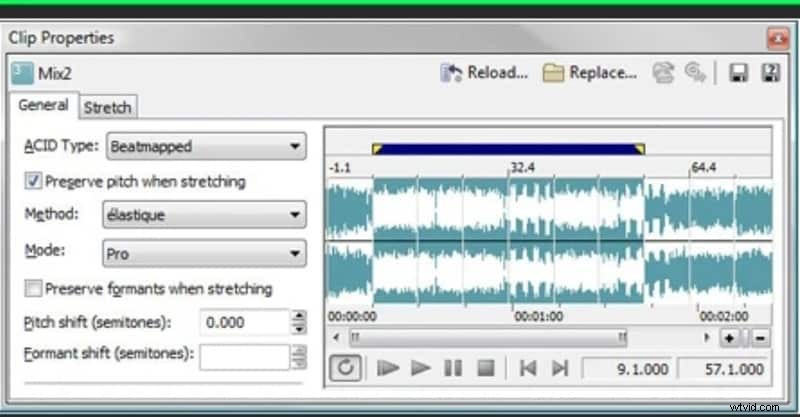
ACID Pro excels at maintaining rhythmic integrity during time‑stretching:
- zplane Élastique Pro Stretching – Delivers smooth, high‑quality pitch‑shift and time‑stretching, even with extreme changes.
- Groove Mapping & Groove Cloning – Apply a groove to any clip or extract and transfer it to another, ensuring consistent swing across tracks.
- Sidechaining & VolumeFormer – Built‑in sidechain compression and pump/gate effects eliminate the need for external plugins.
Recording, Mixing & Workflow Enhancements
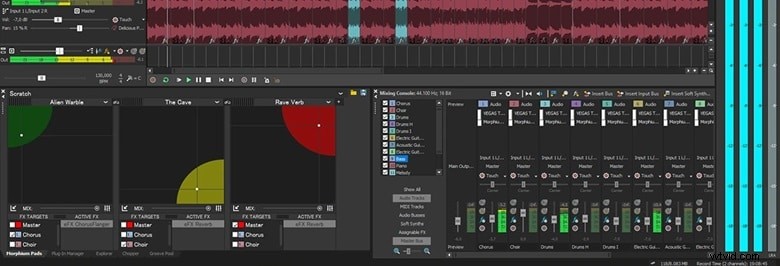
ACID Pro supports multitrack recording at 24‑bit/192 kHz, enabling high‑resolution capture across multiple inputs. Its 64‑bit architecture ensures stable performance, even with large sessions.
System Requirements
ACID Pro is designed to run efficiently on mid‑range hardware:
- Processor: 1 GHz (multicore or multiprocessor recommended)
- RAM: 1 GB (8 GB recommended)
- Graphics: Onboard, min. resolution 1024 × 768
- Sound Card: Onboard
- Hard Drive: 700 MB for installation, up to 16 GB for instruments and loops
Part 3. User Experience and Performance Insights
ACID Pro’s reputation for speed and simplicity has earned it use by industry professionals such as Dimitri Vegas and composer Theo Green. From user reviews and hands‑on testing, the software demonstrates:
What It’s Like to Use ACID Pro
The interface remains focused on drag‑and‑drop workflow, which is arguably the smoothest in any DAW. Producers can iterate ideas rapidly, and real‑time stretching makes experimentation straightforward. While the layout feels dated compared to Ableton Live or FL Studio, the core functionality remains solid.

Performance Testing
- Speed – ACID Pro launches quickly, loads projects swiftly, and handles real‑time stretching and MIDI playback with minimal latency.
- Stability – Generally stable; occasional crashes stem from poorly optimized third‑party VSTs rather than the host.
- Efficiency – 64‑bit architecture and track‑freezing enable large, multi‑track sessions to run smoothly.
Part 4. Pros and Cons of Using Magix ACID Pro
Pros
- Intuitive loop‑based workflow that speeds up track construction.
- Robust audio and MIDI tools, including real‑time stretching and groove mapping.
- Integrated remixing features such as Chopper, MIDI Playable Chopper, and Melodyne.
Cons
- Interface has not seen a major visual overhaul in recent years, which may feel dated.
- Development cadence is slower than competitors; the loop‑centric niche has largely been absorbed by other DAWs.
- Windows‑only; no official macOS version limits cross‑platform flexibility.
Part 5. Who Should Use Magix ACID Pro?
ACID Pro is ideal for producers who:
- Need a fast, intuitive workflow for building tracks quickly.
- Prefer real‑time pitch and tempo control without complex setup.
- Operate on mid‑range Windows systems.
- Value creative tools like groove mapping, Chopper, and integrated Melodyne.

Typical use cases include:
- Music mixing or projects involving layered audio stems.
- Loop‑based production in genres such as hip‑hop, EDM, pop, and ambient.
- Remixing and mashups, including vocal re‑work and multi‑track blending.
Part 6. Alternatives to Magix ACID Pro for Multimedia Production
For creators seeking a more versatile platform that integrates audio with video, Wondershare Filmora offers a compelling solution. While primarily a video editor, Filmora includes robust audio tools—beat detection, auto‑synchronization, AI audio stretching, and auto‑normalization—making it suitable for light to moderate music production.
- Beat Detection – Sync video cuts to the track’s rhythm.
- Auto Synchronization – Align separate audio recordings with video effortlessly.
- AI Audio Stretch – Adjust track length to match visuals without pitch alteration.
- Auto Normalization – Balance audio levels for consistent listening.
Filmora also supports VST plugins, allowing users to enhance audio with professional effects. A hybrid workflow—producing music in ACID Pro and finalizing it in Filmora—provides a seamless end‑to‑end solution for audio‑visual creators.

Conclusion
ACID Pro remains a solid choice for producers who prioritize loop‑driven workflows and efficient performance on Windows. However, its slower update cycle, dated interface, and lack of macOS support may drive some users toward more modern DAWs. Pairing ACID Pro with a visual editor like Filmora expands creative possibilities, offering a full production pipeline from beat to finished video.

Filmora
⭐⭐⭐⭐⭐
The Best AI‑powered Video Editing Software and App