
Creating animation used to require expensive software and a powerful computer. But today, millions of creators are making cartoons straight from their phones using tools like FlipaClip. According to Google Play statistics, the FlipaClip animation app has been downloaded more than fifty million times, making it one of the most popular mobile animation tools in the world.
Still, many beginners run into the same question: is it actually good enough for serious animation? Well, this FlipaClip review breaks down what the app does well, where it struggles, and whether the FlipaClip download is worth your time.
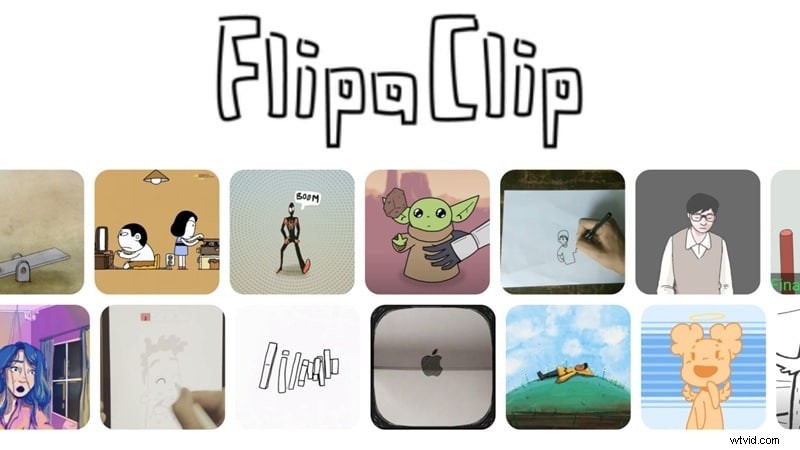
Part 1. Getting to Know FlipaClip: The Mobile Animation App That Started a Cartoon Wave
FlipaClip became a household name for creators because it brought the soul of traditional, frame-by-frame animation to the mobile world. Originally launched by Visual Blasters, the app was built to feel like a digital flipbook. You draw a frame, move to the next, and watch your creation come to life in a sequence.
It is that simple "pen-to-paper" feel that makes the app FlipaClip so addictive for beginners. It removes the technical barrier and lets you focus on drawing and storytelling. For a lot of people, this is their first step into animation.
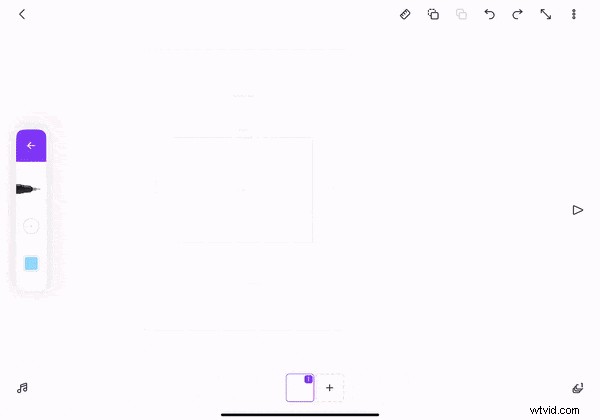
Where You Can Access FlipaClip
The FlipaClip animation app is built primarily for touch-screen devices. Here's every official platform you can find it on:
- Android devices through the Google Play Store.
- iOS devices through the Apple App Store.
Important thing to note here, while you can easily visit the FlipaClip website for more info on the tool, there is no full browser-based version of FlipaClip, so you can’t run it directly online like some tools.
And while the site mentions you can also access it through Chromebook, Huawei AppGallery, and Amazon Appstore, eventually, the link provided leads to either the Google Play Store and Apple App Store. Also, please avoid third-party "FlipaClip APK" or "FlipaClip mod" sites, these unofficial versions often carry malware and security risks.
How Much Does FlipaClip Cost? Breaking Down the Pricing
Naturally, a lot of people search for FlipaClip free download since it is a very handy app. And yes, while you can get FlipaClip for free, but like most apps, the really powerful stuff sits behind paid upgrades.
Check out the table below to see the full breakdown of FlipaClip price:
| Plan | Price | Best For | Key Perks |
| Free | $0 | Beginners & Casual Creators | Basic tools, limited layers, ads included |
| FlipaClip Plus (Monthly) | $5.99 / month | Hobbyists & Regular Users | No ads, premium brushes, audio import, 10 layers |
| FlipaClip Plus (Annual) | $29.99 / year | Dedicated Animators | All Plus features at a lower monthly cost |
Part 2. What You Can Actually Do With the FlipaClip Animation App
Turns out, the FlipaClip animation workflow is surprisingly deep for a phone app. Here is what you get to play with:
Plenty of Effects for Creative Animation
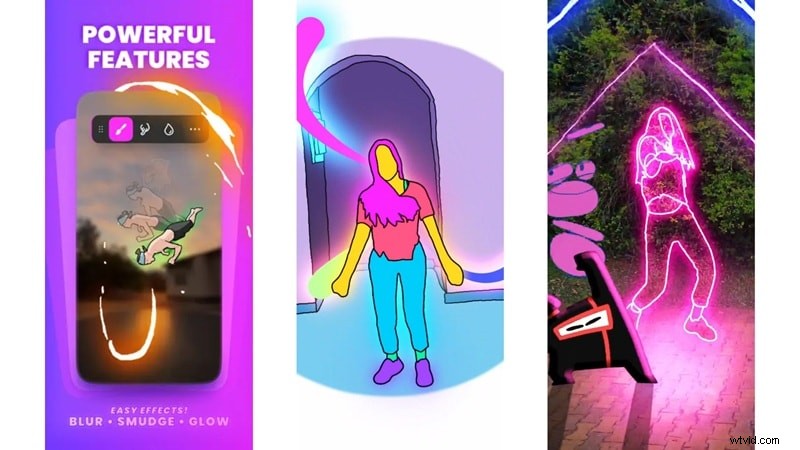
FlipaClip isn't just a basic sketch tool. It includes a solid set of visual effects to bring your drawings to life and give your FlipaClip cartoon animation real personality. That includes:
- Add glow effects to make elements pop.
- Apply blur and color adjustments for mood and atmosphere.
- Use layer blending to mix visuals creatively.
- Add motion blur to sell the feel of speed and movement.
Customize Your Animation Layout
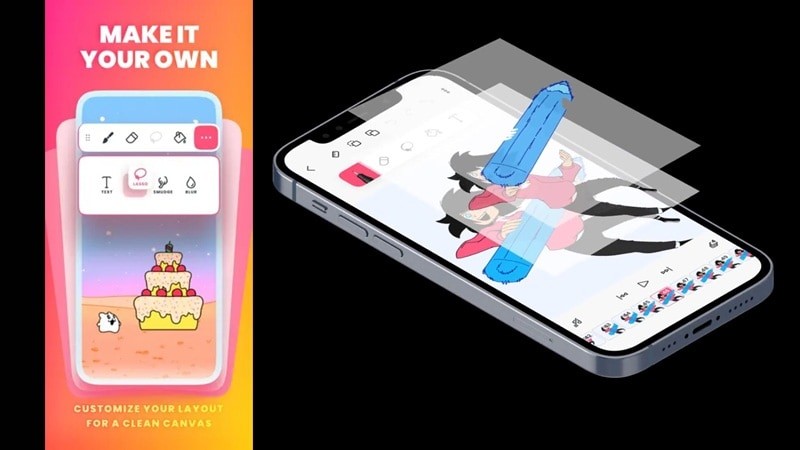
Every animator thinks differently, and FlipaClip gets that. So, the app lets you tweak your workspace so it matches your workflow. You can:
- Change the drawing canvas layout.
- Adjust frame timelines.
- Switch between light and dark interfaces.
- Organize frames visually.
It sounds small, but this makes the animation process smoother. This level of customization helps artists focus on the creative process.
Great Animation Tools for Frame Editing
This is where the app shines. Despite fitting in your pocket, the FlipaClip animation app packs in some surprisingly professional tools:
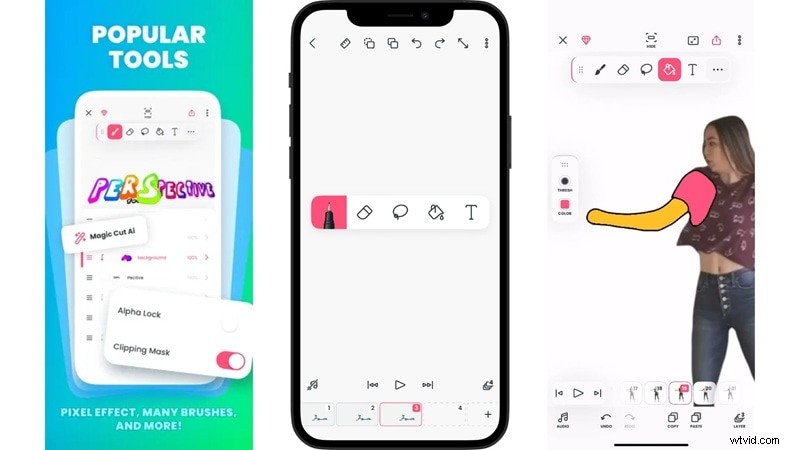
| Editing Tool | What It Does |
| Frame Timeline Editor | Manage every frame and its timing in one clean view |
| Onion Skin Preview | See ghost images of previous & next frames for smooth motion |
| Lasso & Fill Tools | Select, move, and flood-fill areas quickly |
| Advanced Brush Options | Pencil, pen, marker, watercolor, pick your weapon to animate |
Add Sounds and Music
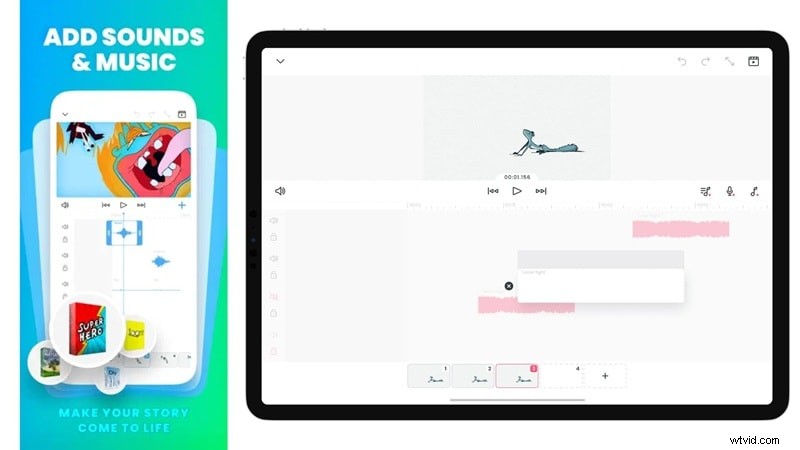
You’re not limited to visuals. FlipaClip for iOS and Android lets you layer in all kinds of sound to make your stories feel complete. You can add:
- Record your own voice directly inside the app.
- Import music tracks to set the perfect mood.
- Add built-in sound effects with a few taps.
- Sync audio to specific frames for pinpoint accuracy.
This feature is particularly useful for creators making animated stories or social media content.
Part 3. What’s New in FlipaClip: Recent Updates That Improve Animation
Other than the main features we covered above, the Visual Blasters team drops regular updates to keep FlipaClip Android and iOS app fresh and the workflow even smoother.
Here's a look at the most exciting recent additions:
Dark & Light Mode
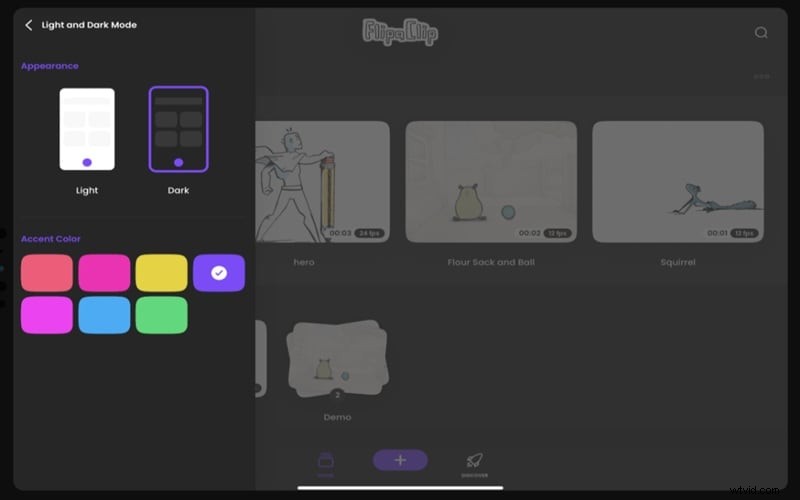
Finally, you can save your eyes during those late-night grind sessions. You can switch between light and dark themes and even pick a custom accent color to match your vibe.
Stack Your Projects Like a Pro
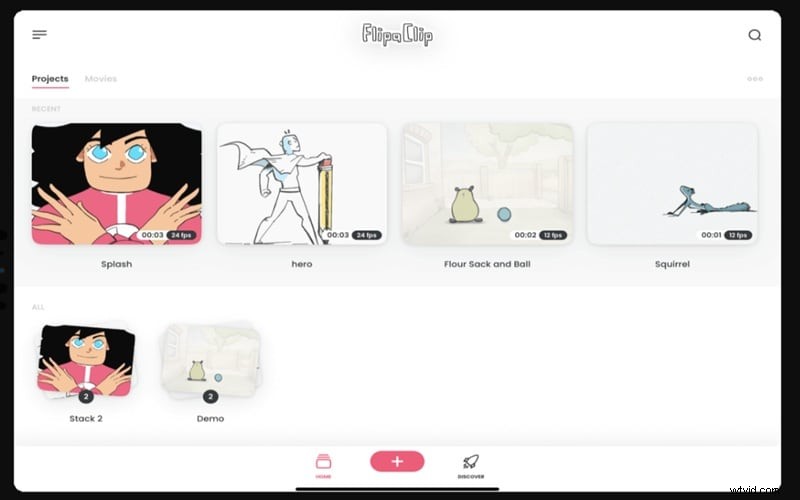
If your home screen looks like a messy desk, "Stacks" is your new best friend. You can drag projects on top of each other to create folders, keeping your series and sequels perfectly organized.
Enhanced Onion Skin
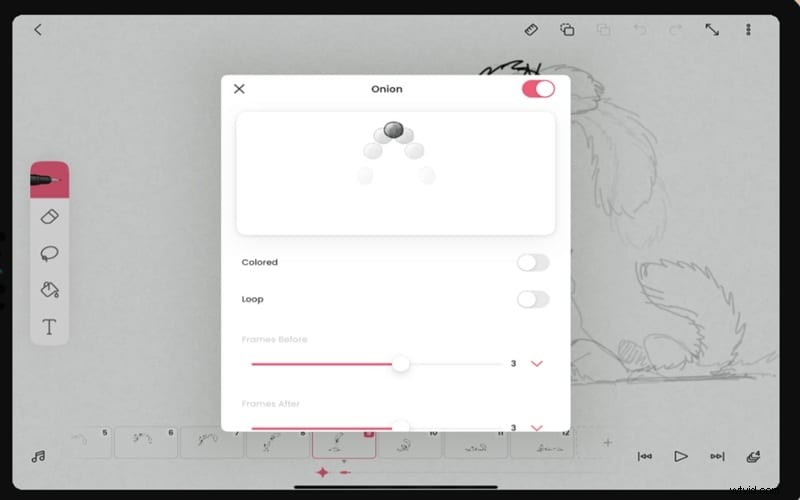
The onion skin tool now shows cleaner ghost images of your previous and next frames. It's the secret weapon every animator needs for fluid, natural-looking movement that doesn't look choppy.
Smart Frames Viewer
See your entire animation at once in a grid-style view. You can select multiple frames to batch-delete, duplicate, or rearrange them in seconds. It's a huge time saver on longer projects.
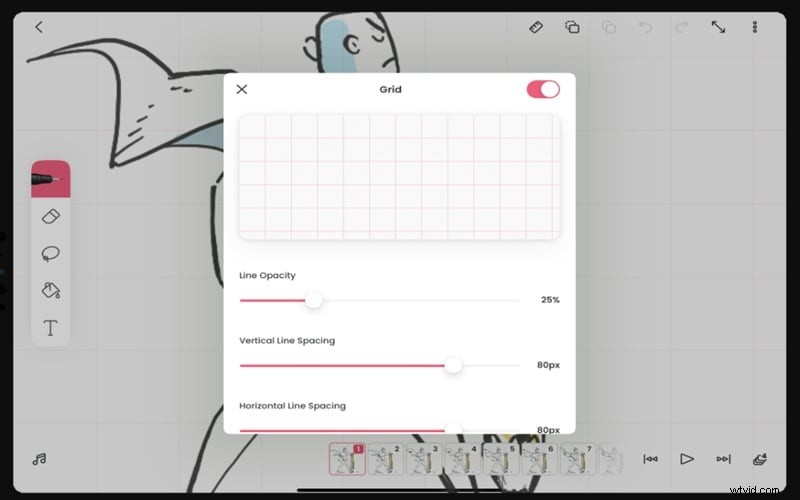
Grid Reference System
A snap grid overlay that keeps your character proportions consistent and your framing balanced from frame to frame. Simple, but essential.
Part 4. FlipaClip Pros and Cons You Should Know
Every app has its highs and its frustrations. Because of that, a real FlipaClip review wouldn't be complete without laying both sides out clearly. So, before you commit further to the FlipaClip app download, see the breakdown below:
Pros
- Genuinely Beginner-Friendly Interface: From opening the app for the first time, everything just makes sense. The layout, the tools, the workflow, it's all designed for someone who has never animated before.
- Surprisingly Capable on Mobile: Multiple layers per frame, onion skinning, lasso tools, audio sync, these are features you'd expect from desktop software, not a FlipaClip free phone app. It punches way above its weight class.
- Massive Creative Community: Weekly challenges, seasonal contests, and an active Discord server mean you're never animating alone. It's a huge motivator, especially for beginners.
Cons
- Limited to 2D Animation Only: FlipaClip is purely a 2D hand-drawn tool. If you want 3D animation, motion graphics, or AI-generated visuals, you'll need to look elsewhere.
- Manual Frame Animation Takes Time: Frame-by-frame animation is rewarding but slow. A 10-second clip can take hours. There's no smart interpolation or rigged characters to speed things up.
- Screen Limitations: Working on a small phone screen is genuinely harder than a tablet or desktop. Complex scenes with fine details can be a real challenge without a stylus and a bigger screen.
Part 5. Ready to Go Beyond 2D? Meet Wondershare Filmora
Alright, FlipaClip is undeniably king for hand-drawn 2D vibes on the go, no doubt about that. However, it does have a ceiling: it is strictly 2D and requires a lot of manual "frame-by-frame" elbow grease. If you want to create something faster, or if you’re looking to break into the world of 3D and high-end motion graphics, you might want to look into an alternative like Wondershare Filmora.
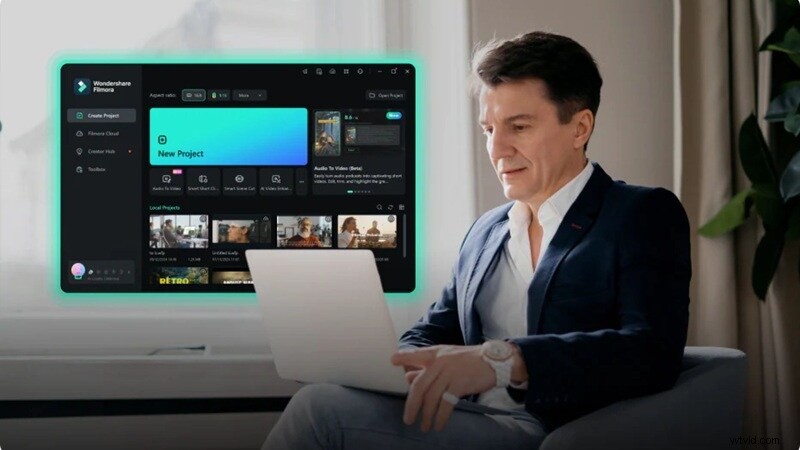
Filmora simplifies animation and video creation using AI tools, templates, and advanced editing features. Instead of drawing every frame manually, you can generate animated visuals with just a prompt.
 Secure Download
Why Filmora Might Be Your Next Move
1. Create 3D with AI Intelligence
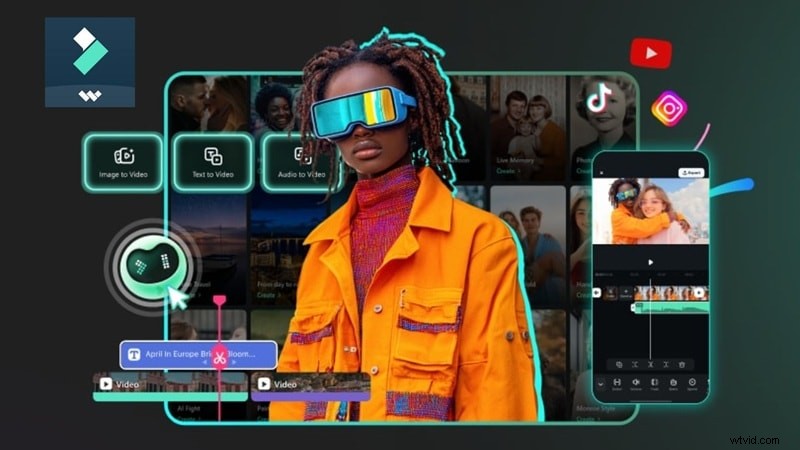
Filmora includes cutting-edge AI tools that let you generate animated content without ever picking up a digital pencil:
- AI Text to Video: Describe a scene and watch it come to life.
- AI Image to Video: Animate a still image automatically.
- AI Audio to Video: Generate visuals synced to a soundtrack.
2. Built-In Animations Ready to Drop In
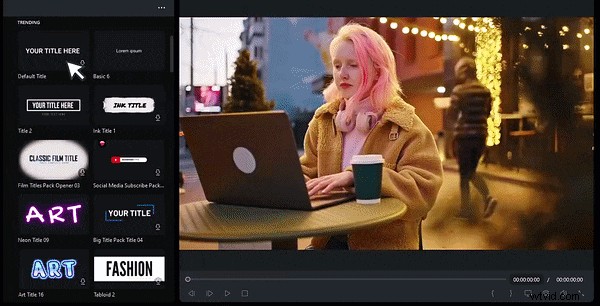
Filmora ships with a massive library of premade animated elements, so you're not starting from scratch every time. That includes:
- Text animations and kinetic typography.
- Motion graphics templates for intros & outros.
- Animated transitions between clips.
- Visual effects and overlay packs.
This makes it much easier to create animated content quickly.
3. More Control with Full Desktop Power
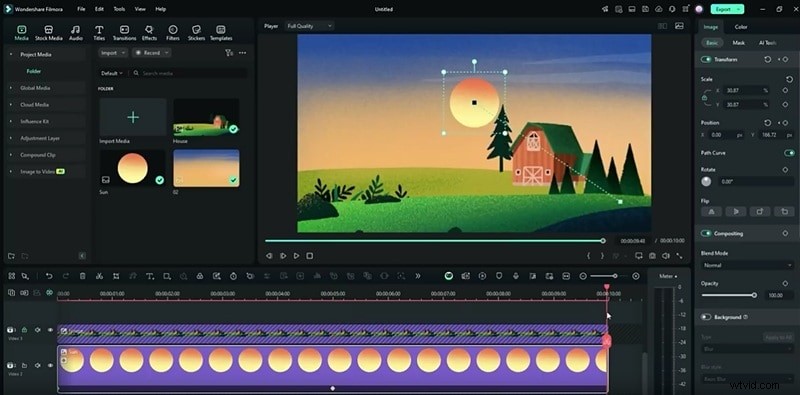
Filmora is available on Windows, macOS, Android, and iOS. That means you get the convenience of mobile on the go, but can switch to a full desktop editor when the project demands it. You’ll have a larger canvas, more processing power, and precision editing, all in one app.
4. Advanced Video Editing Tools
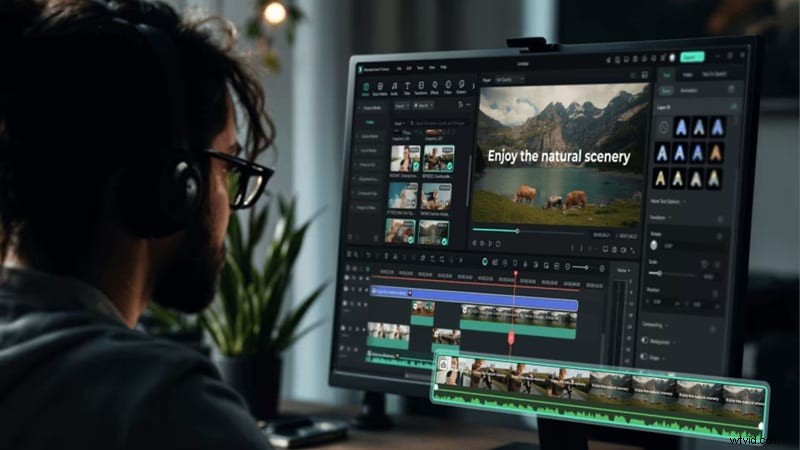
Filmora includes professional editing features like:
- Multi-track timeline editing for complex projects.
- Color grading for cinematic looks.
- Motion tracking to pin graphics to moving objects.
- Keyframe animation for full control over every movement.
5. Smarter Audio Tools
While FlipaClip does support audio, its tools are basic by comparison. Filmora offers AI audio enhancement, background noise removal, beat detection for syncing animations to music, and a full royalty-free music library, making the audio side of animated video production significantly more powerful and polished.
Secure Download
FlipaClip vs. Filmora: Which One Should You Choose?
Looking at everything we’ve covered, it’s clear that Filmora gives you a more flexible way to handle animation projects without relying on risky FlipaClip mod download options. Even when compared to the official FlipaClip app, Filmora opens up more possibilities beyond frame-by-frame drawing.
To see where each one stands in real use, here’s a simple side-by-side breakdown to help you decide which tool matches your workflow.
| Feature | FlipaClip | Filmora |
| Animation Style | Hand-drawn 2D | 2D / 3D + AI Generated |
| Learning Curve | Easy | Easy |
| AI Tools | Limited (Voice, Magic Cut) | Full Suite (Text/Image/Video) |
| Built-in Templates | Minimal | Hundreds |
| Platform | Android, iOS | Windows, macOS, Android, iOS |
| Video Editing | Basic | Full editor with advanced features |
| Best For | Hand-drawn animation fans | All-in-one video creators |
Secure Download
Conclusion
If you want to learn the classic art of animation and enjoy drawing every frame by hand, the FlipaClip free version is a great place to start. It feels simple, fun, and gives you everything you need to turn ideas into real animation.
But if your goal is to create polished videos faster without spending hours on frame-by-frame work, Filmora is a much better option compared to FlipaClip. This all-in-one editor gives you a serious upgrade with AI tools that generate scenes, ready-to-use templates, and a full editing timeline that saves time. It also brings stronger control over visuals and audio, so your final video looks more complete and professional from start to finish.
FAQs About FlipaClip
-
Is FlipaClip good for beginners learning animation?
Absolutely. FlipaClip is one of the most beginner-friendly animation apps available. The interface is intuitive, the workflow mirrors traditional flipbook animation (so it's easy to grasp conceptually), and the built-in tutorials walk you through the basics without overwhelming you.
-
Can I collaborate with others on a FlipaClip project?
The FlipaClip app doesn't have a live "cloud collaboration" feature yet. That said, you can export your project files and share them with friends to open on their own devices to get feedback and co-create content in a more informal way.
-
Is FlipaClip safe to download?
Yes, completely. FlipaClip is a legitimate app from Visual Blasters, available through official storefronts like Google Play and the Apple App Store. Always download from these official sources. Avoid third-party “FlipaClip APK” or “FlipaClip mod” sites, as these unofficial versions can carry malware and security risks.