
Long before editing apps flooded the App Store, Apple iMovie was already helping everyday creators cut clips, add music, and tell stories without the stress. Fast-forward to 2025, and this classic iMovie video editing software is still here.
However, before you hit that button to download iMovie, you must really wonder, does iMovie really keep up with today's flashy, AI-packed editors? Well, we're here to find out.
In our comprehensive review, we'll break it all down without the techy overwhelm. So, scroll down and let's see if iMovie editing software still earns a spot on your home screen.

iMovie at a Glance: Feature Overview Table
Before getting into the full breakdown, here's a quick snapshot of the iMovie editor that highlights its main capabilities. By looking through the table below, you'll quickly see what makes an iMovie program stand out and decide if iMovie is good for editing videos in 2025.
| Feature | Details |
| Editing Features | Timeline editor, green screen, trimming, transitions, filters, audio tools. |
| Ease of Use | Beginner-friendly interface with drag-and-drop editing. |
| AI Capabilities | Very limited, only basic automation like trailer templates and Magic Movie. |
| Performance & Speed | Smooth playback on Mac and iPhone with fast export for 4K videos. |
| Value for Money | Completely free on all Apple devices including iMovie for Mac and iPhone |
iMovie Price and Versions
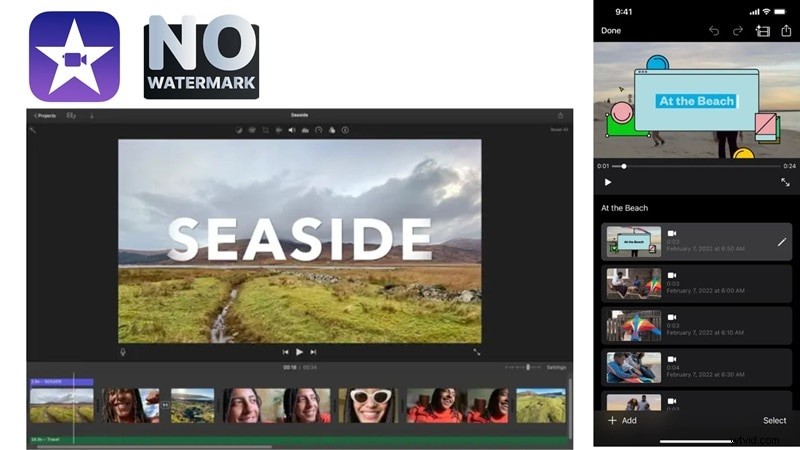
The best part about Apple iMovie is that it's completely free for all users. In fact, iMovie for MacBook, iPhone, and iPad already comes pre-installed, so there's no need to download iMovie software separately.
On top of that, the iMovie video editor has no watermarks and no hidden upsells, making it a perfect choice for anyone editing on a budget, especially when compared to other video editors that limit features behind paywalls.
And when the time comes that iMovie no longer feels enough, moving up to Final Cut Pro is the natural upgrade. You can think of it as the pro version of iMovie, built for creators who want more control, deeper features, and advanced editing options.
To make it easier to see where they stand, here's a simple comparison of iMovie editing software and Final Cut Pro:
| Editor | Price | Platform | Best For |
| iMovie | Free, pre-installed. | Mac, iPhone, iPad | Beginners and casual creators who want quick, polished edits. |
| Final Cut Pro | One-time purchase at $299.99. | Mac only | Professionals and advanced users who need powerful editing tools. |
Key Features & Capabilities
After seeing how iMovie stacks up in price, it's time to focus on what really matters inside any editing program, the tools you get to work with. iMovie may be free, but it still comes packed with features that make creating videos smooth and enjoyable.
So, we'll break down the key iMovie video editing features that keep it a reliable choice for Mac and iPhone users in 2025:
Basic Editing Tools
iMovie covers all the basics you need for video editing with tools to cut, trim, split, and duplicate clips in just a few taps. The playhead makes it simple to spot the exact moment you want to edit, so the process feels smooth and quick.
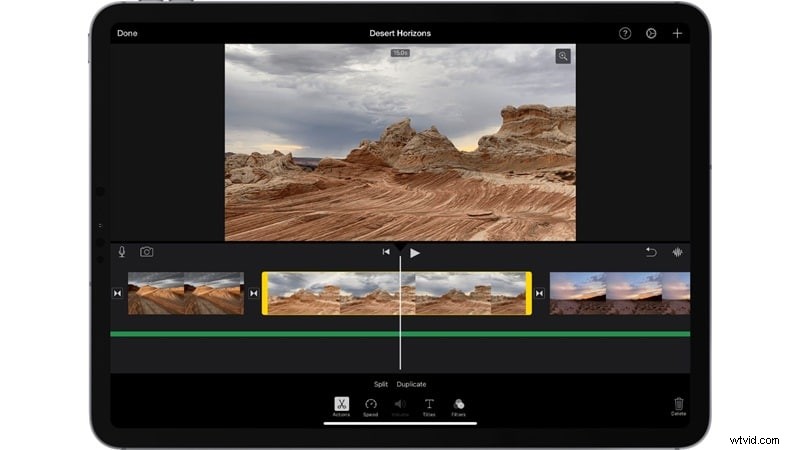
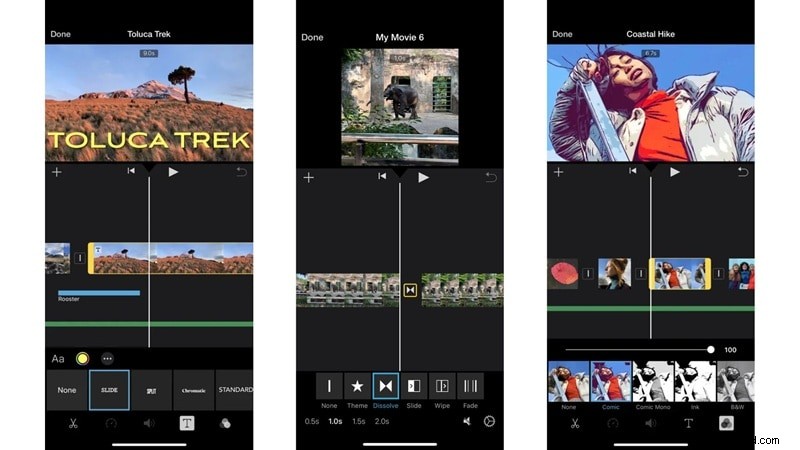
Once your clips are arranged, you can drop in transitions for a seamless flow, add title text, and explore a variety of free filters to match your style. The best part is that the media library in the iMovie video editing app comes included at no extra cost, something not every video editor can offer. That said, the transition options are very basic.
iMovie Trailer Templates
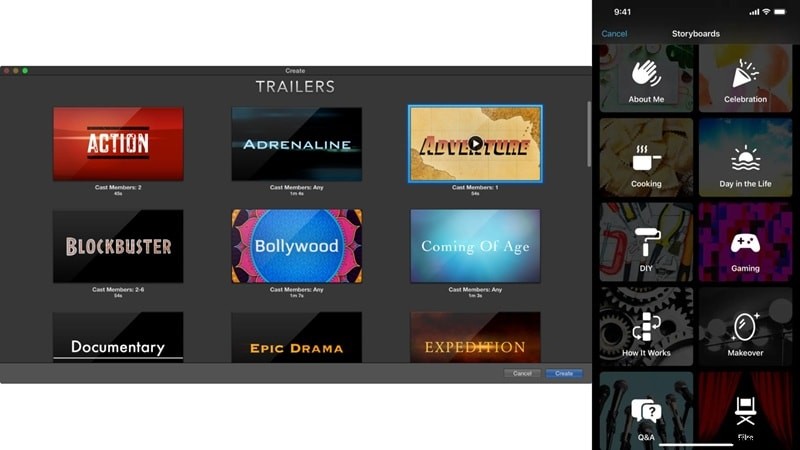
This feature gives you a fun way to make Hollywood-style videos without the heavy lifting. Each one comes pre-designed with storyboards, placeholder text, and ready-made sequences that you just need to fill in.
The range is surprisingly varied, from gaming and cooking to day-in-the-life themes, and it's a handy shortcut if you'd rather not build your iMovie video editing project from scratch.
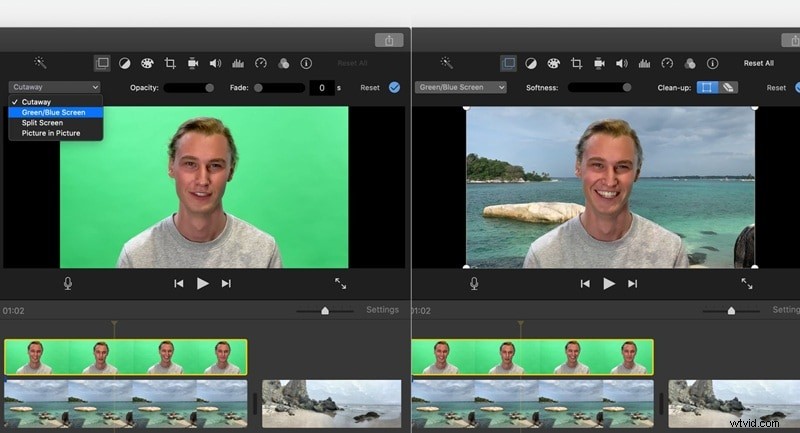
Green Screen / Chroma Key
iMovie has a green screen feature that lets you swap out backgrounds easily. To use the feature, you need to film in front of a green or blue screen, place the clip over a background in the timeline, and apply the effect.
It works well for simple projects, though the need to shoot with a green screen first can feel limiting compared to other iPhone video editors that change backgrounds automatically.
Audio Editing
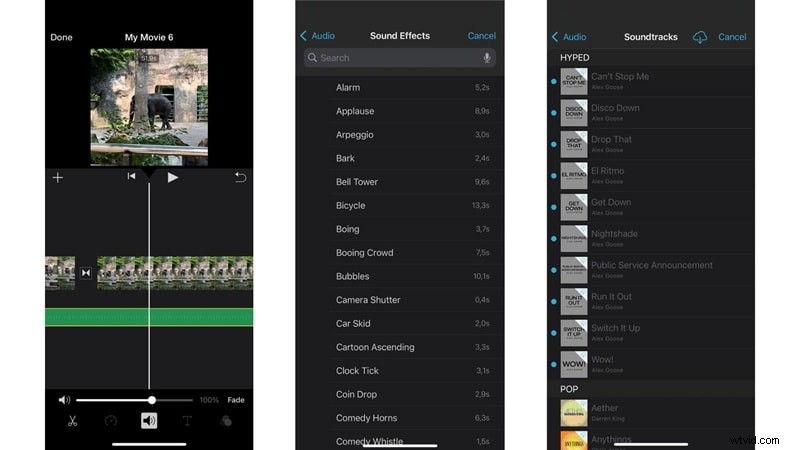
iMovie audio editing keeps things simple but effective. You can adjust volume from quiet to extra loud, add royalty-free music, bring in your own tracks, or record a voiceover.
The iMovie video editing app also includes a library of fun sound effects that cover plenty of styles, which is impressive for a free tool. That said, advanced mixing isn't really possible, but for basic edits, it does the job well.
User Experience & Interface
Now that you've seen the features offered, is iMovie a good video editor? Well, to answer that question is not that simple. The overall user experience plays an equally important role. So, let's break down the iMovie interface and see what the editing experience is really like.
UI Design
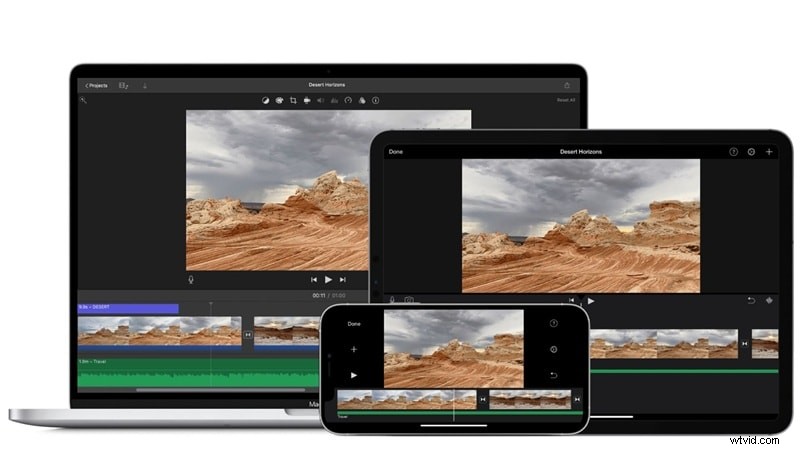
The interface of iMovie for MacBook Air is straightforward and smooth, and the same goes for the iPad version. On the iMovie iPhone app, the layout is usually vertical like most mobile apps, but you can quickly switch it to horizontal by turning on auto-rotation.
In all versions, the timeline editor comes with simple drag and drop controls, and you can preview clips in real time without any hassle.
Ease of Use & Workflow
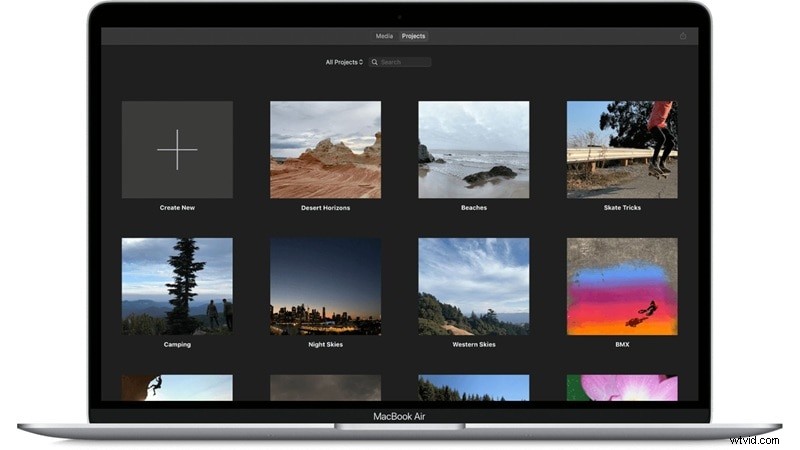
Working on the iMovie video editor for Mac feels straightforward from the very first click. Once you open the program, you can either hit "Start New" to begin fresh or head to the "Project" tab to continue where you left off.
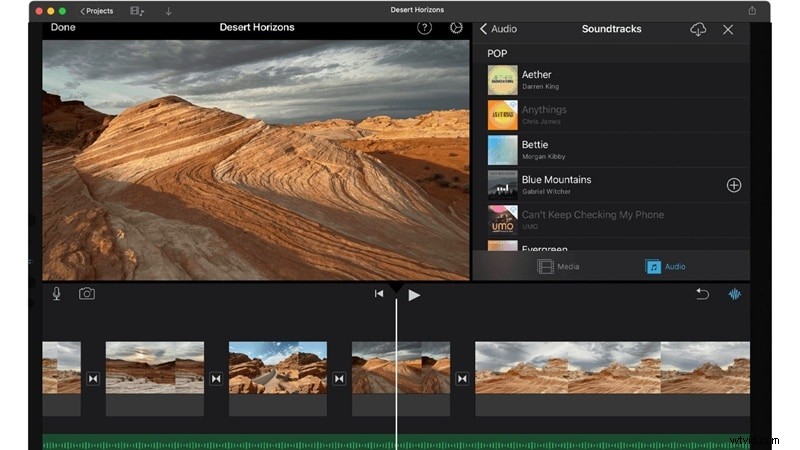
Inside the editing workspace, trimming, splitting, cutting, and duplicating clips is quick and intuitive. You can drop in music or soundtracks with ease, giving your video more depth.
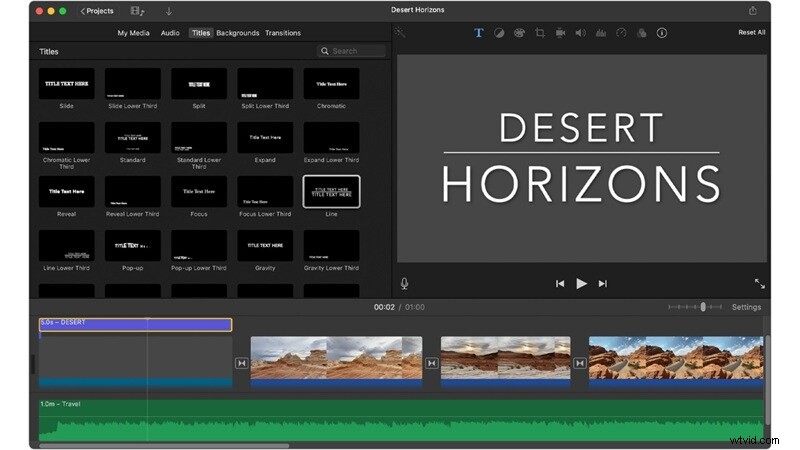
Adding text is just as simple. Simply open the "Title" menu, pick a style you like, type in your words, and place it directly on the timeline. It's that practical.
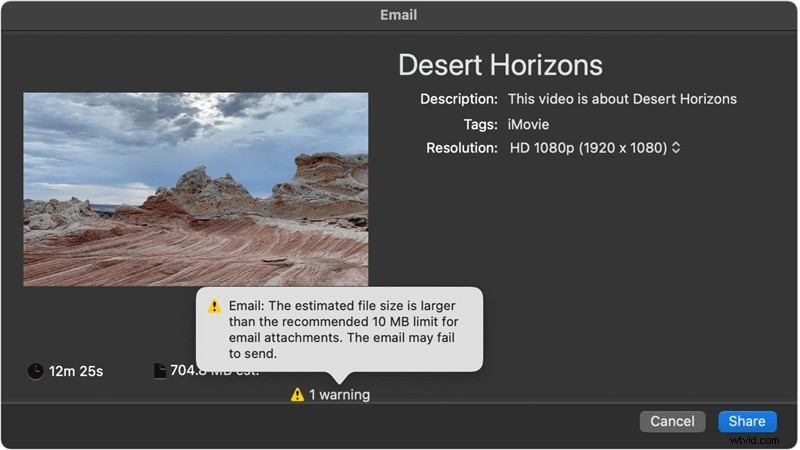
And when your editing is complete, iMovie makes saving and sharing simple. You can export the movie as a file, add it straight to your Photos library, or keep it safe in iCloud Drive. The iMovie video editor also lets you save projects in other locations or send them through email, though the attachment size is usually capped at around 10MB.
Overall, iMovie video editing software has this laid-back charm that makes it perfect for anyone just starting out or creating for fun. It keeps things simple without making you feel like you need to be a pro editor.
Performance & Rendering
Moving on, a video editor might look simple, but it's no good if it lags or slows you down. So, after spending time testing the iMovie video editing app ourselves, here's what we noticed about its speed and rendering.
App Stability
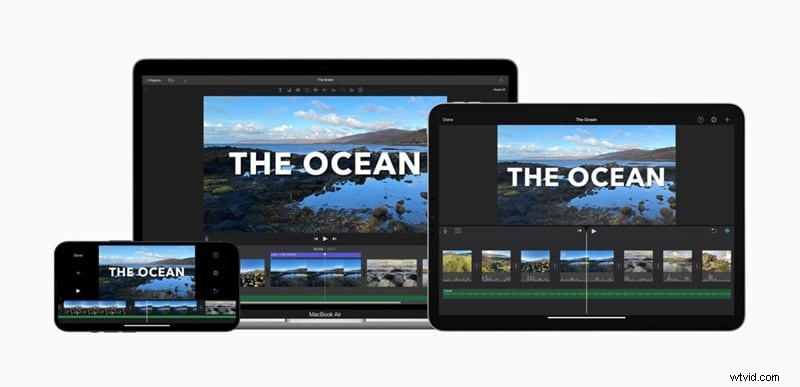
The iMovie video editor stays impressively stable, rarely crashing on Mac, iPad, or iPhone, and it runs even smoother on Apple's own chips like the M1, M2, and A-series.
Rendering Times
Rendering is quick too, with fast export times even on older Macs and smooth playback when scrubbing through the timeline. You can drop multiple clips, add effects, or layer audio without the app slowing to a crawl, which makes the whole editing process feel effortless.
Supported Formats
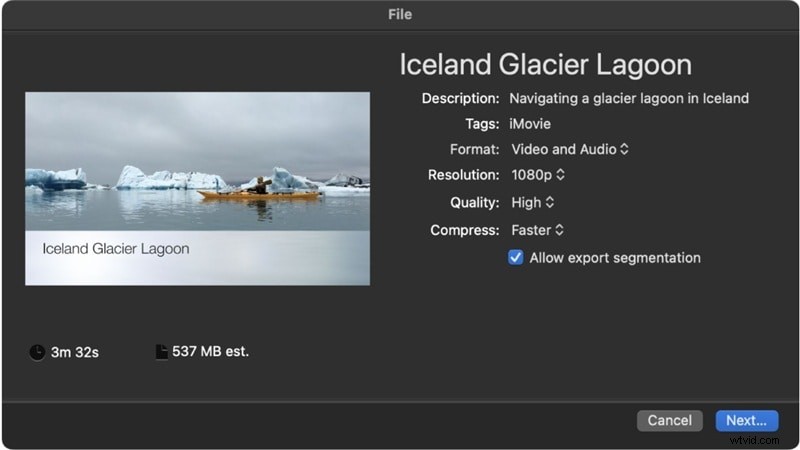
In terms of formats, iMovie supports a wide range, including H.264, HEVC, Apple ProRes, MP4, MOV, AAC, MP3, AIFF, and WAV. You can export projects in 4K, 1080p, and 60fps, and on newer devices, the iMovie editor can even handle HDR for sharper and more vibrant results.
A More Feature-Rich Option to iMovie: Wondershare Filmora
From everything we've seen in the review above, iMovie wins points for being smooth and simple, but that same simplicity is also where it starts to fall short. Once you've played around with the basics, you'll notice it doesn't have the advanced tools or creative freedom that today's editors crave.
Wondershare Filmora fills that creative gap by giving you a playground of smart features, stylish effects, and pro-level flexibility, all while keeping the process easy enough for everyday editing. It feels less like an upgrade and more like opening the door to a bigger stage.

 Secure Download
Here's why Filmora is a smarter choice than iMovie in 2025:
AI Video Creation
Filmora takes things far beyond basic editing. You can turn text into a video, bring still images to life, generate videos from audio, or even map out ideas instantly with an AI storyboard generator.
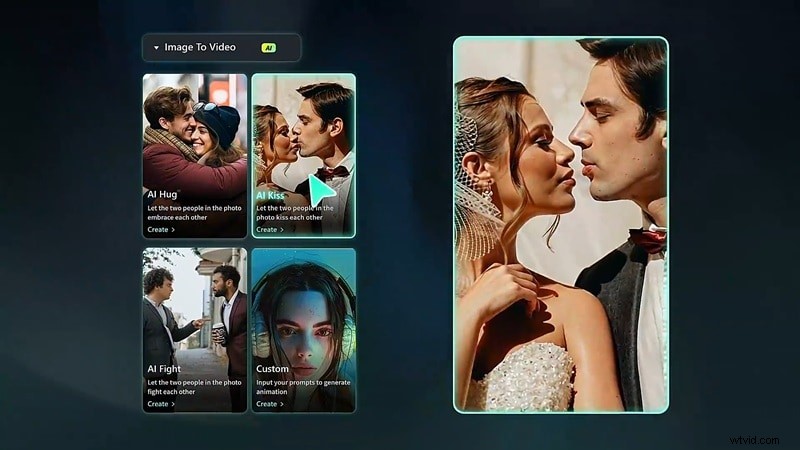
Custom Generation Features
Creativity feels unlimited with Filmora. It offers an AI sticker generator, an AI music generator, and even AI image creation tools that give your projects a personal touch without the extra effort.
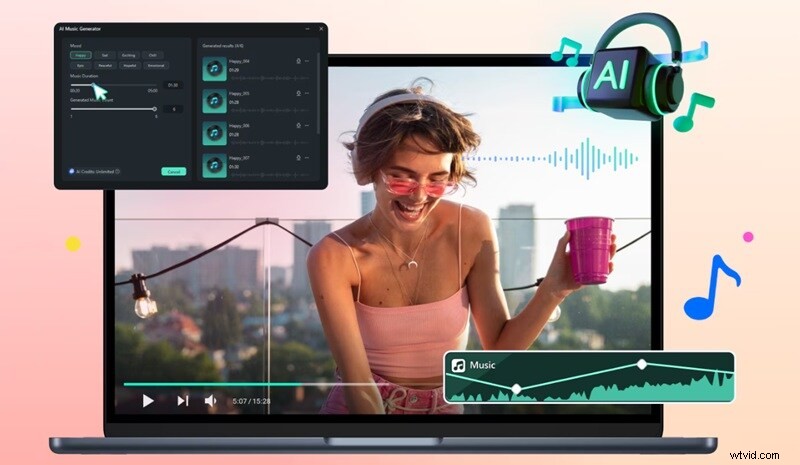
Useful AI Features
Filmora goes practical too. You can match your edits to an AI color palette, generate accurate captions automatically, or convert written scripts into natural-sounding voiceovers with AI text to speech.
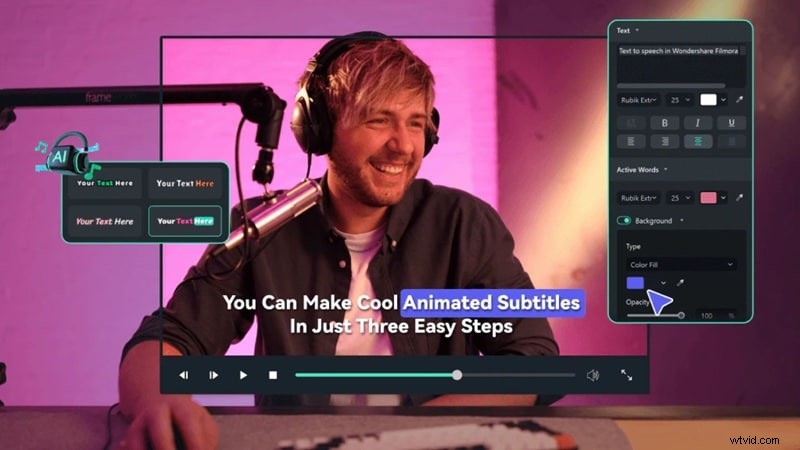
Extensive Media Library
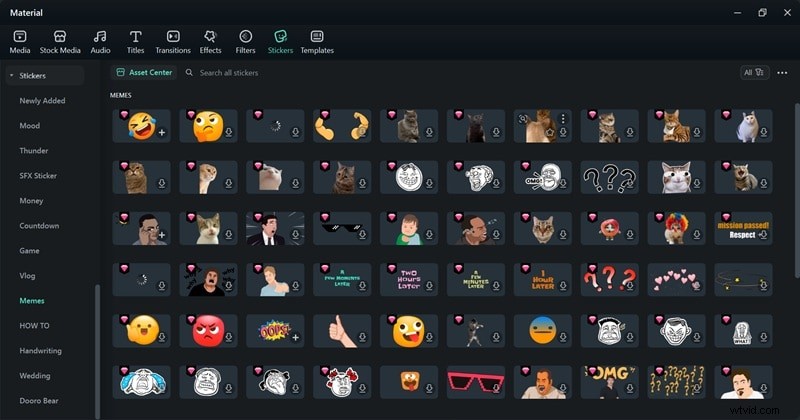
The built-in library is loaded with stock footage, sound effects, background music, and overlays, so you always have something fresh to add to your videos.
Available On Windows And Android
Unlike iMovie Apple which is locked to Apple devices, Filmora is available on Windows, Mac, iOS, and Android. This makes it easier to edit wherever you are, no matter what device you're using.
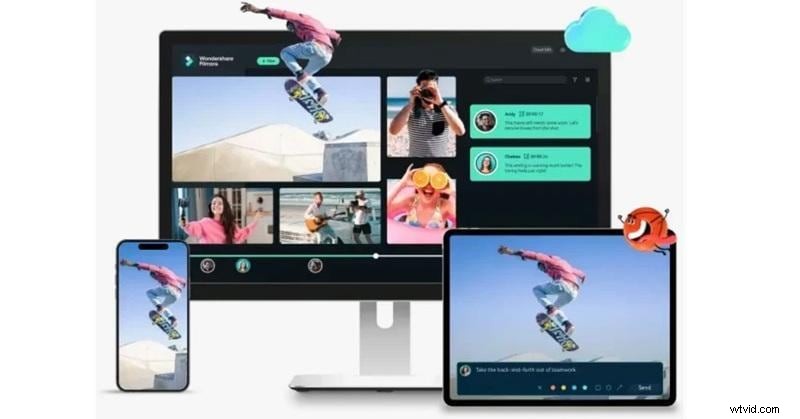
With all these powerful capabilities, Filmora should easily become your go-to video editor for both everyday projects and more advanced creative work. Beyond that, Filmora is constantly updated with fresh AI features that keep it ahead of basic editors like iMovie, making sure you always have new creative tools at your fingertips.
And if you feel like exploring more choices beyond the iMovie video editing app, we've got you covered. Take a look at our guide on 10+ Apps Similar to iMovie for Windows, Mac, Online, and Mobile to find more tools that match your editing style.

Filmora
AI Video Editing App & Software
Best tool for making videos anywhere for all creators!
Conclusion
For Apple users, the iMovie video editing app is a name that feels instantly familiar since it has long been the official editor for Mac, iPhone, and iPad. So, we explored whether iMovie still holds its place in 2025 against a new wave of AI editors. We looked at iMovie video editing features, tested how the workflow feels, and reviewed the performance of the tool itself.
In the end, the iMovie video editor works fine for basic edits, but that's where it stops, leaving little room for more advanced projects. For creators who want detailed control, an all-in-one editor like Wondershare Filmora is the smarter choice since it comes packed with AI features that make editing faster and more creative. On top of that, Filmora is versatile, powerful, and designed to keep up with modern editing needs across Mac, Windows, and mobile.