
Emojis have become a cornerstone of Discord communication, turning ordinary chats into vibrant, personality‑rich exchanges. As servers grow, so does the desire for unique, custom emojis that reflect each community’s brand. Fortunately, a range of tools—from powerful desktop software to convenient online editors and mobile apps—make creating these emojis easier than ever.
This guide walks you through the best options for 2026, highlighting key features, pricing, and how each tool can help you design emojis that stand out.
In this article
- Best Desktop Apps for Discord Emoji Makers
- Top Online Emoji Creation Platforms
- Mobile Apps for Quick Emoji Design
Part 1. Best Desktop App for Discord Emoji Makers
Desktop applications offer the most robust feature set for crafting detailed emojis. They provide larger canvases, advanced editing tools, and the ability to manage a library of designs locally.
The industry leader in this space is Wondershare Filmora. With a blend of intuitive UI and powerful creative options, Filmora empowers users to produce both static and animated emojis that are ready for Discord in minutes.
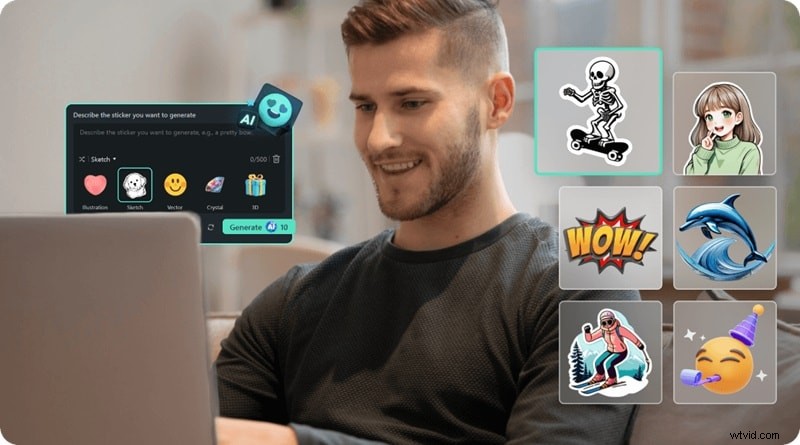
Why Filmora excels:
- Extensive built‑in library of stickers, emojis, and effects.
- AI Sticker Generator for rapid, custom design creation.
- Rich animation tools—transitions, captions, and visual effects.
- Full customization: color, timing, and animation speed.
- Fast GIF export for direct Discord upload.
Filmora offers flexible pricing, including a free trial, and runs on both Windows and macOS, making it a versatile choice for any user.


Step‑by‑Step Guide to Creating Animated Emojis in Filmora
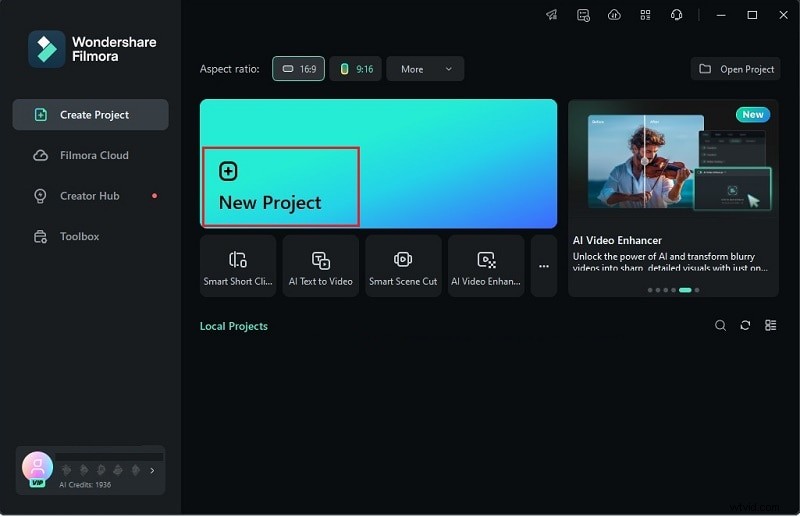
1. Launch Filmora and start a new project
Download the latest version, install it, then open Filmora and select "New Project."
2. Add your emoji to the timeline
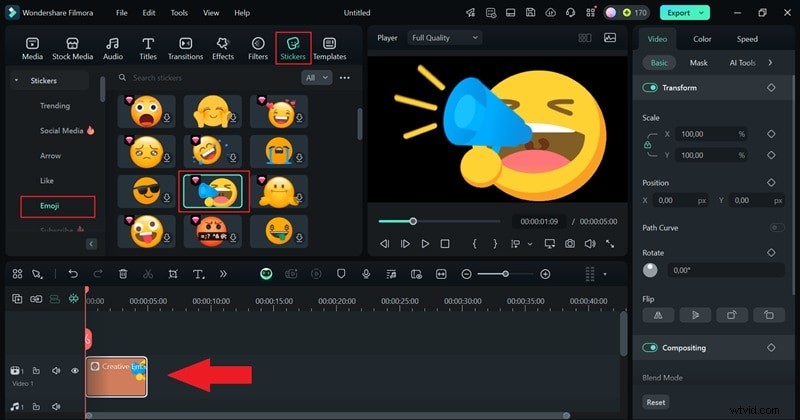
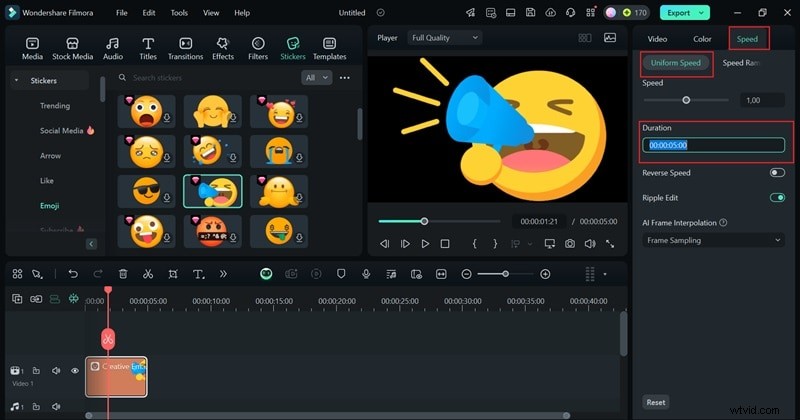
Import an emoji image or choose one from the "Stickers" library. Drag it onto the timeline and adjust the duration (under 5 seconds for Discord). Use the "Speed" control for precise timing.
3. Enhance with text and effects
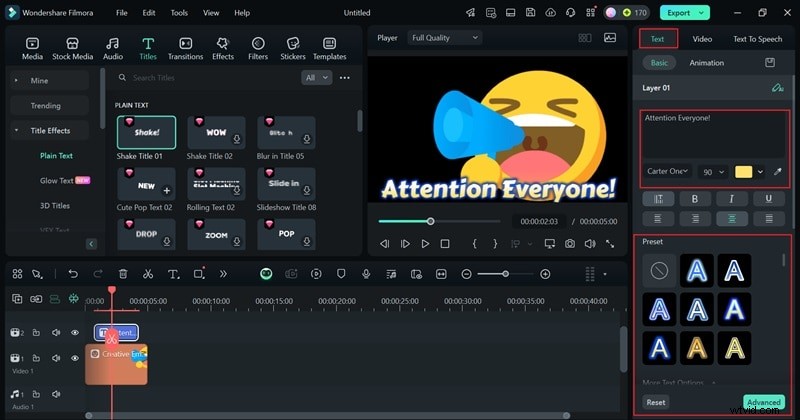
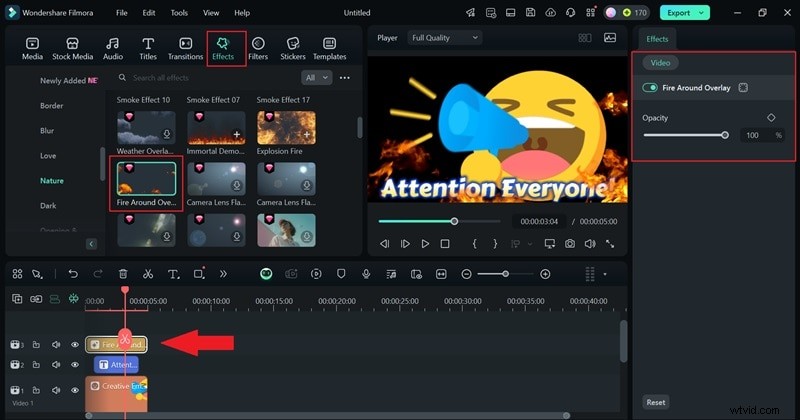
Add captions via the "Titles" menu and apply visual effects from the "Effects" panel. Adjust placement and speed to match your emoji’s vibe.

4. Generate custom stickers with AI (optional)
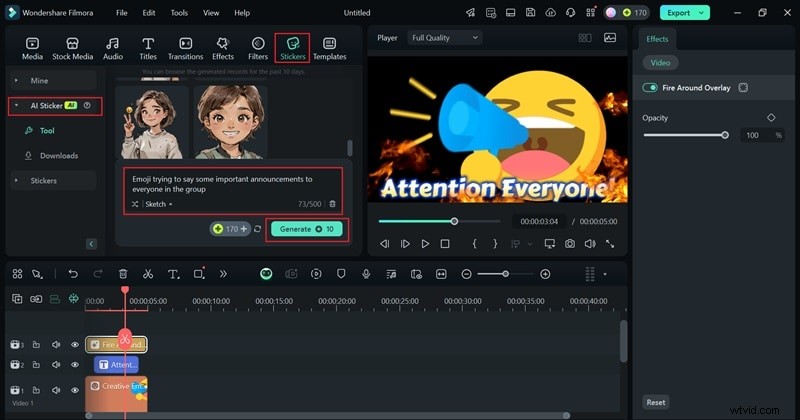
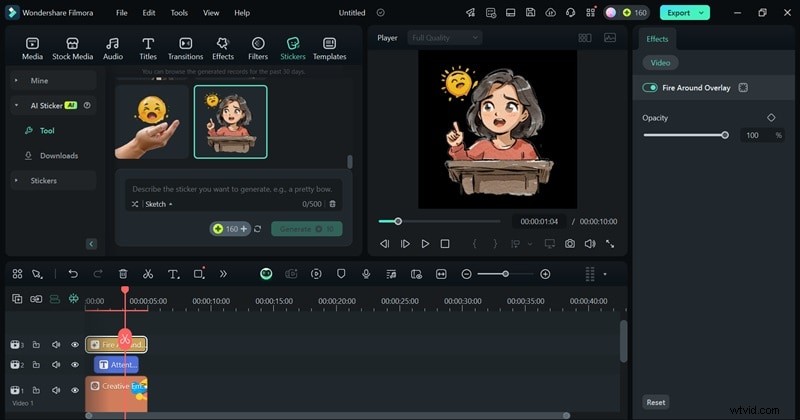
Navigate to "Stickers > AI Stickers," enter a descriptive prompt, select a style, and generate. Refine until satisfied, then drag the result to the timeline.
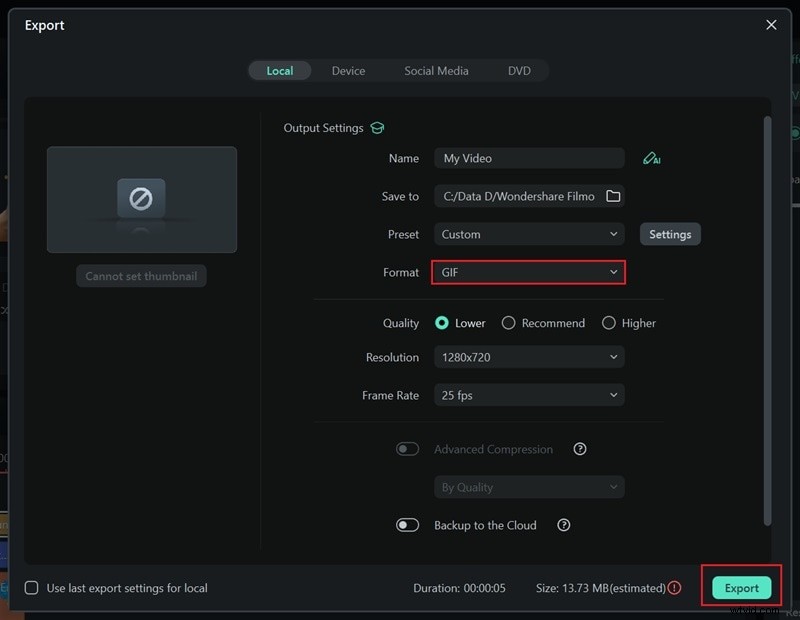
5. Export as GIF
Click "Export," choose GIF, adjust resolution and frame rate if needed, then export. Your animated emoji is now ready for Discord.

Part 2. Best Online Discord Emoji Makers
For users who prefer browser‑based solutions, online editors combine flexibility with accessibility. Below are the top three platforms for both static and animated emojis.
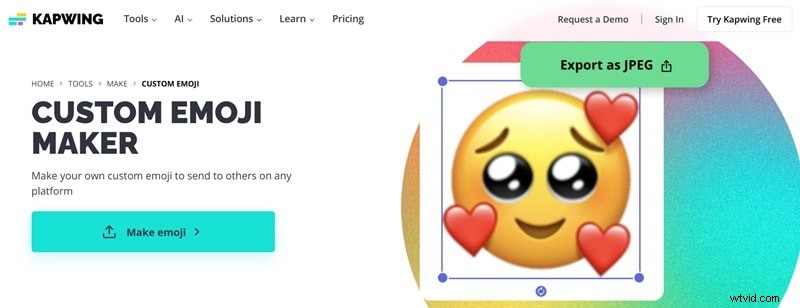
1. Kapwing
Kapwing offers a comprehensive media library and a streamlined editing interface, making it easy to craft emojis that fit your server’s aesthetic.
Key Features:
- Hundreds of stickers, shapes, and GIFs to start with.
- Background removal for crisp, standalone emojis.
- Export options in JPEG or PNG.
Pricing: Free tier available; Pro starts at $16/month (annual billing).
2. Emoji.gg
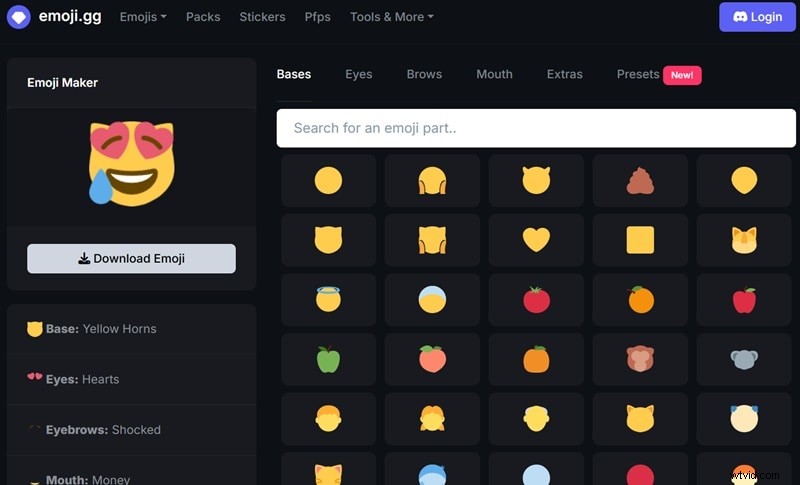
Emoji.gg provides ready‑made emojis and a suite of customization tools. While ads appear, the platform’s ease of use outweighs the distraction.
Key Features:
- Preset components for building custom emojis (bases, eyes, brows, mouths).
- Advanced search and category filters.
- Built‑in Discord bot for direct upload.
Pricing: Free.
3. MakeEmoji
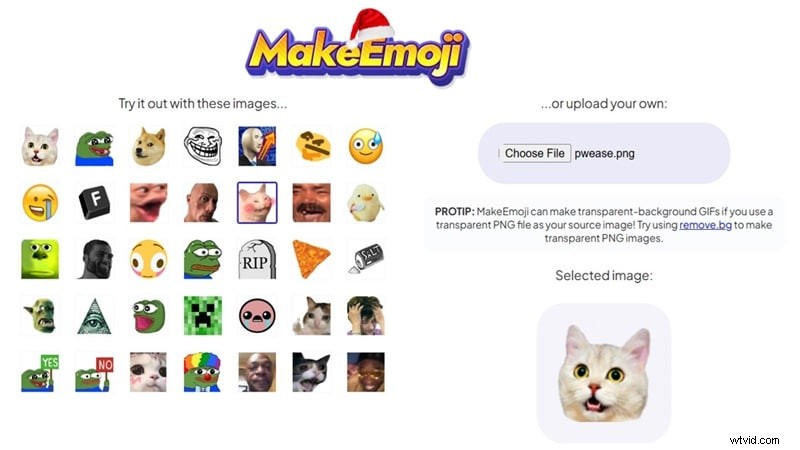
MakeEmoji delivers a straightforward interface for creating both static and animated emojis.
Key Features:
- 35 free static emojis and 28 animated options.
- Photo‑to‑emoji conversion.
- Adjustable color, speed, and direction for animations.
Pricing: Free.
Part 3. Best Discord Emoji Making Apps for iPhone and Android
Mobile apps provide a quick way to craft emojis on the go. While they may lack some desktop depth, they excel in convenience.
Wondershare Filmora Mobile is a solid choice across both iOS and Android, offering the same core features as its desktop counterpart. For those seeking alternatives, consider the following:
1. Bitmoji
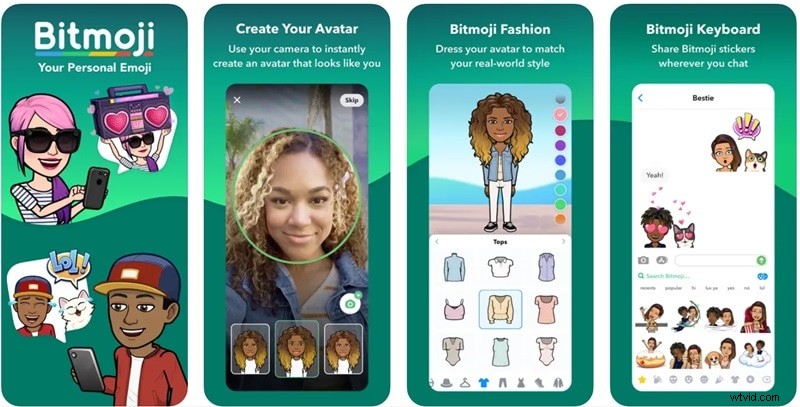
Bitmoji lets you create personalized avatars and generate matching stickers. Its integration with Snapchat ensures broad compatibility.
Key Features:
- Linked to Snapchat for cross‑platform use.
- Customizable avatars: hair, skin tone, clothing, etc.
- Extensive emoji library.
Compatibility: Android 5.0+ / iOS 12.0+.
2. Zmoji
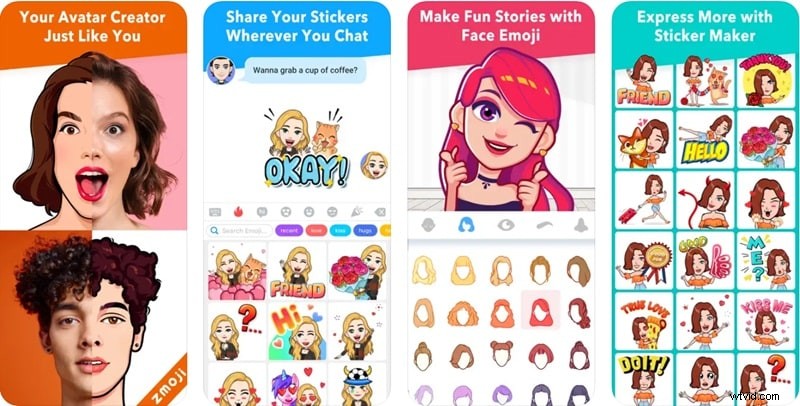
Zmoji focuses on cartoon avatars that can be turned into emojis. Its user‑friendly editor allows fine‑tuning of facial features and outfits.
Key Features:
- Customizable cartoon avatars.
- Growing library of emojis and GIFs.
- Keyboard integration for quick emoji insertion.
Compatibility: iOS 10.0+.
3. Emojily
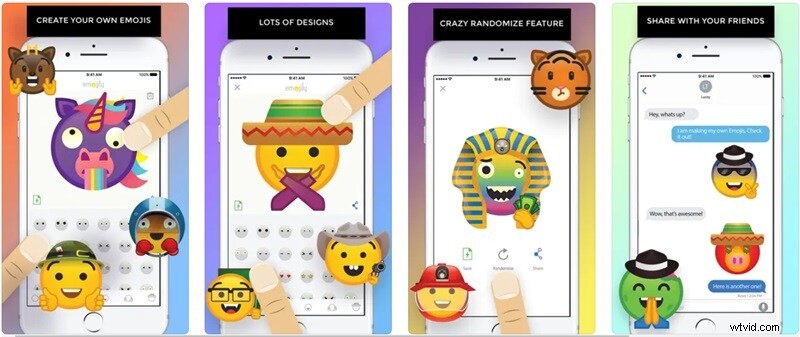
Emojily lets you assemble emojis from modular components, then organize them with a third‑party keyboard.
Key Features:
- Mix‑and‑match elements (eyes, mouths, hats, etc.).
- Keyboard and iMessage integration.
- Randomize function based on selected labels.
Compatibility: iOS 9.0+.
Conclusion
Custom emojis elevate Discord servers, adding personality and engagement. Whether you prefer the depth of desktop software, the convenience of online tools, or the flexibility of mobile apps, the options above provide a reliable foundation for creative expression.
After evaluating all the platforms, Wondershare Filmora emerges as the most comprehensive solution, combining an extensive asset library, AI‑powered creation, and robust editing features—all accessible on desktop and mobile.
With Filmora, you can design unique, animated emojis in a fraction of the time, ensuring your Discord community remains vibrant and memorable.