
When you want to share a trip but fear your photo library will overwhelm viewers, converting your images into a dynamic video montage is a smart solution. By combining your pictures with transitions, music, and effects, you can create a captivating story in just minutes.
If you’re unsure which mobile app to use, this guide reviews the ten best image‑to‑video apps available for Android and iOS, highlighting their key features, pricing, AI capabilities, and ease of use.
In this article
- Best Photo‑Into‑Video Apps – Quick Comparison
- Detailed App Reviews
- Step‑by‑Step Guide Using Filmora
Part 1. Quick Comparison of Photo‑Into‑Video Apps
Below is a concise comparison of the most popular apps, so you can instantly see which one aligns with your needs.
| App Name | Top Features | Pricing | AI Integration | Ease of Use |
|---|---|---|---|---|
| Filmora App | AI‑powered video generation, text‑to‑video, AI captions | Basic: $9.99/month Advanced: $34.99/month Perpetual: $49.99 one‑time |
Excellent | Easy |
| InShot | Trim, split, filters, music | Pro Monthly: $4.99/month Pro Yearly: $19.99/year Pro Lifetime: $49.99 one‑time |
Basic | Moderate |
| Google Photos | Cloud storage, cross‑platform sharing | One‑TB: $9.99/month | Moderate | Complex |
| iMovie | Movie trailers, storyboard, Magic Movie | Free | Basic | Complex |
| GoPro Quik | Sync music, themed templates | Premium: $49.99/year Premium+: $99.99/year |
Minimal | Moderate |
| Magisto | Advanced editing, trim, merge | Starter: $20/month Standard: $41/month |
Moderate | Moderate |
| VivaVideo | Multi‑track editing, stylish themes | VIP: $6.99/month Premier Gold: $99.99/month |
Extensive | Complex |
| VideoShow | AI image‑to‑video, premade templates | VIP Monthly: $7.99/month | Extensive | Complex |
| Adobe Premiere Rush | Professional‑grade editing, speed control | Monthly Premium, Annual Premium | Basic | Complex |
| Pixgram | Photo & video maker, filters | $2.99 one‑time | None | Easy |
Part 2. In‑Depth App Reviews
Below you’ll find a detailed look at each app’s core features, pros, and cons.
1. Filmora App
Supported Platforms: Android, iOS | Ratings: 4.7/5 (iOS), 4.4/5 (Android)
Filmora empowers you to turn a stack of photos into a polished video. Import multiple images, apply transitions, and choose from a library of effects and filters. Drag‑and‑drop rearranges clips instantly.
Key Features
- Set individual image durations via the Duration tool.
- Smart Cutout removes unwanted background automatically.
- AI‑generated background music that matches your visuals.
- Customizable background color or image per photo.
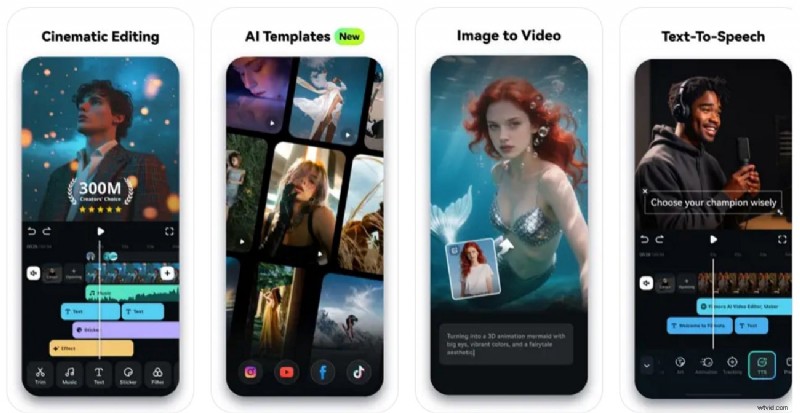
- Text overlay with custom fonts, colors, and styles.
- HSL adjustments for hue, saturation, and luminance.
Cons: A watermark appears on videos unless you upgrade.
2. InShot
Supported Platforms: Android, iOS | Ratings: 4.9/5 (iOS), 4.7/5 (Android)
InShot offers a user‑friendly interface for photo‑to‑video creation. Add stickers, doodle, and powerful HDR/Neon effects to elevate your montage.
Key Features
- HDR and Neon filters for vibrant visuals.
- Canvas feature lets you adjust aspect ratios per image.
- HD Enhance upscales photos for crisp output.
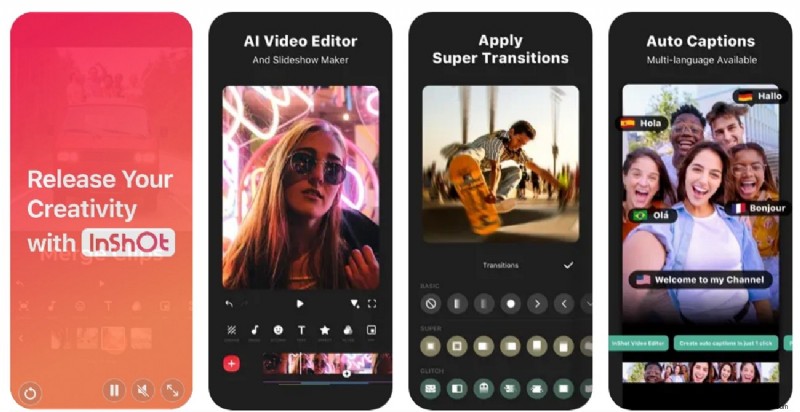
- Opacity control for each image.
- Music and sound effects integration.
Cons: Lacks multi‑track editing for advanced layering.
3. Google Photos
Supported Platforms: Android, iOS | Ratings: 4.6/5 (iOS), 4.5/5 (Android)
Google Photos automatically generates highlight reels from your photo library. Choose aspect ratios, add pan/zoom motion, and include music from your library.
Key Features
- Motion effects such as pan and zoom.
- Face, location, and object detection for quick curation.
- Music library integration.
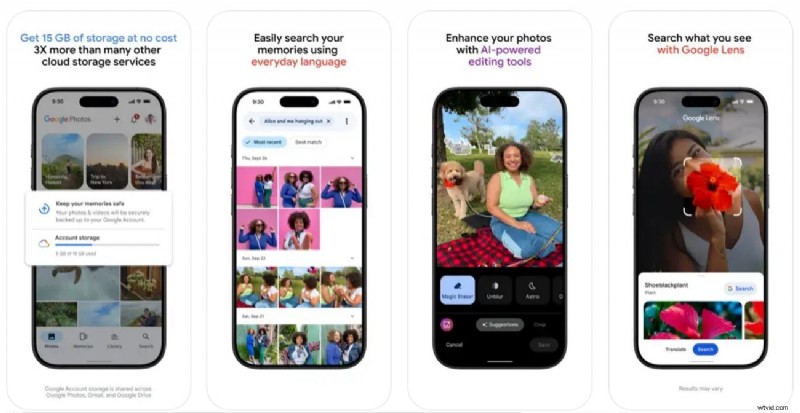
- Live preview while editing.
- Collaborative editing via cloud.
Cons: No stickers or text overlays in the final video.
4. iMovie
Supported Platforms: iOS | Ratings: 4.3/5 (iOS)
iMovie turns your photos into polished videos with the Magic Movie feature that auto‑adds transitions and music.
Key Features
- Storyboard templates for creative layouts.
- Custom background selection.
- Voice‑over recording.
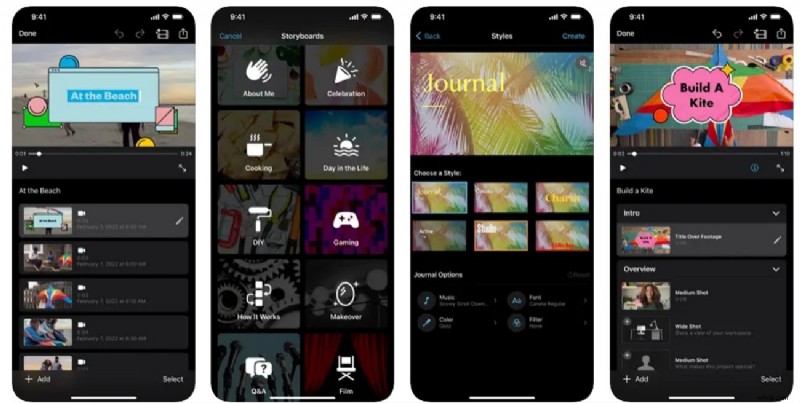
- One‑tap split of images/clips.
- Duplicate tool for quick repetition.
Cons: Lacks AI features like auto‑framing.
5. GoPro Quik
Supported Platforms: Android, iOS | Ratings: 4.4/5 (iOS), 4.6/5 (Android)
Quik auto‑creates highlight videos, syncs music automatically, and offers a library of themed templates.
Key Features
- Environment‑optimized filters.
- Aspect ratio adjustment.
- Emoji and music integration.
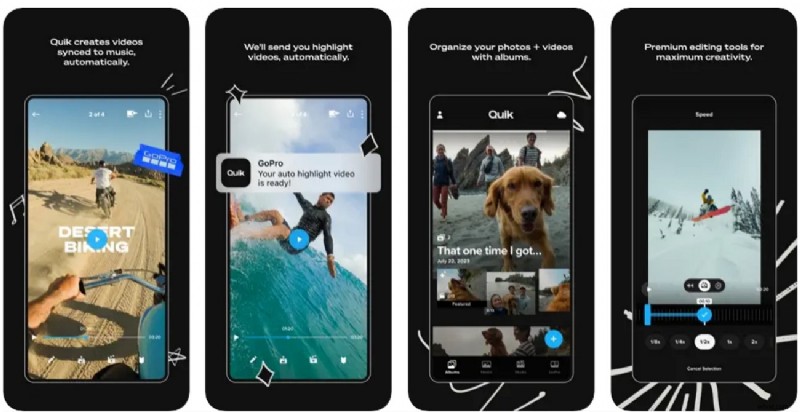
- Trim video length easily.
- Beat Sync aligns cuts with music tempo.
Cons: Minimal AI functionality.
6. Magisto
Supported Platforms: Android, iOS | Ratings: 4.6/5 (iOS), 4.1/5 (Android)
Magisto’s AI editor creates professional slideshows from templates. It offers trimming, merging, and text customization.
Key Features
- Customizable branded text.
- Trending stickers.
- Background music integration.
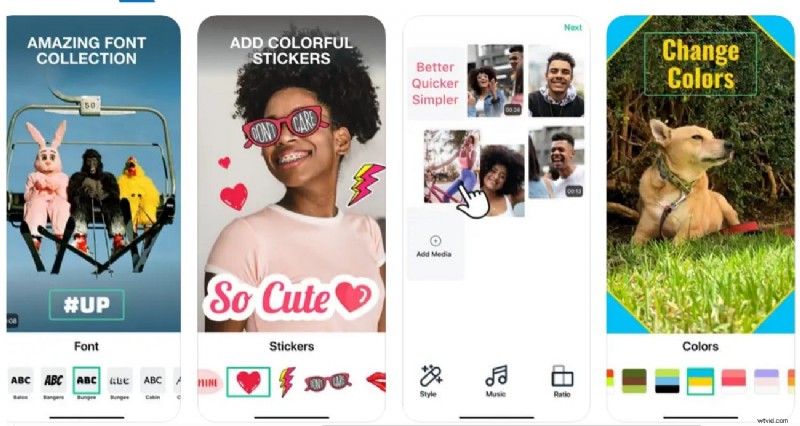
- Adjust individual image duration.
- Share directly from the app.
Cons: Occasional lag and crashes reported.
7. VivaVideo
Supported Platforms: Android, iOS | Ratings: 4.8/5 (iOS), 4.3/5 (Android)
VivaVideo delivers AI‑powered editing with a multi‑track timeline, speed curves, and auto‑adjust features.
Key Features
- AI Auto Adjust for saturation and contrast.
- Theme library selection.
- AI background change per clip.
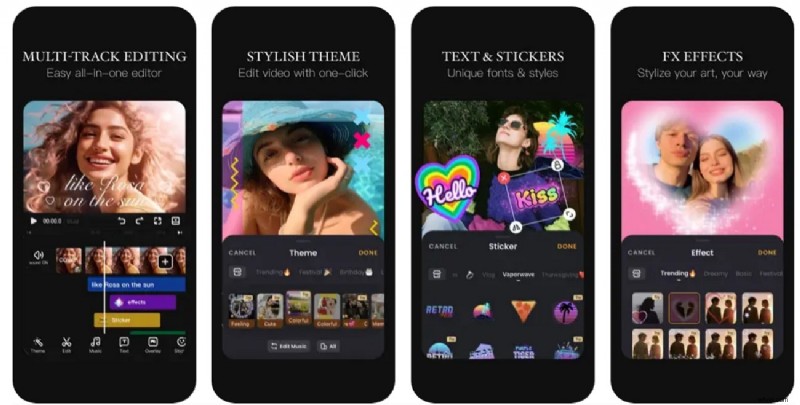
- Volume control and fade effects.
- Multiple image overlays.
Cons: No GIF or other format support.
8. VideoShow
Supported Platforms: Android, iOS | Ratings: 4.7/5 (iOS), 4.4/5 (Android)
VideoShow’s AI engine generates high‑quality videos from photos, offers 4K export, and includes sticker options.
Key Features
- Intuitive clip splicing.
- AI Mosaic hides unwanted faces or objects.
- Customizable text overlay.
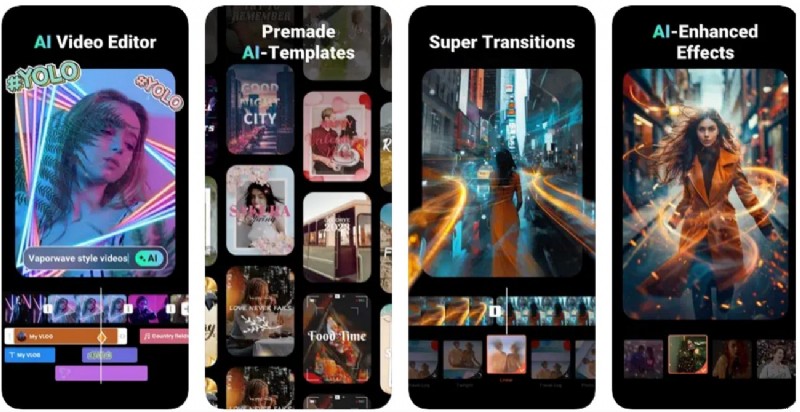
- One‑tap background blur.
- Audio extraction and music replacement.
Cons: Free version adds a VideoShow watermark.
9. Adobe Premiere Rush
Supported Platforms: Android, iOS | Ratings: 4.6/5 (iOS), 4.0/5 (Android)
Adobe’s mobile powerhouse gives you professional‑grade editing, syncs across devices via Creative Cloud, and supports Pan‑and‑Zoom animations.
Key Features
- Easy import of photos and audio.
- Creative enhancement for photo animation.
- Motion tracking with split‑screen and overlay.
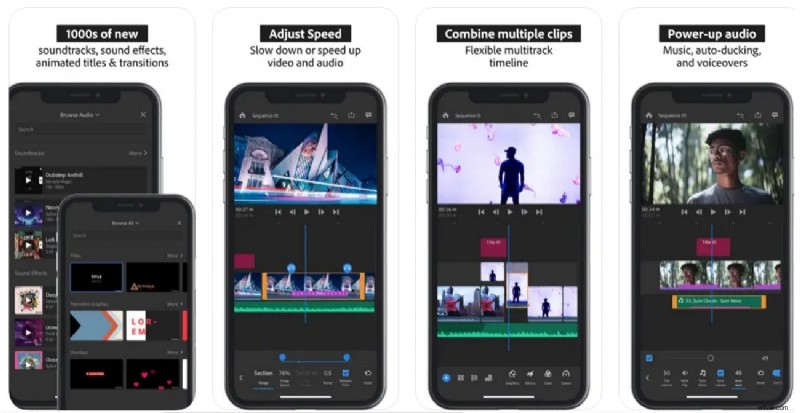
- Advanced color correction and speed control.
- Direct export to social media.
Cons: Free tier limited; watermarks on exports.
10. Pixgram
Supported Platforms: Android | Ratings: 4.2/5 (Android)
Pixgram turns your photos into cinematic slideshows with filters, music, and text overlays, all tailored for social‑media dimensions.
Key Features
- Adjust video dimensions for each platform.
- Set image display duration.
- Title feature for text captions.
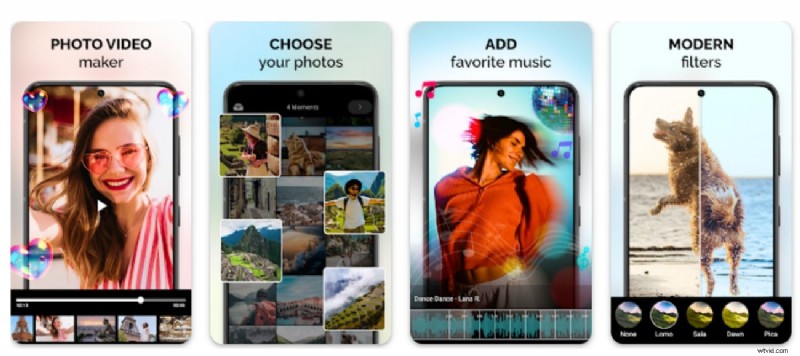
- Optional watermark to protect content.
- Intensity sliders for filters.
Cons: Manual music sync can be tedious.
Part 3. Creating Video from Images with Filmora App
Filmora’s mobile and desktop versions let you transform photos into dynamic videos using AI. Below are two methods you can follow.
Method 1: Automated Image‑to‑Video Conversion
1. Open Filmora and select the “Create New Project” option.
2. Import your photo collection.
3. Choose a template or let the AI auto‑generate transitions and music.
4. Export the final video.
Method 2: Manual Editing for Full Control
1. Import photos into the timeline.
2. Drag to reorder and set individual durations.
3. Apply transitions, filters, and text as needed.
4. Add background music and fine‑tune the audio mix.
5. Export in your preferred resolution.
Conclusion
This article reviewed ten top image‑to‑video apps, each offering unique strengths. For users seeking the most versatile solution, Filmora remains the top choice thanks to its AI tools and cross‑platform availability. Consider your workflow, desired features, and budget before deciding.

Filmora – ⭐⭐⭐⭐⭐
The Best AI‑Powered Video Editing Software and App