
Arabic is the world’s fourth most spoken language, yet a vast portion of its digital content remains largely regional, confined to the Middle East and North Africa (MENA). In 2026, creators who wish to expand beyond 1.5 billion English‑speaking viewers understand the necessity of translating Arabic video subtitles into English. English captions unlock accessibility, searchability, and engagement on a global scale.
Translating from Arabic’s right‑to‑left (RTL) script to English’s left‑to‑right (LTR) format is more than a linguistic shift; it’s a strategic bridge to audiences worldwide. Tools such as SubtitleBee simplify the process, letting you generate, edit, and translate subtitles—all within a single, browser‑based dashboard. Below you’ll find a step‑by‑step guide to mastering Arabic‑to‑English subtitle translation in 2026.
Read more: How to translate English to Arabic video subtitles

Table of Contents
- Why translate Arabic subtitles to English video subtitles?
- How to translate Arabic to English video subtitles
- Create an account
- Upload video
- Review and edit the Arabic transcription
- Translate to English subtitles
- Export video
- How to create high‑quality Arabic to English translation?
- Conclusion
- FAQs
Why translate Arabic subtitles to English video subtitles?
Adding English subtitles dramatically extends the reach of your Arabic content beyond the MENA region, connecting you to a global audience that speaks English. Key benefits include:
- English is the lingua franca of the internet. Subtitles open your videos to billions of viewers across Europe, America, and Asia.
- Social‑media users often watch videos muted in public or during commutes. Captions keep them engaged instead of scrolling past.
- Search engines such as Google and YouTube cannot process audio but read subtitle files. Including English keywords boosts discoverability worldwide.
- English captions demonstrate adherence to international accessibility standards, welcoming deaf and hard‑of‑hearing viewers.
How to translate Arabic to English video subtitles
Follow these streamlined steps to convert your Arabic subtitles into English:
1. Create an account
Visit SubtitleBee and sign up with your email. The platform is entirely browser‑based, so no downloads or plugins are required.
2. Upload video
SubtitleBee supports MP4, MOV, AVI, and MKV formats. After logging in, click “Upload New File” and choose your source language—select Arabic if your video is in Arabic. Click “Continue.”
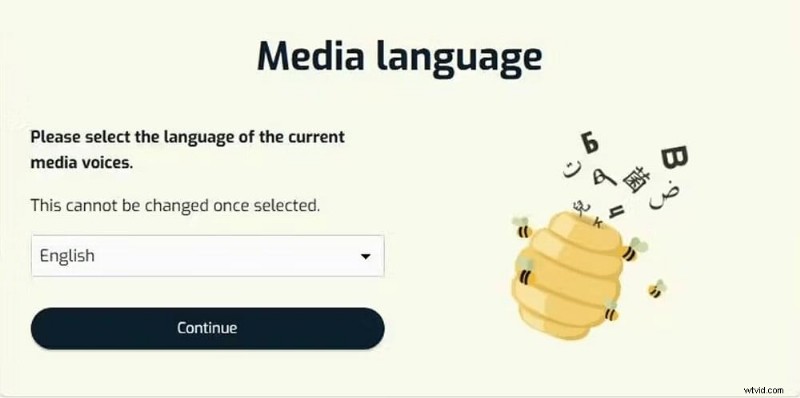
Upload options include drag‑and‑drop, browsing your computer, or pasting a YouTube link.
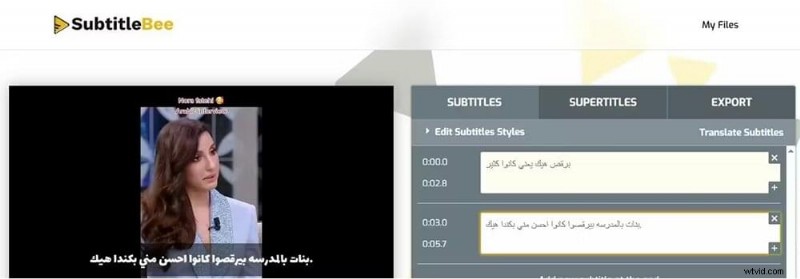
3. Review and edit the Arabic transcription
SubtitleBee’s AI automatically generates an Arabic transcript. Review the text for accuracy, correcting names or technical terms before proceeding.
4. Translate to English subtitles
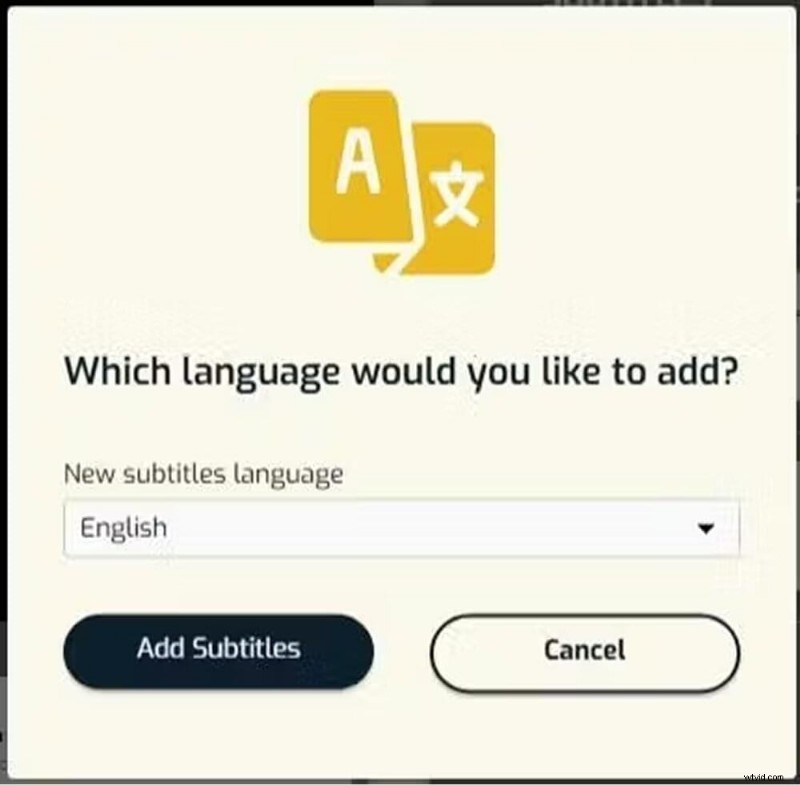
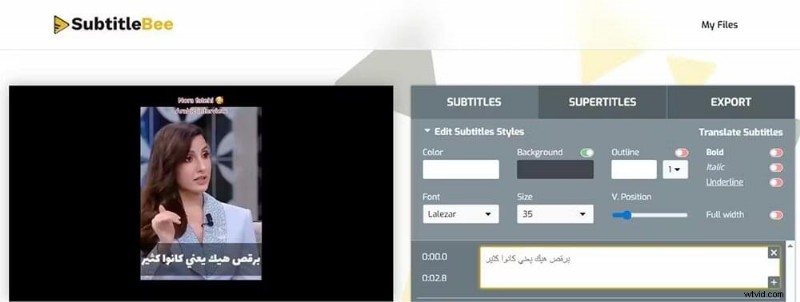
After editing, click “Translate Subtitles,” select English from the dropdown, and click “Add Subtitles.” The dashboard will now display both Arabic and English tracks.
Use the “Edit Subtitle Styles” option to customize font color and appearance if desired.
5. Export video
Navigate to the “Export” tab, name your project, and choose “English” from the “Language of subtitles to export” dropdown. This guarantees the English track is embedded in the final file.
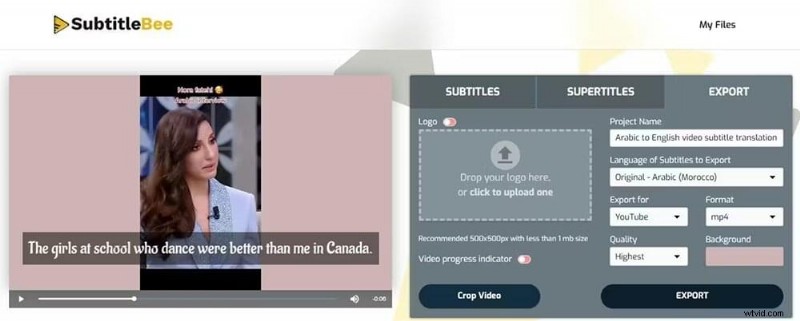
When downloading, subtitles can be burned‑in (permanent on screen) or exported as a standalone file in SRT, ASS, TXT, or VTT format.
How to create high‑quality Arabic to English translation?
Arabic’s expressive, often idiomatic nature poses three main challenges for AI‑driven translation:
Transcreation vs. Literal Translation
Word‑for‑word conversions can produce stiff, unnatural English. Subtle phrases like “Inshallah” (God willing) or “Ya’ni” (you know) are typically omitted or adapted to preserve fluency. Metaphors such as “He is like the moon” translate better as “He is radiant” or “He is handsome,” depending on context.
Managing Character Expansion and Reading Speed
English subtitles often occupy more screen space than their Arabic counterparts. For instance:
| Arabic Word | English Translation | Word Count Ratio |
|---|---|---|
| سأخبرك (Sa’ukhbiruka) | I will tell you | 1 : 4 |
| للمسافرين (Lil‑musafireen) | For the travelers | 1 : 3 |
Adjust timing so English captions remain visible long enough for viewers to read the expanded text.
Solve the RTL‑to‑LTR Formatting
Arabic punctuation often appears inverted in LTR text. Always review final captions to ensure punctuation and alignment are correct.
Conclusion
Translating Arabic to English subtitles is the most efficient strategy for scaling digital reach beyond MENA. While linguistic differences are significant, the process is straightforward with advanced AI tools like SubtitleBee. Never skip the review stage, regardless of the tool you use.
More guides:
How to Translate Video to English Subtitles
How to translate English to Korean video subtitles?
FAQs
How can I translate an Arabic video to English subtitles?
Upload your video to SubtitleBee, select Arabic as the source language, review the generated transcript, then click “Translate” and choose English. Export the video with English subtitles burned‑in or download the SRT file.
Can I translate video subtitles?
Yes. Simply upload the video to SubtitleBee and let the AI handle the translation.
Can I use ChatGPT to translate subtitles?
ChatGPT excels at contextual understanding and transcreation. Provide the subtitle file with timestamps and a clear prompt. However, it won’t embed subtitles into the video or check timing.
Does the AI handle Arabic dialects like Egyptian or Levantine?
Modern AI subtitle generators are trained on diverse datasets. Review the Arabic transcription before translating to ensure accuracy.
What is the best subtitle format for YouTube?
The SRT (SubRip Subtitle) format is the industry standard for YouTube, allowing separate upload of English translations and enabling search engine indexing.