
Looking to produce eye‑catching Reddit videos? Below you’ll find six of the best Windows‑compatible video makers, ranging from free, beginner‑friendly editors to powerful, feature‑rich platforms.
Whether you’re sharing funny moments, tutorials, or creative edits, the right tool can transform raw footage into polished, share‑ready content that meets Reddit’s specifications and grabs attention.
Reddit Video Requirements You Should Know
Before you start editing, be sure your final product aligns with Reddit’s upload guidelines to avoid playback issues.
- Supported formats: MP4, MOV, GIF.
- Supported aspect ratios: 1:1, 4:5, 16:9, 4:3.
- Maximum video length: 15 minutes.
- Maximum GIF length: 1 minute.
- Maximum file size: 1 GB.
Adhering to these parameters guarantees a smooth posting experience.
MiniTool MovieMaker – Best Free Video Editor for Beginners
MiniTool MovieMaker offers a clean, ad‑free interface that is ideal for Windows users new to video editing. Its intuitive workflow, comprehensive tools, and 4K export capability make it a top choice for creating Reddit videos without watermarking.
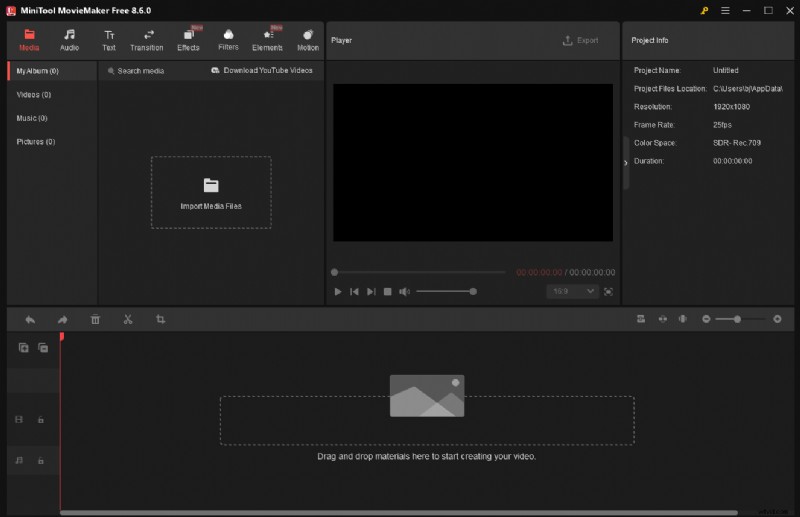
Key Features
- User‑Friendly Interface – Organised tools and a beginner walkthrough simplify the learning curve.
- All‑Inclusive Editing Suite – Trim, split, picture‑in‑picture, collages, and 4K support.
- Rich Asset Library – Transitions, filters, stickers, text, and music for enhanced storytelling.
- Flexible Export Options – MP4, MOV, GIF; custom resolution, frame rate, encoder, and bitrate settings.
Note: Available only on Windows.
How to Create a Reddit Video with MiniTool MovieMaker
- Download & Install – MiniTool MovieMaker – Click to Download (100% Clean & Safe)
- Import Media – Launch the app, select New Project, then Import Media Files to add clips or images.
- Trim & Cut – Use Split, Trim, or Speed tools to keep the video within Reddit’s 15‑minute limit.
- Add Music – Navigate to Audio, download a track, and apply fade‑in/out for a polished sound.
- Export – Click Export, choose file name, location, format, and desired settings before saving.
Follow these steps to produce a clean, engaging Reddit video with MiniTool MovieMaker.
Microsoft Clipchamp – Convenient & Fast
Clipchamp, bundled with Windows 11 and available on Windows 10 via the Microsoft Store, offers a web‑based editor that lets users craft videos quickly. Its pre‑made templates, trimming, and text‑to‑speech features make it ideal for casual Reddit creators.
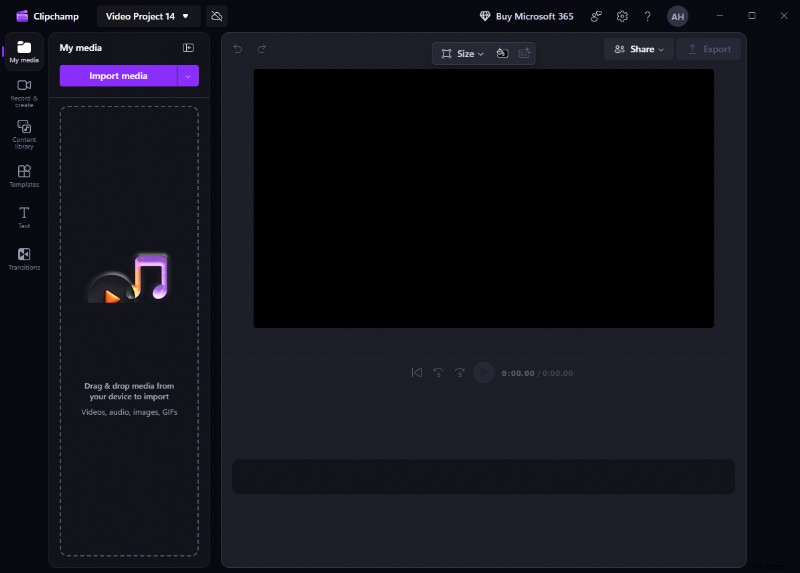
- Pre‑Installed Access – No downloads needed on Windows 11; web version works on any device.
- Ready‑Made Templates – While not Reddit‑specific, similar styles accelerate production.
- Versatile Editing Tools – Trim, split, crop, speed, text‑to‑speech, filters, transitions.
- Export Limits – Free tier supports 720p/1080p; 4K requires a premium subscription.
CapCut – Trend‑Focused, Feature‑Rich
CapCut, developed by ByteDance, offers an array of templates, AI‑powered tools, and a flexible export system that caters to creators seeking vibrant, shareable Reddit videos.
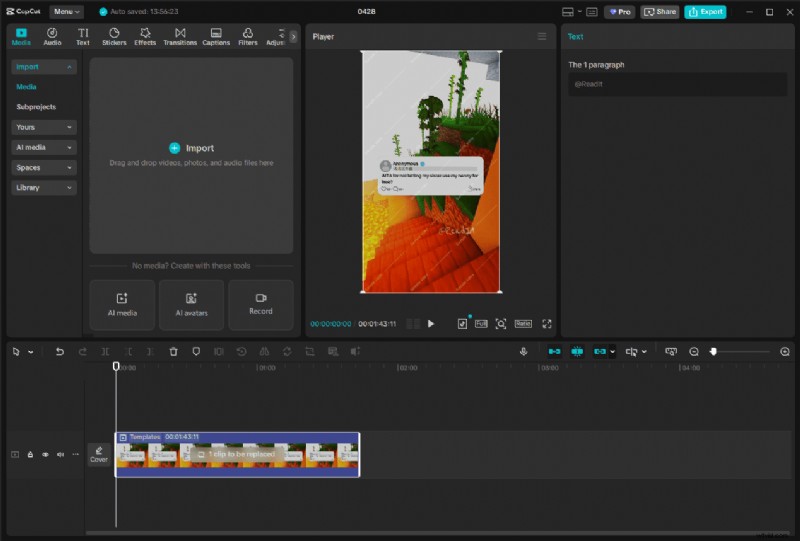
- Template Library – Search keywords to find Reddit‑friendly designs; swap in your own media.
- Advanced Editing – Cutting, keyframe animation, AI text‑to‑video, auto‑captioning.
- Custom Export – Choose resolution, frame rate, bitrate, codec, format; ready‑to‑share presets for TikTok, YouTube, etc.
- Premium Tier – Free core features; some assets and tools require a subscription.
OpenShot Video Editor – Open‑Source, Cross‑Platform
OpenShot is a free, open‑source editor that runs on Windows, macOS, and Linux. It offers unlimited layers, basic effects, and no watermark, making it a reliable choice for users on multiple operating systems.
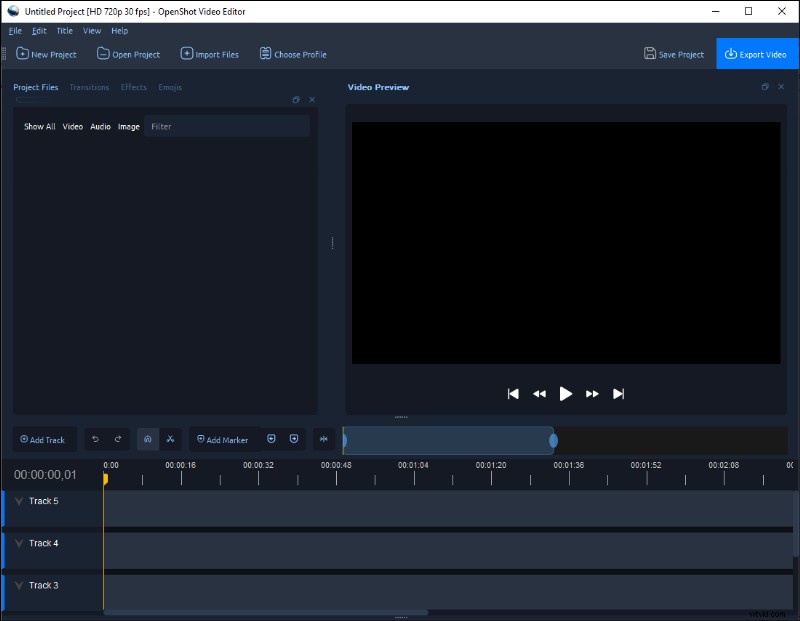
- Cross‑Platform Compatibility – Seamlessly switch between devices.
- Essential Tools – Trim, split, resize, rotate; unlimited layers for overlays.
- No Watermark or Ads – Pure, cost‑free editing.
- Performance Caveats – Large or high‑resolution files may lag; advanced features are limited compared to commercial software.
Kapwing – Browser‑Based, Collaboration‑Friendly
Kapwing’s online platform lets creators edit videos directly in the browser, offering robust subtitle tools, real‑time collaboration, and a library of templates for quick Reddit video creation.
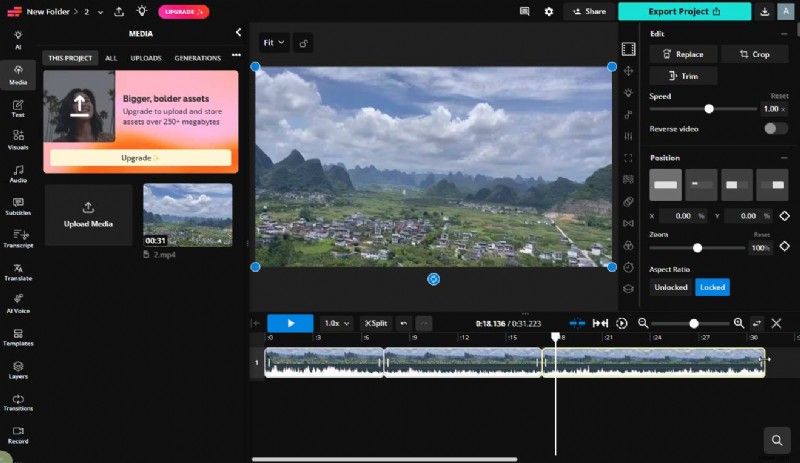
- Anywhere Access – Works on any device with a web browser.
- Subtitle & Text Tools – Auto‑subtitle generation, font styling, timing adjustments for sound‑off viewing.
- Collaboration & Templates – Share projects in real time; use pre‑built layouts.
- Free Version Limits – Export watermark and size restrictions; remove them with a paid plan.
Ezgif – Quick GIF & Basic Video Editing
Ezgif is a lightweight online editor focused on GIF creation and basic video tweaks. It’s perfect for rapid editing of short Reddit clips without the need for software installation.
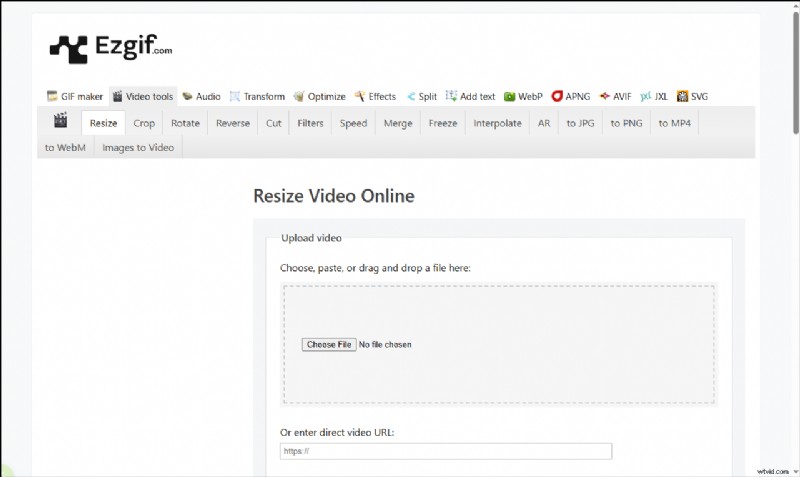
- Instant Online Use – No downloads; edit directly in the browser.
- Essential Editing – Trim, resize, crop, convert to GIF, and format conversion.
- Optimization Tools – Adjust frame rate, compress, and reduce file size for quick uploads.
- Limitations – Lacks multi‑track editing and advanced effects; best for short, simple projects.
Conclusion
Reddit videos are a powerful way to engage audiences and drive conversation. The six tools highlighted above—MiniTool MovieMaker, Microsoft Clipchamp, CapCut, OpenShot Video Editor, Kapwing, and Ezgif—each bring unique strengths to the table. Pick the one that aligns with your workflow, platform preference, and feature needs, and start creating compelling content today.
For assistance with MiniTool MovieMaker, contact support@minitor.com.