
In this guide we’ll walk you through the process of adding chapters to your YouTube videos in 2026, a proven strategy to improve viewer experience and boost engagement.
YouTube remains the dominant platform for video content, even as short‑form videos grow in popularity. Recent data shows that long‑form videos continue to dominate, with an average of over 20 million uploads per day and more than 20 billion videos available as of April 2025. YouTube Shorts, meanwhile, averages over 70 billion daily views.
Long videos cover multiple topics, and chapters—also known as timestamps—help viewers navigate directly to the sections that matter most.
What Are YouTube Chapters?
Chapters allow creators to divide a video into labeled sections, each with a timestamp and descriptive title. They’re particularly useful for videos that explore several subjects, giving viewers precise control over their viewing journey.
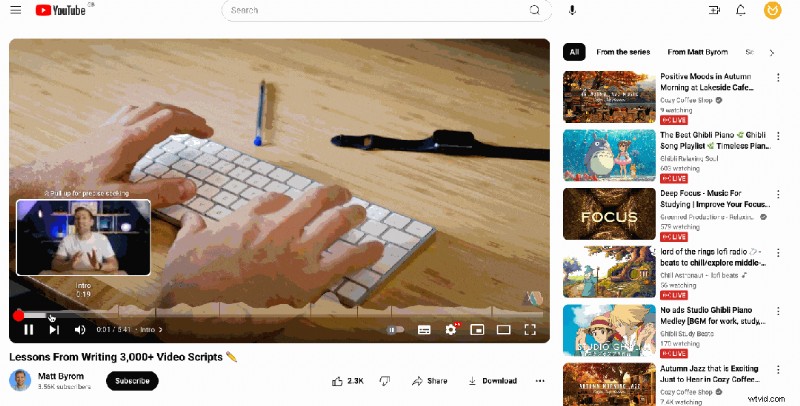
With chapters, users can skip to a favorite segment or rewatch a particularly valuable part without scrolling.
Why Use YouTube Video Chapters?
1. Enhance the User Experience
Chapters make it effortless for viewers to find the content they care about. According to YouTube’s own research, chaptered videos see a 220% increase in engagement.
For example, a video titled “5 Tactics to Grow Your Business” can let viewers jump straight to the tactic that resonates most with them.
2. Boost Viewer Engagement
Videos that fail to hook viewers within the first few seconds risk losing them. Chapters provide a clear preview of the video’s structure, encouraging viewers to skip ahead and watch more relevant segments.
Tip: Make the intro its own chapter so viewers who want to dive straight into the content can do so.
3. Improve Visibility
Search engines, including YouTube’s own algorithm, favor keyword‑rich content. By adding descriptive chapter titles, you help YouTube index your video more effectively, increasing the likelihood of being discovered when users search for those keywords.
4. Signal Professionalism
Chapters have become industry standard. Omitting them can make a video feel unfinished or unprofessional, whereas well‑structured chapters signal polish and attentiveness to viewers.
5. Gain Actionable Insights
YouTube Analytics highlights which chapters attract the most clicks. A spike in activity on a particular chapter indicates strong interest, guiding future content decisions.
How to Add Chapters to Your YouTube Video
There are two primary methods: manual entry and automatic generation. Choose the one that best fits your workflow.
Add Chapters Manually
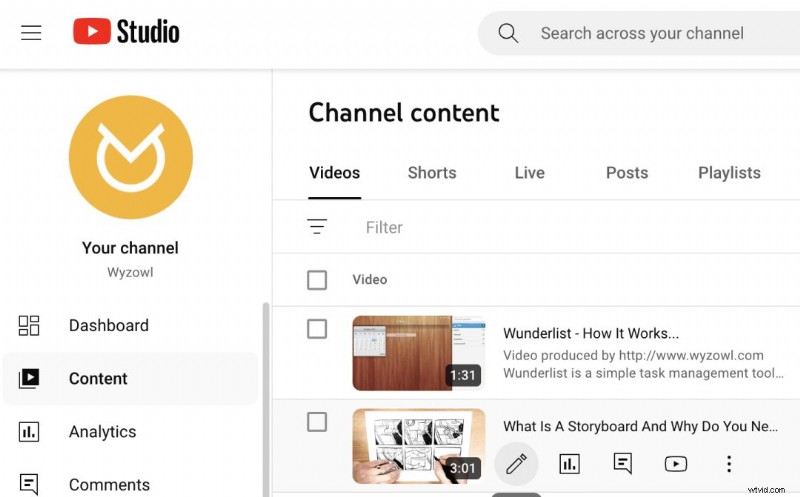
1. In Creator Studio, locate the video and click the pencil icon.
 2. In the description, list each chapter with a timestamp and title in this format:
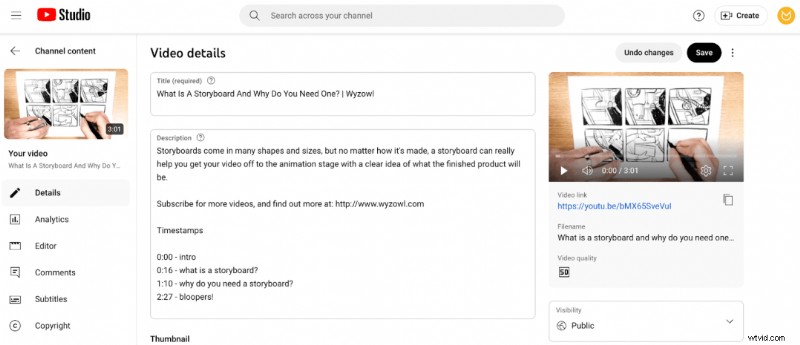 3. Click Save and view your video—the chapters appear automatically.
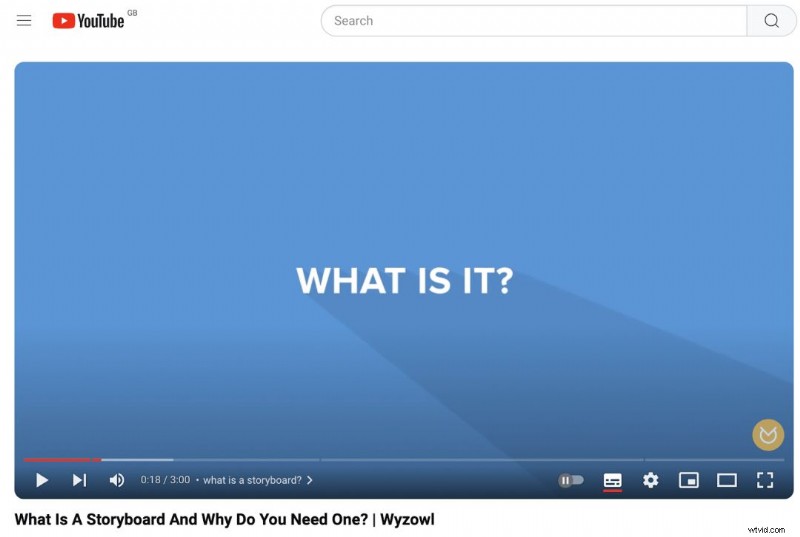
Tip: For videos over 10 minutes, the first timestamp must be 00:00; for videos over an hour, use 0:00:00.
Add Chapters Automatically
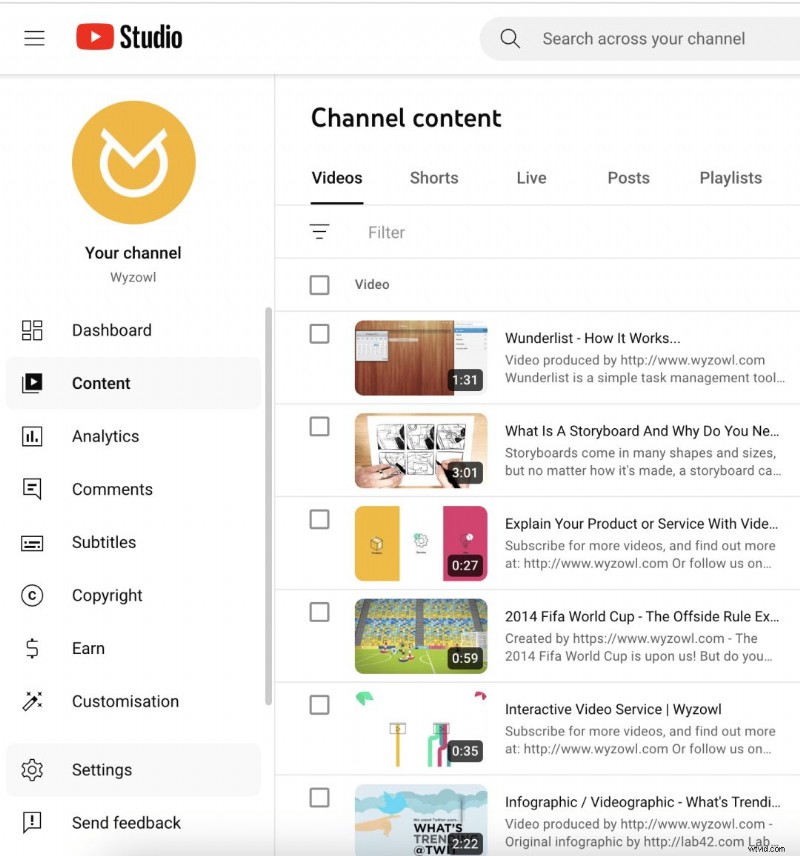
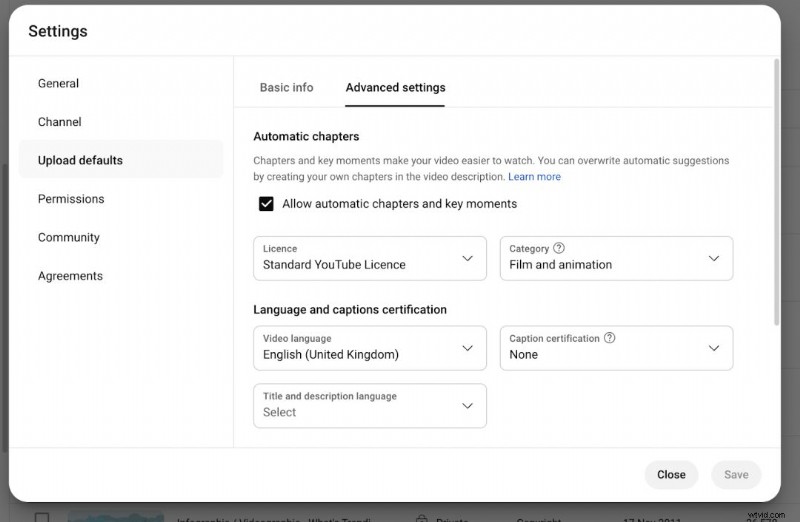
1. In Creator Studio, navigate to Settings → Upload Defaults → Advanced Settings.
 2. Check the Automatic chapters box. YouTube will generate chapters for key moments using AI.
Note: Automatic chapters are convenient but may lack precision. Manual chapters remain the preferred method when time allows.
Common Reasons Chapters Don’t Appear
- First timestamp not starting at 0:00 (add zeros for videos >10 min).
- Changes not saved.
- Timestamps out of order.
- Chapters shorter than 10 seconds.
- Content violates YouTube’s guidelines or has copyright issues.
Best Practices for YouTube Chapters
- Accurate, concise titles (limit to 49 characters).
- Purposeful division—each chapter should add value.
- Notify viewers—briefly mention chapters in the intro.
- Analyze performance—use analytics to refine future chapters.
Final Thoughts
In an increasingly competitive video landscape, consistent use of YouTube chapters can differentiate your content, improve retention, and enhance discoverability.
Want to deepen your YouTube expertise? Check out these related guides:
- How the YouTube Algorithm Works (+10 Tips)
- 21 YouTube Video Ideas for Businesses
- YouTube SEO: 10 Ways to Rank Higher

Samantha is Copy Team Manager at Wyzowl. With over 1,000 scripts and hundreds of articles on video marketing, her insights are indispensable.