
Top 5 New Year’s Resolutions and How ScreenPal Drives Success
Each year’s close brings a fresh wave of possibilities, inspiring us to set ambitious goals for the coming months. Now is the ideal moment to review the past and outline objectives—whether personal growth or career advancement—turning aspirations into actionable plans. Yet, many resolutions fade as the months progress. If that sounds familiar, ScreenPal is here to keep you on track.
Here are the five most common resolutions—and practical ways ScreenPal can help you realize them. With ScreenPal’s robust platform, you’ll streamline digital assets and accelerate progress toward each goal. Keep reading to find out how!
Resolution #1: Get Your Content in Shape
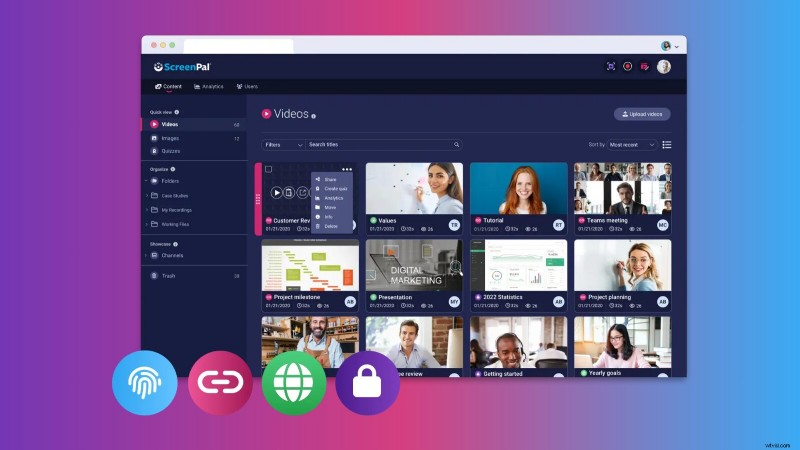
Many people aim to get fit in the new year; why not apply the same discipline to your digital content? With ScreenPal, you can organize, polish, and ready your materials for effective sharing.
Begin by leveraging ScreenPal’s hosting platform to structure your media. As you upload videos and images to screenpal.com, create folders to keep your content neatly arranged—an efficient way to streamline communication and collaboration with your team. For instance, a former World History instructor organized video lessons and annotated images into unit folders—World Religions, Medieval History, and the Renaissance & Reformation—simplifying workflow and enabling rapid sharing with colleagues.
Next, display your assets through Channels—a feature that clusters related resources in an engaging layout. Choose between a carousel or sidebar layout to present your content in the way that best suits your audience. Enable the ‘Allow Users to Launch Recorder in Channel’ setting so learners can record and submit responses directly within the channel. Prompt learners to create a six‑word summary of your video or challenge them to draft a Tweet, Instagram caption, or Facebook post summarizing the key information. Brand your Channels to reinforce professionalism.
Guide your audience through their journey with call‑to‑action and annotation buttons. After uploading a video to screenpal.com, click the video’s thumbnail, select Details, and navigate to the Interaction Tools tab. Call‑to‑action buttons can direct viewers to your website, collect information, or link to reference materials or the next activity. Customizing button colors aligns them with your brand. Annotation buttons provide relevant content while the video plays and pause automatically when clicked, ensuring continuous engagement.
These tools turn your content into a cohesive, engaging, professional asset that propels your yearly objectives.
Resolution #2: Master Advanced ScreenPal Techniques
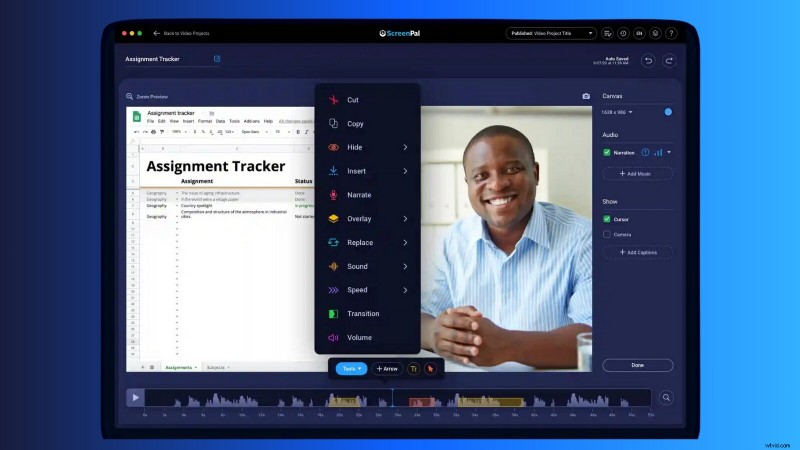
The start of a new year offers an ideal moment to acquire fresh skills. Why not elevate your ScreenPal proficiency by mastering advanced editing features?
Begin by layering overlays to craft eye‑catching visual effects. For example, to highlight a section of an annotated map, layer an arrow shape overlay above the map image overlay—similar to ‘bring to front’ or ‘send to back’ functions in document editors. ScreenPal’s drag‑and‑drop interface lets you adjust overlay order with ease.
Take text editing to the next level by creating animated overlays. If you’re familiar with basic text overlays, add animation to make videos more dynamic. Open the editing window, choose In or Out Transition options, and select effects such as bounce, fade, flip, fly, scale, or wipe. These animations animate your text, enhancing visual appeal.
Upgrade your use of the Blur tool by animating the overlay to track moving elements. This technique is invaluable for videos where sensitive data appears on a scrolling screen or moving object. With practice, you maintain privacy while delivering polished, professional results.
Employ edit points to animate elements like arrows or highlights, making them move across the screen or emphasize key points as your narration progresses. This clarity‑enhancing method is perfect for instructional videos or presentations.
Mastering these advanced editing techniques elevates both your skill set and the professionalism of your videos. Make 2025 the year of ScreenPal mastery!
Resolution #3: Optimize Time Management with ScreenPal AI
Time management is crucial for personal and professional success. ScreenPal AI unifies capture, editing, and sharing of videos and images, enabling you to reclaim precious time and work smarter.
ScreenPal’s hosting site offers features that streamline your workflow: upload directly from any app, organize content into playlist channels tailored to topics or courses, secure projects with password protection or team restrictions, and share via custom links or embed codes. Customize ad‑free share pages on screenpal.com to elevate your professional presence.
Take Efficiency to the Next Level with ScreenPal AI
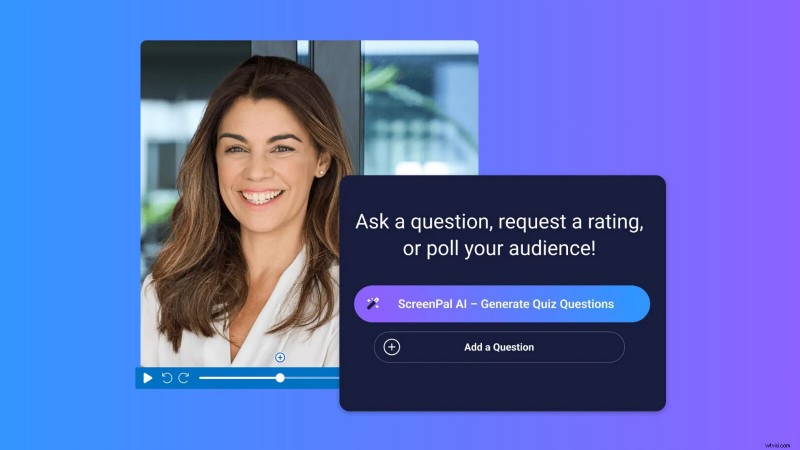
After uploading a project, click ScreenPal AI – Generate and let the AI handle the rest. It analyzes your video to produce an engaging title, concise summary, detailed transcriptions, and clearly labeled chapters—all derived from your narration. These features save time, improve accessibility, and enhance content professionalism.
Need to reach a global audience? ScreenPal AI transcribes captions into over 150 languages, ensuring your message is understood across borders and cultures. With this capability, time management becomes about focusing on what matters most while the AI handles the details.
Resolution #4: Alleviate Stress with Seamless Quizzing
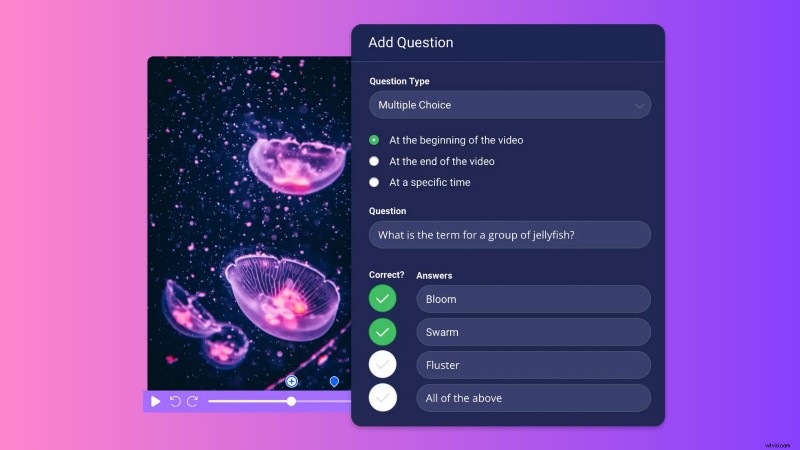
Stress is unavoidable, but reducing it leads to a happier, healthier life. ScreenPal’s quizzing feature simplifies workload and eases your mind by engaging audiences, capturing valuable data, and streamlining teaching or training.
Embed questions directly into any video project—whether freshly edited in the desktop app or uploaded from your computer to screenpal.com. This integration merges video content with interactive elements, boosting participation and learning outcomes.
Embed diverse question types: multiple choice, true/false, short answer, polls, and ratings. Enable the prevent‑skipping feature to require responses before proceeding, keeping learners focused and reinforcing key concepts.
Use ScreenPal’s analytics to guide next steps. The Results Summary tab offers aggregated insights, while the Individual Results tab tracks each learner’s progress. This data empowers you to refine instruction—target support groups, provide personalized feedback, or address remediation and enrichment opportunities.
Incorporating ScreenPal’s quizzing feature reduces stress, saves time, and delivers engaging, data‑driven instruction. Make 2025 the year you teach, train, or lead with confidence and ease!
Resolution #5: Enhance Communication with Video Messaging
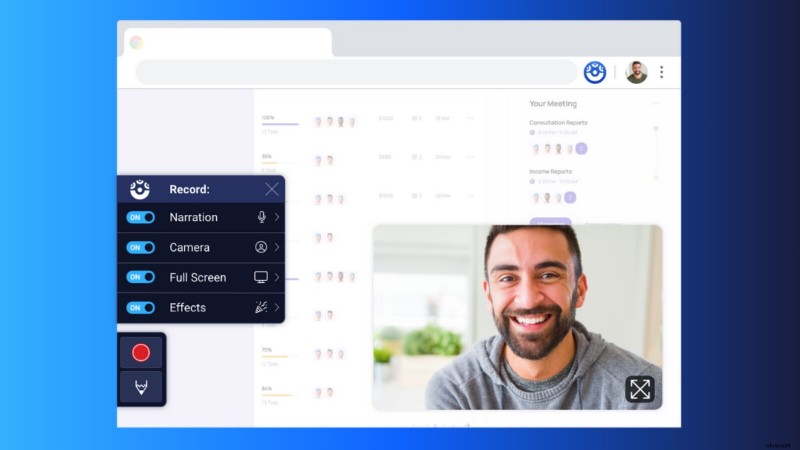
Effective communication underpins successful collaboration, whether in teams, idea sharing, or feedback. ScreenPal’s Chrome Extension lets you integrate video into messages anywhere you type, adding clarity, empathy, and efficiency.
Give friendly feedback through video. On asynchronous platforms like Asana, Basecamp, or Trello, video feedback personalizes messages and reduces misunderstandings, strengthening team bonds.
Share knowledge by inserting video comments directly into shared documents or slide presentations. Record your screen, webcam, or both to visually explain concepts—enhancing collaboration and ensuring precision.
Replace or reduce meetings with concise video messages. Respond to group email threads with engaging videos instead of scheduling another meeting, saving time while keeping communication clear and on‑topic. This approach boosts morale and communication efficiency.
With ScreenPal’s Chrome Extension, transform how you communicate, making messages more engaging, efficient, and impactful. Let 2025 be the year you connect with your team in smarter, more meaningful ways!
Achieve Your 2025 Goals with ScreenPal
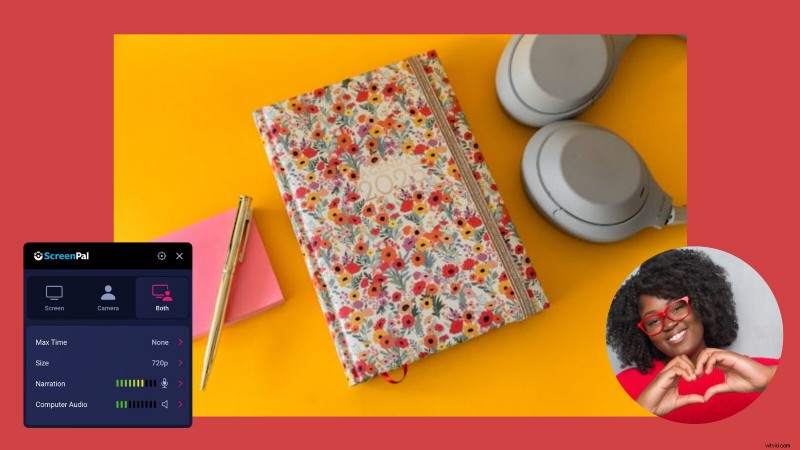
Achieving your New Year’s resolutions doesn’t have to feel like an uphill battle. With ScreenPal, you have a powerful, versatile tool to support every step—organizing content, mastering advanced skills, streamlining time management, reducing stress with effortless assessments, and enhancing communication. As we step into a new year brimming with potential, let ScreenPal be your trusted partner in conquering ambitions and making 2025 your most successful year yet!