
Learn how Spotify for Podcasters offers a free, user-friendly platform perfect for beginners, complete with step-by-step setup instructions.
Podcasting has emerged as a powerful tool for creative expression, storytelling, and building online communities. For beginners, choosing the right platform to host and distribute your podcast is crucial. Spotify, one of the world's largest audio streaming platforms, offers an incredible opportunity for new podcasters. By starting a podcast on Spotify, beginners can tap into a vast audience, benefit from a user-friendly interface, and leverage analytics to grow their audience.
What Is Spotify for Podcasters?
Spotify for Podcasters is a comprehensive platform that empowers creators to manage and distribute their podcasts. The service is free, removing financial barriers for new podcasters. It allows creators to submit their podcasts to Spotify, track performance through detailed analytics, and engage with a global audience. Spotify for Podcasters is a straightforward way for podcasters to share their content with millions of listeners worldwide.
How to Set Up a Podcast on Spotify
Here's a step-by-step guide to setting up your podcast on Spotify for Podcasters:
- Start by creating your podcast content. Before uploading to Spotify, record and edit your podcast episode. Ensure it's polished, engaging, and in a compatible audio or video format. Pro-Tip: While Spotify offers basic editing features (such as clipping together segments), using dedicated software like Streamlabs Podcast Editor is perfect for more in-depth editing and production. If you dream of editing your podcast episodes the way you would a text document, Podcast Editor is the perfect solution.
From omitting “umms” and “uhhs” at the click of a button to adding on-screen subtitles, this software makes editing your podcast easy peasy. Be sure to check our Streamlabs Podcast Editor guide to learn the ins and outs of this simple yet comprehensive software.
- Once you have your podcast episode ready to go, it’s time to create a Spotify account (if you don’t have one already). On the sign up page, you’ll be asked to create a login using an email and password—be sure to choose a combination that you’ll remember and can access.
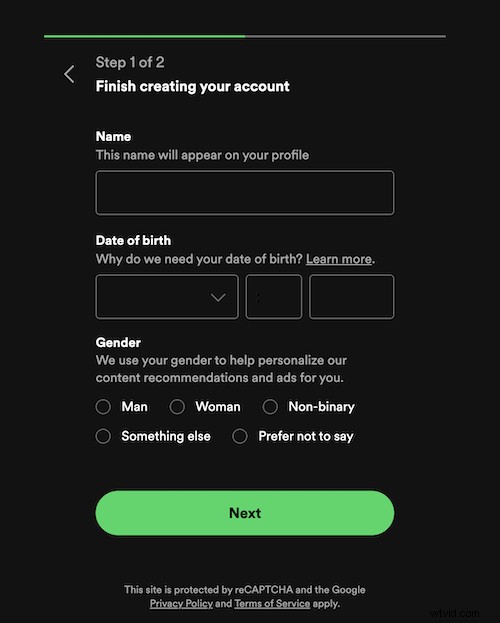
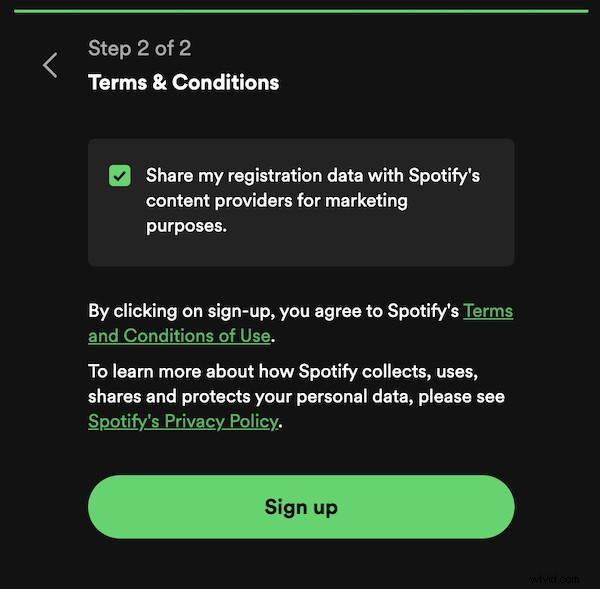
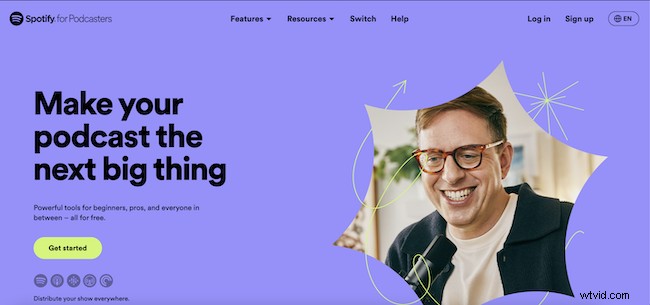
- Now, it’s time to sign up for Spotify for Podcasters. Visit the Spotify for Podcasters website and sign up for an account via your main Spotify account. This is where you'll manage and upload your podcast episodes, access analytics, etc. Be sure to verify your account by following the instructions from the email Spotify sends to your account. Otherwise, you won’t be able to proceed with uploading content.
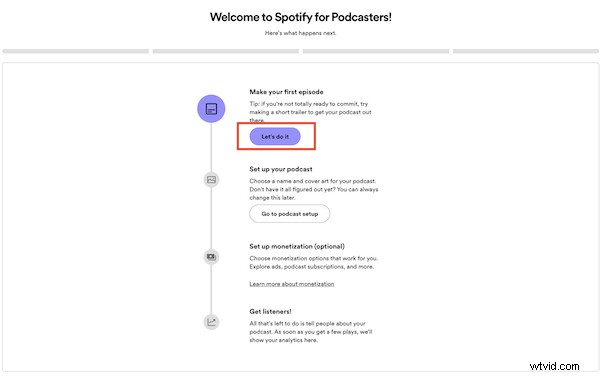
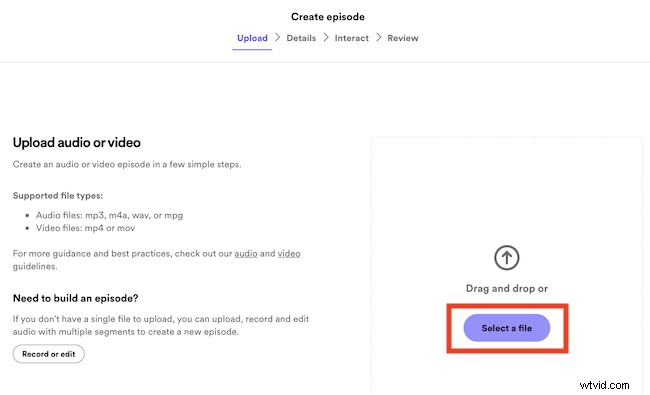
- Next, begin uploading your first podcast episode. Click Let’s Go on the homepage of your dashboard. This should take you to a Create An Episode screen. On the latter screen, click Select a File to upload your podcast episode.
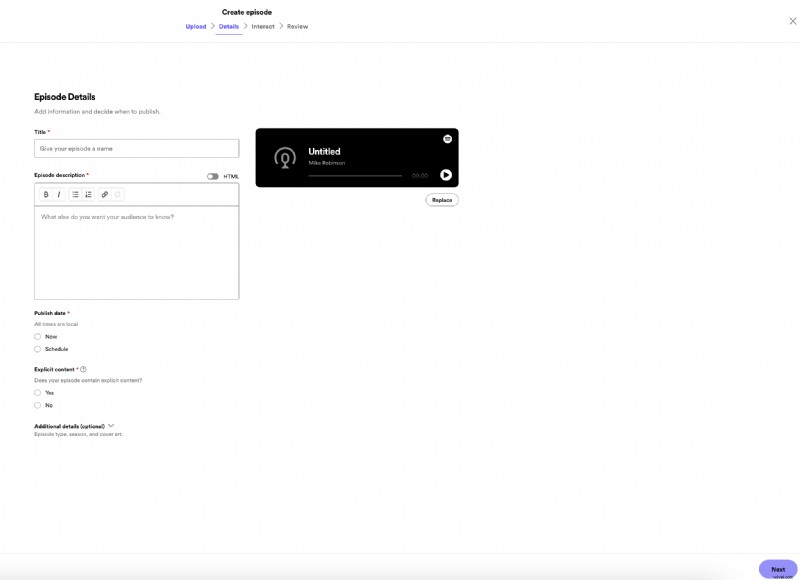
- Next, it’s time to input your podcast episode details. Have your episode title, description,etc. ready to go. When you’re done, select Next.
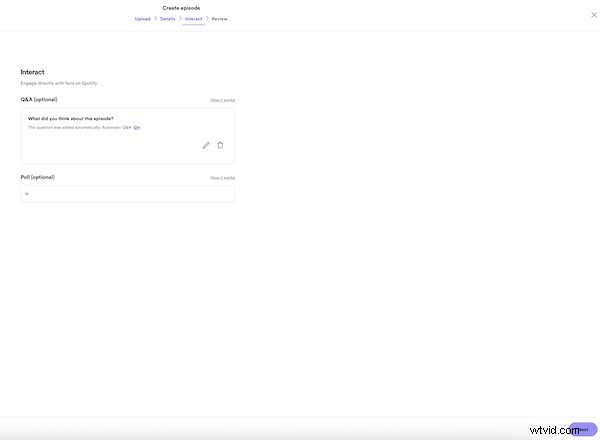
- Once you’ve inputted your episode details, it’s time to choose how to interact with your audience by adding a poll or CTA. This step is optional, but you should consider doing so for the sake of building community and gathering feedback from listeners.
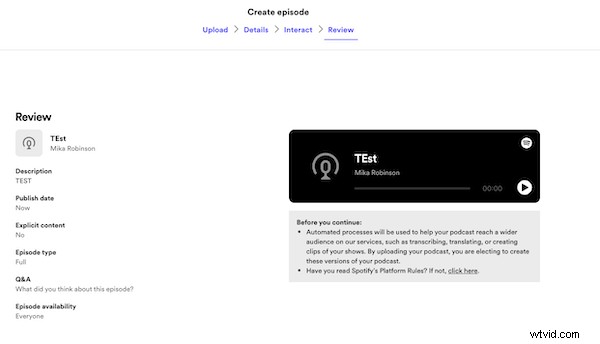
- Next, review all the details of your podcast episode. If everything looks good to you, hit Publish.
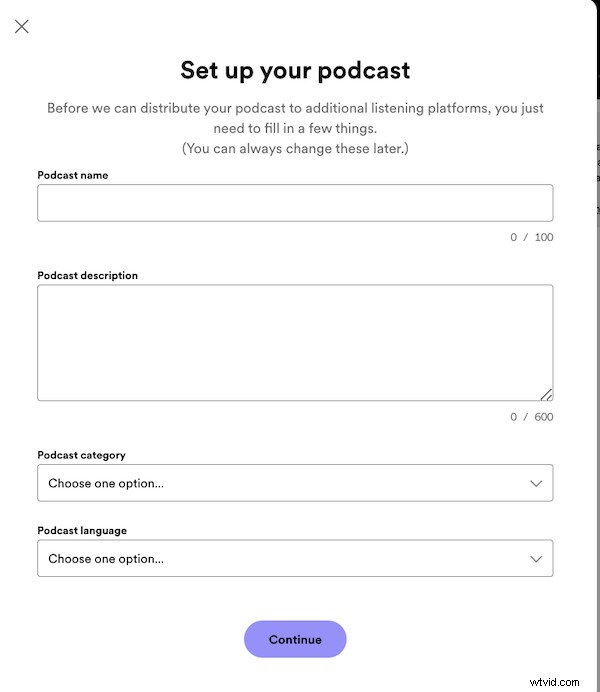
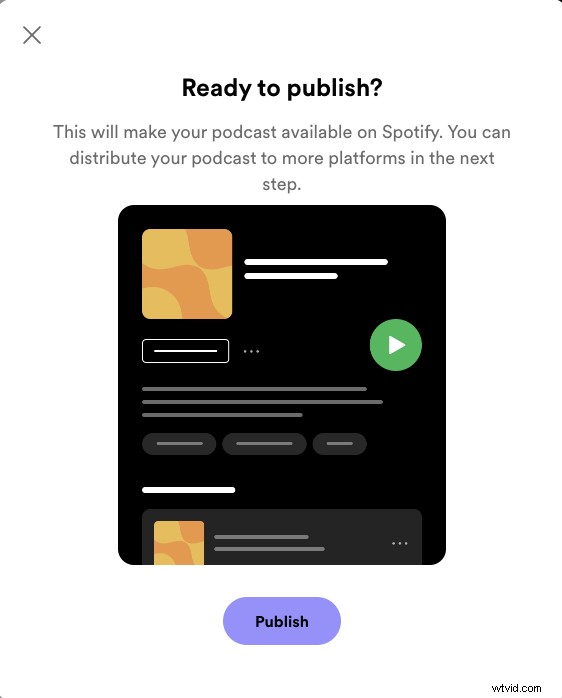
- Of course, you can’t start a podcast without creating your podcast’s identity. After hitting publish on your first episode, Spotify for Podcasters will prompt you to input details about your podcast including the name, description and cover art. When you’re done, select Continue then, Publish.
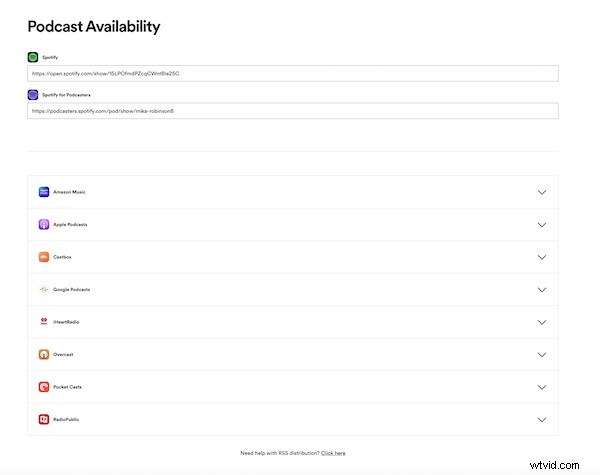
- Once your podcast and first episode is published/processed, you have the option of sharing your podcast more widely via other popular platforms such as Amazon Music, Apple, and iHeartRadio. Follow the directions under each platform to extend the reach of your content.
Placing your podcast on Spotify is not only feasible for beginners but also beneficial. With its extensive reach and user-friendly tools, Spotify for Podcasters is a great platform for new voices to be heard. Happy creating!
- streamers
- streaming video
- streamlabs
Edit your videos with text to grow your streams, podcasts & interviews!
Further reading
A Complete Guide to Streamlabs Podcast Editor (Formerly TypeStudio)
Here’s everything you need to know about Podcast Editor— the latest app to join the Streamlabs family.
June 15, 2023
Mika Robinson
How to translate your subtitles in Streamlabs Podcast Editor
A quick guide of how you can use Streamlabs Podcast Editor for translating your videos online into mulitple languages.
May 31, 2023
Michael Sieb