

Blog
Craig Bot Full Guide & Review | Is it Worth it for Recording Audio?
Dive into our comprehensive review of Craig Bot. We explore its features, how it works, and other alternatives for high-quality recordings.

Stephen Robles
Video & Podcast Creator
Last Updated:
April 30, 2024
If you’re recording audio on Discord, chances are you’ve come across Craig bot.
Craig bot is characterized as a friendly bear, but is actually a multi-track voice recording bot that slots right into your Discord server. If you’re confused by what Craig bot is or how to use it, then you’re not alone.
In this article, we’re reviewing Craig Bot to see if it's worth using and whether there are better options out there for recording high-quality audio.
What is Craig Bot?
Craig Bot is a multitrack voice channel recording bot for Discord. It’s basically an add-on tool that you can bring onto your Discord server to let you record your voice channels. Craig then records each speaker onto a separate audio file.
Craig Bot Key Features
- Multitrack recording so Craigbot records each participant on their own track. This is important because it gives you freedom when you’re editing since you can edit each track without worrying about impacting the overall recording.
- Export to multiple formats such as FLAC, MPEG-4, AAC, giving you flexibility to save your recordings in the format that works best for you.
- Automatically synced audio reduces your workload and ensures that all your tracks are precisely aligned
- Web app for higher quality recording than on Discord.
- Instant download and access even when Craig is still recording. This minimizes the amount of time that you have to wait around for your recording to process.
- Ability to record for up to 6 hours means you don’t have to worry about cutting your sessions short or watching the clock.
- Set permissions within your server to add roles for your friends or colleagues. This makes collaborative team work super easy.
- /note command lets you note or mark something at the current moment in the recording. This information will be accessible as an info.text file in downloads
How does Craig Bot work on Discord
Once you’ve invited Craig onto your Discord server, starting your recording is easy:
Step 1: In the chat box of the voice channel you want to record, type “/join” and Craig will automatically begin recording your channel.
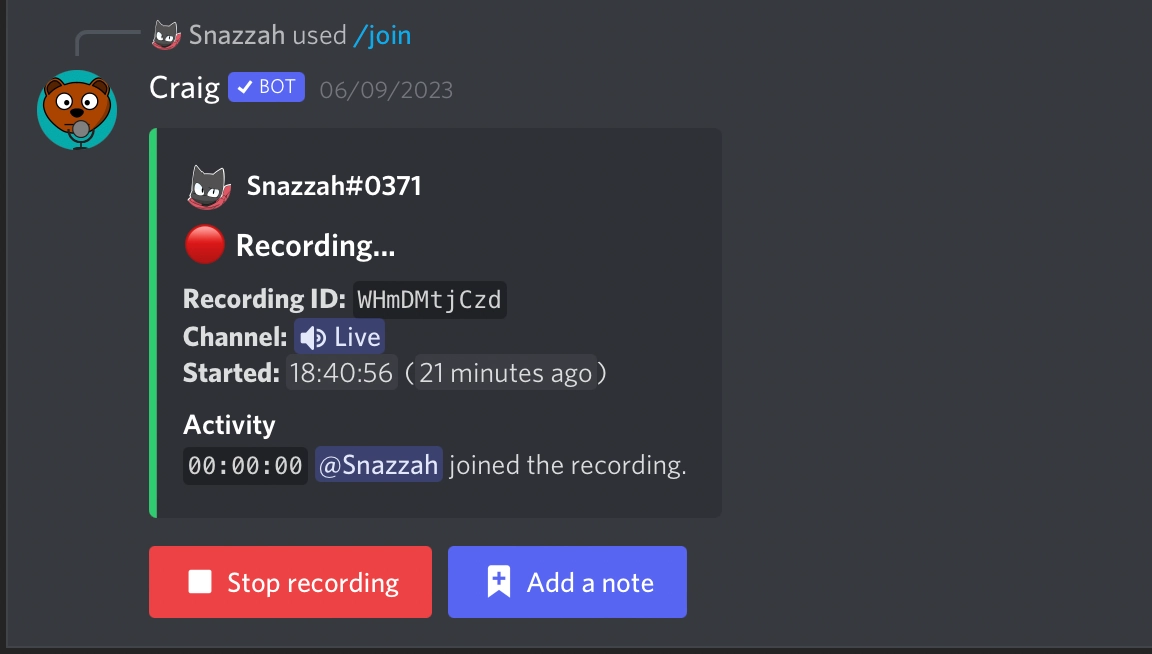
Step 2: When you’re ready to stop your recording, type /stop in the chat box and Craig will stop recording.
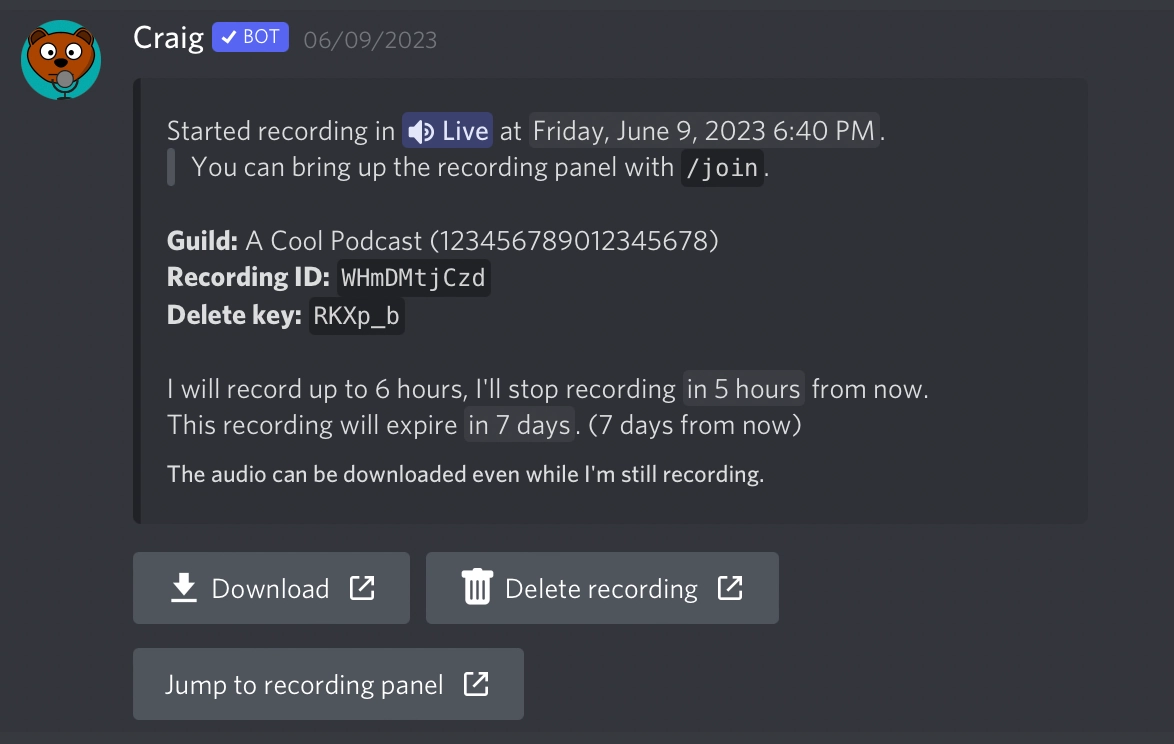
Step 3: When you first start recording, Craig will send you a message letting you know where you can download your recording.
Note that Craig can’t record livestream audio or video.
Craig Bot Pros and Cons
Let’s take a look at some of Craig bot’s advantages and disadvantages:
Advantages of Craig Bot
- Free to use. You don’t need to break the bank to be able to record with Craig Bot which is a huge plus for any creators on a budget.
- Easy to use and integrates seamlessly with Discord. The simple integration and easy to input prompts make working with Craig Bot and making it part of your workflow easy.
- Multitrack recording. As we touched on above, Craig Bot records each participant on their own track. This is important for giving you ultimate freedom over your editing.
- Ability to export to number of different formats. Again, the flexibility to export in multiple formats is important if you’re going to be uploading your recording to various platforms.
- Backup recordings: You can use Craig’s backup recorder Giarc to make sure that if anything happens to your Craig recording, you have a second one.
- No limit on number of speakers giving you the flexibility to include as many participants as you want.
Disadvantages of Craig Bot
- Can’t record video. This limits the kinds of content you can create.
- Unable to record livestreams. This combined with the inability to record video is a serious shortcoming for ambitious creators.
- Craig Bot only keeps your recordings for up to 7 days. You need to be careful to save the recordings that you want to use elsewhere.
- Discord is now super overloaded. This can negatively impact Craig’s uptime. Lags and delays can become very frustrating if this is your main content creation workflow.
Riverside A Craig Bot Discord Alternative for Recording High-Quality Audio
If you’re set on recording in Discord, then Craig Bot makes sense. But that’s not the only or easiest way to record high-quality audio.
Using Riverside, you can record both high-quality remote audio (48kHz audio) and video (up to 4K) with up to 7 remote guests. You won’t have to contend with a 7 day storage limit or gamble with Discord’s uptime.
Riverside is also browser-based. It locally records each participant onto their own track, which means that you don’t have to worry about internet connection impacting your recording quality. Multitrack recording gives you the freedom to edit your content easily and in detail without worrying about the big picture. And you can also livestream (and record your broadcast) from Riverside.
Let’s take a look at some of Riverside’s main features:
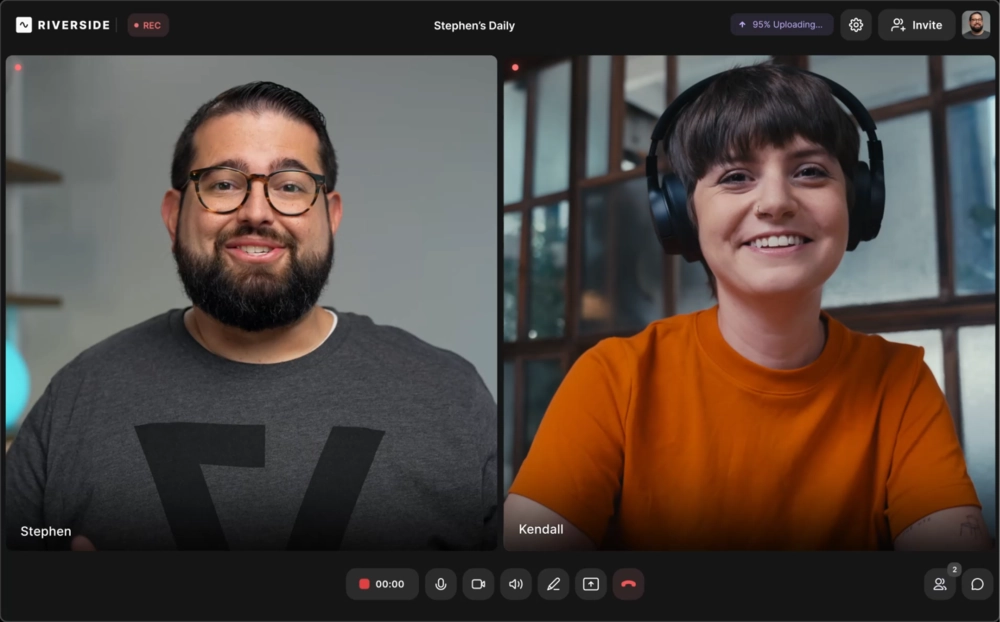
Key Features:
- High recording quality: Up to 4K video and 48kHz audio – even with weak wifi
- Local recording: Riverside records each participant on their own device, so bad wifi doesn’t play a role in the quality of your recording
- Separate audio and video tracks: Riverside automatically does multitrack recording for each remote participant to give you more control during post-production.
- Record with up to 10 participants: your remote participants can join from their browser or their mobile.
- Media board: Live mix during your recording session with music and sound effects.
- Progressive upload: Riverside uploads your tracks during your recording so that you don’t have to wait around for your content to process when you’ve wrapped your recording session.
- Producer Mode: This feature means your producers can join your session and manage the recording without being picked up on the recording itself.
- Ability to live stream: Live broadcast to major platforms and record your broadcast.
- Automated transcription: Riverside’s AI-powered transcription tool produces transcripts in over 100 languages with 99% accuracy
- Seamless video editor: Edit in half the time with AI tools for trimming your recording, customizing your layout and enhancing audio.
- AI-generated show notes: Riverside’s AI tool produces a summary with chapters and key takeaways to help your audience navigate your content easily.
- Live audience call-ins: This is a great way to encourage audience participation, allowing viewers to temporarily join your recording session.
- Mobile app: iOS and Android apps for recording on the go, or for turning your phone into a secondary video angle.
FAQs on Craig Bot for Discord
Is Craig Bot safe?
Craig Bot is free and open source. But this doesn’t mean i’\s unsafe. It doesn’t collect any information or data about people it records.
How long can Craig Bot record?
Craig Bot can record for a maximum of 6 hours. There are no limits on the number of speakers.
What are the Craig Bot commands?
Here’s an overview of Craig Bot’s basic commands:
- /join - starts recording
- /note - makes a note of a point in the recording
- /stop - ends the recording
- /webapp - enables or disables the webapp
- /recordings - lists out your previous 5 recordings
- /serversettings - lets you manage your server settings and set permissions
What is the alternative to Craig in Discord?
As we saw above, Riverside is a great alternative to Craig in Discord. It makes it easy to multitrack record high quality audio and video with up to 7 remote guests. You can even record your livestreams.

Never miss another article
Highly curated content, case studies, Riverside updates, and more.
Further reading

Riverside resources

Start creating with Riverside
Turn your best ideas into your best content yet.
Get started