
Editing is the linchpin of compelling video content. A polished edit communicates intent, preserves detail, and leaves a lasting impression. Conversely, a poorly edited clip can squander value and disengage viewers.
One of the most common pitfalls during recording is overexposure. An overexposed clip appears washed out, with bright highlights stripped of texture and color fidelity. Causes range from harsh sunlight to camera settings that fail to match the scene’s dynamic range. Luckily, a number of editing tools can recover these lost details.
In this guide
- What is an overexposed video?
- What damage does overexposure cause?
- How to correct overexposure
- Fixing overexposed footage with Wondershare Filmora
- Conclusion
Wondershare Filmora delivers intuitive controls for restoring brightness, contrast, and color without a steep learning curve.

1. What Is an Overexposed Video?
An overexposed video is one where the sensor records too much light, producing bright, washed‑out imagery. This occurs when the camera’s exposure settings exceed the scene’s dynamic range, often in direct sunlight, bright studio lights, or when auto‑exposure mis‑meters the frame. The result is loss of detail in highlights, reduced contrast, and an overall flat look.

2. The Impact of Overexposure
2.1 Loss of Detail
Highlights can become pure white, erasing texture and critical information, which makes footage appear flat and unengaging.
2.2 Lack of Contrast
Excess brightness diminishes the visual separation between elements, flattening depth and weakening storytelling.
2.3 Reduced Color Accuracy
Colors appear washed out or muted, undermining realism and viewer immersion.
2.4 Flare and Glare
Bright light sources can create unwanted lens flare or glare, further degrading clarity.
2.5 Post‑Production Challenges
Recovering detail and color after the fact can be difficult, limiting editing flexibility.
2.6 Inconsistent Exposure
Variable lighting or camera settings can lead to uneven exposure across a clip, creating a jarring visual experience.
3. How to Fix Overexposed Video
Below are proven techniques that editors use to restore overexposed footage.
3.1 Adjust Exposure and Highlights
Lower the exposure or highlight sliders to reclaim detail, but avoid turning the clip too dark.
3.2 Increase Contrast
Boosting contrast reintroduces depth, but monitor for increased noise.
3.3 Apply Color Correction
Use balance and saturation tools to bring natural colors back into the frame.
3.4 Use Curves or Levels
These provide precise tonal control, letting you fine‑tune brightness across the spectrum.
3.5 Apply Graduated Filters
Target only the overexposed areas with masks or graduated filters to avoid over‑correction.
3.6 Blend with Additional Footage
Combine multiple exposures of the same scene to expand dynamic range and recover lost detail.
4. Fixing Overexposed Video with Wondershare Filmora
Filmora’s straightforward workflow makes restoring brightness, contrast, and color a breeze.
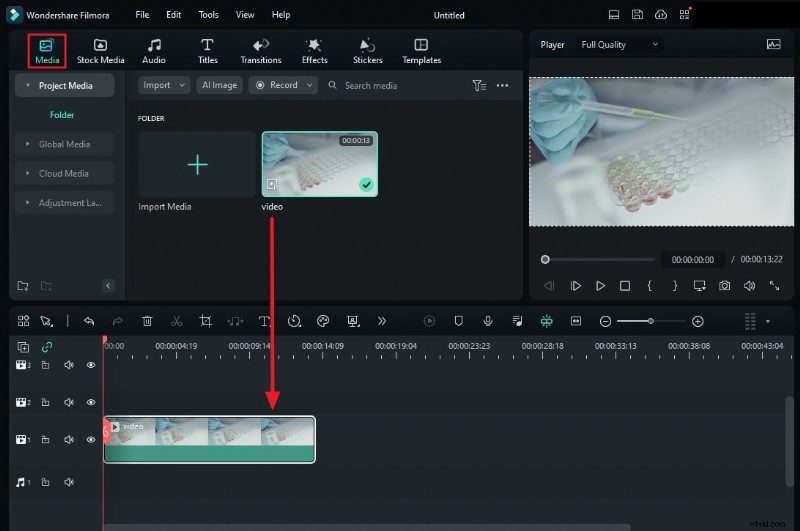
Step 1: Import the Clip
Open Filmora, start a new project, and drag your overexposed footage onto the timeline. Select the clip to access its editing options.
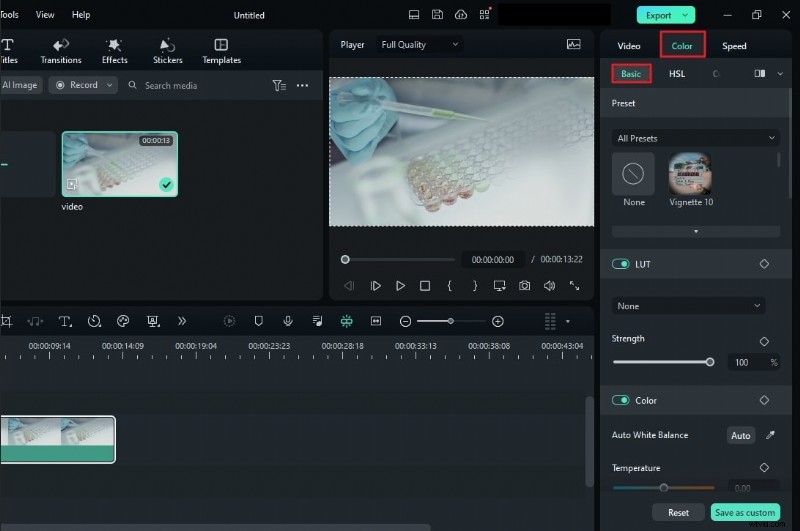
Step 2: Open Basic Color
On the right panel, click Color then choose the Basic tab to access fundamental adjustments.
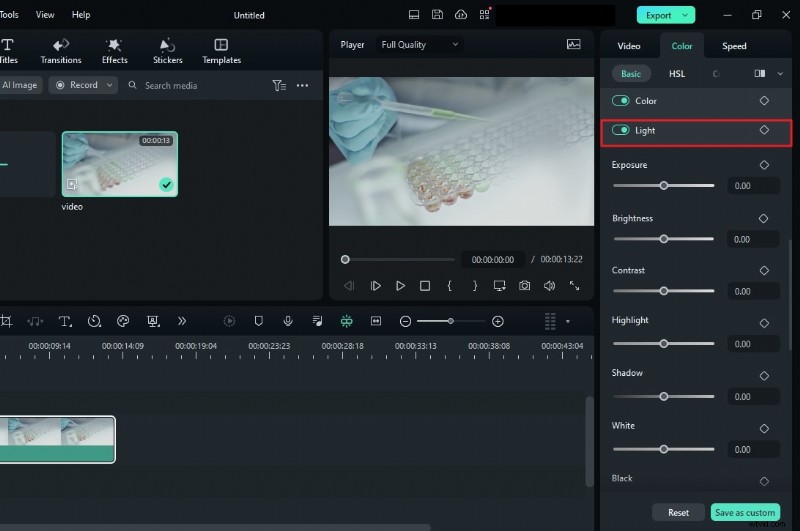
Step 3: Tweak Light Settings
Toggle the Light switch. Use the sliders to reduce Exposure and Brightness, and adjust Highlights and Shadows. Increase Contrast cautiously to avoid under‑exposure.
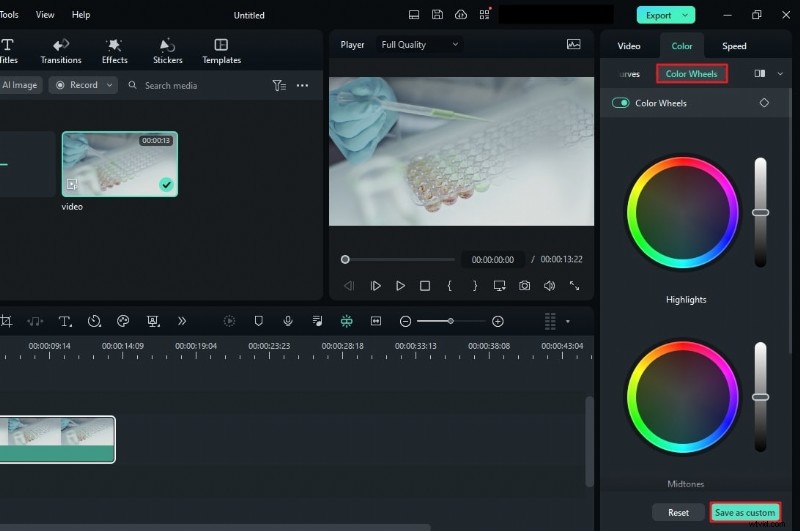
Step 4: Fine‑Tune with Color Wheels
Explore the Color Wheels for further refinement. Once satisfied, save your settings as a custom preset for future projects.
Fixing Overexposed Video on Filmora Mobile
Filmora’s mobile app offers the same core controls, making on‑the‑go correction possible.
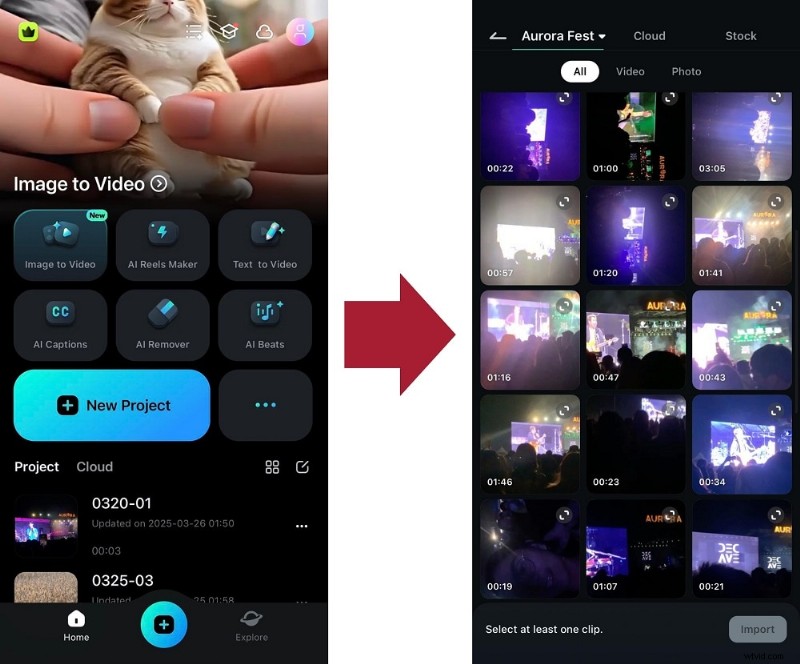
1. Create a new project and import the clip.
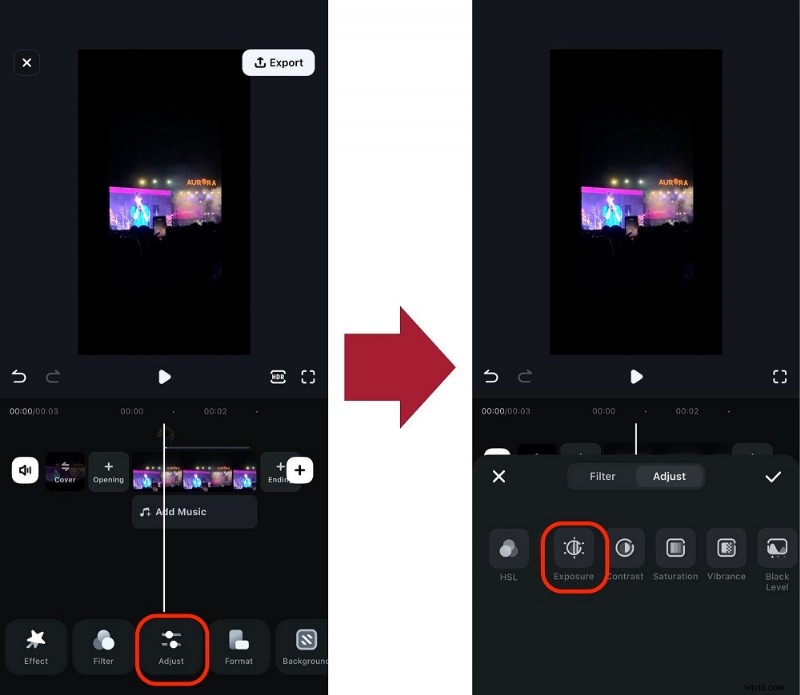
2. Go to Adjust > Exposure.
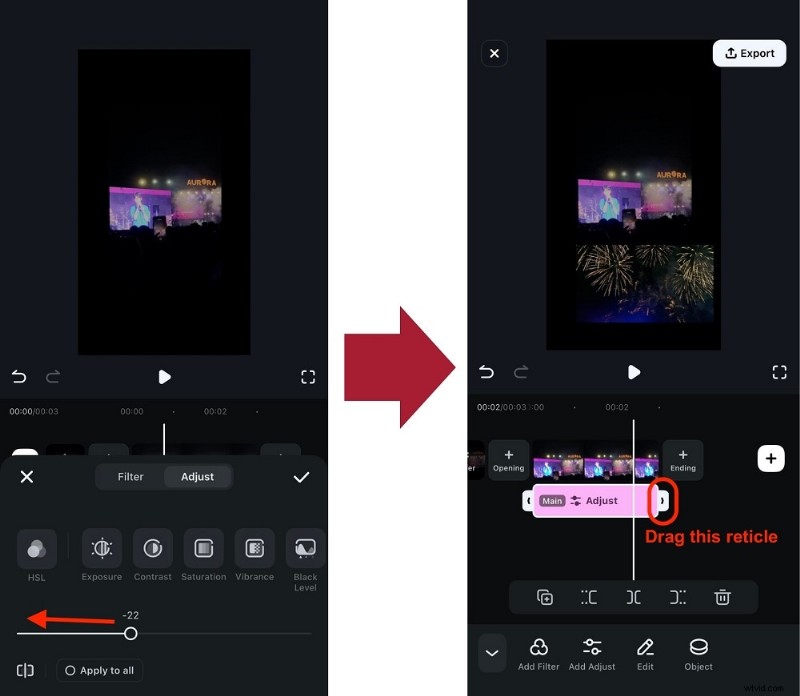
3. Drag the slider left to lower exposure, ensuring the adjustment covers the entire clip.
Combine these steps with other adjustment tools to achieve a natural look. Download Filmora today to unlock a full suite of editing features.
Conclusion
As social‑media audiences grow more discerning, polished video production is essential. With reliable tools like Wondershare Filmora, correcting overexposure is straightforward, enabling you to deliver vibrant, engaging content that retains viewer interest.