
Looking to elevate your videos with a professional, cinematic look? 3‑dimensional lookup tables (3D LUTs) let you apply precise, industry‑standard color transformations that keep your footage consistent and visually striking. In this guide, we’ll walk you through what 3D LUTs are, why they’re essential for modern editors, and how to harness Wondershare Filmora’s built‑in LUT tools to achieve studio‑grade results—no extra software required.
What You’ll Learn
- What a 3D LUT actually does
- Key uses of LUTs in video production
- Why Filmora is an excellent platform for LUT editing
- Step‑by‑step instructions for applying LUTs in Filmora
- Top Filmora‑included LUT presets to try right away
- Final thoughts on maximizing your creative workflow
Wondershare Filmora
Cross‑platform, user‑friendly video editing that doesn’t compromise on power. Whether you’re a hobbyist or a professional, Filmora’s extensive library of effects, transitions, and especially its LUT capabilities make it a go‑to tool for modern color grading.
1. What is a 3D LUT?
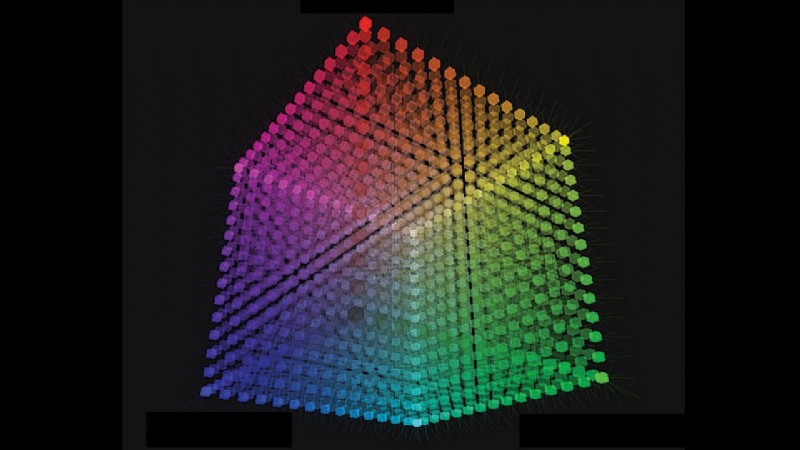
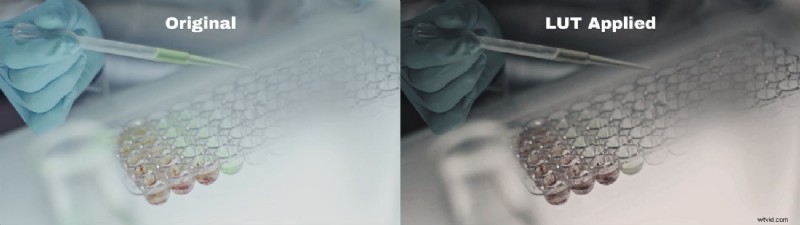
A 3D LUT maps each RGB color value in your footage to a new set of values, allowing you to reshape the entire color space. Think of it as a sophisticated filter that can shift skin tones, enhance highlights, and enforce a consistent mood across all scenes.
Unlike 1‑dimensional LUTs that only adjust brightness or contrast, 3D LUTs work on color relationships—blue‑to‑green, red‑to‑orange, and everything in between—so the original image’s integrity remains intact while the look is transformed.
2. Key Uses of 3D LUTs in Video Editing
- Color Correction – Adjust over‑exposed or under‑exposed footage to natural tones.
- Creative Color Grading – Impose a mood or visual style that supports your narrative.
- Consistency Across Shots – Keep a unified look, especially in multi‑camera or multi‑day shoots.
- Time‑Saving Workflow – Apply a complex grade with a single click, freeing up hours for other tasks.
- Preview and Iterate – See the final grade instantly, tweak, and re‑apply without re‑rendering.
- Unique Style Development – Build a signature palette that sets your videos apart.
- Screen‑Adaptation – Ensure colors translate well across smartphones, TVs, and monitors.
3. Wondershare Filmora: Your LUT Editing Hub
Filmora’s color grading suite is more than just a set of filters. With dedicated LUT support, you can now apply professional presets or import your own. The interface is intuitive: drag, drop, and adjust intensity with an opacity slider—all without leaving the timeline.
Key Features
- 900+ creative effects, transitions, and titles.
- Audio ducking to highlight dialogue over music.
- Beauty filters for portrait enhancement.
- Dedicated LUT library with over 20 ready‑made presets.
4. Applying 3D LUTs in Filmora
Method A: Via the Effects Tab
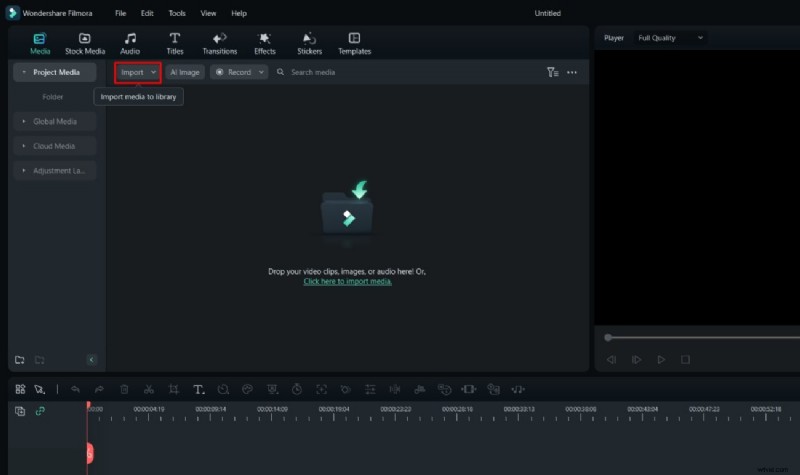
- Start a New Project – Open Filmora, click “New Project,” and import your footage.
- Navigate to Filters & LUT – In the Effects panel, select the LUT sub‑category.
- Choose and Download – Pick a preset, hit the download icon, then drag it onto your clip.
- Fine‑Tune Intensity – Click the LUT on the timeline and adjust the Opacity slider to blend the effect.
- Export – Once satisfied, save your project and export the final video.
Method B: Using Video Settings
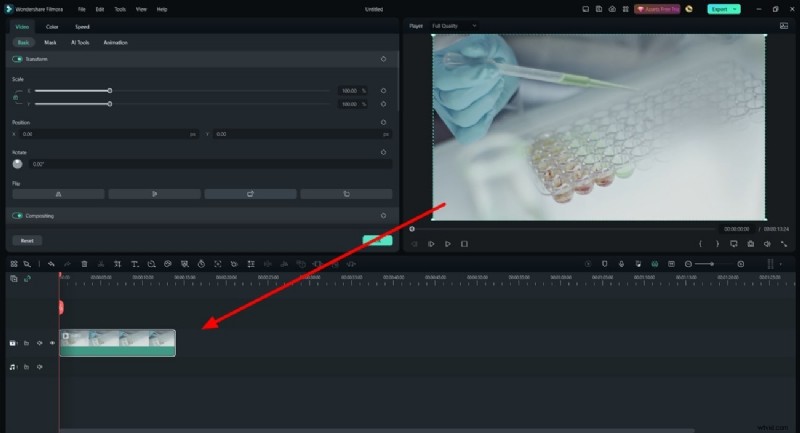
- Open Video Settings – Double‑click the clip on the timeline.
- Enable LUT – In the Color section, toggle the LUT option on.
- Select or Import – Choose a preset or click “Load new LUT” to bring your own file.
- Apply – The LUT instantly overlays the clip; adjust as needed.
5. Top Filmora LUT Presets to Try
- Moody 03 – Warm pink tones for a romantic, soft vibe.
- GreenOrange – Autumnal greens and oranges for nostalgic scenes.
- Movie 2 – Subtle green tint for a classic, film‑style aesthetic.
- VibrantFilm – Boosts saturation for eye‑catching, energetic visuals.
- Infrared Film – Pink‑toned, high‑contrast look reminiscent of infrared photography.
- Stuck in the Dirt – Warm brown hues for rustic, earthy footage.
- Cyberpunk 1 – Neon pinks and blues for futuristic, sci‑fi scenes.
- Red Brown – Rich reds and browns for natural, autumnal palettes.
- CinematicTwo – Professional movie‑grade grading for polished finishes.
- Contrasted Film – High contrast with greenish undertones for vibrant outdoor shots.
Conclusion
3D LUTs empower editors to move beyond basic color correction, delivering nuanced, consistent, and striking visuals. With Filmora’s streamlined LUT workflow, you can unlock this power quickly and easily, turning everyday footage into standout content. Experiment with the presets, tweak intensity, and watch your creative vision come to life.