
Let’s be honest: most people don’t quit video editing because it’s “too hard.” They quit because the software makes it feel harder than it needs to be. You open a program, see a wall of panels, timelines, and strange terms, and suddenly that simple idea for a video feels out of reach.
In 2026, video isn’t optional anymore. It powers YouTube channels, TikToks, Reels, online courses, client work, and internal company communication. But many popular editors are still built for professional filmmakers and agencies, not for beginners working on everyday Windows laptops.
That’s why this guide focuses on video editing software for beginners in 2026, with an emphasis on Windows-friendly tools that are practical, accessible, and realistic for new creators. You’ll get a quick list, a clean comparison table, real interface screenshots, and honest pros and cons, so you can choose without second-guessing.
If you just want to skim and pick an editor, start with the quick list below.
Quick List – Best Video Editors for Beginners in 2026
- Flixier (Browser-based) – Best for fast, AI-assisted editing in the browser with real-time collaboration
- Clipchamp (Windows) – Best built-in editor for Windows beginners
- CapCut (Desktop) – Best for TikTok, Reels, and short-form social video
- Wondershare Filmora – Best for beginners who want polished YouTube videos fast
- Movavi Video Editor – Best for simple edits and quick social clips
- CyberLink PowerDirector Essential – Best for beginners who want room to grow
- Adobe Premiere Elements – Best for home videos and simple projects
- DaVinci Resolve (Free) – Best free editor for beginners wanting pro-level tools
- HitFilm Free – Best for beginners interested in visual effects and YouTube content
- VSDC Free Video Editor – Best free non-linear editor for Windows users on a budget
- Shotcut – Best free cross-platform editor with more control
- Lightworks Free – Best for beginners who want a taste of a pro editing workflow
Beginner Video Editors in 2026 Compared
Software | Platform | Pricing | Difficulty Level | Best For |
| Flixier | Online / Windows / macOS | Freemium | Very easy | Fast, AI-assisted edits & real-time collaboration |
| Clipchamp | Windows | Freemium | Very easy | Quick social & personal videos |
| CapCut | Windows / macOS | Free | Very easy | TikTok, Reels, Shorts |
| Wondershare Filmora | Windows / macOS | Freemium | Easy | Polished YouTube & social content |
| Movavi Video Editor | Windows / macOS | Paid | Easy | Simple social & personal videos |
| CyberLink PowerDirector Essential | Windows | Freemium | Easy | Beginners who want room to grow |
| Adobe Premiere Elements | Windows / macOS | One-time purchase | Easy | Home videos & simple projects |
| DaVinci Resolve | Windows / macOS / Linux | Free / Paid Studio | Intermediate | Pro-level tools for serious beginners |
| HitFilm Free | Windows / macOS | Free / Paid Pro | Intermediate | Visual effects & YouTube content |
| VSDC Free Video Editor | Windows | Free / Paid Pro | Intermediate | Budget-conscious beginners |
| Shotcut | Windows / macOS / Linux | Free | Intermediate | Beginners who want more control |
| Lightworks Free | Windows / macOS / Linux | Free / Paid Pro | Intermediate | Pro-style workflow for beginners |
How to Choose Video Editing Software as a Beginner
If you’re just starting out, the “best” video editor isn’t the one with the most features; it’s the one that helps you finish videos without friction. Here’s what actually matters when choosing beginner-friendly video editing software:
Ease of use & interface
Look for a clean timeline, clear icons, and simple menus. Built-in tutorials, guided edits, or tooltips can make a big difference when you’re learning the basics.
Templates and presets
Drag-and-drop titles, transitions, and effects help you move faster. Aspect ratio presets for YouTube, TikTok, Reels, and Instagram are especially useful for beginners.
Performance on regular hardware
The software should run smoothly on a typical Windows laptop, not just high-end machines. Laggy playback and slow exports are common reasons beginners quit early.
Price & watermarks
Understand the trade-offs between free tools with watermarks, free tools without them, trials, and affordable paid plans. Avoid locking yourself into a subscription before you know what you need.
- Learning resources
In-app guides, starter templates, and a strong YouTube or community presence make it easier to get unstuck when you hit your first roadblock.
- Future-proofing
Choose a tool that lets you start simple but grow into more advanced features over time, so you don’t have to switch editors as soon as your skills improve.
Best Video Editing Software for Beginners in 2026
1. Flixier (Browser-based)
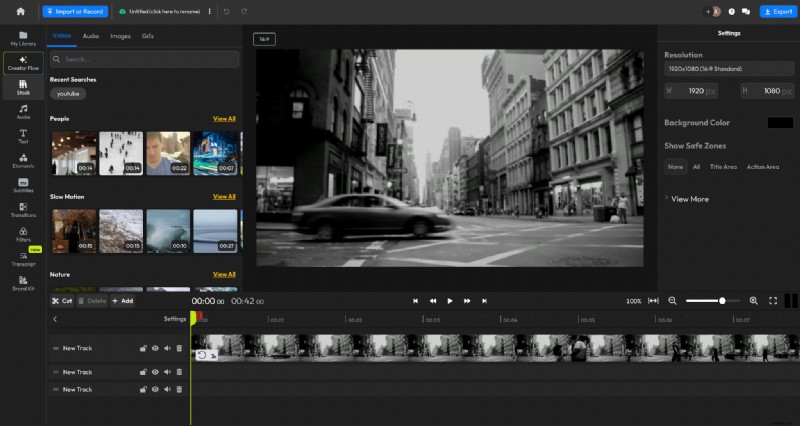
Flixier is a modern, browser-based video editor built for how content is created today: fast, frequent, and across multiple formats. Instead of relying on heavy desktop software, Flixier runs entirely in the cloud and uses practical AI to help you move from idea to finished video faster, without taking creative control away from you.
Key features
- Browser-based timeline editor (no installs)
- AI text editor for scripts, captions, and refinements
- Creator Flow to move smoothly from idea → draft → publish
- Auto-subtitles, translations, and AI voiceovers (fully editable)
- Cloud rendering with fast exports
- Real-time collaboration and comments
- One-tab workflow: record, edit, subtitle, resize, publish
Pricing
- Free plan available
- Paid plans based on usage, export quality, and features
Best for
- Creators, marketers, educators, and business owners
- Beginners who value speed, flexibility, and control
- Teams and solo users who want AI as a co-pilot, not a replacement
Pros
- Very fast, even on low-spec machines
- No installs or system limitations
- AI helps you start faster while staying in control
- Built for repeatable, modern content workflows
Cons
- Requires an internet connection
- Not designed for offline, film-production pipelines
2. Clipchamp (Windows)
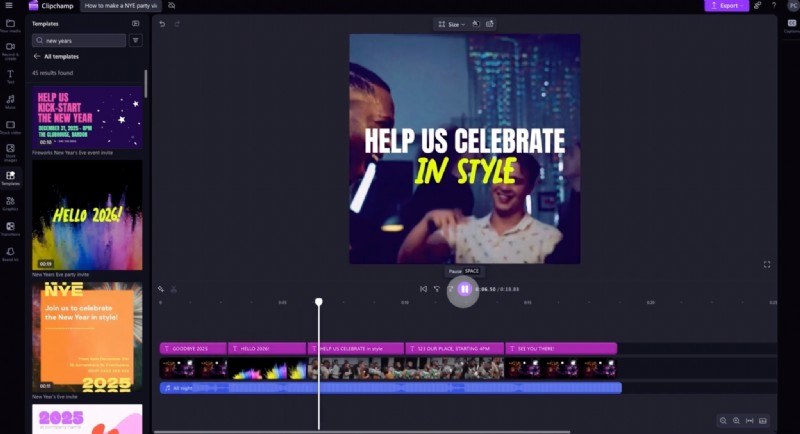
Clipchamp is Microsoft’s entry-level video editor, bundled with Windows 11 and aimed at users who want to make simple videos without installing additional software.
Key features
- Drag-and-drop timeline
- Ready-made templates
- Stock media and basic text tools
Pricing
- Free plan available
- Paid plans unlock premium assets
Best for: Absolute beginners using Windows
Pros
- Extremely easy to use
- No setup required on Windows 11
Cons
- Limited creative control
- Not suited for repeatable or multi-format workflows
3. CapCut (Desktop)
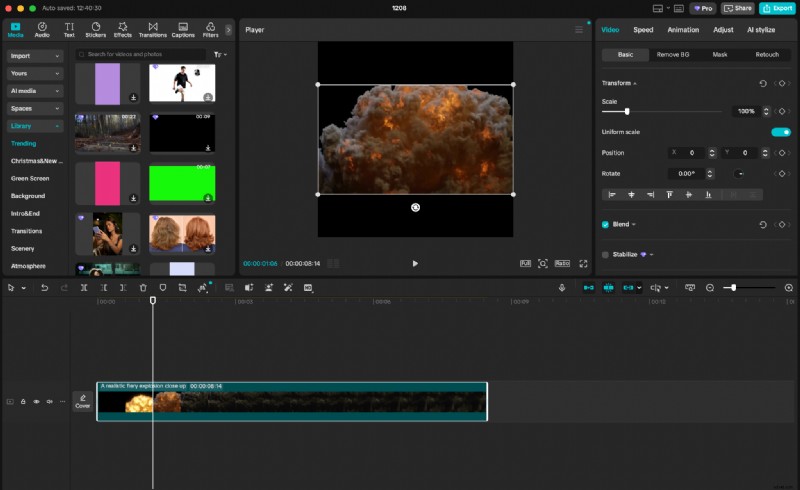
CapCut is a free desktop editor designed primarily for short-form social content. It’s built around templates, effects, and formats popular on TikTok and similar platforms.
Key features
- Vertical video templates
- Auto-captions and text animations
- Social media export presets
Pricing
- Free
- Optional paid assets
Best for: TikTok, Reels, and Shorts creators
Pros
- Very beginner-friendly
- Great for social-first content
Cons
- Limited flexibility for long-form or structured projects
- Less control for brand-driven workflows
4. Wondershare Filmora
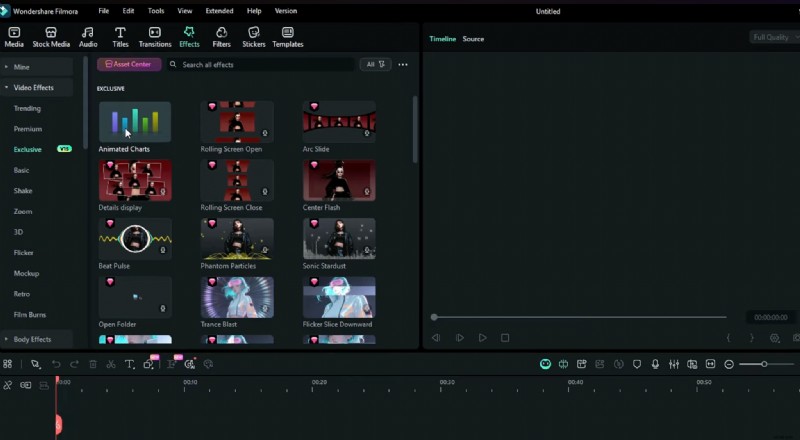
Filmora is a beginner-focused desktop editor that emphasizes ease of use and visual polish through presets, transitions, and effects.
Key features
- Preset titles, transitions, and effects
- Multi-track timeline
- Optional AI-powered effects
Pricing
- Free trial with watermark
- Paid subscription or license
Best for: Beginners making YouTube or personal videos
Pros
- Easy to learn
- Large effects library
Cons
- Watermark on free exports
- Desktop-only, less flexible for fast iteration
5. Movavi Video Editor
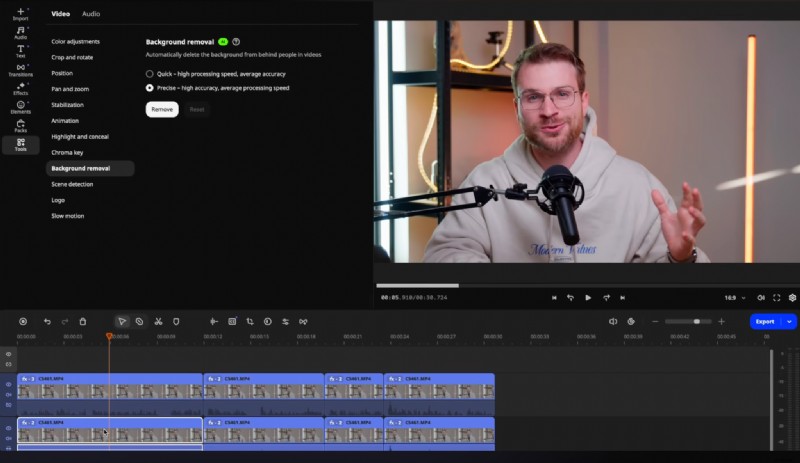
Movavi is a lightweight desktop editor aimed at users who want a straightforward, no-frills editing experience without advanced workflows.
Key features
- Drag-and-drop timeline
- Filters, titles, and transitions
Pricing
- Paid software
- Free trial with limitations
Best for: Personal projects and small business videos
Pros
- Clean interface
- Easy learning curve
Cons
- Limited scalability
- Not designed for frequent publishing
6. CyberLink PowerDirector Essential
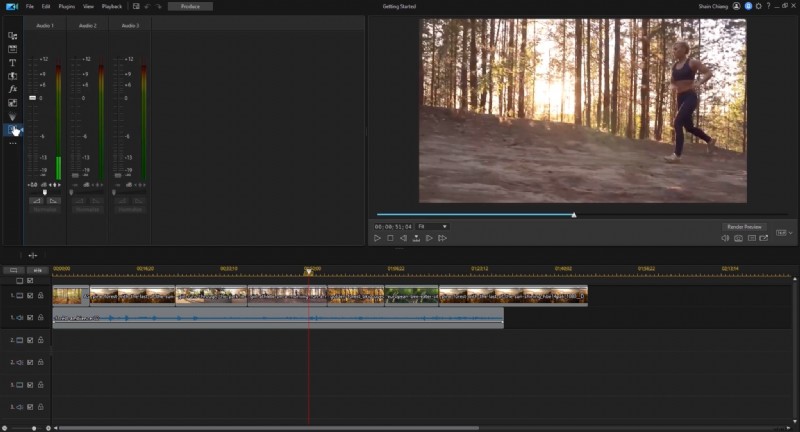
PowerDirector Essential offers a traditional timeline-based editing experience with more advanced features than most beginner tools.
Key features
- Multi-track timeline
- Effects and motion tools
Pricing
- Freemium
- Paid upgrades available
Best for: Beginners planning to grow into more advanced editing
Pros
- Feature-rich
- Strong performance on Windows
Cons
- Busier interface
- Desktop-first workflow
7. Adobe Premiere Elements
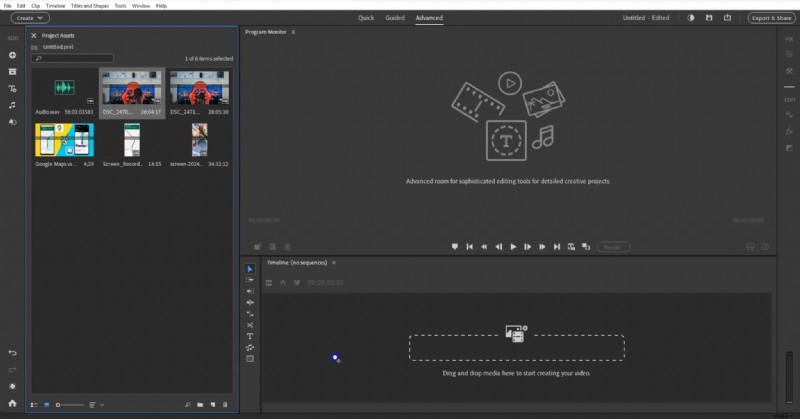
Premiere Elements is Adobe’s simplified video editor, focused on helping beginners learn editing through guided modes and automated fixes.
Key features
- Guided edits
- Automatic color and audio corrections
Pricing: One-time purchase
Best for: Home users learning the basics
Pros
- Clear learning structure
- No subscription required
Cons
- Limited flexibility
- Not built for fast publishing cycles
8. DaVinci Resolve (Free)
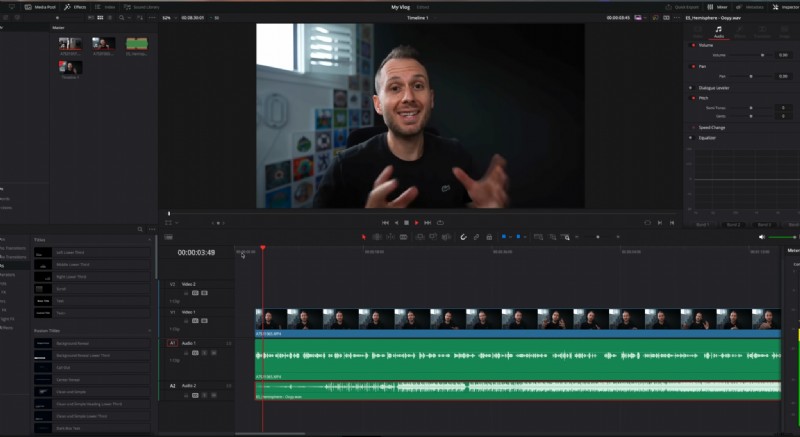
DaVinci Resolve is a professional-grade editor with an exceptionally powerful free version, widely used in film and broadcast.
Key features
- Advanced timeline editing
- Industry-leading color grading
Pricing
- Free
- Paid Studio version
Best for: Beginners serious about professional skills
Pros
- Extremely powerful
- No watermark on free version
Cons
- Steep learning curve
- Heavy system requirements
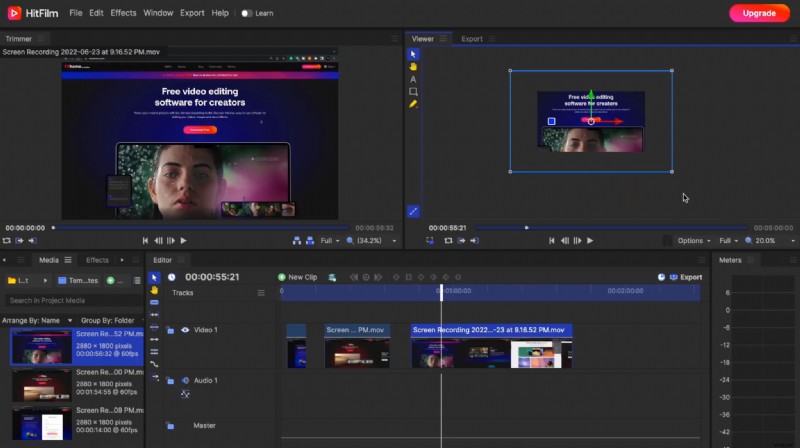
9. HitFilm Free
HitFilm combines traditional video editing with visual effects and compositing tools, making it appealing to creative YouTubers.
Key features
- Layer-based editing
- Built-in VFX tools
Pricing
- Free
- Paid add-ons available
Best for: VFX-heavy or creative projects
Pros
- Strong effects capabilities
- Free entry point
Cons
- Heavier interface
- Slower for simple edits
10. VSDC Free Video Editor
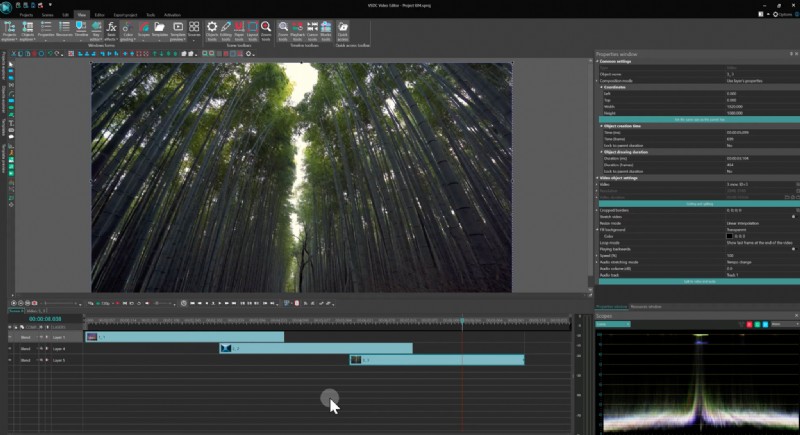
VSDC is a Windows-only editor offering non-linear editing and a wide range of features at no cost.
Key features
- Multi-track timeline
- Filters and transitions
Pricing
- Free
- Optional Pro upgrade
Best for: Budget-conscious Windows users
Pros
- No watermark
- Feature-rich for a free tool
Cons
- Dated interface
- Less intuitive for beginners
11. Shotcut
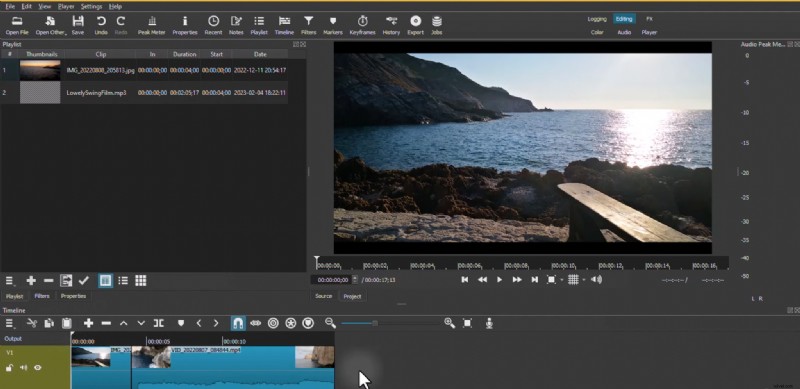
Shotcut is a free, open-source video editor offering flexible format support and technical controls.
Key features
- Multi-track timeline
- Broad codec support
Pricing: Free
Best for: Beginners who prefer hands-on control
Pros
- Completely free
- Cross-platform
Cons
- Technical UI
- Minimal guidance
12. Lightworks Free
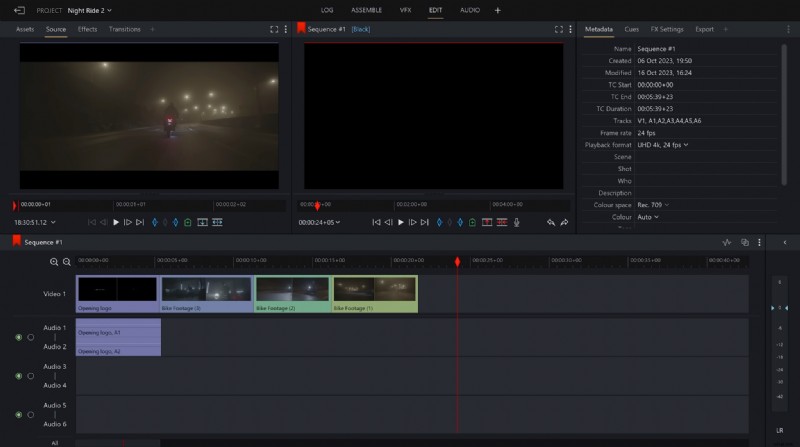
Lightworks is a professional editor with a free tier that introduces users to high-end editing workflows.
Key features
- Advanced trimming tools
- Professional timeline layout
Pricing
- Free
- Paid plans unlock export options
Best for: Beginners aiming for professional editing
Pros
- Powerful editing tools
- Industry pedigree
Cons
- Export limitations on free plan
- Steeper learning curve
Choose a Video Editor That Matches Today’s Pace
Video creation has changed. You’re expected to publish more often, in more formats, and across more channels, without spending days learning software or waiting on exports. But many video editors are still built for a slower, desktop-first era.
If you’re just getting started, any beginner editor can help you trim clips and add text. The real difference shows up over time: how fast you can go from idea to publication, how easily you can reuse content, and whether your tools support your momentum or slow it down.
Some tools on this list focus on learning professional skills, others on templates or effects, and some on offline desktop editing.
Flixier stands out for a different reason: it’s built for modern workflows where speed, flexibility, and control matter. By combining browser-based editing with AI that assists rather than overrides, it removes friction without turning creativity into a black box.