
This article introduces the top 10 free MP4 editors on Windows 10.
MP4 is a widely used video format. All platforms and devices support it in one way or another. You will find the format on camcorders, smartphones, SmartTVs, DVD players, and gaming devices. Before landing here, you must have looked and researched for the best MP4 video editor on Windows 10. The prices go north in the triple digits for an annual plan.
Buying an expensive MP4 video editor only works when you have a big production studio with a ginormous budget. For the rest of us, we can rely on the free MP4 video editors. They provide virtually the same features without making your pocket lighter. Have a look at the best free MP4 editors on Windows 10 that you can try right now.
#1. FilmForth (Recommended)
Suitable for: Beginner and Professionals
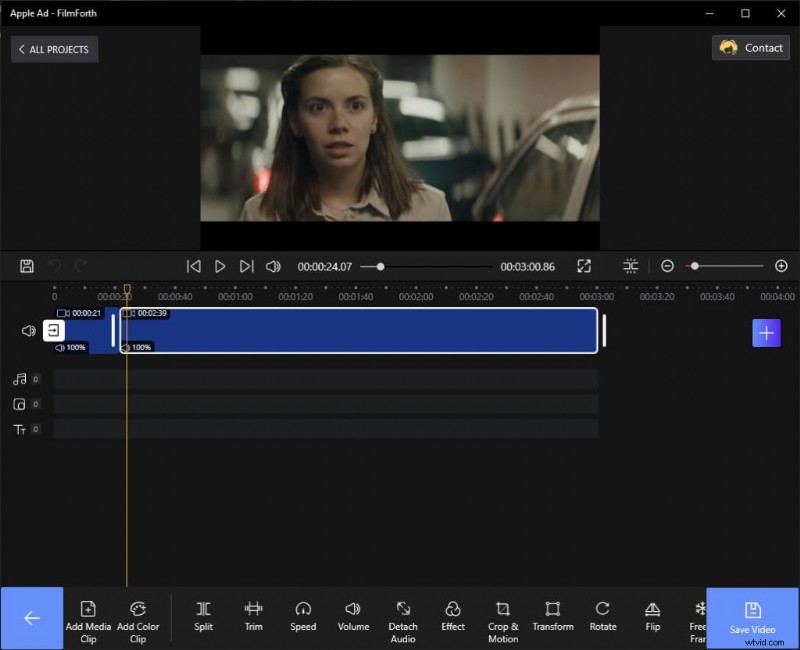
FilmForth
Starting off with our favorite MP4 editor. FilmForth means business when it comes to editing any video file. Trim, split, merge your videos without blinking an eye. Add slow-motion, video effects/filters, and make your video stand out. Download FilmForth on Microsoft and start to edit your video now.
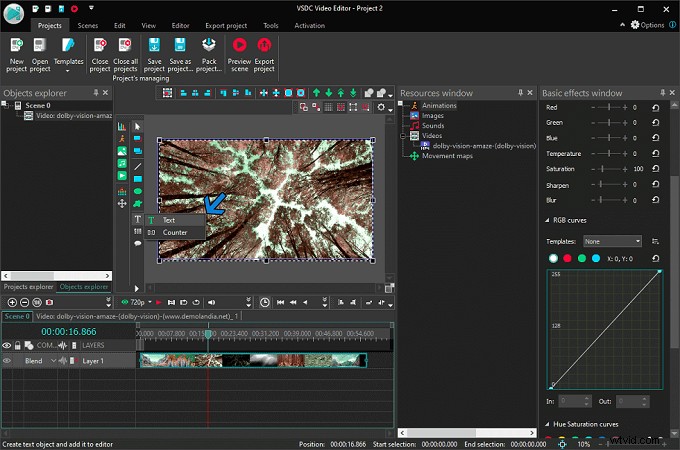 Characteristics
- Optional Watermark: Several free video editors impose their watermark on the video. That’s not the case with FilmForth. You can choose to remove it while exporting your video.
- Remove Video Background: Chroma Key is here to save the day. Remove unwanted background from a video. Replace it with the scenery of your choice.
- Wide Formats Support: Have a rare format at hand? The chances are that FilmForth supports it. In rare cases, you can rely on the video converter for converting into an acceptable format.
PROS
- Exports in MP4 format
- Easy to use Interface
- New Features with every update
CONS
- No Collaborative editing
- Cannot upload directly to the cloud
#2. Microsoft Photos
Suitable for: Beginner
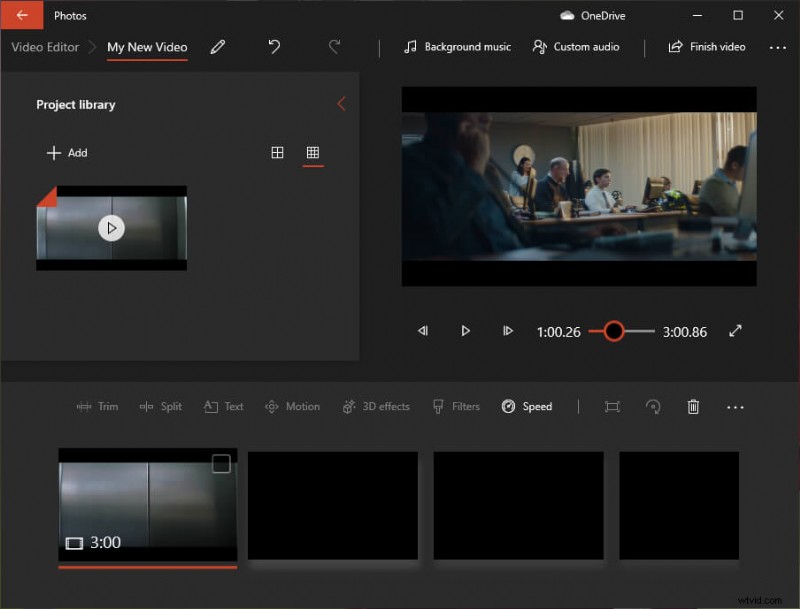
Microsoft Photos
Microsoft bid adieu to the veteran Windows Movie maker. Photos app has taken from there and made it incredibly easy to do basic editing.
Characteristics
- Auto video creator: When you have a few pictures and clips at hand, the auto video creator can create a video.
- 3D Effects: Add different 3D objects, effects from an extensive library.
- Cloud Backup: Save projects directly to OneDrive cloud. Set it up from the settings.
PROS
- No installation needed
- Cloud support
- Sync music with beats
CONS
- Exports in one format
- No FPS setting
#3. EaseUS Video Editor
Suitable for: Beginner and Professionals
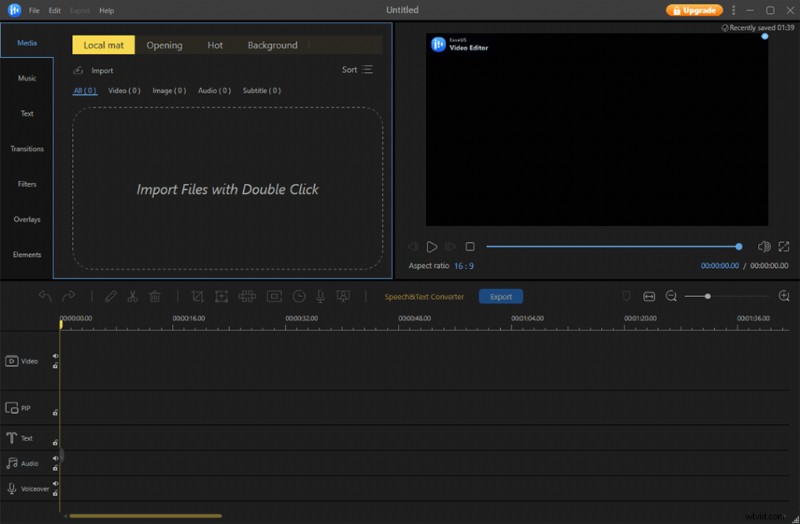
EaseUS Video Editor
EaseUS Video editor is another MP4 editor on Windows 10. They offer a free version with limited features. You can upgrade anytime to unlock all the features and tools.
Characteristics
- Upload Directly to Social Media: YouTube, Facebook, or Twitter, etc., upload your video directly to any of the major social media sites.
- Calibrate Video properties: With the video panel, play with the hue, brightness, shadow for finding the right blend.
- Text to Speech: Use the in-house text to speech converter for adding a voiceover.
PROS
- Intuitive tutorial
- Export in different formats
- Set a video thumbnail/cover
CONS
- Limited features in the free version
- Slow video processing
#4. VSDC Free Video Editor
Suitable for: Professionals
VSDC Free Video Editor
One does not expect meticulously designed video with decent features for free. VSDC video editor has done precisely that. Get engulfed into the hectic user interface for editing.
Characteristics
- Masking: Smart mask any object, element in a video for blurring or highlighting it. Apply special effects outside the mask as well.
- Calibrate Video properties: With the video panel, play with the hue, brightness, shadow for finding the right blend.
- Motion Tracking: Track motion of any object, and then assign subtitles, text, elements, icons, etc.
PROS
- Ideal for professionals
- Subpixel accuracy
- Desktop video capture
CONS
- Long learning curve
- Laggy crop tool
#5. Avidemux
Suitable for: Beginners
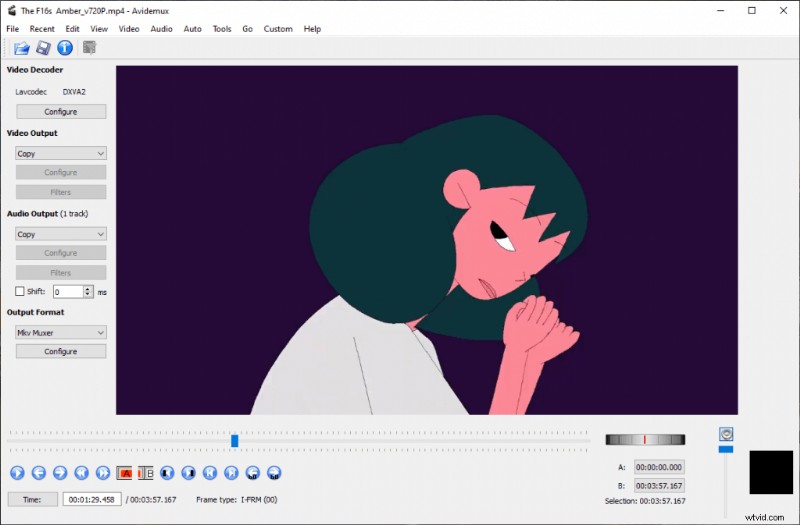
Avidemux
Avidemux is not your ordinary MP4 video editor. It is a combination of a video converter and an accompanying editor.
Characteristics
- Automate Task: Using the scripts, automate any task on the video editor.
- Advanced video filter: interlacing, frames blending, and chromaShift, amongst several other tools.
- Export in Different Audio containers: Choose from 10 different video container formats and their accompanying properties.
PROS
- Good for basic editing
- Advanced audio customization
- Different video decoders
CONS
- Not for advanced editing
- No video timeline
#6. Lightworks
Suitable for: Professionals
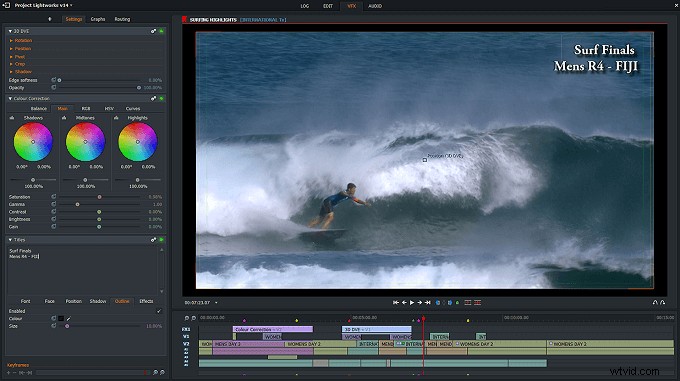
Lightworks
Now we have a free MP4 video editor, which many professionals and production houses use.
Characteristics
- Background Process: Import, export, and render in the background while you edit the video. You wouldn’t need to wait for the process in motion to finish.
- Multicam editing: Sync footage from all cams with the auto-sync when you’re short on time.
- Real-time collaboration: Share, view, and work on different elements, objects in real time.
PROS
- All features in the free version
- Used by film production houses
- Amazing subtitle workflow
CONS
- User-interface takes time to learn
- Linear editing flow
#7. HitFilm Express
Suitable for: Intermediate and Professionals
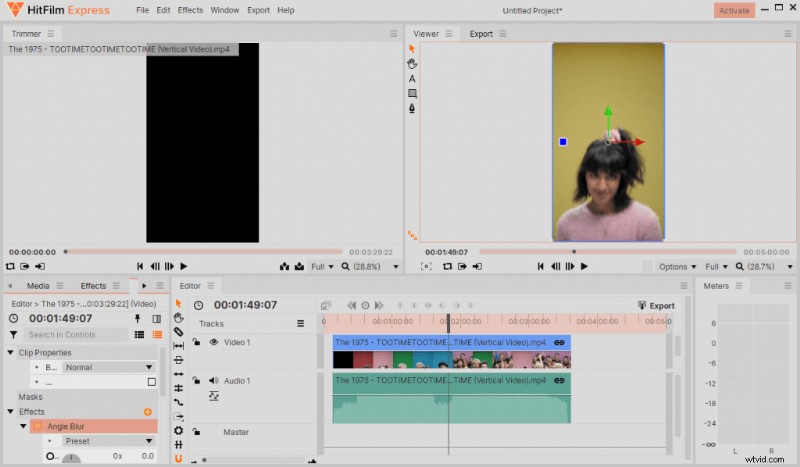
HitFilm Express
Now we have an editor who follows a pay as you like pricing model. You can download it by entering your email, where the download link is sent.
Characteristics
- Multiple Streams: Import multiple streams of audio and use them in the ways you want.
- 360 Degree Videos: Tweak and fix lens blur, curvatures of 360 videos.
- Composite Shot Enhancements: Take advantage of the animation shots using the control panel and timeline graph.
PROS
- Tabbed workflows
- Personalized playback
- Intelligent in-built search for elements
CONS
- Many features need to buy as an addon
- Limited editing on vertical videos
#8. BeeCut
Suitable for: Intermediate and Professionals
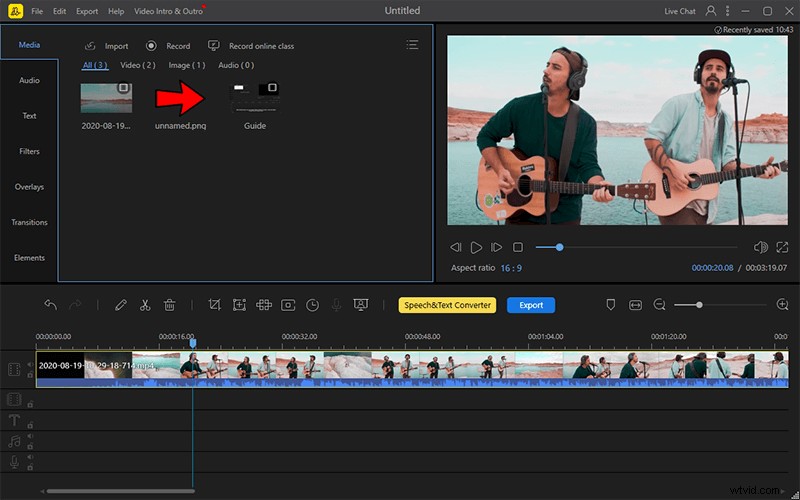
BeeCut
BeeCut’s user interface is inspired heavily by the EaseUS video editor. Both paid and free versions are available.
Characteristics
- Video Stabilization: Stabilize your shaky footage, and you will not need to re-shoot the scene.
- Slow-motion: Add drama to the video with slow-motion segments.
- Multi-platform: Start the project on one platform and finish it on another.
PROS
- Easy to use UI
- Library of media elements
- Voice narrator
CONS
- Cannot add custom elements
- Unflattering text options
#9. Shotcut
Suitable for: Intermediate and Professionals
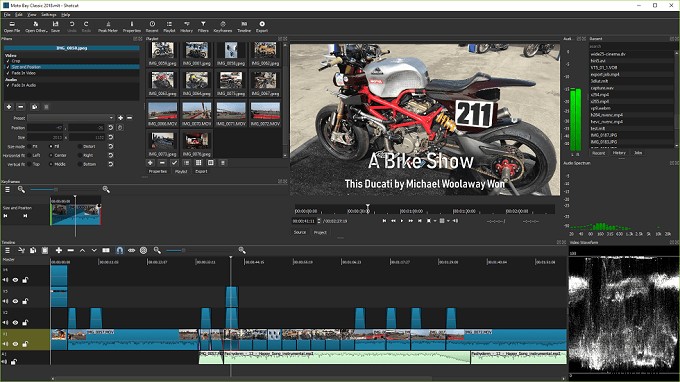
Shotcut
The next MP4 video editor is an open-source, cross-platform. Shotcut doesn’t hold back when it comes to editing.
Characteristics
- Color Wheel: Color correction of videos using the three-way color wheel.
- Unlimited Undo: Made a mistake or want to go back to the last edit? Then use the undo option with the history view panel.
- Skin and Themes: Don’t get bored with the monotonous look of your editor. Play with the themes and keep things dynamic.
PROS
- All formats supported through FFmpeg
- Advanced audio panel
- Portable App available
CONS
- UI panels cannot be moved
- Not suitable for beginners
#10. OpenShot
Suitable for: Beginners and intermediate
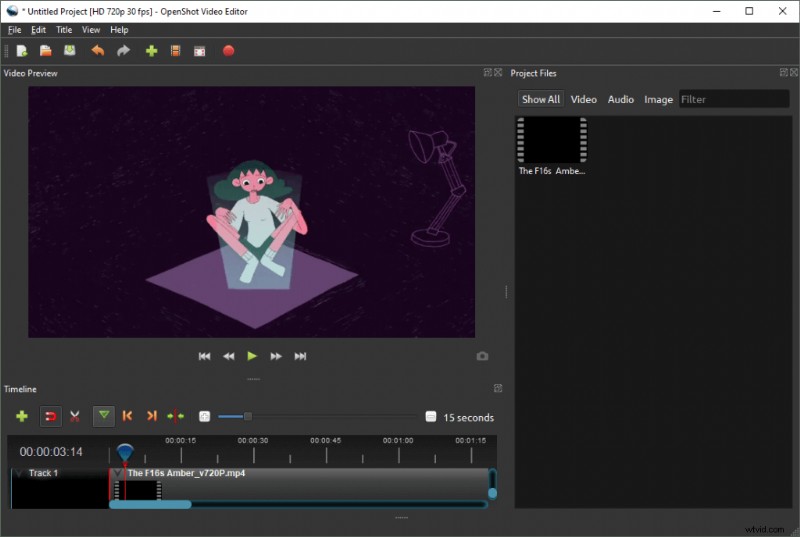
OpenShot
Continuing with the open-source and free MP4 video editor, we have OpenShot. An editing app created while keeping usability on a pedestal.
Characteristics
- Customizable UI: Drag and drop different editing panels and arrange them according to your workflow.
- User View: OpenShot has two view modes. One is simple for regular users. The second is the advanced mode, meant for professionals.
- Import Final Cut Pro Files: When your boss, or a client, has sent you files from the FCP(XML), no need to sweat it out. Import them and start editing.
PROS
- Unlimited tracks/layers
- Composting
- 40 plus vector templates
CONS
- Buggy interface resizing
- Video timeline lacks features
Conclusion
The MP4 is a versatile format, so should be your video editor. Start with FilmForth and see where it takes you. You can start with your video, which is another format, and export in MP4 as well.
Choose the editor which aids your workflow and has the right set of tools relevant to your daily needs. Some of the mentioned editors are free versions with limited features. You can use them for basic editing, powered by a premium workflow.