
Are you looking for GoPro video editor to make cool videos? This post offers you 7 best GoPro editing software. They can help you split, combine, add music, apply effects, add titles, add subtitles and more. Check out this post now!
GoPro camera is commonly used by those who like extreme sports such as skydiving, skiing and more. As a member of them, you may want to record the memorable moment with GoPro camera and upload it to your social platforms like YouTube, Instagram, Facebook and Twitter.
If you want to download YouTube videos, you can try MiniTool software – MiniTool uTube Downloader.
Therefore, you need to edit the GoPro video with GoPro editing software.
How to editing GoPro videos? Here list 7 GoPro video editors. You can pick the suitable one!
1. Adobe Premiere Pro
Adobe Premiere Pro is the professional video editing software. It’s also a must-have video editor for professionals.
Key Features
- It comes with all basic editing features and advanced editing features like audio mixer, chroma key and so on.
- It allows you to share videos on the social media platforms.
- It works on Windows 8/10.
- It’s available at $19.99.
2. Davinci Resolve
Davinci Resolve provides non-linear video editing. The free version is available.
Key Features
- It enables you to do all basic editing operations.
- It runs on Windows, Mac and Linux.
3. Final Cut Pro
Final Cut Pro is a GoPro video editing software developed by Apple. It has an intuitive interface and comes with powerful editing features.
Key Features
- It has user-friendly and intuitive interface.
- It offers multicam editing, advanced color grading, templates and more.
- It supports 360-degree videos.
- It only available for Apple devices.
4. Lightworks
Lightworks is a free GoPro editing software for beginners.
Key Features
- It’s free to use.
- You can use it add voiceovers, add text effects, trim, etc.
- It allows you to upload the exported video on the web.
- It only supports Windows.
5. iMovie
iMovie is a good GoPro editing software for Apple users.
Key Features
- It has all basic editing tools and comes advanced features.
- It allows you to edit videos with 4k resolution.
- It only available for Apple devices.
6. Quick
Quick is the best video editor for GoPro. It’s very easy to use. Also, it can import your footage automatically and help you create wonderful videos in just a few clicks.
Key Features
- It supports uploading GoPro videos to the cloud, so you can edit your videos anytime, anywhere.
- You can edit burst and time lapse photos.
- It offers different kinds of transitions and effects.
- You can share videos to social media platforms such as Instagram and What’sApp.
- It’s compatible with Windows and Mac.
7. Windows Movie Maker
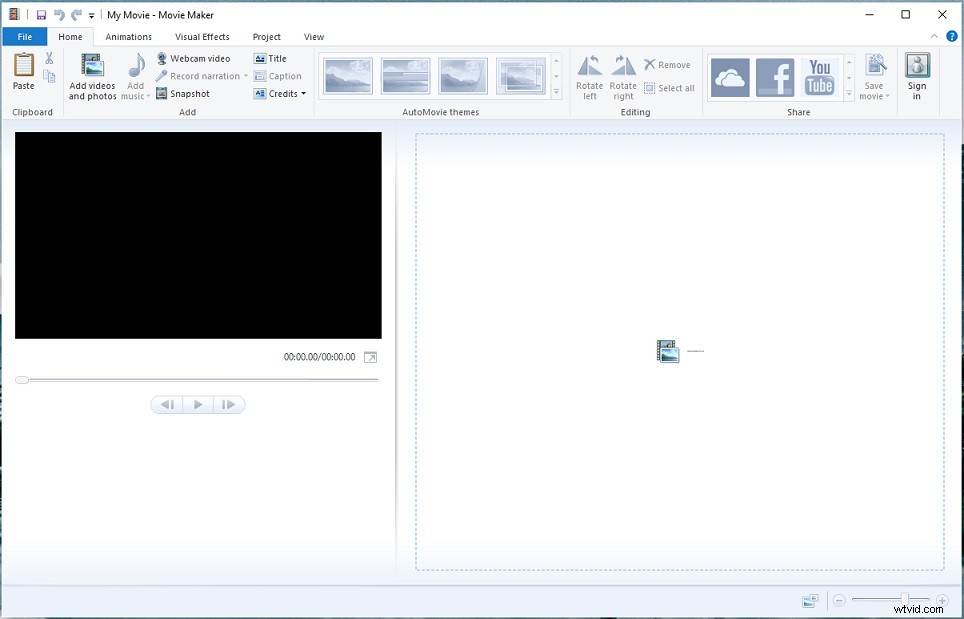
For beginner, here recommend Windows Movie Maker. Although it’s not powerful like the above-mentioned GoPro video editors, Windows Movie Maker is still an excellent video editing software.
With it, you can edit GoPro videos like add music, add transitions, add effects, split, trim, add voiceover, remove audio from video, etc.
Key Features
- It’s absolutely free.
- It provides all basic editing tools.
- It only works on Windows.
Conclusion
After reading this post, have you found the suitable GoPro editing software?
If you have other GoPro video editors, please share them with us by leaving a comment.