I uploaded some 1080p videos I took from my digital video camera to my computer. I want to add some effects to them, so I tried Roxio and After Effects CS4. But in both programs, they didn’t play properly. Anyone know a better 1080p video editing software program?
1080p video now can be easily captured by common devices such as cell phones or consumer camcorders. But some the editing software may have trouble importing or editing this kind of video sometimes. If you are looking for great 1080p video editing software, I highly recommend the Wondershare Filmora. Here are the main features of the program:
- Create exceptional movies using many formatted video, photo and audio clips.
- Easily rotate, split, crop and trim audio, videos and photos on the timeline
- Make your videos personal with filters, picture-in picture, transitions and many more features
- Share your creation anywhere on YouTube, your TV, iPhone, Facebook and elsewhere
Easy steps to edit 1080p videos with this 1080p video editing software
1 Import video clips
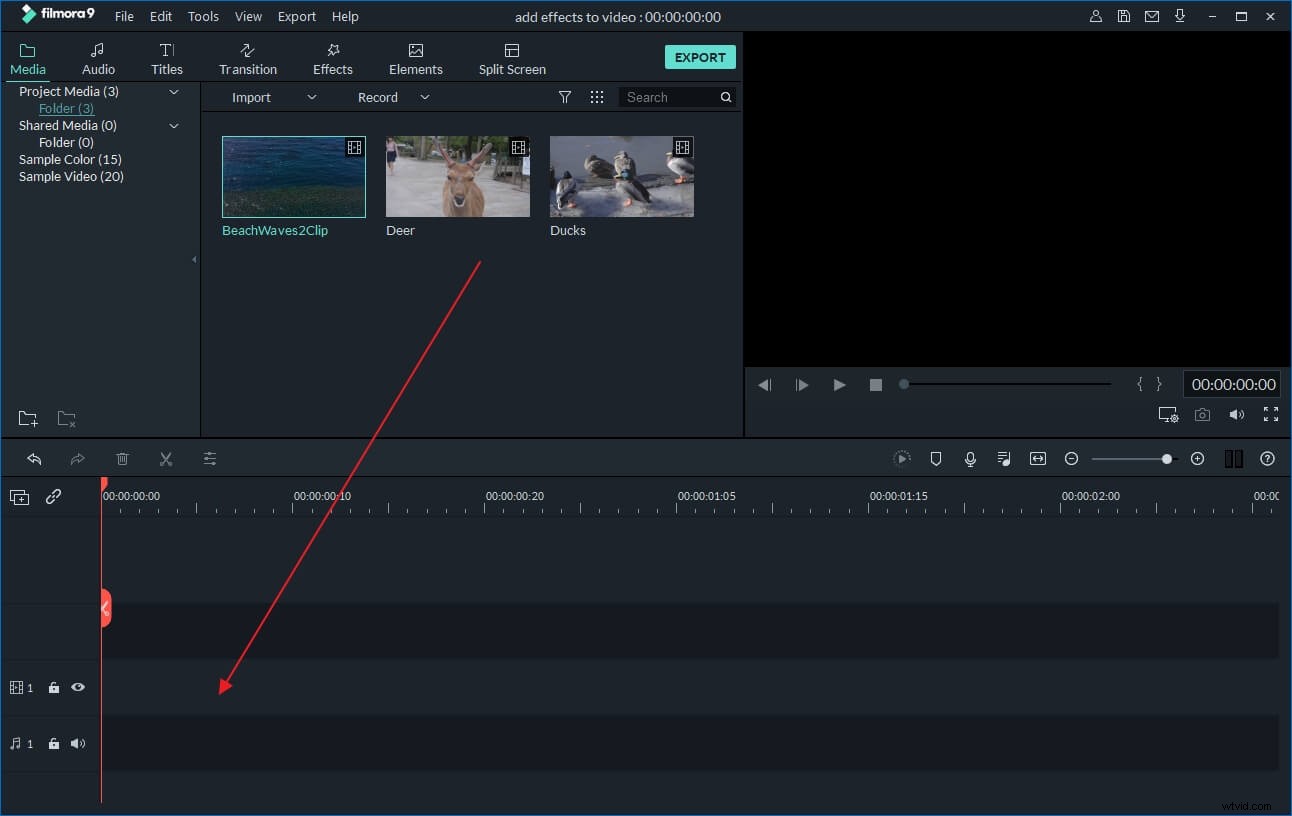
After transferring your video from camcorder or other devices, click the Import button. Then you can preview and choose the target video files, click the Open to add them to the program. You can also directly drag and drop your files to the primary window.
2 Edit your 1080p video on the timeline
Before editing, you should drag the imported clips to timeline. After that, you can cut, trim, delete, rearrange clips without difficulties on the timeline.
Place your cursor on the timeline, watch your video in the preview window while it is playing, you can choose the specific frames for trimming or cutting. If the video is shot in vertical or upside down, you can easily flip it to the right location by hitting the Rotate button. If the video is shot in dark environment, you can even adjust it to make it brighter by adjusting contrast and brightness. Volumes and speed also can be changed easily.
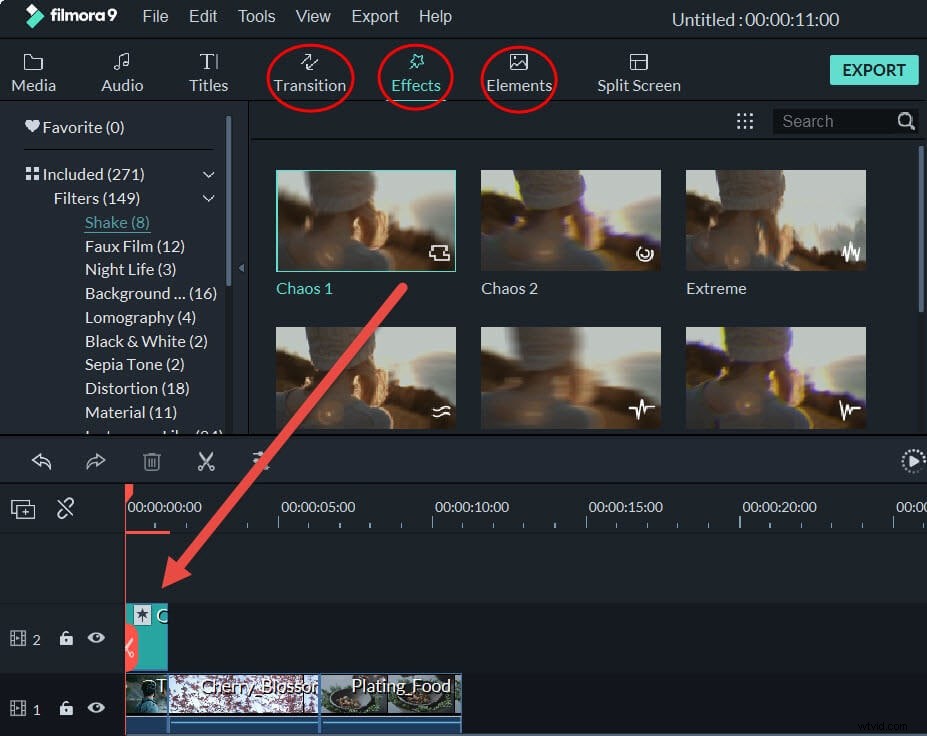
You can go to the Effects tabs to add special effects like Linear Light, Rain Drop, Snow and more to make your videos more personalized and special. Or switch to Transition tab and choose from 50+ scene transition effects provided.
3 Save or share your new videos
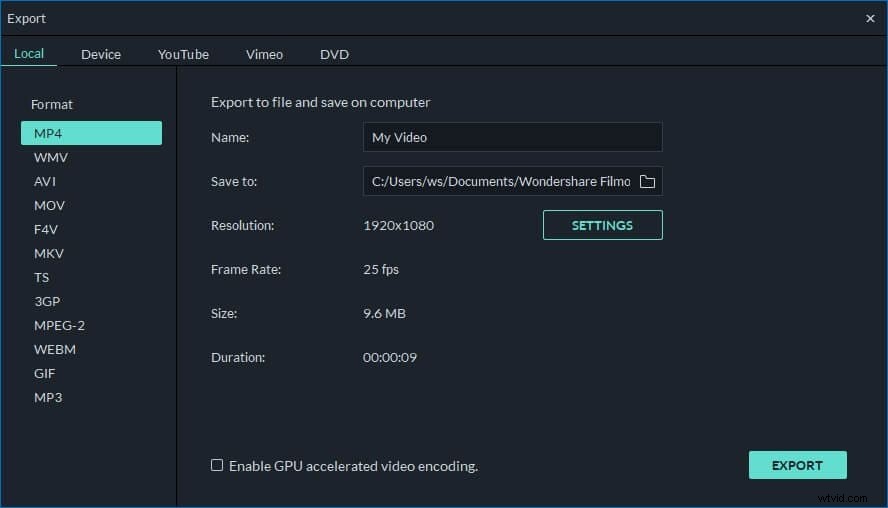
After you finish the editing, click Create to save your new creation. You can save it in different formats, directly upload it to YouTube or Facebook or burn to DVD as you like.