
Do you know what a pitch changer is? It is a tool that allows you to easily change the pitch of an audio file. This article will detail the 8 best audio pitch changers. After modifying the audio file, you can add it to any video with MiniTool software.
Are you looking for a tool that can slow down the playback speed or change the pitch for comfortable singing or instrument training? A music pitch changer is exactly what you need.
A professional audio pitch changer can help you change audio pitch, as well as modify audio speed, tempo, treble, bass, etc. Some of them let you change the pitch without affecting the original audio speed.
Top 8 Best Audio Pitch Changers
- Online Tone Generator
- Conversion-tool
- Audio Speed Changer
- Audacity
- WavePad
- Expstudio Audio Editor
- Anytune
- Audipo
1. Online Tone Generator
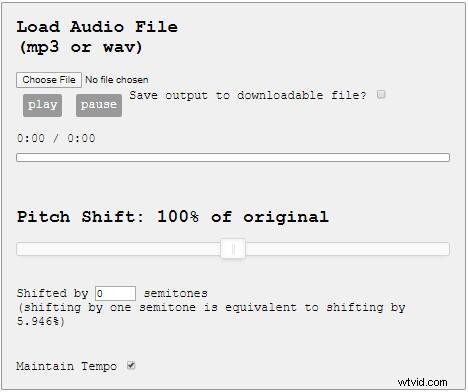
Online Tone Generator is a free tool that lets you change the pitch of the WAV or MP3 format audio files. The tempo of the audio is not disturbed and remains the same while using this audio pitch changer for changing the pitch.
You might be interested in: How to Normalize Audio
2. Conversion-tool
Online Music Pitch and Speed Changer of Conversion-tool is an easy-to-use online audio pitch changer. It can change the pitch and speed of music independently and it is useful for music training, transcription, instrument learning, or just for music slow down or speed up.
3. Audio Speed Changer
Audio Speed Changer is one of the best audio pitch changers to help you independently change the playback speed and pitch of music. This tool is ideal for changing playback speed and keys for song transcriptions, instrument training, sound training, etc.
Related article: Top 8 Best Audio Enhancers to Improve Audio Quality
4. Audacity
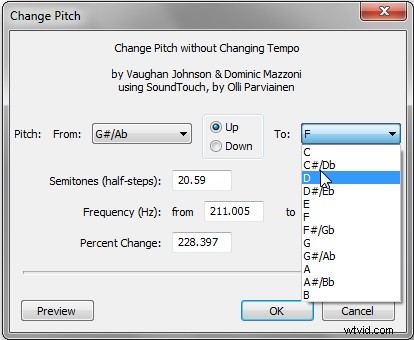
Audacity is a very popular free open-source audio editor. When using Audacity as an MP3 pitch changer, you can get some very useful features, such as audio graph and time scale. The software supports many popular audio formats, such as MP3, WAV, MPEG, FLAC, etc.
5. WavePad
WavePad is an excellent free audio pitch changer. With it, you can easily change the pitch of various audio formats, namely MP3, MP2, AIFF, VOC, RAW, WAV, etc. The software also has standard audio editing functions, such as audio graphs, time scales, etc.
You might be interested in: Top 16 Sites to Download Free Sound Effects
6. Expstudio Audio Editor
Expstudio Audio Editor is another freeware audio editor, which can be used to change audio pitch. And you can preview the audio clip after changing the pitch. This program supports the most popular formats and provides many important audio editing tools, like Effects, Special FX, Filters, etc.
7. Anytune
Anytune is an ultimate audio pitch changer app for the musicians and singers to change audio pitch and select the perfect one. It lets you import audio from video, fade in or fade out music, adjust tempo and pitch individually without affecting one another.
8. Audipo
Audipo is a real-time tempo and pitch changer that lets you decrease or increase the speed and keys of the audio playback while you’re listening to it. With a user-friendly and clear interface, this app is available for both iPhone and Android users.
Bottom Line
After reviewing the top 8 best pitch changer, which one do you prefer? It is admitted that online pitch changers can help you make audio better without downloading any software, but if you want to change audio pitch precisely, desktop software is much better.
If you have any questions or suggestions about it, please let us know via admin@wtvid.com or share them in the comments section below.