
Currently, the public love sharing videos or photos on social media. What can you do to prevent others from taking your content? If you are distressed by this problem, you can try to add watermarks to your videos or photos with a free watermark app.
Are you still searching for a free watermark app to let you create watermarks? If yes, then you’ve come to the right place. Luckily, this post is going to recommend 7 free watermark apps to you. And if you want to add text watermarks to videos, you can try MiniTool MovieMaker.
Here’s the list of top 7 free watermark apps.
Top 7 Free Watermark Apps
- Add Watermark on Photos
- MiniTool MovieMaker
- Watermark X
- Video Watermark
- Photo Watermark
- Watermark+ Photo Video
- Add Watermark Free
Add Watermark on Photos
It’s recognized as the best watermark app for Android and designed to add watermark to photos. With this free watermark app, you can create customized text watermarks, and edit the color, font, size, background of the text, and rotate the text as you like. To help you make watermark quickly, this app provides many build-in patterns. Also, you’re allowed to create logo watermarks, copyright symbols, and digital signature, etc.
MiniTool MovieMaker
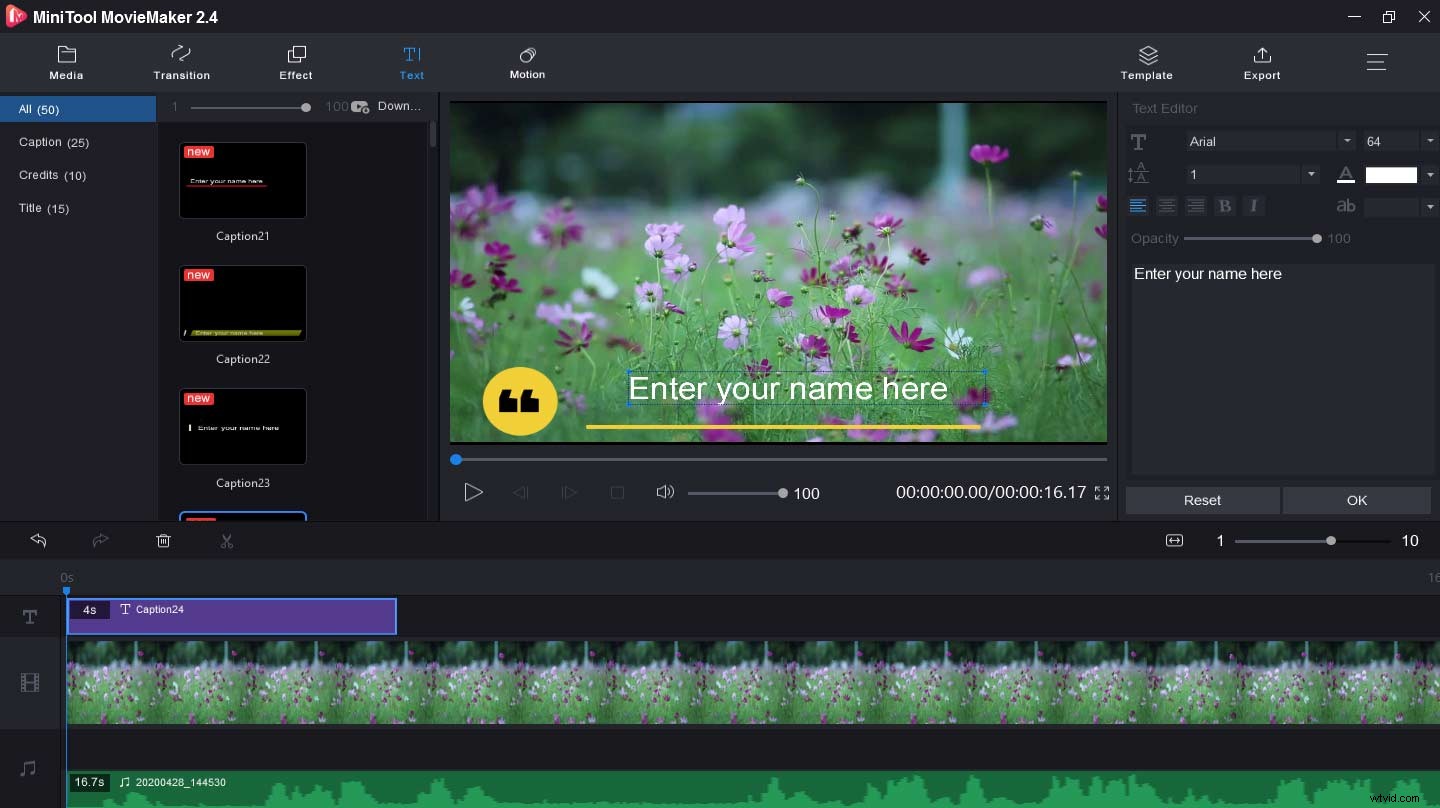
If you try to add text watermarks to videos, MiniTool MovieMaker can be the best free watermark app for videos. It renders you 20 caption styles, 10 credits styles, and 15 title styles, and so you can easily find the text style you like. Moreover, you’re permitted to change the text font, size, color, and position. Aside from making watermarks, it can make movies like reaction videos, supports GIF to video, edit audio in video, etc.
Watermark X
Watermark X, a free watermark app for iOS in limited times, allows you to add professionally designed watermarks to pictures in seconds to protect and enhance photos. To find a suitable watermark, you can choose from pre-designed templates, including traditional, modern, or registered watermarks. But beyond that, you can customize the watermark with your information, change the color, opacity, size, and location.
Video Watermark
For Android users, it’s another free watermark app for videos to protect your videos by creating and adding watermarks. With it, you’re available to create your brand with text or logo watermarks and easily apply them to vides with its editing tools. Similarly, you can adjust the watermark position, opacity, and color to personalize your videos.
Photo Watermark
It’s also considered as the best watermark app for Android to add digital watermarks to images. It offers hundreds of built-in text and PNG stickers that can be set as watermarks. As for the text, the font, color, and other effects can also be changed. And it’s easy to move, rotate, and reverse watermark, and change the transparency of watermarks. Besides, it can clone and edit watermarks.
Watermark+ Photo Video
It’s a free watermark app for videos and photos. To protect your works, you can add unique text watermarks, signatures, logos, and images. For a text watermark, it offers various fonts and colors. And you can easily create a signature and import trademark from your images. More importantly, it supports a full-screen watermark.
Add Watermark Free
It’s another best watermark app for Android to add text or logo watermark to pictures. It enables you to adjust its size, transparency, rotation, and alignment. Beyond that, it can add a timestamp, filename, GPS tags, stickers, and other properties as a watermark. And this app can let you save pictures as JPG or PNG format.
Bottom Line
This post gives you 7 free watermark apps including the best watermark app for Android and free watermark app for videos. Which app do you like best? You can choose one app and try to add watermarks to photos or videos.