
YouTube playlists are a great way to customize your YouTube channel for your audience. They make your channel look more professional, and your content more accessible & easier for people to binge.
Plus, with a few simple tweaks and keyword optimization they also provide an awesome opportunity to rank your content. This means your playlist can get found in YouTube search so you can start generating a ton of extra views!
In this complete YouTube playlist tutorial, we’ll show you how to make a playlist on YouTube from start to finish. Then we’ll cover how to optimize your new playlists to get more views.
Make sure you hang around until the end to learn a simple way you can take playlists to the next level.
Let’s get started.
How to Make a YouTube Playlist
There are two big advantages of using playlists:
- You’re able to curate your content and make it easy for viewers to find related videos on a certain topic from you
- You can rank your playlist in search results
This is how you make one.
Go to your YouTube Studio. In the left column go to Playlists. This is where you can make, modify and control all of your playlists.
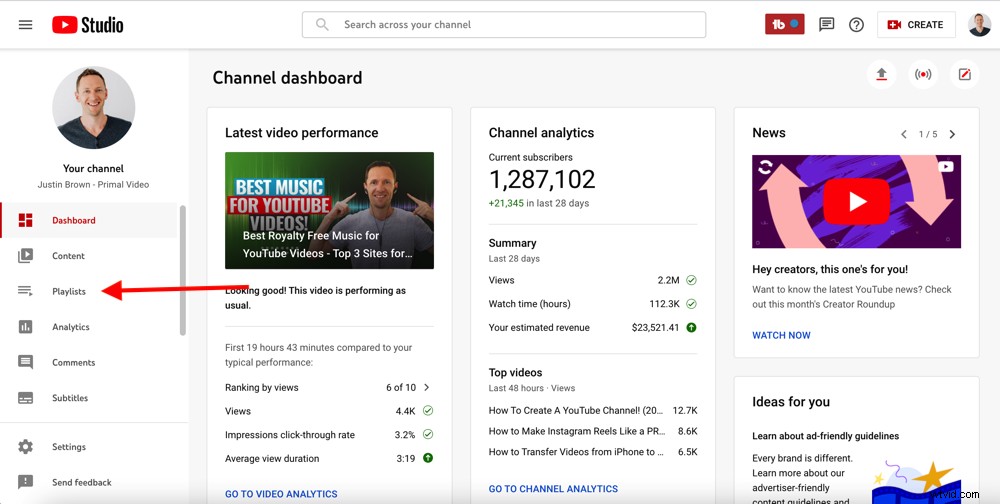
In your YouTube Studio, select Playlists in the left menu
To make a new playlist, press New playlist in the top right corner.
Then you’ll be prompted to give the playlist a title. Make sure you give this some consideration – it’s like choosing the title for a YouTube video.
Ideally you’re doing some keyword research to help YouTube rank the playlist in search for the specific title or keywords that you’re using.
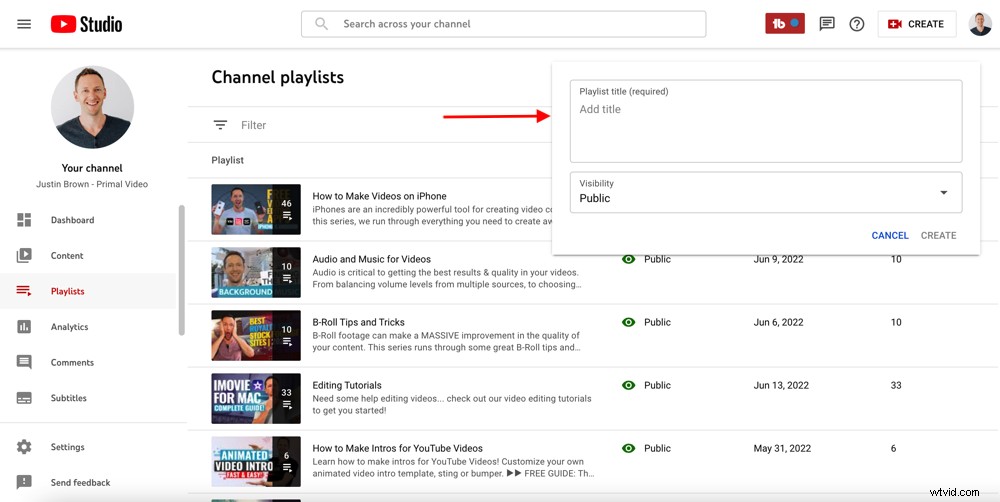
Make sure you put some thought and research into your YouTube playlist title
The titles of some of our playlists include:
- YouTube for Business: How to GROW a Business on YouTube
- How to Set Up Lighting for Video
- How to Make Instagram Video Edits
All of these titles were optimized and researched, so we know people are searching for these things.
Once you’ve decided on the playlist title, you can decide whether you want the playlist to be public, unlisted or private.
Then press Create.
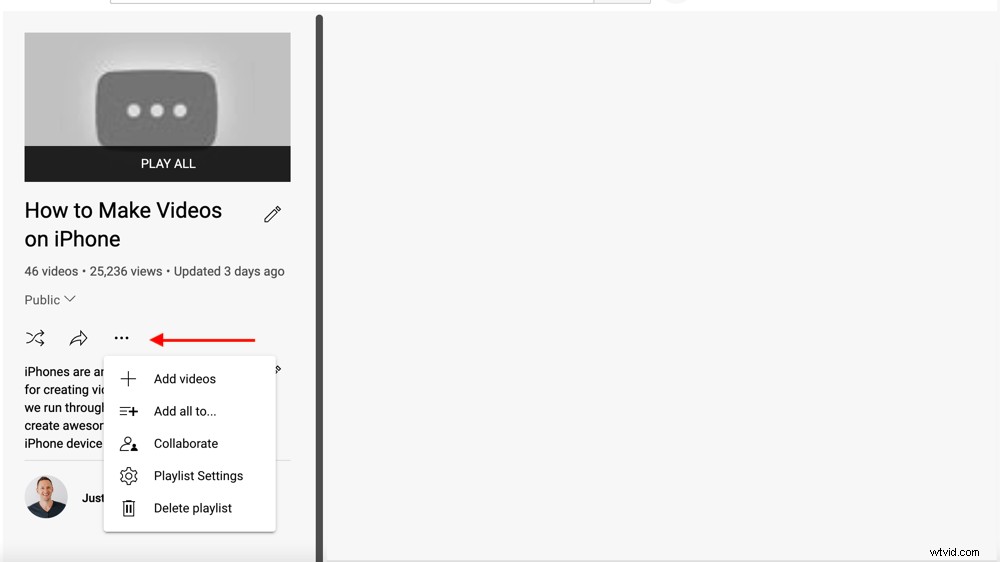
There are lots of settings you can access once you’ve created a playlist
After creating your playlist, you can:
- Share the playlist
- Turn on Collaborate so that other creators can add videos to your playlist
Under Playlist settings you can also turn on these features:
- Allow embedding: So you can embed the playlist on your website or blog
- Add new videos to top of playlist: So the newest videos are always at the top
- Set as official series for this playlist: So the videos have to be watched in order
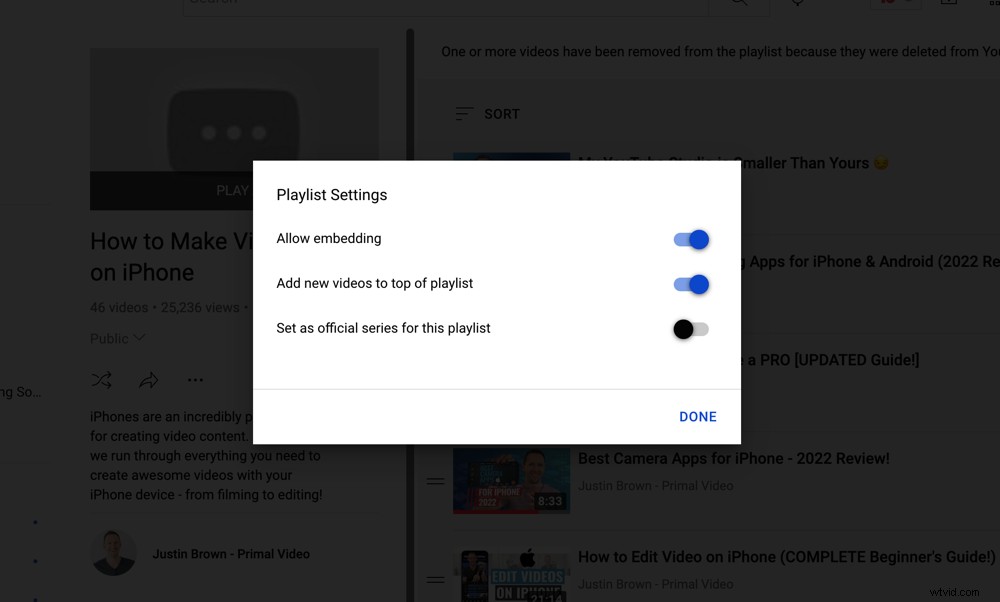
There are more options you can customize inside the Playlist Settings
The next step is to add a description. Again, it’s best to include some keywords and key ranking indicators to help YouTube rank your videos here.
YouTube treats a playlist almost the same as it treats a video. That’s why it’s so important to properly optimize your title and description.
But don’t go overboard by keyword stuffing – make sure it’s still human-friendly and easy to read.
Then press Save.
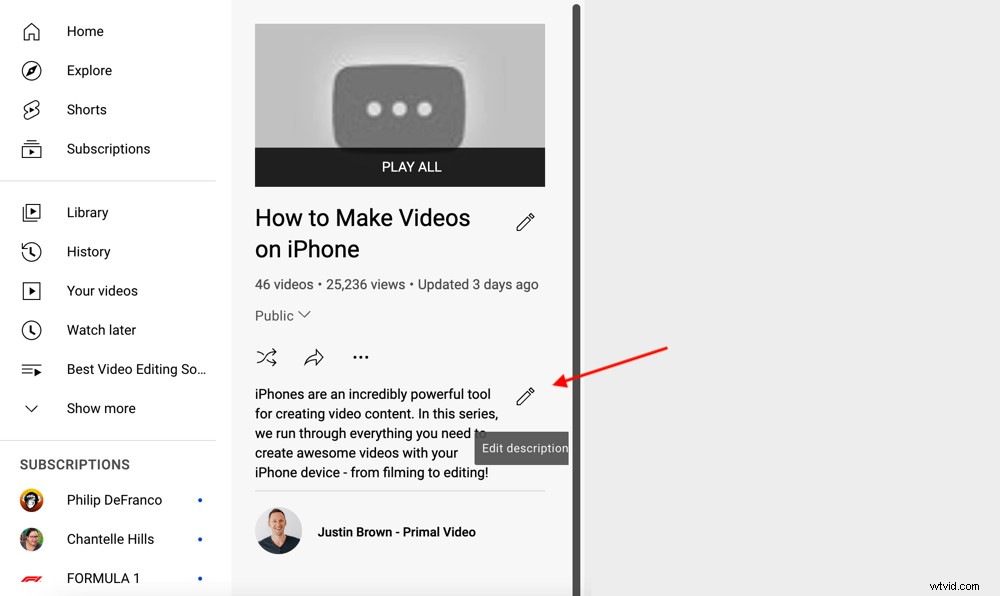
Make sure you add keywords in the description to help your playlist rank on YouTube
Now let’s add some videos to the playlist.
Go to your YouTube Studio dashboard and select Content in the left menu. Select the relevant videos that you want to add to the playlist by ticking the box next to them.
Then in the top menu select Add to playlist and select the playlist you want to add them to. Then press Save and the videos will be added.
Or you can press the three dots icon inside your playlist and select Add videos. Then simply select the videos you want to add.
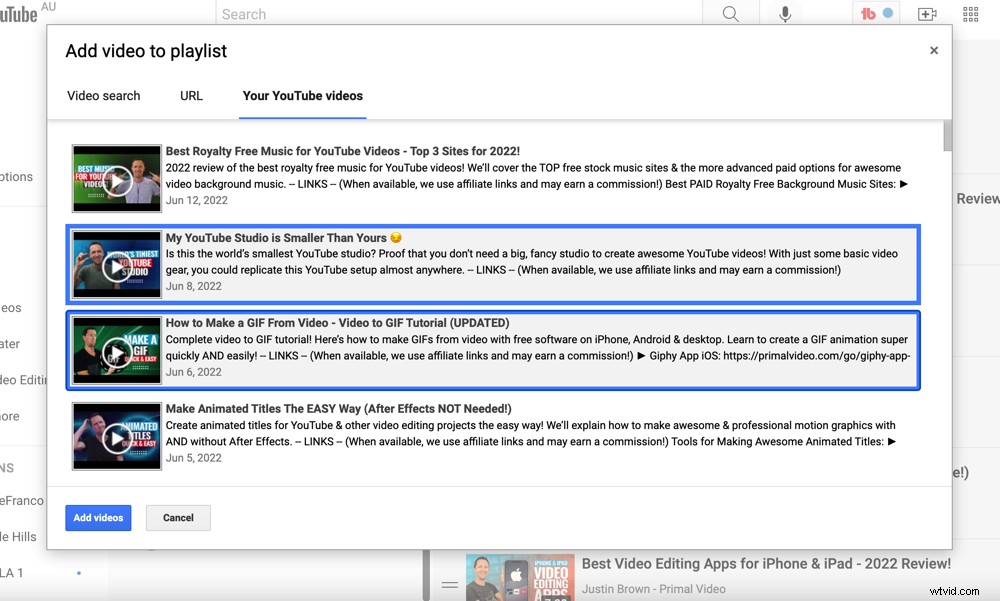
Select the videos you want to add and press Add videos
If you go back to your playlist, you’ll see the thumbnail is the same thumbnail as the first video in the playlist. You can click and drag the videos to change the order and the thumbnail.
And that’s it – now you know how to create a playlist on your YouTube channel.
How to Get More Playlist Views
Our number one playlist tip is that you can add other channel’s videos to your playlist.
This does two things:
- Creates a great viewer experience: If you’re linking to other people’s content that is related and is a good video, it adds value for your viewers. This gives them a good experience which means they’ll stick around on YouTube for longer.
- Sends indicators to YouTube: It tells YouTube that the audience for that channel would also be a good audience for your channel. It ties your channel to the channel that you’re linking to, saying they’re related content.
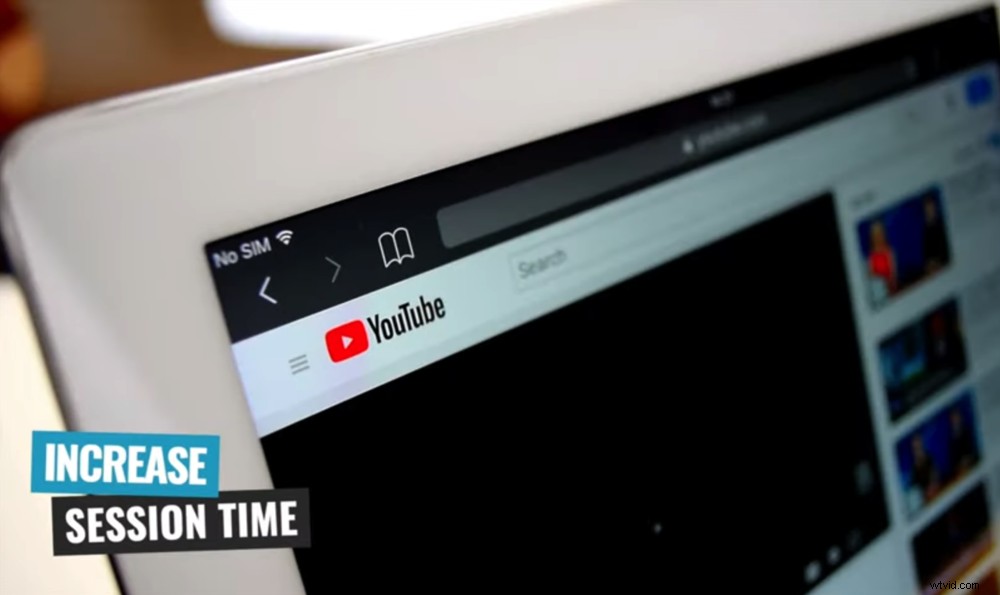
Creating playlists is an awesome way to increase your viewers’ session time on YouTube
All of this plays into putting your best forward forward, helping YouTube feature your content in front of the right people at the right time.
Now you know how to make a YouTube playlist!
Interested in learning more tips and tricks for creating quality video content? Check out our guide on the ULTIMATE Process for Editing Videos Faster. This free download provides you with tons of video editing tips and tricks that can take your videos to an entirely new level.