
Creating an Anime‑Inspired Super Punch Effect with Filmora
Transform your footage into a high‑velocity anime punch sequence using the intuitive features of Filmora. This step‑by‑step guide walks you through recording, editing, masking, and animating your clips to achieve a professional, cinematic result.
What You’ll Need
- Computer (Windows or macOS)
- Raw video footage of a static background and a character performing punches
- Filmora video editor (free trial available)
Step 1: Capture Clean Footage
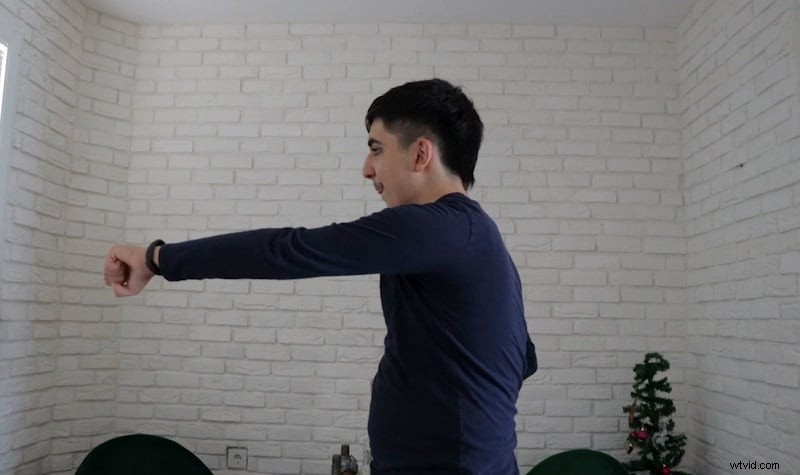
Choose a quiet, stationary location—ideally a plain wall. Record two separate videos: one of the empty background and one of the character executing punches in various directions. Keep the camera locked to ensure frame consistency.
Step 2: Install Filmora
Download and install Filmora from the official website. The setup process is straightforward; simply accept the default options. The free trial lets you test all features before committing.
Step 3: Import Your Footage
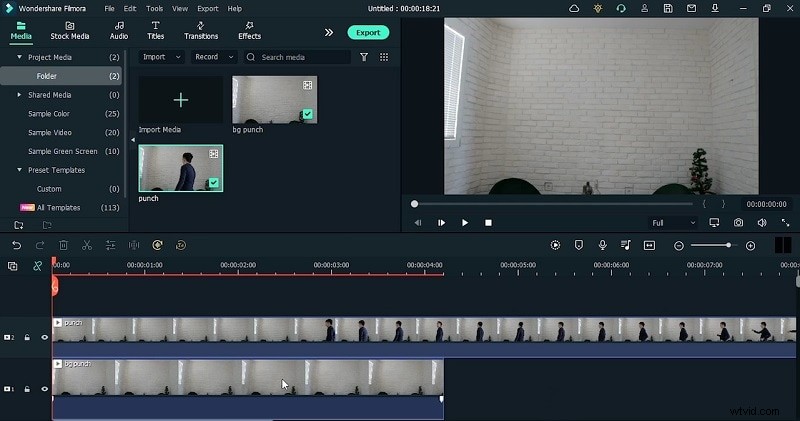
Open Filmora and import both clips. Drag them onto the timeline, placing the background video on a lower track and the character clip on a higher track.
Step 4: Freeze the Background
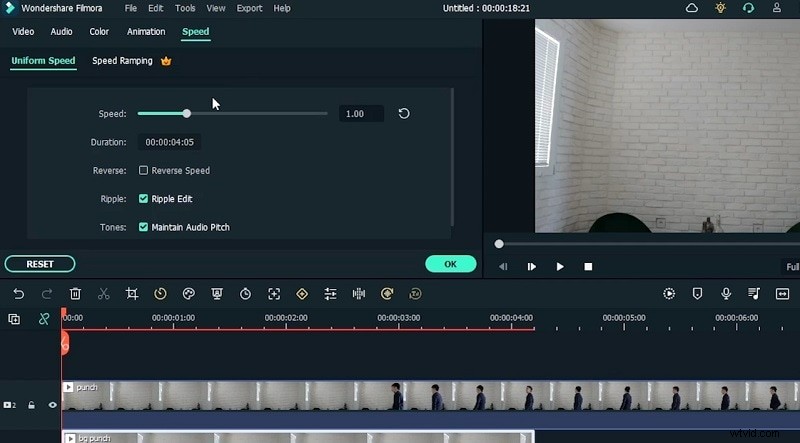
In the timeline, select the background track, click Speed → Add Freeze Frame, and set the duration to match the character clip. This keeps the backdrop static while the punch sequence plays.
Step 5: Slice the Punch Action
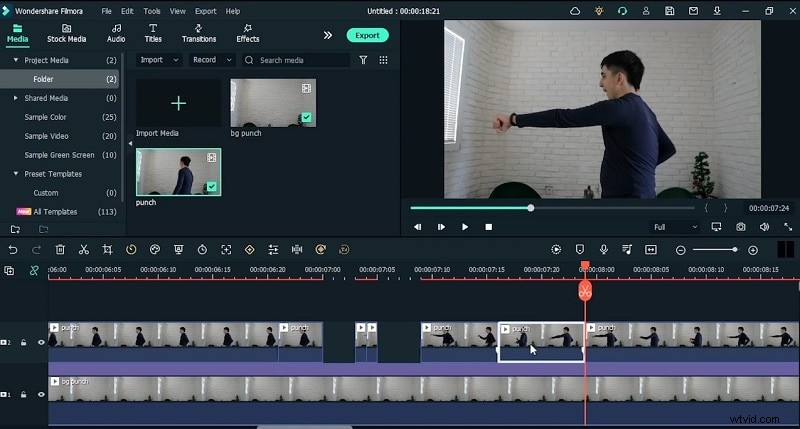
Use the Split tool to isolate individual punch frames—full punch, mid‑air, and follow‑through—into separate clips. Arrange these clips sequentially on the character track.
Step 6: Apply a Mask to the Arm
Double‑click the character clip to open the Mask window. Draw a rectangular mask around the arm, then enable Invert Mask so only the arm remains visible. Increase the blur strength to soften edges and blend the arm into the background.
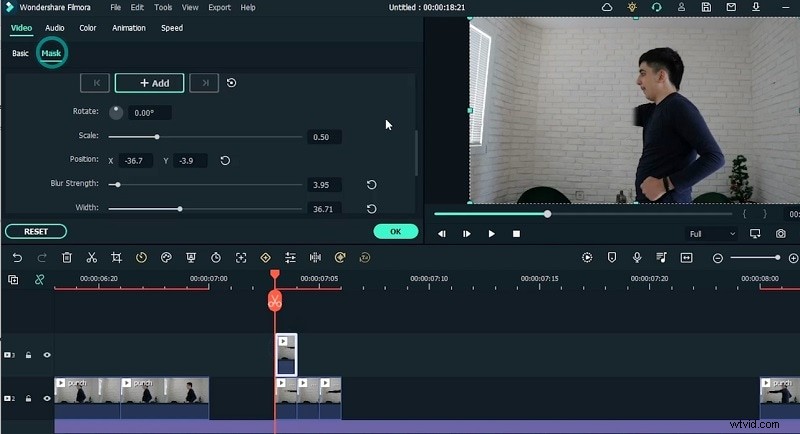
Step 7: Duplicate for Speed
Copy and paste each punch clip multiple times to accelerate the action. Ensure the timing matches the original sequence for a smooth, high‑speed effect.
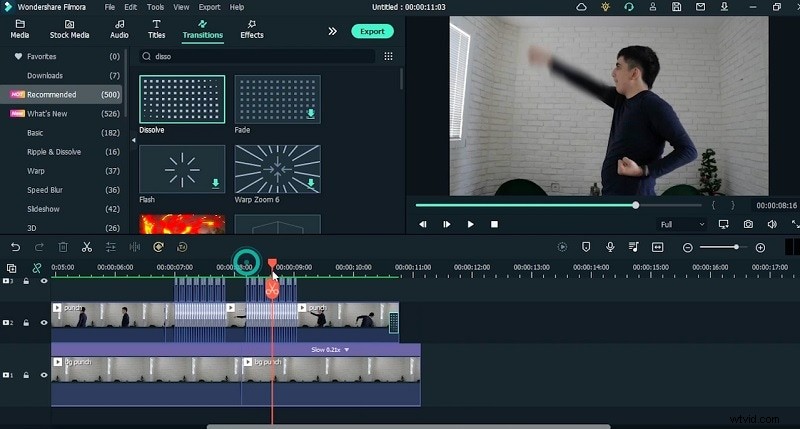
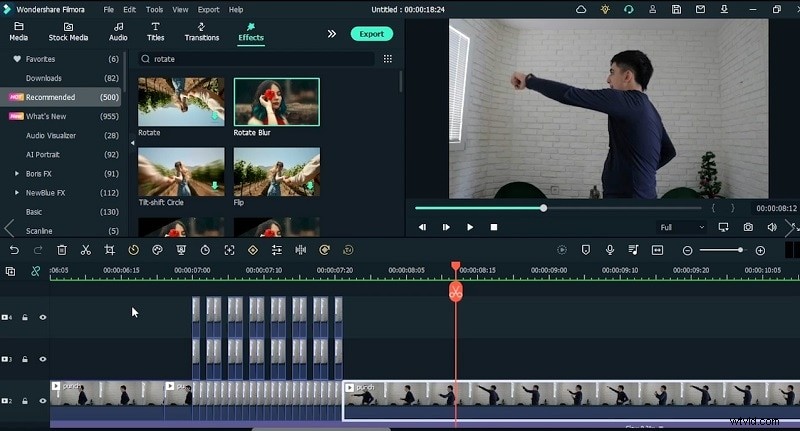
Step 8: Enhance with Blur and Transitions
Apply a Rotate Blur to each punch frame to simulate rapid motion. Use Dissolve transitions between frames for a polished finish.
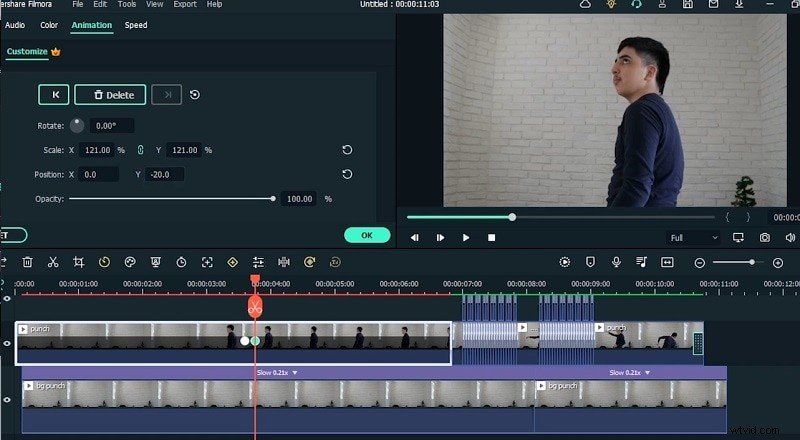
Step 9: Add Animation Keyframes
Open the animation panel, insert keyframes at critical moments, and fine‑tune edge softening and motion blur to mimic anime dynamics.
Step 10: Preview & Export
Review the entire sequence. Adjust keyframe timing as needed, then export the project in your desired resolution. Your anime‑style super punch video is ready for sharing.
Quick Summary
With Filmora’s user‑friendly tools—masking, blur, and animation—you can easily turn raw footage into a dynamic anime punch effect. Download Filmora today and start creating your own high‑speed action sequences.