
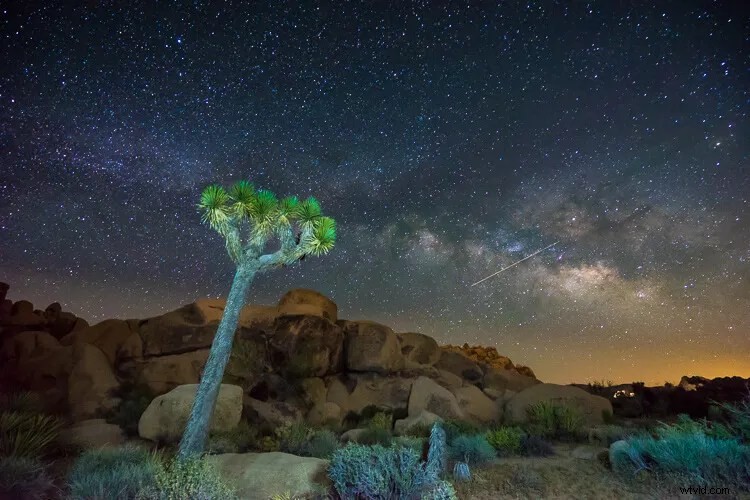
Astrophotography has become increasingly popular in recent years, with good reason. There’s something about the night sky, stars, and The Milky Way that are fascinating to us. They remind us of how small we are and how huge the universe we live in really is. Photographing them can make for some pretty spectacular images.
Digital Noise in Astrophotography
As camera technology has advanced, photographing the night sky has become possible for photographers of all levels and budgets. Low-light performance continues to improve, allowing us to photograph the stars at higher and higher ISOs. However, digital noise continues to be one of the biggest challenges for astrophotographers.
There are a number of different approaches to dealing with digital noise in your astrophotography, from your camera settings to the way you process them in post-production.
Digital noise is caused by a couple of things. Firstly, the camera sensor heats up as it exposes an image, causing an increase in noise. Secondly, an increase in sensor sensitivity, or ISO, can lead to more digital noise in your images. As both high ISO values and long exposures are going to lead to more digital noise, you’re going to need a strategy to deal with it in your astrophotography.
Exposure Stacking
There is a technique called exposure stacking that is very effective in reducing the digital noise in your photos. You take multiple exposures with the same settings, stack them into layers inside Photoshop, align the stack, then Photoshop will create an image based on the median of all the stacked exposures. The final image will show the parts of your exposures that are consistent through each layer, like the stars. Because digital noise is random, and changes from one exposure to the next, it will not be visible in the final stacked image.
If you’re still following me, great. It sounds complicated, but I’m going to walk you through exposure stacking step-by-step and you’ll see it’s really not that difficult. It can take a little time to get right, but it’s totally worth it when you see the difference it can make in your night sky photos.
Capturing the Stars In-Camera
There are plenty of other articles that will teach you in detail how to take great astrophotography, so I won’t go into it here. However, there are a few considerations that are required to get the exposures correct in order to be able to use the exposure stacking technique later.
1. You need multiple exposures with the same camera settings. You can take as many shots as you want, but I would suggest using a minimum of 10. Try to capture them as close together as possible to minimize movement of the stars between each exposure. The more time that lapses from the first exposure to the last, the more work will be required to stack them properly.
2. Turn off Long Exposure Noise Reduction. This is probably called something like “Long Exposure NR” in your camera. It will cause each exposure to take twice as long when it’s turned on, meaning there will be twice as much movement of the stars between exposures. It also means you’ll be double-processing your images, causing a reduction in image quality.
3. Make sure the stars in your photos are pinpoint. They need to be sharp and have as little streaking as possible. You can work out the maximum exposure time to create pinpoint stars based on the focal length of your lens using this tool.
var dpsTopics = {
id: 147428,
titles: [{"id":"digital-noise-in-astrophotography","permalink":"https:\/\/digital-photography-school.com\/reduce-digital-noise-astrophotography-exposure-stacking\/","title":"Digital Noise in Astrophotography"},{"id":"exposure-stacking","permalink":"https:\/\/digital-photography-school.com\/reduce-digital-noise-astrophotography-exposure-stacking\/","title":"Exposure Stacking"},{"id":"capturing-the-stars-in-camera","permalink":"https:\/\/digital-photography-school.com\/reduce-digital-noise-astrophotography-exposure-stacking\/","title":"Capturing the Stars In-Camera"},{"id":"import-and-develop-in-lightroom","permalink":"https:\/\/digital-photography-school.com\/reduce-digital-noise-astrophotography-exposure-stacking\/","title":"Import and Develop in Lightroom"},{"id":"aligning-and-stacking-exposures-in-photoshop","permalink":"https:\/\/digital-photography-school.com\/reduce-digital-noise-astrophotography-exposure-stacking\/","title":"Aligning and Stacking Exposures in Photoshop"},{"id":"auto-alignment","permalink":"https:\/\/digital-photography-school.com\/reduce-digital-noise-astrophotography-exposure-stacking\/","title":"Auto Alignment"},{"id":"manual-alignment","permalink":"https:\/\/digital-photography-school.com\/reduce-digital-noise-astrophotography-exposure-stacking\/","title":"Manual Alignment"},{"id":"stacking-layers","permalink":"https:\/\/digital-photography-school.com\/reduce-digital-noise-astrophotography-exposure-stacking\/","title":"Stacking Layers"},{"id":"finish-up","permalink":"https:\/\/digital-photography-school.com\/reduce-digital-noise-astrophotography-exposure-stacking\/","title":"Finish up"}] };