
Explore the next stage in DIY video journalism with these user-friendly tools — plus some tips to maximize your smartphone videos.
Having spent several years building a career as a video journalist, I was lucky enough recently to have the opportunity to speak to a class of journalism undergrads about the state of digital reporting. However, while I showed up with my DSLR and audio recording setup, the students actually showed me a thing or two about how quickly technology is shaping digital content creation.
That day, I discovered a smartphone app called Videolicious, which looks like a fully inclusive, one-stop production shop — you can shoot, record, and edit digital packages in real time. I’ll admit I was skeptical about how professional it would look — as well as how intuitive it would be for someone without an actual production background.
Yet, to watch the students work with it (most of whom were still in their teens), I was amazed by how aptly they handled all the intrinsic difficulties of shooting, talking, and recording in real time. So, for those curious about what the future may hold for the industry, I did some research into the technology and tried it out over a weekend. Based on my study, here are some insights into how we all may be able to keep up.
Introducing the App
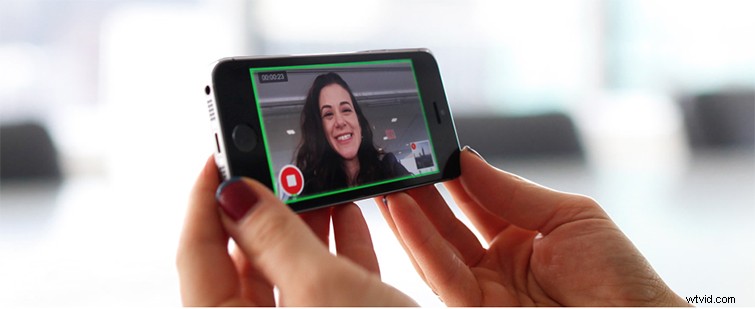
On its website, Videolicious bills itself as “automatic video creation for today’s digital business.” Which is a bit of a misnomer, since it’s not necessarily automatic — it requires several steps to use — but it is definitely intuitive and inclusive, encouraging you record all your audio and video natively and put it together in real time. Based on the students’ workflows, it seemed best to shoot B-roll shots with your smartphone for only a few seconds at a time. (The app encourages you to only use horizontal video recording). From there, you upload your shots, then flip the camera around (selfie-style) and record yourself in a news-package type of narration. From there, as you record your story, you can click on the B-roll shots you’ve already uploaded to signal when you want to cut to them, and for how long.
Once you’re done recording (and happy with your take), your video has already been edited together. It may look a little janky at first (as it did when I tried it out), but you can do several quick takes in a row and iron it out. You can also go in and tweak the edits as you see fit, changing everything from transitions to audio levels — you can even add background music and intro/outro logos.
The app is free to download as a light-version; however, to get full HD exporting and many of the better editing options, you have to upgrade to some sort of business account. Ideally, if you are a reporter, your station or organization will get an enterprise-level account.
Smartphone Video Tips
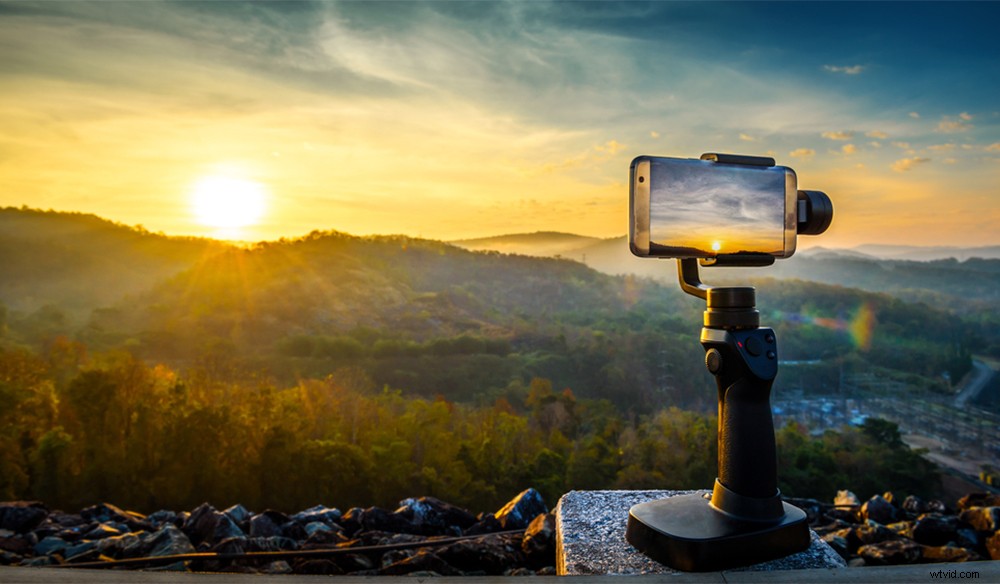
So, after watching student after student show how they organically problem-solved their way through this app (and several similar ones — more on that below), it was interesting to see what creative solutions they came up with — things film and video professionals would take for granted. One girl even used a selfie stick to record her narration, which didn’t look half bad. However, there were several challenges the students came up against. (I tried my best to offer some insights and offer some helpful resources.)
With smartphone filmmaking, the biggest concerns always seem to be stability, lighting, and audio. General misconceptions about what makes an interesting shot or a good composition seem to go unnoticed when you’re simply pointing and shooting. A lot of the feedback was on intentionality and finding a creative way to frame a shot to capture any necessary information yet look interesting while doing so. Concepts like the rule of thirds, depth of field, and general information on how camera movement can add elements of energy and space also seemed to be helpful.
For those looking for best practices for smartphone filmmaking, here are some resources I shared that the students found helpful:
- Smartphone Filmmaking: Pro iPhone Videographer Equipment
- Smartphone Filmmaking: Saving Battery Life and Storage Space
Tricks to Boost Audio Recording
As I mentioned, audio concerns were rampant. Which is understandable, since most smartphones do a good enough job for a call (or Snapchat), but when it comes to recording diverse sounds and quality, uninterrupted narration, they quickly fall short. It also didn’t help that many of the students chose subjects outside, which meant lots of wind issues and background noise that threw off their levels.
While there are some tips and tricks for recording better audio, the biggest thing any video journalist needs out in the real world is a quality microphone — and knowing how to use it. I suggested attachable boom mics for the phones when recording B-roll, and lapel mics for their narration shots, but you can use a lot of different options. Companies like RØDE and other audio experts have anticipated the need for smartphone-minded gear for years, so they have some great products already on the market for exactly this type of work.
Similar Apps and Technologies
Like I said earlier, Videolicious was not the only app the students were using. It was the most dominant, but many of the other students either made conscious decisions to look around or chose something similar by brands they already trusted. iMovie and Adobe Clip seemed to show some promising returns with their greater NLE-inspired editing options (but they still offered intuitive smartphone-editing workflows). A few others I saw were Splice, Videolab, and WeVideo, and after a bit more research, I found several other players in this growing field as well.