
Notes from a client can be overwhelming, especially if you’re not used to them. Here are a few tips to breeze through revisions and keep your clients happy.
Whether you are a beginner or a pro, working with production notes from your clients requires more than just a checklist. It’s important to balance the client’s needs with your particular style of filmmaking. Check out these strategies for delivering top-quality videos that will keep your clients coming back again and again.
1. Duplicate Project
When you get a new round of feedback, duplicate your current project by either creating a new project or just duplicating your sequence. This will ensure you don’t write over any previous work.
2. Non-destructive Editing
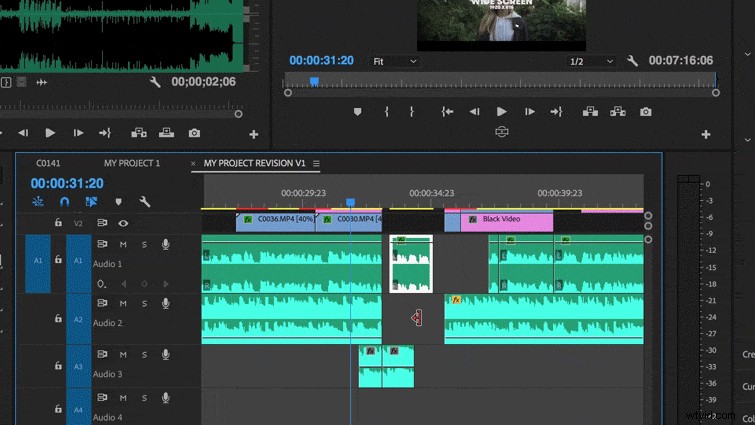
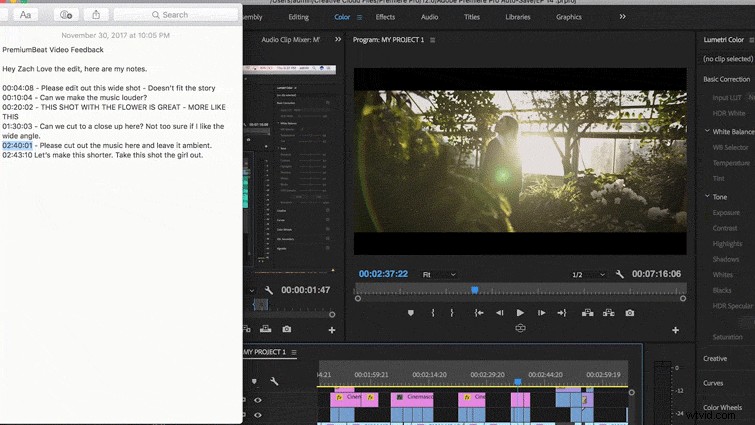
Most notes come with timecode references, so be sure to do non-destructive timecode editing. That means that if you need to remove a clip, don’t ripple shift your timeline because, chances are, you’re going to have to reference the timecode your client has provided. If you ripple the sequence, your timeline is going to be out of sync.
3. Reference Original
In case you need to ripple the sequence, be sure to have the cut of the original edit they are referencing open in another window.
4. Analyze Notes
Take all feedback with a grain of salt, and compare the edits. Do their notes make sense? Be open to their opinions, but stand your ground if an edit doesn’t work. Keep in mind that they’re the ones paying for this, and this is representing their brand. No one knows their image better than they do.

5. Work Steadily
Sometimes notes can be overwhelming, so chip away at them in order. Start with the sequence edits (like trimming clips), then move to assets (like fonts and text) then work with music and audio last. If you continuously trim and move your video clips, you are raising the chances of shifting your audio out of sync. If you can do most of your audio edits at the very end, it will save you a ton of time.