
You’ve poured your heart, soul, and countless hours into your new track. The mix is perfect, the master is loud, and it’s ready for the world. Yet in 2026, a song without a visual feels incomplete. To stand out, you need a music video.
Traditionally, that meant draining a budget or settling for a static album cover on YouTube. A full‑scale production could cost between $10,000 and $50,000 for indie projects, and over $100,000 for major label releases, according to industry data from companies like Dotmotions. This high entry cost kept 99% of creators out of the studio.
Today, generative AI has demolished that barrier. The AI‑video market, valued at $1.97 billion in 2024, is projected to hit $20.7 billion by 2034 (GlobeNewswire). For musicians, this means two doors open: the cost barrier collapses to a subscription, and the technical barrier disappears—no complex software, no massive crew, just an idea and the right tool.
See It to Believe It: An Entire Music Video Made with Renderforest AI
Below is a video that was created entirely with Renderforest’s AI Music Video Generator—no studio, no animators, only text prompts. This is the future of music‑video production.
The AI Revolution in Music‑Video Production
Professional music videos used to be a members‑only club. Today, AI offers a complete, all‑in‑one suite that combines a timeline, an editor, and a creative partner. Renderforest’s AI Video Generator is fast, intuitive, and provides two powerful workflows: meticulous scene‑by‑scene control and rapid narrative‑driven generation.
How to Generate a Music Video with AI – Full Tutorial
We’ll walk through two distinct methods. Method 1 gives you granular control; Method 2 delivers a full narrative in minutes.
Method 1: AI Video Editor (Scene‑by‑Scene Generation)
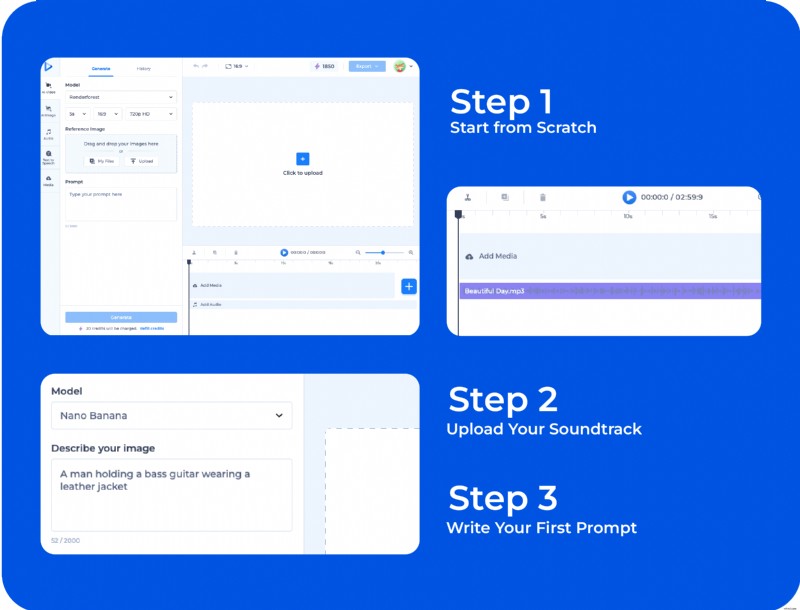
- Start from Scratch: In the Renderforest dashboard, select “Create from Scratch” and choose a 16:9 blank project. This opens a familiar timeline.
- Upload Your Soundtrack: Add your final song directly to the timeline. The waveform will guide you when placing scenes.
- Generate Your First Prompt: Listen to the opening bars and imagine the visuals. Click the timeline where you want the first scene and enter a descriptive prompt.
- Bad Prompt: “A person.”
- Good Prompt: “A lonely astronaut floating in space, looking at a vibrant, swirling nebula, cinematic lighting, realistic.”
- Create Your Storyboard: Hit “Generate.” The AI produces a static image based on your prompt. Iterate until you’re satisfied with the shot.
- Animate Your Vision: Select the chosen image, write a prompt to animate it (e.g., “Add subtle camera pans and soft motion”), and let the AI bring the scene to life. The animated clip appears on the timeline.
- Repeat, Edit, Refine: Move the playhead to the next beat, add a new scene, and repeat. Adjust clip duration by dragging edges, add transitions, text overlays, or effects from Renderforest’s library to polish your video.
This method grants you full creative control over every second of your video.
Method 2: AI Story & Video Generation (Fast, Narrative‑Driven)
Ideal for 3‑minute tracks, this workflow requires a single, detailed narrative prompt. The AI expands it into a full‑length video with natural pacing and transitions.
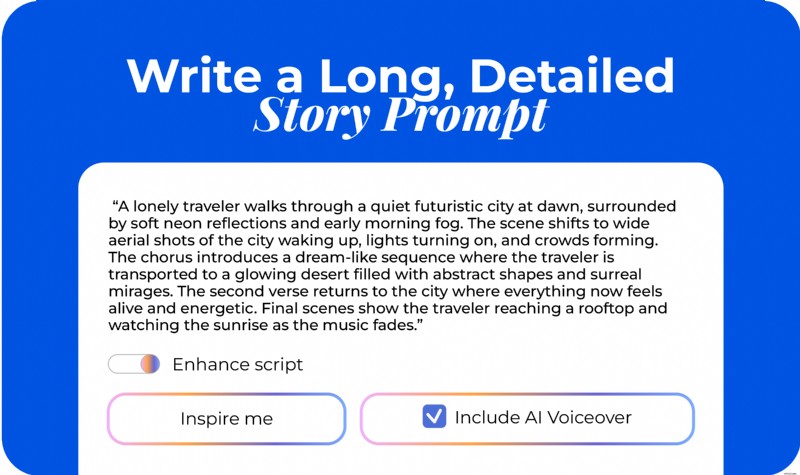
- Write a Long, Detailed Prompt: Open the AI Video Generator and enter a story of 4–8 sentences, describing progression, mood, and key visuals. Example: “A lonely traveler walks through a quiet futuristic city at dawn, surrounded by soft neon reflections and early morning fog. The chorus introduces a dream‑like sequence in a glowing desert filled with abstract shapes and surreal mirages. The final scenes show the traveler reaching a rooftop and watching the sunrise as the music fades.”
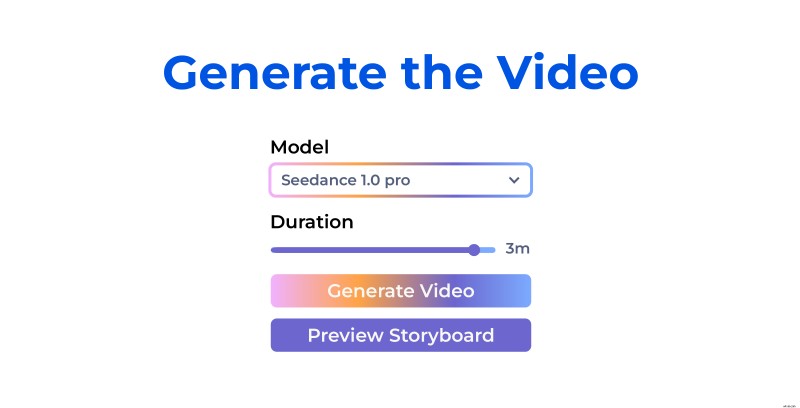
- Select Settings: Choose “Generative AI,” set the video style, aspect ratio, and 3‑minute duration. The AI will structure the storyboard automatically.
- Generate the Video: Click “Generate.” You’ll receive a multi‑scene draft with natural pacing and transitions.
- Upload Your Music Track: In the editor, add your final song. The waveform will help you sync visuals to audio.
- Refine with Smart Edit & Smart Add:
- Smart Edit allows you to replace objects within scenes for a polished final product.
- Smart Add lets you insert new AI‑generated shots that blend seamlessly with the existing style.
- Finalize & Publish: Export the video once you’re satisfied with sync, pacing, and visuals. Your music video is ready for YouTube, TikTok, Instagram, or Spotify Canvas.
Final Thoughts: Your Music Deserves a Visual World
The industry’s transformation means that any artist can now transform a track into a compelling visual narrative without a crew, expensive gear, or weeks of editing. AI has replaced the old cost and technical hurdles with a creative playground where imagination leads.
Whether you prefer meticulous, scene‑by‑scene editing or a rapid narrative workflow, the Renderforest AI Video Generator gives you everything you need. Start with an idea, write a story, upload your track, and walk away with a complete music video ready for distribution.
Your song is already alive. Give it a world to live in—create your AI music video today and show your audience what your music looks like.