
Summary: Dubbing a video for your favorite animal or character is a fun way to personalize your content. If you're ready to dub a video, this guide will show you how to do it quickly and easily—without installing any software.
In recent months, people have shared countless dubbed clips on YouTube, Facebook, TikTok, Instagram, and more. Want to create your own? Follow our step‑by‑step instructions below.
In this article, we'll walk you through an online method to dub a video effortlessly. No downloads, no complicated features—just a few clicks.
Image board: How to Dub A Video
Also Read: How to Add Voice Over to Video
Quick Navigation:
Part 1. The Tool You'll Need – FlexClip
Part 2. How to Dub a Video Online
Part 3. How to Edit Dubbed Videos Online
Part 1. The Tool You'll Need
FlexClip is an online video editor and maker that has empowered millions of users to create polished videos with ease. Here’s why it’s ideal for dubbing:
- Dubbing: Record and overlay voice tracks directly in the browser—no software installation required.
- Rich Templates: Choose from a library of ready‑made templates, even if you’re a complete beginner.
- Advanced Editing: Trim, split, adjust speed, add filters, text, music, watermarks, and more—all online.
- Media Resources: Access a vast collection of music, clips, intros, outros, widgets, and overlays.
Depict video: Dub the Avengers
Part 2. How to Dub a Video Online
Follow these steps to dub your video using FlexClip:
- Visit FlexClip in your browser and click “Make a Free Video.”
- Choose “+ Start From Scratch” to upload your footage, or select a template to begin.
- Mute or lower the original audio before you record your new voice track.
- Press and hold the “Record Voice” button to capture your dub.
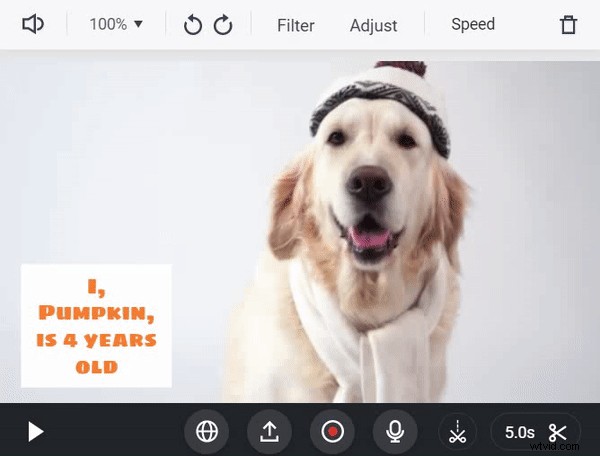
Part 3. How to Edit Dubbed Videos Online
After recording, you can polish your video further:
- Add subtitles to enhance accessibility.
- Overlay background music for mood.
- Adjust playback speed for dramatic effect.
- Insert text, watermarks, and filters to brand your content.
FlexClip offers a free, web‑based editing suite that lets you add all these elements effortlessly.

FlexClip Editor

Our team of video editing and marketing experts is ready to share constructive tips and tricks to help you create fantastic videos.
The Bottom Line
With FlexClip, you can dub and edit videos online quickly and professionally—no software downloads, no steep learning curve. Start creating polished, personalized videos today.