
How to make a song loop
You probably had periods when you liked some song so much that you listened to it constantly until you got bored of it. In such cases, you can loop the music for a more comfortable listening experience — as you may have seen, some even make 10-hour loops of songs! However, you most likely do not need such a long version and a 1-hour loop is enough. This can also come in handy if you want to use a particular song as background music.
So, if you’re looking for a 1-hour loop maker for music, our tool is just for you! You don’t need to download it as it works online on any device, be it Windows, Mac, Android, or iPhone. Plus, it’s compatible with many popular audio formats and you can use it to convert your song to other formats.
It’s also easy-to-use, just take a look at the instructions below!
Upload a song
Open Clideo's Audio Joiner and click "Choose files" to upload a file from your device or pick it from your cloud storage by hovering over an arrow on the right side.
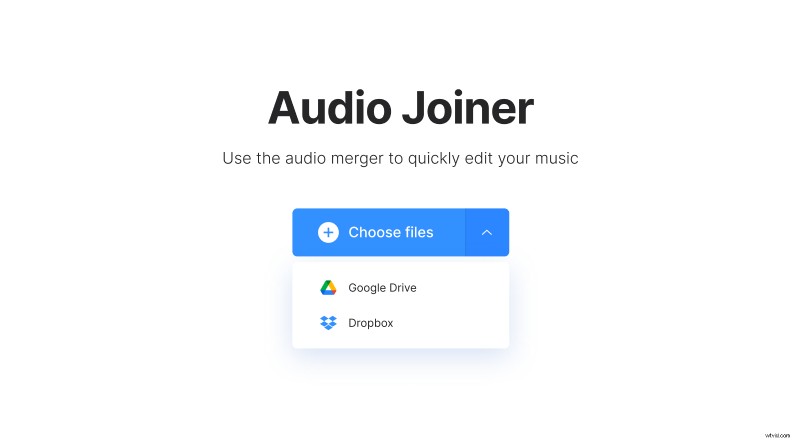
Note that you can upload up to 500 MB for free.
-
Make a loop
On the editor page, there’s an "Add more files" option in the right pane. Use it to loop your song — just add it as many times as needed for the specific amount of time you want. The "Final output" section under the player shows you how long the result will be.
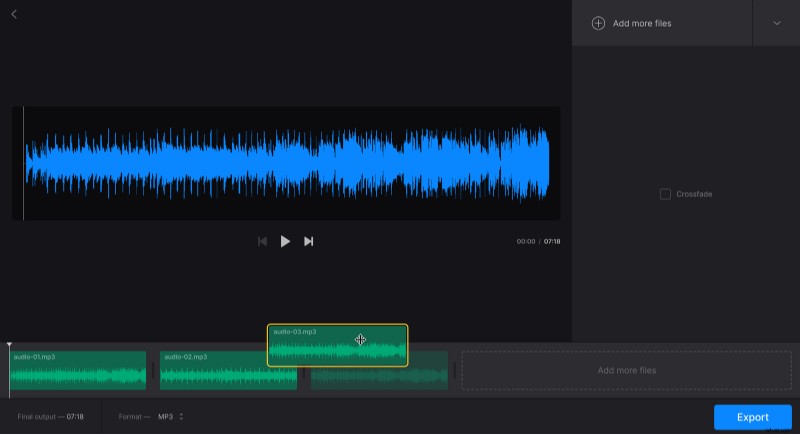
Tick the "Crossfade" box if you want to make the transition between the end and the beginning of the song smoother.
If you want to change the extension of the final audio, you can pick the one you need in the "Format" section under the player.
Once everything is ready, click "Export".
-
Download the looped audio
Then, you can relisten and check if it sounds good. If some changes are needed, simply click "Edit" and you will return to the previous page without losing any progress. And if everything is ok, click "Download" to save the audio to your device or your chosen cloud storage.