
Quick video uploading: online solution
Usually how fast your file uploads depends on its size, the internet speed and connection stability. If you can’t do anything about the last two points, you can always accelerate the uploading process by compressing the size of your video.
Here’s where Clideo comes in handy!
It works online, so you can use it on any device, be it Mac, Windows, Android, or iPhone. The service does everything for you, just upload the file and it’ll pick the best quality to size ratio.
Apart from compressing Clideo has many other free tools that can make your life so much easier as you no longer have to use some complicated programs for editing.
In just three steps you can get your videos to upload faster to Facebook, Instagram, WhatsApp or Gmail...
Select a file and upload it
First of all, open Clideo’s Video Compressor.
To pick a video directly from your device, click "Choose file" and select it in the window that appears. If your clip is located online, click on the down arrow to upload it from Google Drive or Dropbox.
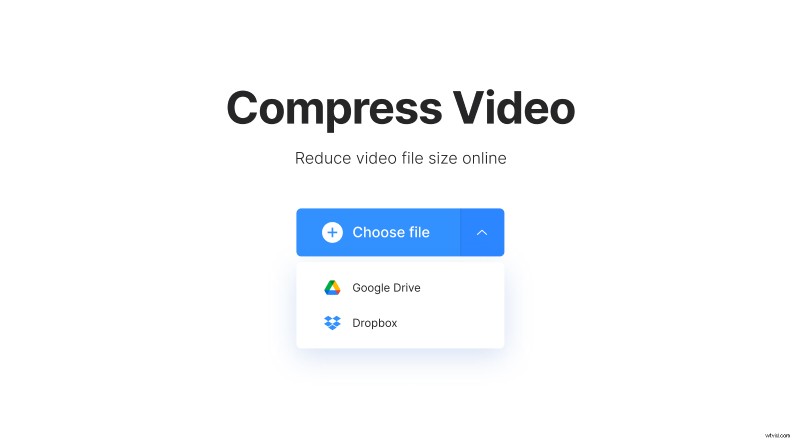
Make your video upload faster
As soon as you pick the video, it will instantly start uploading to our servers.
While the tool is choosing the best way for compressing the clip, you only need to wait but don’t worry — it does not take long at all!

We use modern and efficient codecs such as H.264, as they produce higher quality video with smaller file size.
Just save it!
After a short period of time the download page will open, there you will have the opportunity to watch the result and see the new file size to make sure that the compression was successful.
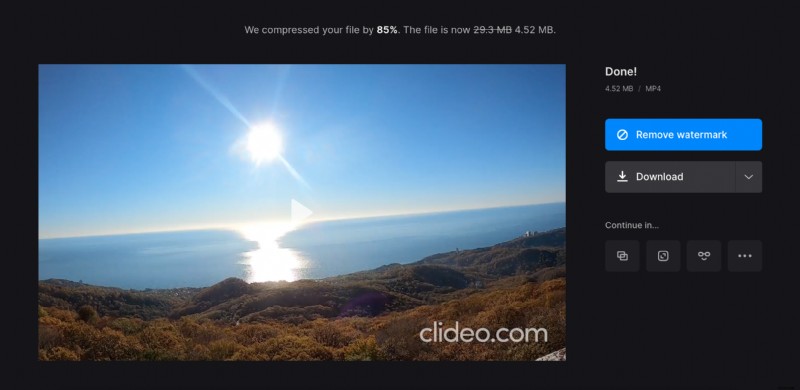
If you're satisfied with the result, you can download it with a single click to your device, or — again — use cloud storage, it’s entirely up to you.